
1. Entwodiksyon
Welcome to the user manual for your new Xiaomi 17 Ultra smartphone. This device combines cutting-edge technology with a sophisticated design, offering an exceptional user experience. Key features include a powerful Leica 200MP telephoto lens, a 1-inch ultra-dynamic camera with LOFIC HDR technology for stunning night photography, and the advanced Snapdragon 8 Elite Gen 5 mobile platform for superior performance. The device is also equipped with a long-lasting 6000 mAh Xiaomi Surge battery and integrates HyperAI for enhanced productivity and smart features.

Figure 1: Xiaomi 17 Ultra smartphone in hand.
2. Enstalasyon
2.1 Debale ak Kontni Pakè a
Carefully unbox your Xiaomi 17 Ultra. Ensure all components are present. The standard package includes the Xiaomi 17 Ultra smartphone, a USB-C cable, and a SIM ejector tool (SIM-Pin).

Figure 2: Package contents including the Xiaomi 17 Ultra, USB-C cable, and SIM-Pin.
2.2 Mete Kat SIM lan
- Jwenn plato kat SIM lan sou bò aparèy ou an.
- Insert the SIM ejector tool into the small hole on the SIM tray and press gently until the tray pops out.
- Mete kat Nano-SIM ou yo nan plato a avèk kontak lò yo anba. Asire w ke yo byen oryante.
- Pouse plato SIM lan tounen nan fant lan avèk anpil atansyon jiskaske li aliyen ak aparèy la.

Figi 3: Side view of the Xiaomi 17 Ultra, indicating the SIM card tray.
2.3 Premye Limen ak Chaje
To power on your device, press and hold the power button located on the side until the Xiaomi logo appears. For initial setup, it is recommended to fully charge your device. Connect the USB-C cable to the phone's charging port and the other end to a compatible power adapter (not included) or a computer.
3. Operating Your Xiaomi 17 Ultra
3.1 Navigasyon debaz
- Limen/Etenyen: Press and hold the power button. Select "Power off" or "Restart" from the menu.
- Fèmen/Debloke ekran: Briefly press the power button. Use your fingerprint, face unlock, or PIN/pattern to unlock.
- Ekran Kay: Glise soti anba ekran an pou ale nan ekran lakay ou.
- Aplikasyon ki sot pase yo: Glise anlè depi anba epi kenbe pou view aplikasyon resan yo.
- Notifikasyon ak Paramèt Rapid: Glise anba soti anwo ekran an pou jwenn aksè a notifikasyon yo ak aktive/dezaktive paramèt rapid yo.
3.2 Karakteristik Kamera
The Xiaomi 17 Ultra features an advanced Leica camera system designed for professional-grade photography.
- Leica 200MP Telephoto Lens: Experience exceptional detail and clarity with the 75–100mm optical zoom, eliminating the need for digital cropping.
- Leica 1-inch Ultra-Dynamic Camera: The large 1-inch sensor, combined with LOFIC HDR technology, captures stunning images even in challenging low-light conditions, preserving intricate details.
- Leica UltraPure Optical Design: An updated optical structure with precision glass elements significantly reduces reflections, ensuring purer image quality.
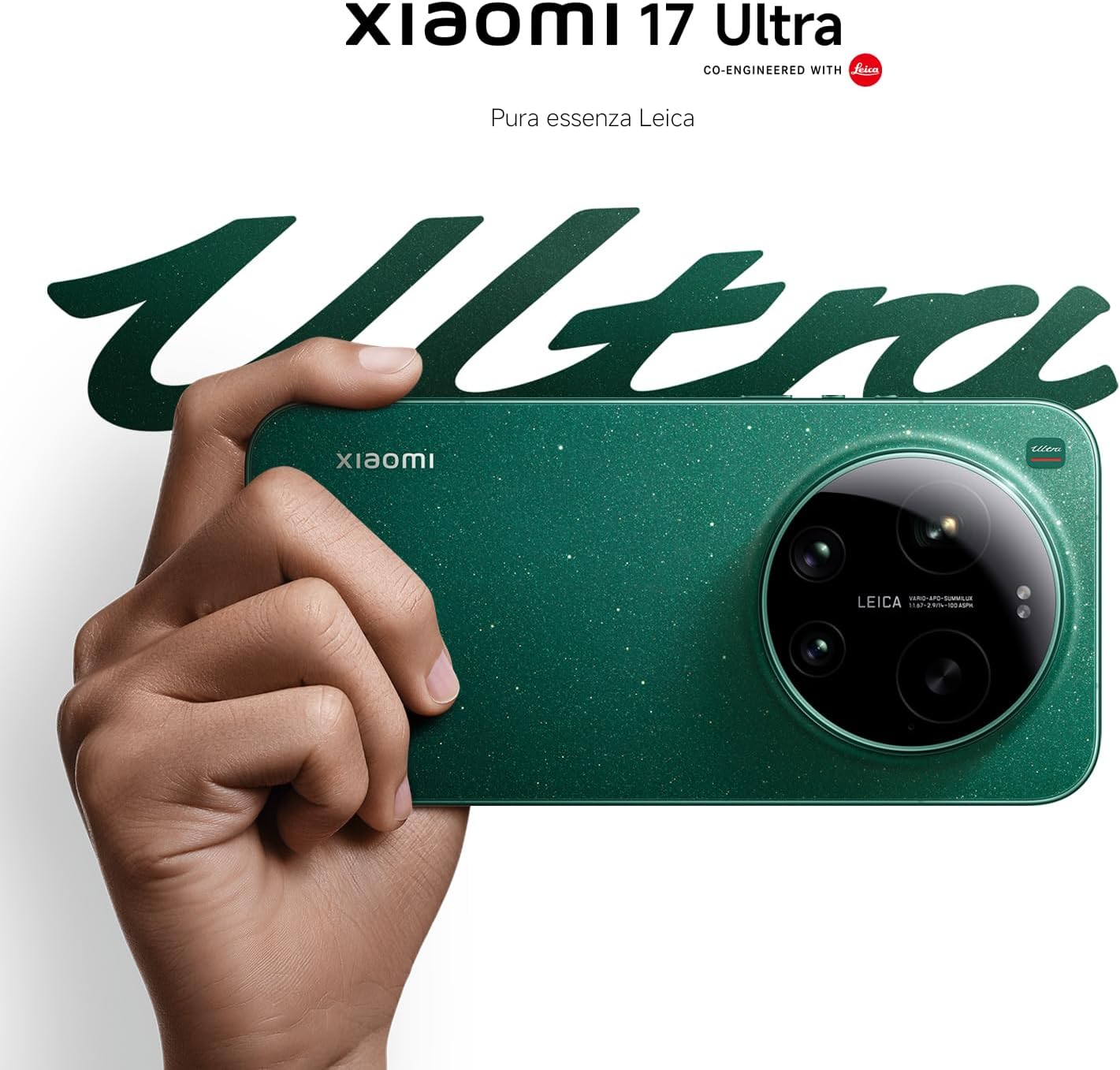
Figure 4: Leica 200MP Telephoto Lens.

Figure 5: Leica 1-inch Ultra-Dynamic Camera Sensor.

Figure 6: Leica UltraPure Optical Design.
Video 1: Demonstration of the Xiaomi 17 Ultra's camera capabilities, capturing fireworks with detail and clarity.
3.3 HyperAI Features
The integrated HyperAI enhances various aspects of your smartphone experience, offering intelligent assistance and improved productivity.
- Ekriti ak entèlijans atifisyèl: Assists with text composition and suggestions.
- AI Voice Recognition: Provides accurate voice-to-text conversion and command execution.
- Rechèch AI: Intelligently processes search queries for more relevant results.
- Dynamic AI Wallpapers: Offers personalized and adaptive visual experiences.

Figi 7: Plis paseview of Xiaomi HyperAI functionalities.
4. Antretyen
4.1 Swen Batri
Your Xiaomi 17 Ultra is equipped with a 6000 mAh Xiaomi Surge battery for extended usage. To maximize battery lifespan:
- Evite tanperati ekstrèm (cho oswa frèt).
- Do not let the battery drain completely regularly. Charge it before it reaches very low levels.
- Sèvi ak sèlman chajè ak kab ki apwouve.
- Evite chaje twòp pou peryòd tan ki long.

Figi 8: Entèn view of the 6000 mAh Xiaomi Surge battery.
4.2 Screen and Device Cleaning
To clean your device, use a soft, lint-free cloth. Avoid abrasive materials, sprays, or harsh chemicals. For stubborn smudges, slightly dampRense twal la avèk dlo. Pa plonje aparèy la nan dlo.
4.3 Mizajou lojisyèl
Regularly check for and install software updates to ensure optimal performance, security, and access to new features. You can usually find this option in your device's settings under "About phone" or "System updates."
NAN. Depanaj
5.1 Pwoblèm komen ak solisyon
| Pwoblèm | Solisyon posib |
|---|---|
| Aparèy pa limen | Ensure the battery is charged. Press and hold the power button for at least 10-15 seconds to force a restart. |
| Aplikasyon yo ap plante oswa bloke | Close the app and reopen it. Clear the app's cache and data in settings. Update the app or the phone's software. |
| Pòv lavi batri | Check background app usage. Reduce screen brightness. Disable unnecessary features like GPS or Bluetooth when not in use. Refer to battery care tips. |
| Pwoblèm koneksyon rezo | Restart the device. Check if airplane mode is off. Reinsert the SIM card. Reset network settings. Contact your service provider. |
6. Espesifikasyon
| Karakteristik | Detay |
|---|---|
| Modèl | Xiaomi 17 Ultra |
| Processeur | Snapdragon 8 Elite Gen 5 Mobile Platform |
| RAM | 16 GB |
| Depo Entèn | 512 GB |
| Kamera prensipal | Leica 1-inch Ultra-Dynamic Camera with LOFIC HDR |
| Lantiy teleobjèktif | Leica 200MP, 75–100mm Optical Zoom |
| Batri | 6000 mAh Xiaomi Surge Battery (typical) |
| AI Karakteristik | Xiaomi HyperAI (AI Writing, Voice Recognition, Search, Dynamic Wallpapers) |

Figure 9: Snapdragon 8 Elite Gen 5 Mobile Platform.
7. Garanti ak sipò
7.1 Garanti manifakti a
Your Xiaomi 17 Ultra comes with a Garanti manifakti 3 zan. This includes the standard 2-year manufacturer warranty plus an additional 1 year of extended warranty, automatically applied upon purchase.
Tanpri kenbe prèv ou achte pou reklamasyon garanti.
7.2 Sipò pou Kliyan
Pou plis asistans, sipò teknik, oswa kesyon sou garanti, tanpri vizite sipò ofisyèl Xiaomi a. website or contact their customer service. You can find contact information on the Xiaomi official website or within your device's "Settings" under "About phone" > "Legal information" or "Support".


