
Samsung AR50H12D1ZHNNA
Samsung 1 Ton 5 Star Bespoke AI Inverter Smart Split AC
Model: AR50H12D1ZHNNA - User Manual
1. Pwodwi souview
This manual provides essential information for the safe and efficient operation of your Samsung 1 Ton 5 Star Bespoke AI Inverter Smart Split AC, model AR50H12D1ZHNNA. This advanced air conditioner features AI Inverter technology, Wi-Fi connectivity, voice control, and multiple cooling modes to ensure optimal comfort and energy efficiency.
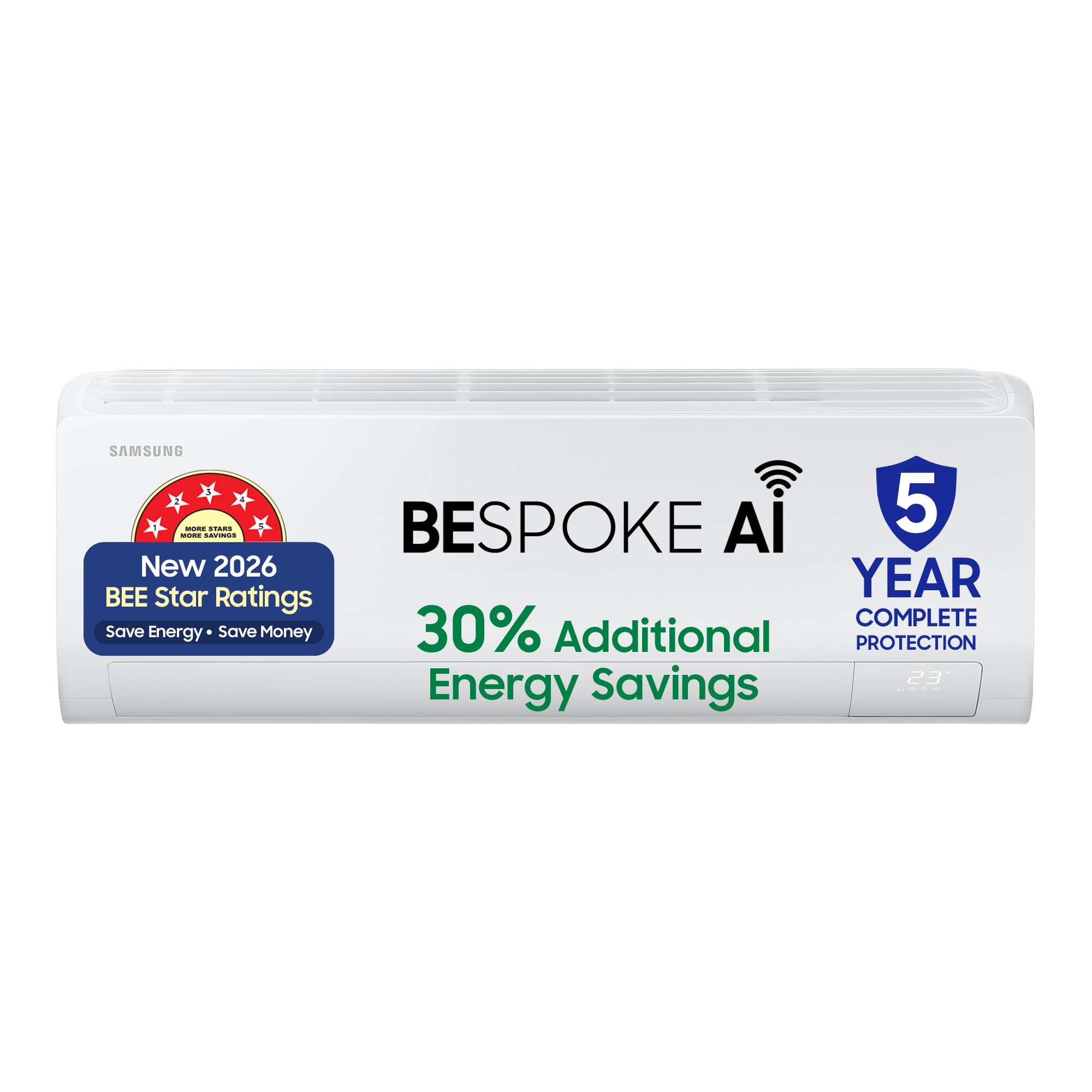
Image 1.1: Samsung Bespoke AI Inverter Smart Split AC Indoor Unit.
2. Enfòmasyon sou Sekirite
Read all safety warnings and instructions carefully before installing, operating, or servicing this appliance. Keep this manual for future reference.
- Enstalasyon: Installation must be performed by qualified service personnel in accordance with local and national wiring regulations. Improper installation can lead to electric shock, fire, or water leakage.
- Pwovizyon pou pouvwa: Asire w ke ekipman pou kouran an koresponn ak espesifikasyon aparèy la. Pa sèvi ak kòd kouran oswa ploge ki domaje.
- Antretyen: Disconnect power before cleaning or performing any maintenance. Do not attempt to repair the unit yourself. Contact authorized service personnel.
- Frijidè: This unit uses R32 refrigerant. Handle with care and ensure proper ventilation during installation and servicing.
- Timoun: Keep children away from the unit and remote control. Do not allow children to play with the appliance.
3. Pake kontni
Verifye ke tout konpozan yo prezan nan bwat la:
- 1 x Indoor Unit
- 1 x Inite Eksteryè
- 1 x kontwòl remote
- 2 pil AAA (pou kontwòl remote)
- 1 x Connecting Wire (3.5m)
- 1 x Copper Pipe/Copper Tube (3m)
- User Manual (accessible from brand websit)

Image 3.1: Included components in the product package.
4. Enstalasyon ak Enstalasyon
Professional installation is highly recommended for this split AC unit to ensure proper functioning and safety. Refer to the detailed installation guide provided by Samsung service technicians.
4.1. Dimansyon
- Inite Andedan kay la: 88.9 cm (W) x 29.9 cm (H) x 21.5 cm (D)
- Deyò Inite: 79 cm (W) x 54.8 cm (H) x 28.5 cm (D)
- Pwa inite andedan kay la: 9.7 kg
- Pwa inite deyò: 25.7 kg

Image 4.1: Product Dimensions for Indoor and Outdoor Units.
4.2. Room Size Suitability
This 1 Ton AC unit is suitable for medium-sized rooms, typically ranging from 80 to 110 square feet.

Image 4.2: Room Size Recommendations.
5. Operasyon Enstriksyon
5.1. Fonksyon kontwòl Remote
The remote control allows you to manage all functions of your AC unit. Insert the two AAA batteries into the remote control before use.

Image 5.1: Remote Control Layout and Functions.
- Bouton On/Off: Limen oswa etenn inite a.
- Tanperati Monte/Desann: Ajiste tanperati a vle.
- Kontwòl mòd: Cycles through cooling modes (Cool, Fan, Dry, Auto).
- Vitès fanatik: Ajiste vitès fanatik la.
- Revèy: Sets a timer for automatic on/off.
- Vit Refwadisman: Activates rapid cooling.
- 4 Way Swing: Controls the vertical and horizontal airflow direction.
- 5 Stage Convertible Mode/Energy Saving: Selects power consumption levels.
- Oto Netwaye: Initiates the self-cleaning function.
5.2. 5-in-1 Convertible Modes
The 5-in-1 Convertible Modes allow you to adjust the AC's cooling capacity and power consumption based on your needs, offering flexibility and energy savings.
- Home Alone Mode (40%): Reduced cooling for single occupancy.
- Eco Mode (60%): Energy-efficient cooling for general use.
- Pleasant Mode (80%): Balanced cooling for comfort.
- Normal Mode (100%): Full cooling capacity.
- Party Mode (120%): Enhanced cooling for larger gatherings or quick cooling.

Image 5.2: Understanding 5-in-1 Convertible Modes.
5.3. Mòd Enèji IA
The AI Energy Mode intelligently optimizes energy consumption by learning your usage patterns, indoor temperature, outdoor temperature, and operating time. This can lead to significant energy savings.

Image 5.3: AI Energy Mode Operation.
5.4. Fast Cooling
The Fast Cooling feature rapidly cools the room, providing quick relief from heat. This mode is ideal for quickly reaching your desired temperature.
5.5. 4-Way Swing
The 4-Way Swing function ensures even distribution of cool air throughout the room by automatically adjusting both vertical (up/down) and horizontal (left/right) airflow directions.

Image 5.4: 4-Way Airflow Distribution.
5.6. SmartThings App Integration and Voice Control
Connect your AC to the Samsung SmartThings app via Wi-Fi for enhanced control and monitoring. The app allows you to:
- Control the AC remotely from anywhere.
- Kontwole konsomasyon enèji.
- Set schedules and welcome cooling.
- Receive auto error diagnosis.
- Use voice commands with Alexa, Google Assistant, and Bixby for hands-free operation.

Image 5.5: SmartThings App Interface.
6. Antretyen
Antretyen regilye asire pèfòmans optimal ak lonjevite inite èkondisyone ou a.
6.1. Fonksyon Netwayaj Otomatik
The 3-Step Auto Clean function automatically dries the indoor unit's heat exchanger to prevent the growth of bacteria and mold, ensuring fresh and clean air.
6.2. Filtre Antretyen
The unit is equipped with an Antimicrobial Air Filter. Clean the filter regularly (e.g., every two weeks or as needed) to maintain air quality and cooling efficiency. Refer to the full user manual for detailed cleaning instructions.
6.3. Karakteristik Durabilite
Your Samsung AC is designed for durability and anti-corrosion:
- Durafin Ultra: Provides rust protection for the outdoor unit.
- Coated Copper Tubes: Offer 7.5x better corrosion resistance compared to standard copper tubes.

Image 6.1: Durability and Anti-Corrosion Features.
NAN. Depanaj
If you encounter issues with your AC, refer to the following common troubleshooting tips. For more complex problems, contact Samsung customer support.
| Pwoblèm | Kòz posib | Solisyon |
|---|---|---|
| AC pa limen | Pa gen kouran, pil telekòmand lan fèb, disjonktè a sote. | Tcheke ekipman pou kouran an, ranplase pil yo ak kontwòl remote la, epi retabli disjonktè a. |
| Refwadisman ensifizan | Filtè lè sal, inite deyò bloke, move mòd chwazi, chanm twò gwo. | Clean air filter, clear obstructions from outdoor unit, select appropriate mode, ensure room size is within capacity. |
| Bri etranj | Loose parts, foreign objects, installation issue. | Check for loose parts, remove foreign objects, contact service for installation check. |
| Dlo flit | Blocked drain pipe, improper installation. | Clear drain pipe, contact service for installation check. |
| Pwoblèm koneksyon Wi-Fi | Router issues, incorrect password, AC not in pairing mode. | Restart router, re-enter Wi-Fi password, follow SmartThings app pairing instructions. |
The SmartThings app also provides an Auto Error Diagnosis feature to help identify and resolve issues.
8. Espesifikasyon teknik
| Karakteristik | Spesifikasyon |
|---|---|
| Mak | Samsung |
| Non modèl | AR50H12D1ZHNNA |
| Kapasite | 1 tòn |
| Evalyasyon enèji | 5 Star BEE Rating |
| ISEER Rating | 5.78 W/W |
| Konsomasyon enèji chak ane | 448.81 kilowat èdtan pa ane |
| Pouvwa refwadisman | 3.35 kilowat |
| Refrijeran | R-32 (Environmental Friendly) |
| Kalite COMPRESSOR | Digital Inverter (Rotary Scroll) |
| Nivo bri | 21 Desibèl |
| Kalite filtre | Antimicrobial Air Filter |
| Karakteristik espesyal | 5 Step Convertible, 4 Way Swing, Fast Cooling, Auto Error Diagnosis, 3 Step Auto Clean, BESPOKE AI, Additional Energy Savings, Wi-Fi, Voice Control (Alexa, Google & Bixby), SmartThings app, Durafin Ultra, Triple Protection Plus, Coated Copper tubes |
| Metòd kontwòl | Aplikasyon, Remote |
| Voltage | 230 Volts |
| Wattage | 730 Watts |
| Product Dimensions (Indoor) | 21.5P x 89.9W x 29.9H santimèt |
| Product Weight (Total) | 35.4 Kilogram |

Image 8.1: 2026 BEE 5 Star Rating and Energy Efficiency Details.
9. Garanti ak sipò
9.1. Enfòmasyon sou Garanti
Your Samsung AC comes with the following warranty:
- 5-ane garanti konplè sou pwodwi a.
- 10-ane garanti on the Digital Inverter Compressor.
Note: Brand warranty can be availed using the seller invoice. Terms and conditions apply.

Image 9.1: Warranty Details.
9.2. Sipò pou Kliyan
For all product-related complaints or assistance, please contact Samsung customer care:
- Imèl: sipò.india@samsung.com
- Telefòn gratis: 1800 40 7267864 (1800 40 SAMSUNG)
- WhatsApp: 1800-57-267864
When contacting support, please provide your product's model name (AR50H12D1ZHNNA) and seller's details from your invoice.

Image 9.2: Samsung Customer Support Information.
Ask a question about this manual
Ask about setup, troubleshooting, compatibility, parts, safety, or missing instructions. Manuals+ will review the question and use this page’s manual context to help answer it.