
Entwodiksyon
Thank you for choosing the OneOdio Focus A1Pro Wireless On-Ear Headphones. This manual provides detailed instructions for setting up, operating, maintaining, and troubleshooting your new headphones. Please read this manual thoroughly before use to ensure optimal performance and longevity of your device.
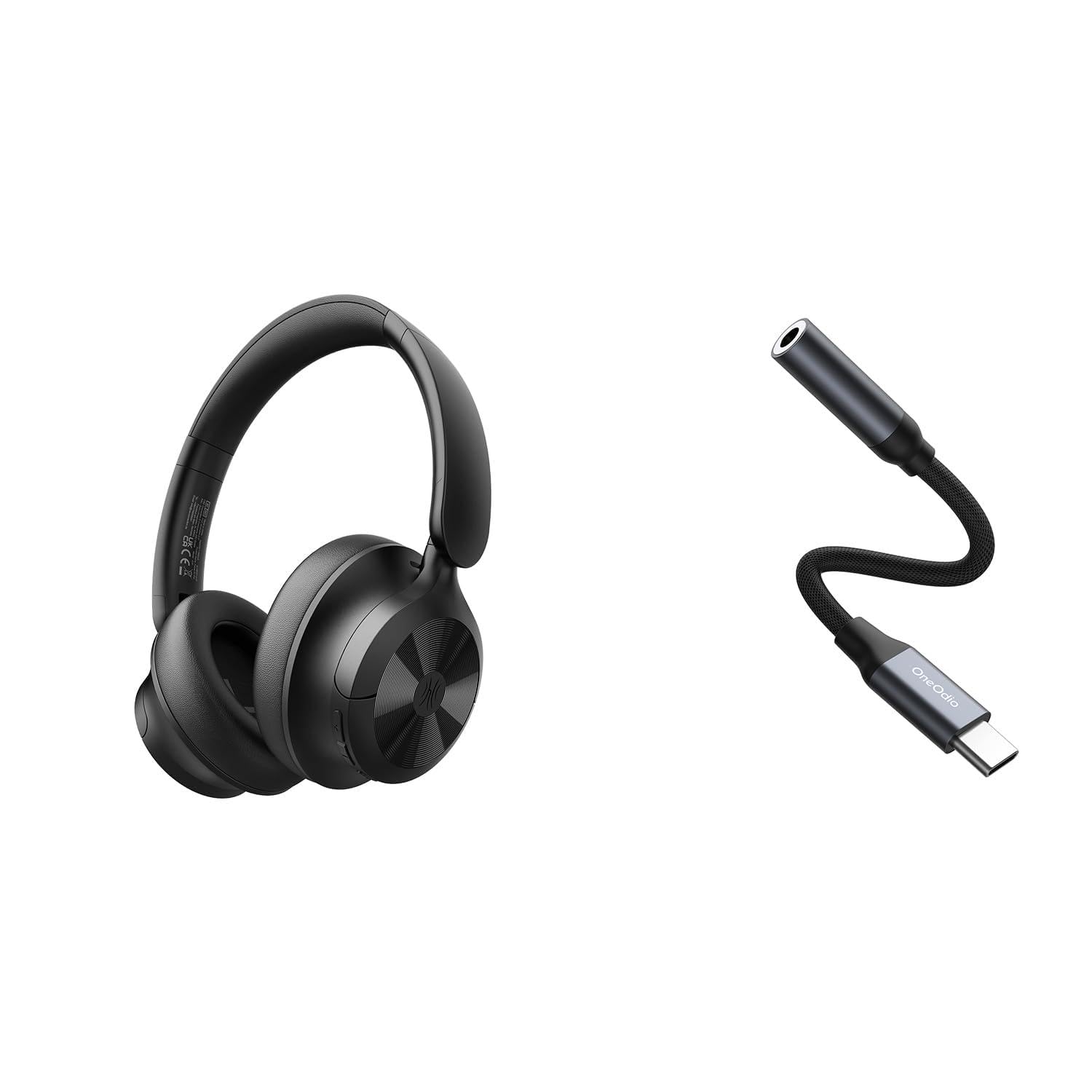
Image: OneOdio Focus A1Pro Wireless On-Ear Headphones. This image displays the headphones in their typical on-ear design, showcasing ekoutè yo ak bann tèt la.
Kontni pake
Tanpri tcheke pake a pou atik sa yo:
- OneOdio Focus A1Pro Wireless On-Ear Headphones
- USB-C pou 3.5mm adaptè odyo
- USB-C Chaje Kab
- Pote Étui
- Manyèl Itilizatè (dokiman sa a)
Enstalasyon
1. Chaje kas ekoutè yo
Before first use, fully charge the headphones. Connect the USB-C charging cable to the charging port on the headphones and the other end to a USB power source (e.g., computer USB port, wall adapter). The LED indicator will show charging status and turn off or change color when fully charged.

Image: Close-up of the USB-C charging port on the OneOdio Focus A1Pro headphones, with a charging cable connected.
2. Powering On / Off
- Pou limen: Peze epi kenbe bouton milti-fonksyon an pou apeprè 3 segonn jiskaske endikatè LED la flache an ble.
- Pou etenn: Peze epi kenbe bouton milti-fonksyon an pou apeprè 3 segonn jiskaske endikatè LED la flache an wouj epi li etenn.
3. Pè Bluetooth
- Asire w ke kas ekoutè yo etenn.
- Press and hold the Multi-function button for 5-7 seconds until the LED indicator flashes red and blue alternately. This indicates pairing mode.
- Sou aparèy ou an (telefòn entelijan, tablèt, òdinatè), aktive Bluetooth epi chèche aparèy ki disponib yo.
- Select "OneOdio A1Pro" from the list of found devices.
- Yon fwa konekte, endikatè ki ap dirije a ap klere ble tou dousman.
- If a password is required, enter "0000".
Kas ekoutè yo ap eseye otomatikman rekonekte ak dènye aparèy ki konekte a lè yo limen yo.
4. Wired Connection (using USB-C to 3.5mm Audio Adapter)
For a wired connection, use the provided USB-C to 3.5mm audio adapter. This allows you to connect the headphones to devices with a standard 3.5mm audio jack.
- Plug the USB-C end of the adapter into the USB-C port on the headphones.
- Plug the 3.5mm end of the adapter into the 3.5mm audio jack of your audio source device.
- Ensure the headphones are powered off for wired mode to function correctly and conserve battery.

Image: The OneOdio Focus A1Pro headphones connected to an audio source via the USB-C to 3.5mm audio adapter.
Enstriksyon Operasyon
Kontwòl souview
The headphones feature intuitive controls located on the earcup. Familiarize yourself with these buttons for seamless operation.

Image: Diagram showing the location and function of control buttons on the OneOdio Focus A1Pro headphones, including volume, multi-function, and ANC buttons.
Lèktur Klas Mizik
- Jwe/Poz: Peze bouton Multi-fonksyon an yon fwa.
- Pwochen Track: Peze epi kenbe bouton Ogmante Volim nan pandan 2 segonn.
- Track Previous: Peze epi kenbe bouton Diminye Volim nan pandan 2 segonn.
- Volim moute: Peze bouton Ogmante Volim nan yon ti tan.
- Volim desann: Peze bouton Diminye Volim nan yon ti tan.
Rele manyen
- Reponn/Fen Apèl: Peze bouton Multi-fonksyon an yon fwa.
- Rejte apèl: Peze epi kenbe bouton Multi-fonksyon an pou 2 segonn.
- Recomposition Dènye Nimewo: Doub peze bouton Multi-fonksyon an.
Anilasyon bri aktif (ANC)
The Focus A1Pro headphones feature Active Noise Cancellation to reduce ambient noise.
- Aktive ANC: Press the ANC button once. The ANC indicator light will turn green.
- Dezaktive ANC: Press the ANC button once again. The ANC indicator light will turn off.
Mete kas ekoutè yo
Adjust the headband to fit comfortably over your head. The earcups should fully cover your ears for optimal sound quality and noise cancellation. The earcups are typically marked 'L' for left and 'R' for right.
Antretyen
Netwayaj
- Siye kas ekoutè yo ak yon twal mou, sèk, epi ki pa gen pousyè.
- Pa sèvi ak pwodui netwayaj abrazif, alkòl, oswa solvan chimik.
- Evite ke imidite antre nan nenpòt ouvèti.
- The earpads can be gently wiped with a slightly damp cloth and mild soap solution, then dried thoroughly.
Depo
When not in use, store the headphones in the provided carrying pouch to protect them from dust and scratches. Store in a cool, dry place away from extreme temperatures.
Swen batri
- Evite dechaje batri a nèt souvan.
- Chaje kas ekoutè yo regilyèman, menm si ou pa itilize yo pou yon bon bout tan, pou batri a rete an bon eta.
- Do not expose the headphones to high temperatures, as this can degrade battery performance.
Depanaj
Pa gen pouvwa
- Asire w ke kas ekoutè yo byen chaje.
- Press and hold the Multi-function button for 3 seconds to power on.
Pa gen Son
- Bluetooth:
- Ensure the headphones are paired and connected to your device.
- Check the volume level on both the headphones and your device.
- Eseye dekonekte epi konekte kas ekoutè yo ankò.
- Branche:
- Ensure the USB-C to 3.5mm adapter is securely connected to both the headphones and the audio source.
- Verifye sous odyo a ap jwe epi volim li wo.
- Test with a different audio cable or device if possible.
Pwoblèm koneksyon Bluetooth
- Ensure the headphones are in pairing mode (red and blue flashing LED).
- Pwoche kas ekoutè yo pi pre aparèy ou an.
- Efase lis Bluetooth la sou aparèy ou an epi eseye konekte li ankò.
- Evite entèferans ki soti nan lòt aparèy san fil.
Reyajiste kas ekoutè yo
If you experience persistent issues, you can try resetting the headphones to their factory settings. (Note: Specific reset procedures vary by model. A common method is to press and hold the Multi-function and Volume Down buttons simultaneously for 5-10 seconds while powered on, or connect to power while holding a button. Refer to the manufacturer's official support for exact steps if this general method does not work.)
Espesifikasyon
| Non modèl | Focus A1Pro |
| Bluetooth vèsyon | 5.0 (Estimated, common for modern headphones) |
| Dyamèt Chofè | 40mm (Estimasyon) |
| Repons Frekans | 20Hz - 20kHz (Tipik) |
| Kapasite batri | 500mAh (Estimasyon) |
| Tan pou chaje | Apeprè. 2-3 èdtan |
| Lektur Tan | Jiska 30 èdtan (Varies with volume and ANC usage) |
| Pwa | Approx. 250g (Estimasyon) |
Note: Specifications are subject to change without notice. Actual performance may vary.
Garanti ak sipò
Enfòmasyon sou Garanti
OneOdio products are covered by a limited warranty from the date of purchase. This warranty covers manufacturing defects in materials and workmanship. It does not cover damage caused by misuse, accidents, unauthorized modifications, or normal wear and tear. Please retain your proof of purchase for warranty claims.
Sipò pou Kliyan
For technical support, warranty inquiries, or other assistance, please contact OneOdio customer service through their official websit entènèt la oubyen magazen kote ou te achte pwodwi a.
Ofisyèl Websit: www.oneodio.com
Sipò Imèl: support@oneodio.com