
Entwodiksyon
Thank you for choosing the Dyson Hushjet Compact Purifier HJ10. This device is engineered to purify your indoor environment, removing airborne pollutants and allergens. Its compact design and advanced electrostatic filtration system ensure clean air in spaces up to 100 square meters. Please read this manual thoroughly before operating your purifier to ensure safe and optimal performance.
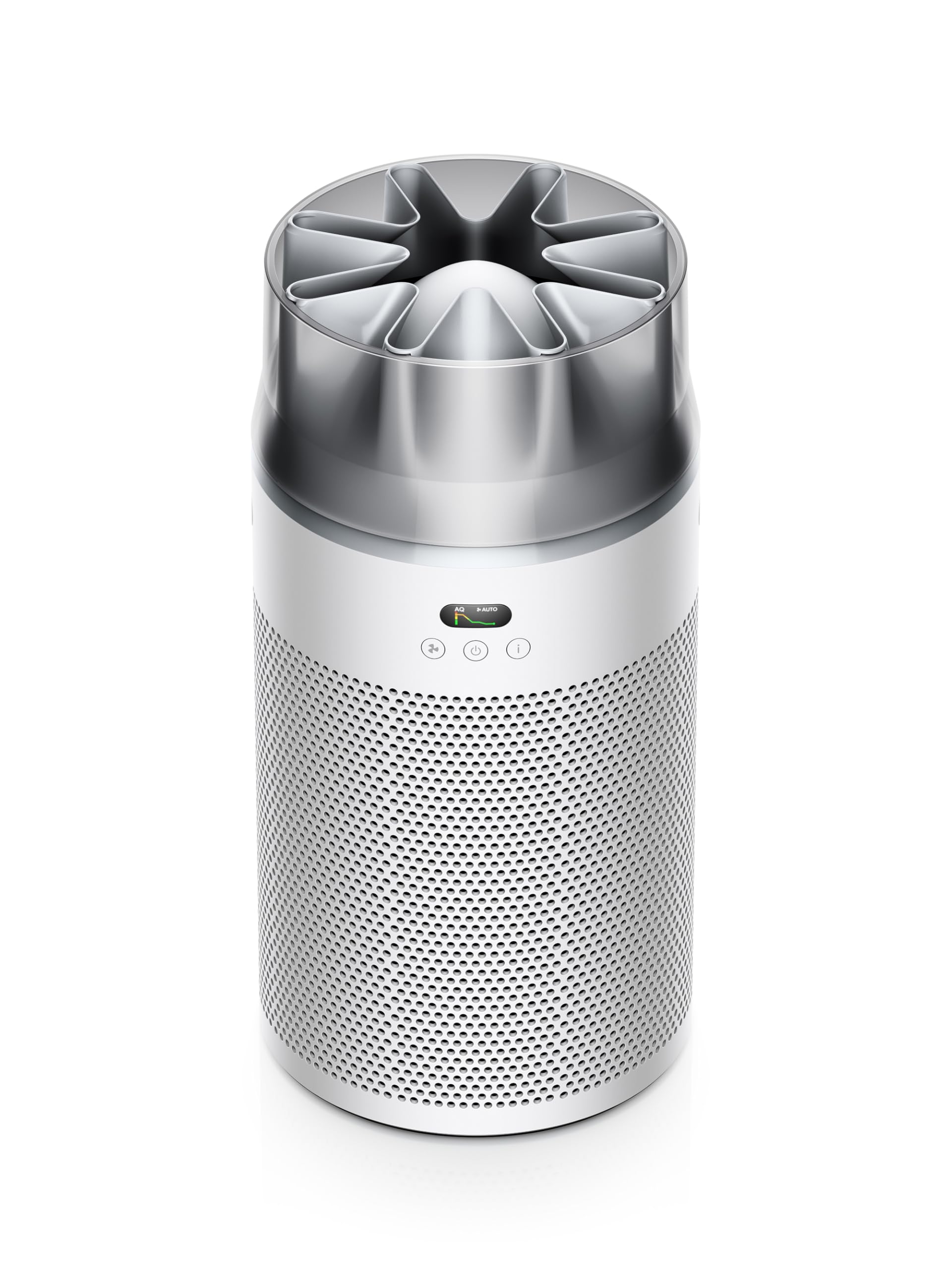
Image: The Dyson Hushjet Compact Purifier HJ10, a sleek, compact air purification unit.
Enfòmasyon enpòtan sou sekirite
Toujou swiv prekosyon sekirite debaz yo lè w ap itilize aparèy elektrik pou diminye risk dife, chòk elektrik, oswa blesi.
- Li tout enstriksyon yo anvan ou sèvi ak aparèy la.
- Unplug the purifier from the power outlet before cleaning, performing any maintenance, or when not in use.
- Do not operate any appliance with a damaged cord or plug. If the cord or plug is damaged, contact Dyson customer support.
- Do not use the purifier near water or in wet environments.
- Keep the air inlets and outlets clear of obstructions. Do not insert objects into any openings.
- Aparèy sa a se pou itilize andedan kay la sèlman.
- Do not allow children to play with the purifier.
Kontni pake
Verifye ke tout atik yo prezan nan pakè a:
- Dyson Hushjet Compact Purifier HJ10 Main Unit
- Electrostatic Filter (pre-installed or separate)
- Kontwòl Remote
- Pouvwa kab
- Manyèl Itilizatè (dokiman sa a)
Enstalasyon
1. Unpacking and Filter Installation
Carefully remove all components from the packaging. If the electrostatic filter is not pre-installed, follow the instructions below to install it.
- Place the purifier on a stable, level surface.
- Twist the base of the purifier counter-clockwise to unlock and remove the filter cover.
- Insert the electrostatic filter into the base, ensuring it is seated correctly.
- Replace the filter cover and twist clockwise to lock it into place.
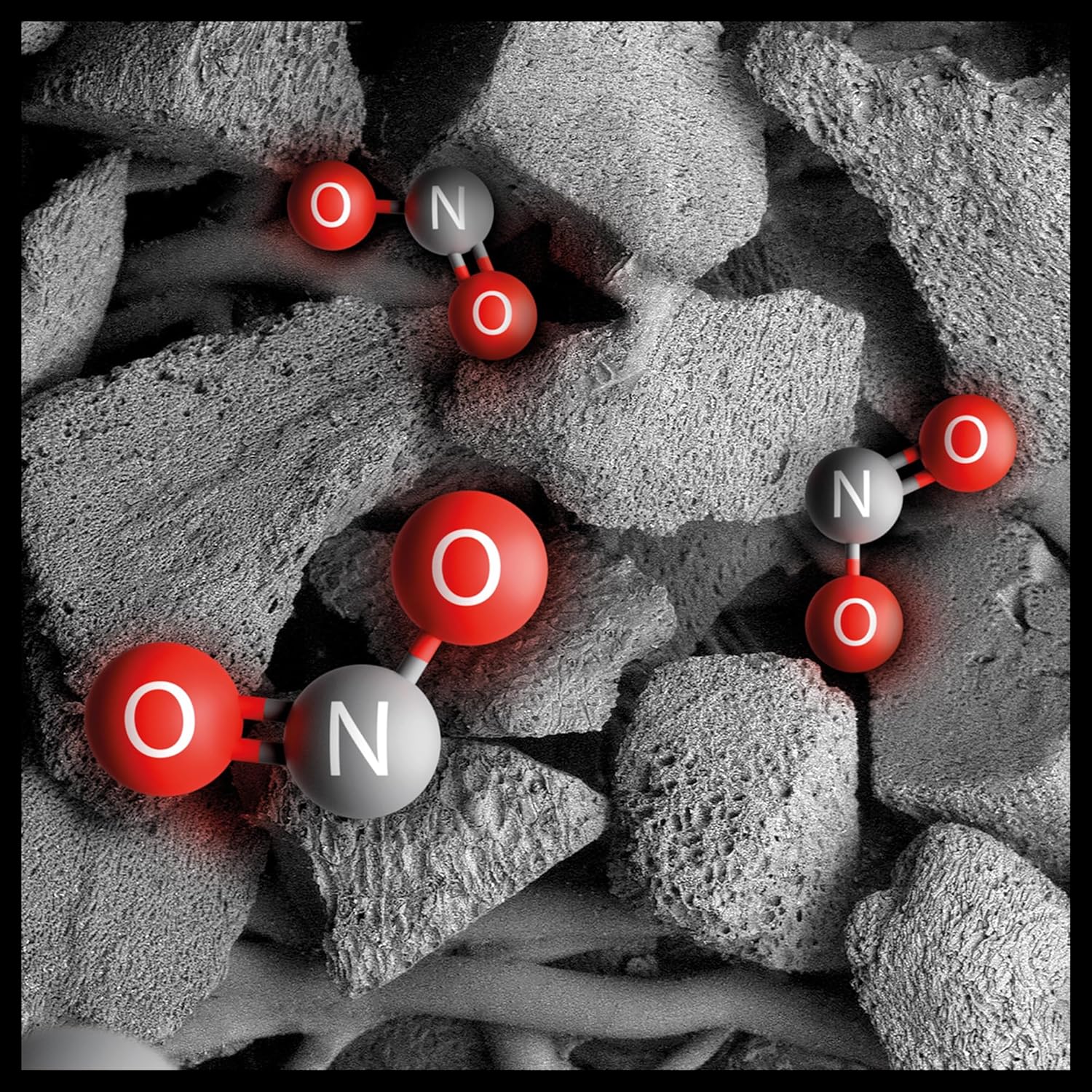
Image: Illustration of the electrostatic filter being installed into the purifier base.
2. Plasman
Position the purifier in a central location within the room to ensure optimal air circulation. The Dyson Hushjet Compact Purifier HJ10 is designed to effectively purify rooms up to 100 square meters. Ensure there is adequate space around the unit for air intake and output.
3. Koneksyon pouvwa
Connect the power cable to the purifier and then plug it into a suitable electrical outlet.
4. Koneksyon Aplikasyon an (Si ou vle)
For enhanced control and monitoring, download the Dyson Link app from your device's app store. Follow the in-app instructions to connect your purifier to your mobile device.

Image: A smartphone displaying the Dyson Link app interface, showing controls for the air purifier.
Enstriksyon Operasyon
1. Powering On / Off
Peze bouton pouvwa a (⏻) on the unit or the remote control to turn the purifier on or off.

Image: Close-up of the purifier's control panel, featuring the power button and display.
2. Operasyon Modes
- Mòd oto: Press the 'Auto' button on the remote or select it via the app. The purifier will automatically adjust its fan speed based on detected air quality.
- Mòd manyèl: Adjust the fan speed manually using the fan speed buttons on the remote or through the app.
- Mòd lannwit: Activate Night Mode for quieter operation and dimmed display lights, ideal for use during sleep.

Image: A digital display showing an air quality graph over time, indicating good air quality and an auto target setting.
3. Air Projection Technology
The Dyson Hushjet features special Dyson Hushjet air projection, designed to circulate purified air efficiently throughout the room.
Antretyen
1. Filtre Ranplasman
The electrostatic filter in your Dyson Hushjet Purifier is designed for long-term use, with an estimated lifespan of 5 years under normal operating conditions. The device or app will notify you when a filter replacement is due.
- Unplug the purifier from the power outlet.
- Twist the base counter-clockwise to remove the filter cover.
- Retire ansyen filtè a avèk prekosyon epi jete l dapre règleman lokal yo.
- Insert a new Dyson electrostatic filter, ensuring proper alignment.
- Ranplase kouvèti filtre a epi tòde nan sens goch pou fèmen.
- Reset the filter life indicator via the app or by following instructions on the device display.

Image: An artistic representation of electrostatic filtration, showing charged particles being attracted to and captured by filter fibers.
2. Netwayaj Inite a
Wipe the exterior of the purifier with a soft, dry cloth. Do not use liquid cleaners or abrasive materials. Ensure the unit is unplugged before cleaning.
Depanaj
| Pwoblèm | Kòz posib | Solisyon |
|---|---|---|
| Purifier does not turn on. | Pa gen ekipman pou pouvwa. | Check if the power cable is securely plugged into the unit and the wall outlet. Test the outlet with another device. |
| Pòv pèfòmans pou pirifye lè a. | Clogged or incorrectly installed filter. | Check filter installation. Replace the filter if it has reached its end of life. Ensure air inlets/outlets are not blocked. |
| Remote kontwòl pa travay. | Pil mouri oswa obstak. | Replace remote control batteries. Ensure no objects are blocking the signal path to the purifier. |
| Pwoblèm koneksyon aplikasyon an. | Wi-Fi network problem or app error. | Ensure your Wi-Fi network is active. Restart the purifier and your mobile device. Re-attempt the app connection process. |
Espesifikasyon
| Karakteristik | Detay |
|---|---|
| Mak | Dyson |
| Nimewo Modèl | HJ10 / SP01 |
| Dimansyon (D x W x H) | 36P x 27.5W x 52.5H cm (14.17 x 10.83 x 20.67 inches) |
| Pwa atik | 3.15 kilogram (6.94 liv) |
| Sous pouvwa | Fil elektrik |
| Metòd kontwòl | Adistans, Aplikasyon |
| Kalite filtre | Filtè elektwostatik |
| Zòn efikas | Jiska 100 mèt kare |
| Karakteristik espesyal | Dyson Hushjet Air Projection, Contaminant Filtration Capability |
| Filter Lifespan | 5 years (estimated) |
Garanti ak sipò
Your Dyson Hushjet Compact Purifier HJ10 comes with a manufacturer's warranty. For detailed warranty information, product registration, or technical support, please visit the official Dyson website or contact Dyson customer service. Keep your proof of purchase for warranty claims.
Official Dyson Websit: www.dyson.com