
1. Pwodwi souview
The Hunter ZenTech 52 Inch Smart Ceiling Fan (Model 53638) is designed for both indoor and covered outdoor spaces, offering quiet, efficient performance with advanced smart home integration. This 5-blade fan features a slim DC motor, adjustable LED lighting with TrueLight technology, and Wi-Fi connectivity for control via the HunterSMART app, Amazon Alexa, Google Assistant, and Apple HomeKit. It is ENERGY STAR certified and damp-rated for versatile use.
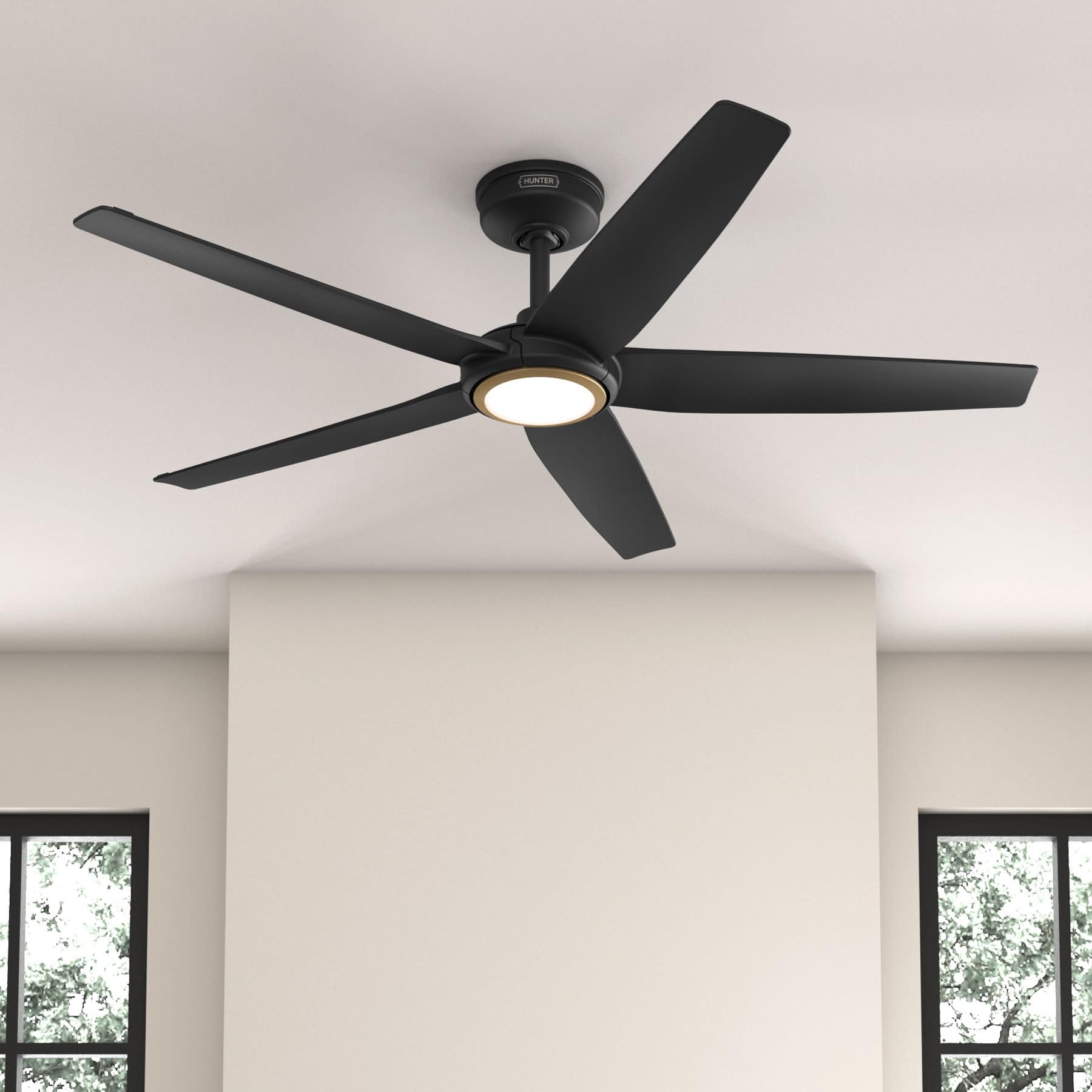
Figure 1: Hunter ZenTech 52 Inch Smart Ceiling Fan (Matte Black)
Karakteristik kle:
- Konsepsyon avanse: Ultra-slim DC motor for powerful, quiet airflow and a modern aesthetic.
- Entegrasyon kay entelijan: HunterSMART technology for app and voice control via Amazon Alexa, Google Assistant, and Apple HomeKit.
- Ekleraj dirije reglabl: TrueLight LED offers 10 brightness levels and 10 color temperatures, protected by a durable Duralight lens.
- SureSpeed Guarantee: Delivers strong, consistent airflow with quiet, wobble-free performance.
- Enèji efikas: ENERGY STAR certified reversible 6-speed DC motor.
- Damp Klase: Suitable for indoor and covered outdoor areas.
2. Enstriksyon Sekirite Enpòtan
Read all instructions carefully before beginning installation. Failure to follow these instructions could result in electric shock, fire, or personal injury.
- Toujou dekonekte kouran an nan disjonktè prensipal la anvan enstalasyon oswa antretyen.
- Ensure all electrical connections comply with local codes and ordinances. If you are unfamiliar with electrical wiring, consult a qualified electrician.
- Estrikti montaj la dwe kapab sipòte pwa vantilatè a (apeprè 14.11 liv).
- Do not bend blade brackets during installation or cleaning.
- Kenbe men ou lwen lam vantilatè a lè vantilatè a ap fonksyone.
- Fanatik sa a se damp-rated for use in covered outdoor areas but should not be exposed directly to water.
3. Pake kontni
Verifye ke tout konpozan ki nan lis anba a yo prezan nan pake ou anvan ou kòmanse enstalasyon an.
- Lojman Motè Fanatik Plafon an
- 5 lam fanatik
- Light Kit with Duralight Lens
- Tij anba 6 pous
- Kanopi ak Sipò Montaj
- Pòtatif Remote Kontwòl
- Pake pyès ki nan konpitè (vis, rondelles, nwa fil)

Figure 2: ZenTech 52 Inch Fan Components
4. Gid Enstalasyon
Professional installation is recommended. Ensure the power is OFF at the circuit breaker before starting.
4.1 Enstalasyon Vantilatè a
- Secure the mounting bracket to the ceiling junction box. The junction box must be listed for fan support.
- Assemble the downrod (6-inch included, compatible with up to 24-inch downrods) to the fan motor housing.
- Hang the fan assembly from the mounting bracket.
- Complete electrical wiring connections as per the wiring diagram provided in the full manual.
- Attach the fan blades to the motor housing.
- Install the light kit and Duralight lens.

Figure 3: ZenTech Fan installed in a covered outdoor space
5. Operasyon Enstriksyon
The ZenTech fan can be operated using the included handheld remote control or through the HunterSMART app.
5.1 Operasyon kontwòl Remote
- Fan On / Off: Peze bouton vantilatè a pou limen oswa etenn vantilatè a.
- Vitès fanatik: Use the speed buttons to cycle through 6 fan speeds.
- Limyè sou / Off: Peze bouton limyè a pou limen oswa etenn limyè a.
- Diminisyon Limyè: Hold the light button to dim or brighten the light.
- Tanperati koulè: Press the color temperature button to cycle through different color temperatures (warm to cool).
- Fonksyon ranvèse: Press the reverse button to change the fan's direction for seasonal use.
5.2 LED Light Control (TrueLight Technology)
The TrueLight LED system allows for precise control over your lighting environment. You can select from 10 brightness levels and 10 color temperatures to match your preference.

Figure 4: TrueLight LED Technology for adjustable lighting
6. Entegrasyon Kay Entelijan
The ZenTech fan features HunterSMART technology, enabling seamless integration with popular smart home ecosystems.
6.1 Connecting to HunterSMART App
- Download the HunterSMART app from your device's app store.
- Follow the in-app instructions to create an account and add your ZenTech fan.
- Ensure your fan is powered on and your mobile device is connected to a 2.4 GHz Wi-Fi network during setup.
6.2 Konpatibilite Kontwòl Vwa
Once connected to the HunterSMART app, you can link your fan to:
- Amazon Alexa
- Google Asistan
- Apple HomeKit
Refer to the respective smart home platform's instructions for linking smart devices.

Figure 5: HunterSMART Control Options
7. Swen ak Antretyen
Antretyen regilye asire pèfòmans optimal ak lonjevite fanatik plafon ou a.
- Netwayaj: Dust the fan blades and motor housing periodically with a soft, lint-free cloth. For damp-rated areas, wipe down with a slightly damp cloth, then dry thoroughly. Do not use abrasive cleaners or solvents.
- Verifikasyon sere: Annually, check all screws and connections for tightness. Vibrations can cause them to loosen over time.
- Twous limyè: The LED light source is designed for long life and is not user-serviceable.
8. Gid Depanaj
If you encounter issues with your ZenTech ceiling fan, refer to the table below for common problems and solutions.
| Pwoblèm | Kòz posib | Solisyon |
|---|---|---|
| Fanatik pa kòmanse | Pa gen kouran nan vantilatè a; Koneksyon fil ki lach; Pil kontwòl remote la fèb. | Tcheke disjonktè a; Asire w ke tout koneksyon fil yo byen fèm; Ranplase pil kontwòl remote la. |
| Limyè pa travay | No power to the light kit; Loose wire connection; Light kit malfunction. | Check circuit breaker; Verify light kit wiring; Contact customer support if LED is faulty. |
| Fanatik tranble | Loose blades or blade holders; Improperly balanced blades; Loose mounting bracket. | Ensure all blade screws are tight; Use a blade balancing kit (not included); Tighten mounting bracket screws. |
| Fonksyonalite entelijan yo pa konekte | Incorrect Wi-Fi network (not 2.4 GHz); Incorrect app setup; Router issues. | Ensure connection to 2.4 GHz Wi-Fi; Re-attempt app setup; Restart router and fan. |
9. Espesifikasyon teknik
| Spesifikasyon | Detay |
|---|---|
| Mak | Chasè |
| Non modèl | ZenTech |
| Nimewo Modèl | 53638 |
| Gwosè | 52 pous |
| Koulè | Mat Nwa |
| Dimansyon pwodwi | 52"D x 52"W x 11.78"H |
| Pwa atik | 14.11 liv |
| Kantite lam | 5 |
| Kalite motè | DC |
| Kantite vitès | 6 |
| Kapasite Flow Air | 5443.94 pye kib pou chak minit |
| Wattage | 17 wat |
| Voltage | 120 Volts |
| Itilizasyon Andedan kay la / Deyò | Indoor, Covered Outdoor (Damp Evalye) |
| Karakteristik espesyal | LED Light, Quiet Operation, Water Resistant, Wi-Fi Enabled |
| Kalite kontwolè | Kontwòl Aplikasyon, Kontwòl Remote |
| Sètifikasyon | ETL, Energy Star, FCC |
| Longè Downrod | 6 Inches (included) |
10. Enfòmasyon sou Garanti
The Hunter ZenTech 52 Inch Smart Ceiling Fan is backed by Hunter's commitment to quality. It includes a limited lifetime motor warranty, ensuring long-term confidence in your product. For full warranty details and terms, please refer to the documentation included with your fan or visit the official Hunter Fan Company websit.
11. Sipò pou Kliyan
If you require further assistance, have questions about installation, operation, or troubleshooting that are not covered in this manual, please contact Hunter Fan Company customer support. You can typically find contact information on the official Hunter Fan Company websit la oubyen nan anbalaj pwodwi a.