
1. Entwodiksyon
This manual provides detailed instructions for the installation, operation, and maintenance of your Rosewill VNG 650W ATX 3.1 Power Supply. Please read this manual thoroughly before installation and keep it for future reference. The Rosewill VNG 650W is an 80+ Gold Certified, non-modular power supply compatible with ATX 3.0 & 3.1 standards, featuring a 450W PCIe 5.1 12V-2x6 connector for modern graphics cards.
2. Enfòmasyon sou Sekirite
- Always disconnect the power cord from the wall outlet before installing, removing, or cleaning the power supply.
- Pa ouvri inite ekipman pou pouvwa a. Gwo vòltajtagGen pyès anndan, epi pa gen okenn pyès itilizatè a ka repare. Lè w louvri aparèy la, garanti a ap anile.
- Ensure the power supply is installed in a well-ventilated area, away from heat sources, direct sunlight, and moisture.
- Use only the cables provided with your power supply. Using third-party cables may cause damage to your system and void the warranty.
- Connect the power supply to a grounded power outlet.
- Do not force connectors. Ensure proper orientation before plugging in any cables.
3. Pake kontni
Verifye ke tout konpozan yo prezan nan pake ou a:
- Rosewill VNG 650W Power Supply Unit
- AC pouvwa kòd
- Montaj Vis
- Manyèl itilizatè
- Cable Ties (for cable management)

Figure 3.1: Rosewill VNG 650W Power Supply with its bundled, non-modular cables.
4. Enstalasyon ak Enstalasyon
Follow these steps to install your Rosewill VNG 650W Power Supply:
- Prepare Sistèm ou an: Ensure your computer case is open and accessible. Disconnect all power from your existing power supply and remove it if necessary.
- Monte ekipman pouvwa a: Carefully slide the Rosewill VNG 650W into the power supply bay of your computer case. Secure it with the provided mounting screws.
- Konekte pouvwa kat manman an: Connect the 24-pin ATX motherboard power cable to your motherboard.
- Konekte pouvwa CPU a: Connect the 4+4 pin CPU power cable(s) to your motherboard.
- Konekte pouvwa kat grafik la: For modern graphics cards, use the dedicated PCIe 5.1 12V-2x6 connector. For older or less demanding cards, use the 6+2 pin PCIe connectors. Ensure all necessary power connectors for your graphics card(s) are securely attached.
- Konekte periferik: Connect SATA power cables to your storage drives (HDDs/SSDs) and Molex connectors to any other peripherals requiring them.
- Jesyon kab: Organize the non-modular cables using the included cable ties to improve airflow and aesthetics within your case.
- Konekte AC Power: Once all internal connections are made, connect the AC power cord to the power supply and then to a grounded wall outlet.
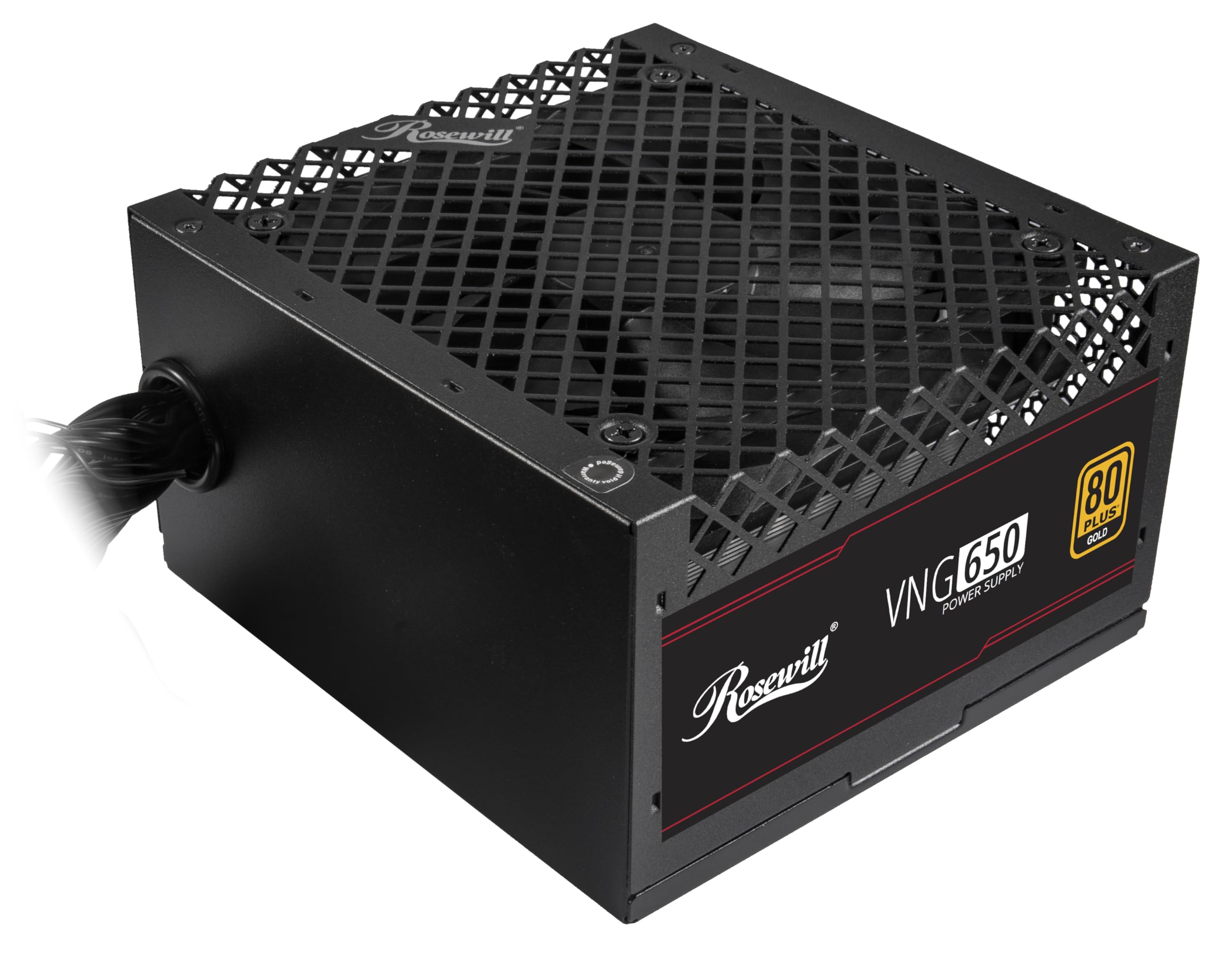
Figure 4.1: Rosewill VNG 650W Power Supply overview.

Figure 4.2: Rear panel with power switch and AC input.

Figure 4.3: Available Power Supply Connectors.
5. Operasyon Enstriksyon
Once installed, the Rosewill VNG 650W Power Supply operates automatically. Its 80 PLUS Gold certification ensures high efficiency, converting more AC power into usable DC power and reducing wasted heat. The low-noise design helps maintain a quiet computing environment. The power supply is designed to handle power excursions up to 235% and GPU power excursions up to 300%, providing stable power delivery for demanding components.

Figi 5.1: Top view showing the cooling fan.
6. Antretyen
To ensure optimal performance and longevity of your Rosewill VNG 650W Power Supply:
- Kenbe li pwòp: Periodically clean the exterior of the power supply and the fan grill with a soft, dry cloth. Use compressed air to gently remove dust from the fan and internal components, ensuring the system is powered off and unplugged before cleaning.
- Asire bon koule lè: Make sure there is adequate space around the power supply for proper ventilation. Avoid blocking the intake or exhaust vents.
- Tcheke Koneksyon: Occasionally check that all power cables are securely connected to the power supply and your components.
NAN. Depanaj
If you encounter issues with your Rosewill VNG 650W Power Supply, refer to the following common troubleshooting steps:
- Pa gen pouvwa:
- Asire w ke kòd kouran AC a byen branche nan tou de ekipman pou kouran an ak yon priz miray ki fonksyone.
- Tcheke si switch pouvwa ki sou dèyè PSU a nan pozisyon 'ON'.
- Verify all internal power connections (24-pin, CPU, PCIe) are firmly seated.
- Teste priz miray la ak yon lòt aparèy pou konfime si li gen kouran.
- Enstabilite/Pwoblèm Sistèm:
- Ensure your system's power requirements do not exceed the 650W capacity of the PSU.
- Check for loose power connections to components.
- Kontwole tanperati sistèm yo pou asire ke konpozan yo pa chofe twòp.
- bri ki pa nòmal:
- A slight fan noise is normal during operation. If the noise is excessive or unusual, ensure the fan is not obstructed by dust or cables.
- Si bri a pèsiste, kontakte sèvis kliyan.
If these steps do not resolve your issue, please refer to the Support section.
8. Espesifikasyon

Figure 8.1: Electrical Specifications Label.
| Karakteristik | Deskripsyon |
|---|---|
| Non modèl | VNG650 |
| Mak | Rosewill |
| Aparèy konpatib | Odinatè pèsonèl |
| Kalite Connector | ATX |
| Sòti Wattage | 650 Watts |
| Faktè fòm | Mini ITX |
| Metòd refwadisman | Air |
| Dimansyon atik (L x W x H) | 5.9 x 5.51 x 3.38 pous |
| Pwa atik | 2.8 liv |
| Konsepsyon ekipman pou pouvwa | Ki pa Peye-Modilè |
| Maksimòm Antre Voltage | 240 Vòlt (AC) |
| Minimòm Antre Voltage | 240 Vòlt (AC) |
| System Bus Connector Type | ATX |
| UPC | 840951136676 |
| Nimewo Pati Mfr | VNG650 |
9. Enfòmasyon sou Garanti
The Rosewill VNG 650W Power Supply comes with a 5 Ane Manifakti Garanti. Please retain your proof of purchase for warranty claims. For detailed terms and conditions, refer to the official Rosewill websit oswa kontakte sipò kliyan.
10. Sipò
For technical assistance, warranty claims, or further inquiries, please visit the official Rosewill website or contact their customer support team. You can often find FAQs and additional resources online.
Rosewill Official Websit: www.rosewill.com