
1. Entwodiksyon
Thank you for choosing the TOPTRO TP3 4K Google TV Portable Projector. This manual provides essential information for setting up, operating, and maintaining your projector. Please read it thoroughly before use to ensure optimal performance and safety.
The TOPTRO TP3 is designed to deliver a versatile and immersive viewing experience, featuring integrated Google TV, AI-powered image adjustments, and comprehensive connectivity options. Enjoy your content at home, outdoors, or on the go.
2. Pwodwi souview
2.1 Karakteristik kle
- Integrated Google TV: Access over 10,000 official streaming applications, including Netflix, Prime Video, and YouTube, without additional devices.
- Google Voice Control: Use the remote control's voice assistant button to search for content, adjust settings, and control playback hands-free.
- AI-Powered Image Adjustment: Features automatic focus, automatic keystone correction, obstacle avoidance, and automatic screen adjustment for a perfectly aligned and clear image within seconds.
- Native 1080P Resolution with 4K Decoding: Delivers sharp, detailed images and natural colors, supporting 4K video decoding.
- Short Throw Ratio (0.8:1): Projects a 60-inch image from just one meter distance, ideal for small spaces.
- 90-Degree Rotating Stand: Pèmèt ang pwojeksyon fleksib, ki gen ladan pwojeksyon plafon an.
- Koneksyon avanse: Equipped with dual-band WiFi 6, Bluetooth 5.3, HDMI ARC, USB, and a 3.5mm audio jack for wide device compatibility.
- Konsepsyon pòtab: Weighing only 1.2 kg (2.6 lbs) with a hidden carry handle, making it easy to transport.
2.2 Kontni pake a
Asire w tout atik yo prezan nan pakè a:
- Pwojektè TOPTRO TP3
- Kontwòl Remote
- HDMI kab
- Adaptè pouvwa
- Manyèl itilizatè
3. Enstalasyon
3.1 Plasman Inisyal
Place the projector on a stable, flat surface. The 90-degree rotating stand allows for various projection angles, including wall, ceiling, or tabletop. For optimal image quality, ensure the projection surface is smooth and light-colored.

Image: The TOPTRO TP3 projector can be used in diverse environments, from living rooms to outdoor camping, montreasing adaptabilite li.
3.2 Koneksyon pouvwa
- Connect the power adapter to the projector's power input.
- Plug the power adapter into a suitable electrical outlet (220V).
- Peze bouton pouvwa a sou pwojektè a oswa sou kontwòl remote la pou limen li.
3.3 Rezo Koneksyon
Upon first startup, follow the on-screen prompts to connect to your Wi-Fi network. The projector supports dual-band WiFi 6 for a fast and stable connection.
3.4 Enstalasyon Google TV
After connecting to Wi-Fi, sign in with your Google account to access Google TV and download applications from the Google Play Store. This step is crucial for utilizing the integrated streaming services.

Image: The projector's interface showing integrated Google TV with direct access to popular streaming applications.
4. Operasyon Enstriksyon
4.1 Operasyon debaz
- Limen/Etenyen: Press the power button on the remote or projector.
- Navigasyon: Use the directional buttons on the remote to navigate menus.
- Seleksyon: Peze bouton 'OK' la pou konfime seleksyon yo.
- Kontwòl Volim: Sèvi ak bouton volim yo sou telekòmand lan.
4.2 Ajisteman Imaj
The TOPTRO TP3 features AI-powered automatic image adjustments:
- Konsantre Auto: Pwojektè a ajiste klète imaj la otomatikman.
- Koreksyon Keystone Auto: Automatically corrects distorted images to a rectangular shape.
- Evite Obstak: Detects and adjusts the image to avoid objects on the projection surface.
- Auto Screen Adjustment: Optimizes the image to fit the screen area.
These adjustments occur automatically within seconds of powering on or repositioning the projector. Manual digital zoom (80-100%) is also available for fine-tuning image size.

Image: Visual representation of the projector's AI-powered automatic image adjustment features, ensuring a clear and aligned picture.
4.3 Google Voice Control
Press the dedicated voice assistant button on your remote control and speak your command. For example, say "Open YouTube" or "Play music." The projector will respond to your voice commands for quick access to functions and content.
4.4 Screen Mirroring (Google Cast)
Utilize Google Cast technology to wirelessly mirror content from your smartphone or tablet to the projector. For iPhone users, download the "AirScreen" application from the Google Play Store on the projector for wireless screen mirroring.
4.5 Rotating Stand Usage
The integrated 90-degree rotating stand allows you to easily adjust the projection angle. Simply pivot the projector to direct the image onto a wall, screen, or ceiling. This feature is particularly useful for bedroom viewing or creative setups.
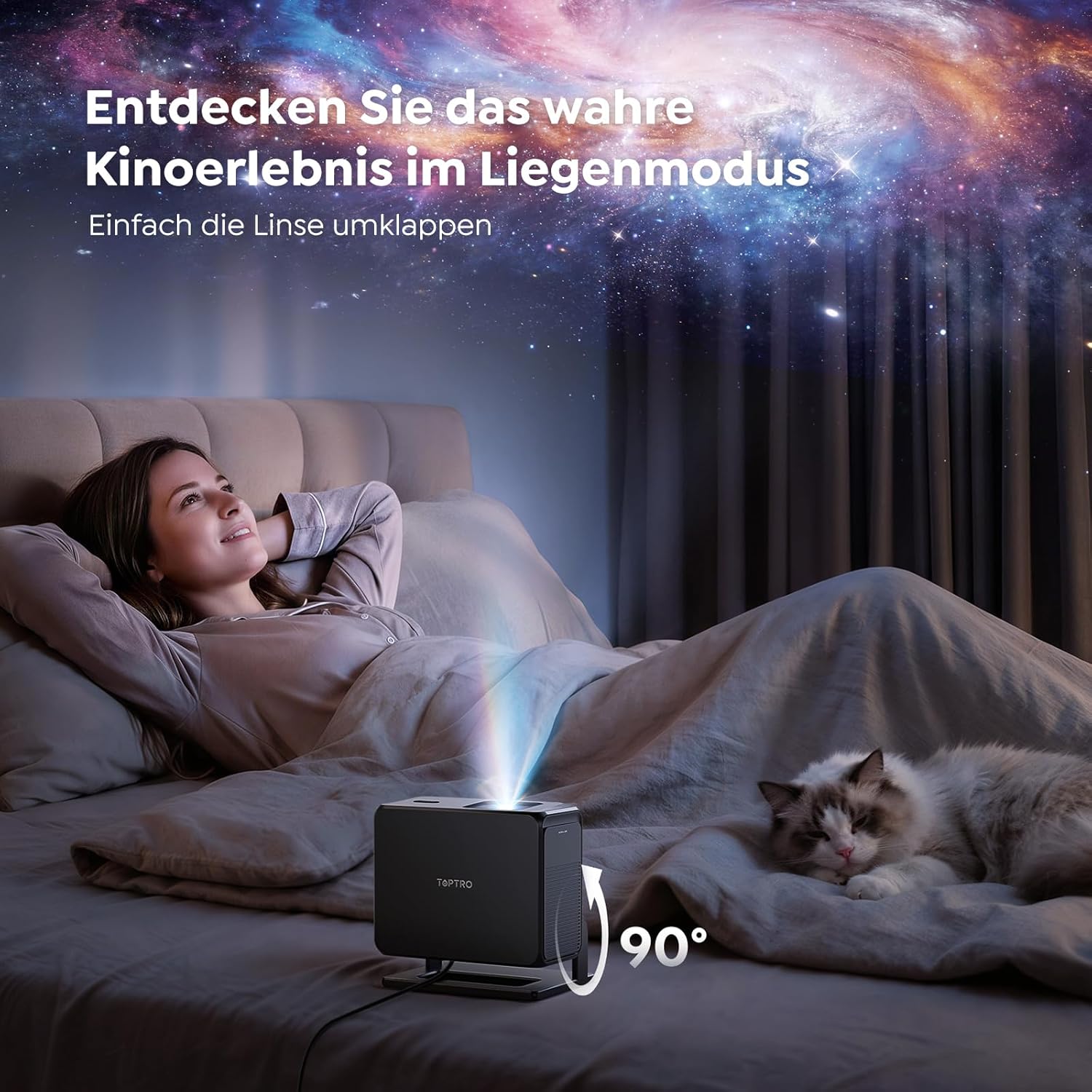
Image: The TOPTRO TP3 projector rotated 90 degrees to project content onto a bedroom ceiling, offering a unique vieweksperyans nan.
5. Koneksyon
5.1 Koneksyon filaire
- HDMI ARC/CEC: Connect external devices like laptops, gaming consoles (Xbox/PlayStation 5), or Blu-ray players. The ARC feature allows audio to be sent back to a compatible sound system.
- USB: Konekte kle USB yo pou li medya yo.
- 3.5mm Audio Jack: Konekte oratè ekstèn filaire oswa kas ekoutè.
5.2 Koneksyon san fil
- Wi-Fi 6: Provides faster and more stable wireless connectivity for streaming and online content.
- Bluetooth 5.3: Connect Bluetooth headphones or speakers for an enhanced audio experience.
6. Antretyen
6.1 Netwaye Lantiy la
Gently clean the projector lens with a soft, lint-free cloth designed for optical surfaces. Avoid using abrasive cleaners or excessive force, as this can scratch the lens.
6.2 Netwayaj jeneral
Siye deyò pwojektè a avèk yon twal mou epi sèk. Pa sèvi ak pwodui netwayaj likid dirèkteman sou aparèy la.
6.3 Depo
When not in use, store the projector in a cool, dry place, away from direct sunlight and extreme temperatures. Use the original packaging or a protective case to prevent dust accumulation and damage.
NAN. Depanaj
7.1 Pa gen imaj ki parèt
- Ensure the projector is powered on and connected to a power source.
- Check all cable connections (HDMI, USB) to external devices.
- Verify the input source selected on the projector matches the connected device.
- Confirm the lens cap is removed.
7.2 Imaj flou
- Allow the auto-focus function to complete its adjustment.
- Asire w sifas pwojeksyon an plat epi pwojektè a stab.
- Clean the projector lens if smudges or dust are visible.
7.3 Pa gen son
- Tcheke nivo volim nan tou de pwojektè a ak aparèy sous ki konekte a.
- Ensure external speakers or headphones are properly connected (wired or Bluetooth).
- If using HDMI ARC, verify your sound system is compatible and correctly configured.
7.4 Kontwòl remote la pa fonksyone
- Ranplase pil yo nan kontwòl remote la.
- Asire w pa gen okenn obstak ant telekòmand lan ak reseptè IR pwojektè a.
For further assistance, refer to the detailed troubleshooting section in the full user manual or contact customer support.
8. Espesifikasyon
| Karakteristik | Spesifikasyon |
|---|---|
| Mak | TOPTRO |
| Non modèl | TP3 |
| Rezolisyon natif natal | 1920 x 1080 (1080P) |
| Video Decoding Support | 4K |
| Kalite ekspozisyon | dirije |
| Karakteristik espesyal | Auto Focus, Auto Keystone Correction, Obstacle Avoidance, Auto Screen Adjustment, Google TV, Google Voice Control |
| Koneksyon Teknoloji | HDMI, USB, Bluetooth 5.3, Wi-Fi 6 |
| Entèfas Materyèl | HDMI ARC/CEC, USB, 3.5mm Audio |
| Dimansyon pwodwi (LxWxH) | 19.4 x 15.8 x 14.1 cm |
| Pwa atik | 1.2 kg |
| Faktè fòm | Pòtab |
| Kalite aliye | Ceiling Mount, Tabletop, Wall |
| Minimòm Gwosè Imaj | 40 pous |
| Gwosè Imaj maksimòm | 120 pous |
| Distans maksimòm jete | 2.13 mèt |
| Voltage | 220 Volts |
| Konpozan ki enkli | HDMI kab |
| Koulè | Nwa |
| Kalite kontwolè | Kontwòl Remote |
| Aparèy konpatib | Xbox/PlayStation 5, Smartphone, Tablet, Laptop, Speaker, Notebook |
| Itilizasyon Rekòmande | Gaming, Business, Home Cinema, Education |
9. Garanti ak sipò
9.1 Enfòmasyon sou Garanti
Tanpri gade kat garanti ki vini ak pwodwi w la pou kondisyon ak tèm garanti espesifik yo. Kenbe prèv acha w la pou reklamasyon garanti.
9.2 Sipò pou Kliyan
If you encounter any issues or have questions regarding your TOPTRO TP3 projector, please contact our customer service team. We provide prompt, professional, and effective support to ensure a smooth user experience.
Contact details can typically be found on our official websit la oubyen sou kat garanti a.