
1. Entwodiksyon
This manual provides essential information for setting up, operating, and maintaining your ECOPAD T5 Android 15 Tablet. Please read it thoroughly to ensure proper use and to maximize your device's potential. Keep this manual for future reference.
2. Pake kontni
Verifye ke tout atik ki nan lis anba a yo enkli nan pakè ou a:
- ECOPAD T5 Android 15 Tablet
- Ka Pwoteksyon
- Bluetooth klavye
- Sourit san fil
- Stylus Pen
- Chargeur (Adaptè Kouran)
- USB-C kab
- Manyèl Itilizatè (dokiman sa a)

Figure 2.1: Included Package Contents. The image displays the tablet, protective case, keyboard, mouse, stylus, user manual, charger, and USB-C cable, each numbered for identification.
3. Aparèy souview
Familiarize yourself with the physical components of your ECOPAD T5 tablet:

Figure 3.1: Tablet Component Diagram. This diagram illustrates the tablet's layout, including the 3.5mm Audio Jack, Volume buttons, Power button, Front Camera, TF Card Slot, USB-C Port, Microphone, Rear Camera, and Loudspeaker.
4. Gid Enstalasyon
4.1 Premye chaj
Before first use, fully charge your tablet. Connect the USB-C cable to the tablet's USB-C port and the charger to a power outlet. The battery indicator on the screen will show charging status.
4.2 Power On/Off
- Pou limen: Press and hold the Power button until the ECOPAD logo appears.
- Pou etenn: Peze epi kenbe bouton Power la, answit chwazi "Power off" nan opsyon ki sou ekran an.
- Pou rekòmanse: Peze epi kenbe bouton Pouvwa a, answit chwazi "Rekòmanse" nan opsyon yo.
4.3 Asistan Enstalasyon Inisyal
Lè w limen tablèt la pou premye fwa, li pral gide w nan yon pwosesis konfigirasyon inisyal. Swiv enstriksyon ki parèt sou ekran an pou:
- Chwazi lang ou.
- Konekte nan yon rezo Wi-Fi.
- Konekte avèk kont Google ou a oubyen kreye yon nouvo.
- Konfigire bloke ekran an (Kòd PIN, modèl, modpas, oubyen Déblokaj pa figi).
4.4 Connecting Accessories (Keyboard & Mouse)
Your ECOPAD T5 tablet comes with a Bluetooth keyboard and a wireless mouse for enhanced productivity.
4.4.1 Bluetooth Keyboard Pairing
- Ensure the keyboard is charged and powered on. Look for a small switch or button on the keyboard to turn it on.
- Sou tablèt ou a, ale nan Anviwònman > Aparèy ki konekte > Bluetooth.
- Turn on Bluetooth. The tablet will search for available devices.
- On the keyboard, press the "Connect" button (often labeled "Fn+C" or a dedicated Bluetooth button) to make it discoverable.
- Select the keyboard from the list of available devices on your tablet.
- Follow any on-screen prompts to complete the pairing process (e.g., entering a code).
4.4.2 Wireless Mouse Connection
The wireless mouse typically connects via a USB dongle. Insert the USB dongle into the tablet's USB-C port using an appropriate adapter if necessary (adapter not included). The tablet should automatically detect and configure the mouse.

Figure 4.1: Tablet in 2-in-1 Laptop Mode. The image shows the ECOPAD T5 tablet with its Bluetooth keyboard and wireless mouse, demonstrating its versatility for efficient work and typing.
5. Operasyon debaz
5.1 Jès ekran taktil
- Tape: Chwazi yon atik oubyen louvri yon aplikasyon.
- Tape epi kenbe: Aksè nan meni kontèkstal yo oubyen deplase atik yo.
- Glise: Scroll through lists, switch screens, or dismiss notifications.
- Pinch In/Out: Agrandi oswa diminye zoom sou foto, kat, oubyen web paj.
5.2 Ba Navigasyon
The navigation bar at the bottom of the screen typically includes:
- Retounen: Retounen nan ekran anvan an.
- Kay: Retounen nan ekran kay la.
- Aplikasyon ki sot pase yo: Shows recently used applications for quick switching.
5.3 Notifikasyon ak Paramèt Rapid
Swipe down from the top of the screen to access the notification panel and quick settings toggles (Wi-Fi, Bluetooth, brightness, etc.).
6. Karakteristik kle
6.1 Montre
- Gwosè: Ekran taktil IPS 11 pous
- Rezolisyon: 1280x800 piksèl
- Rapò aspè: 16:9
- Karakteristik: Eye Protection Screen, Multi-touch support, Widevine L1 Certified for Full HD streaming.

Figure 6.1: 11-inch HD Display. The image showcases the tablet's expansive 11-inch screen, ideal for immersive visuals with 1280x800 resolution and eye protection features.

Figure 6.2: Widevine L1 Certification. This image highlights the tablet's Widevine L1 certification, enabling Full HD playback on major streaming platforms like YouTube, Netflix, Prime Video, Hulu, and HBO GO.
6.2 Pèfòmans ak Depo
- Processeur: Octa-Core Unisoc T606 (1.6 GHz)
- RAM: 20GB (6GB Physical + 14GB Virtual Memory)
- Depo Entèn: 128GB ROM
- Depo dilatabl: Up to 2TB via Micro SD card (TF card slot)

Figure 6.3: Massive RAM and ROM. This image emphasizes the tablet's 20GB RAM and 128GB ROM, powered by Android 15 and an Octa-Core processor for smooth multitasking.

Figure 6.4: Unisoc T606 Octa-core Processor. This image highlights the Unisoc T606 Octa-core Processor, providing reliable power for daily tasks and responsive split-screen performance.

Figure 6.5: Expandable Storage. This image illustrates the tablet's capability to boost speed with 20GB RAM and store thousands of photos in 128GB ROM, with expansion up to 2TB via TF card.
6.3 Batri
- Kapasite: 8000mAh Lityòm Polymère
- Chaje: Chaje rapid 18W (USB-C)
- Mwayèn lavi: Up to 8 hours of general use, 6 hours of video playback.
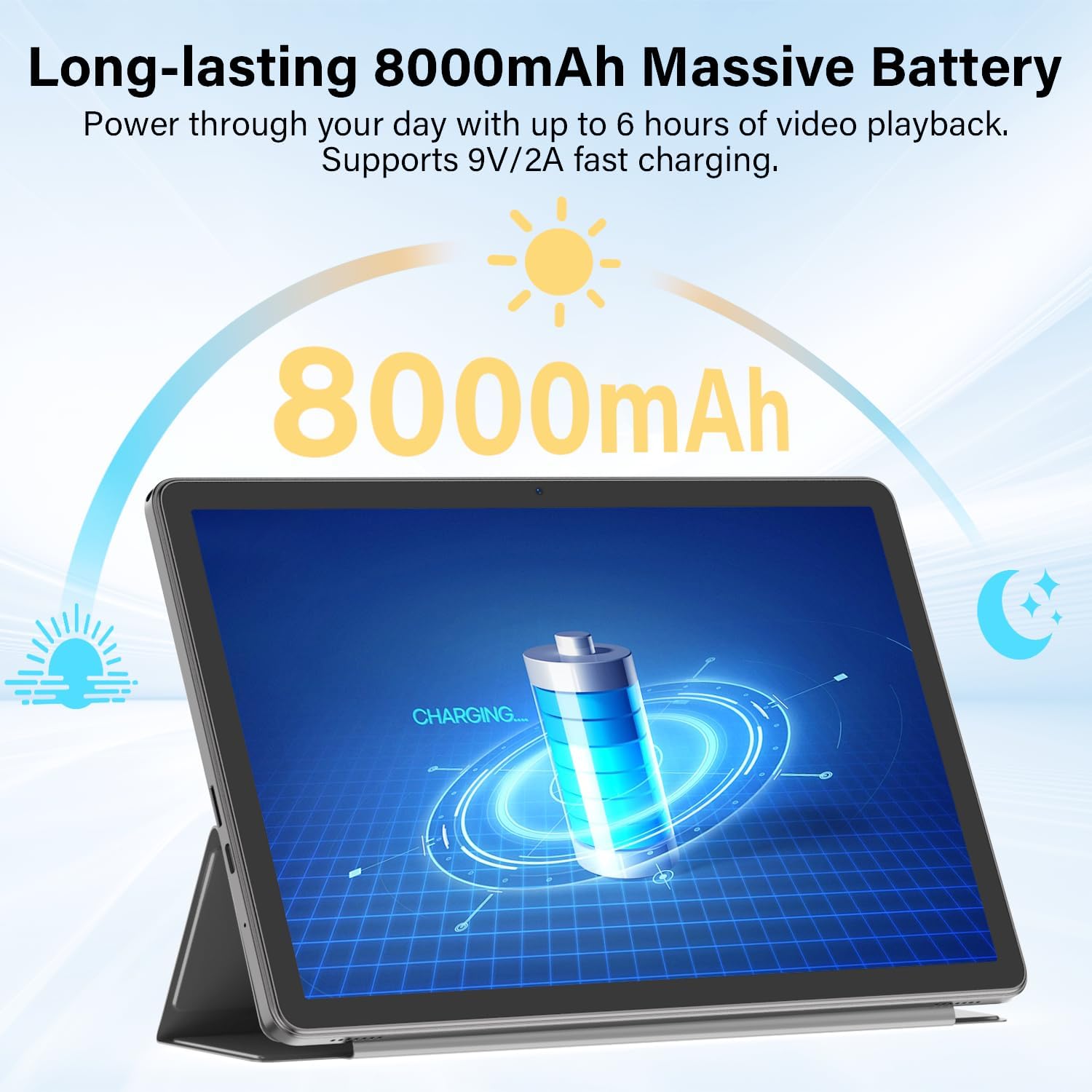
Figure 6.6: Long-lasting Battery. This image highlights the tablet's 8000mAh battery, providing power for up to 6 hours of video playback and supporting 9V/2A fast charging.
6.4 Sistèm operasyon
- OS: Android 15
- Karakteristik: Enhanced privacy, fluid multitasking, smarter notifications, optimized performance, adaptive security.

Figure 6.7: Android 15 OS. The image displays the tablet running Android 15, showcasing its modern interface and capabilities.

Figure 6.8: Latest Android 15 OS Features. This image outlines key benefits of Android 15, including enhanced privacy, fluid multitasking, smarter notifications, optimized performance, and adaptive security.

Figure 6.9: AI Capable. This image highlights the tablet's compatibility with leading AI apps like Gemini, ChatGPT, and Grok, enabling complex tasks and accelerating creativity.
6.5 Koneksyon
- Wi-Fi: Dual-Band WiFi 6 (2.4G/5Ghz, 802.11ac, 802.11ax)
- Bluetooth: Bluetooth 5.0
- Navigasyon: GPS
- Pò: 3.5mm Audio Jack, USB Type-C
- Odyo: Dual Stereo Speakers, Microphone Inside

Figure 6.10: Connectivity Features. This image displays the tablet's connectivity options, including Dual Stereo Speakers, 3.5mm Audio Jack, Bluetooth 5.0, GPS Navigation, 2.4/5Ghz WiFi 6, and an internal Microphone.
6.6 Kamera
- Kamera dèyè: 8.0 MP
- Kamera devan: 5.0 MP
- Capture videyo: FHD 1080p

Figure 6.11: Dual Cameras. This image highlights the tablet's 8MP rear and 5MP front cameras, suitable for clear video calls, quick photos, and document scanning.
6.7 Sekirite
- Debloke figi: Secure and instant facial recognition for unlocking the device.

Figure 6.12: Instant Face Unlock. This image illustrates the tablet's secure, hands-free facial recognition feature for instant unlocking.
7. Antretyen
7.1 Netwaye Tablèt ou a
Use a soft, lint-free cloth to clean the screen and body of the tablet. Avoid abrasive materials or harsh chemicals. For stubborn smudges, slightly dampRense twal la avèk dlo oswa yon pwodui netwayaj ekran ki fèt pou aparèy elektwonik.
7.2 Mizajou lojisyèl
Tcheke epi enstale mizajou lojisyèl regilyèman pou asire pèfòmans, sekirite ak aksè a nouvo fonksyonalite yo optimal. Ale nan Anviwònman > Sistèm > Aktyalizasyon sistèm lan pou tcheke pou mizajou.
7.3 Swen Batri
- Evite ekspoze tablèt la nan tanperati ekstrèm.
- Pa kite batri a dechaje nèt souvan.
- Sèvi ak plato ak kab ki vini ak yo a pou yon chajman optimal.
7.4 Jesyon Depo
Tanzantan review epi efase sa ki pa nesesè files, apps, and media to free up storage space and maintain performance. Utilize the expandable storage option with a Micro SD card for large files.
NAN. Depanaj
If you encounter issues with your tablet, refer to the following common problems and solutions:
| Pwoblèm | Solisyon |
|---|---|
| Tablèt la pa limen | Asire w batri a chaje. Konekte plato a epi tann kèk minit anvan ou eseye limen l ankò. Si aparèy la pa reponn, peze epi kenbe bouton Pouvwa a pandan 10-15 segonn pou fòse yon rekòmanse. |
| Pa ka konekte ak Wi-Fi | Check if Wi-Fi is enabled in Quick Settings or Anviwònman > Rezo ak entènèt > Entènèt. Ensure the Wi-Fi password is correct. Restart your router and the tablet. |
| Bluetooth keyboard/mouse not pairing | Ensure the accessory is charged and in pairing mode. On the tablet, go to Anviwònman > Aparèy ki konekte > Bluetooth and ensure Bluetooth is on. Forget and re-pair the device if it was previously connected. |
| Aplikasyon yo ralanti oswa yo ap plante | Fèmen aplikasyon ki pa nesesè yo an background. Vide kach aplikasyon an (Anviwònman > Aplikasyon yo > [Non Aplikasyon an] > Depo ak kach > Klè kachèt). Ensure sufficient storage space is available. Restart the tablet. |
| Ekran an pa reponn | Restart the tablet by holding the Power button. If the issue persists, perform a factory reset (data will be lost, back up important files). |
9. Espesifikasyon
| Karakteristik | Spesifikasyon |
|---|---|
| Mak | ECOPAD |
| Non modèl | T5 Android tablèt |
| Sistèm operasyon | Android 15 |
| Processeur | Octa-Core Unisoc T606, 1.6 GHz |
| Memwa RAM | 20 GB (6GB fizik + 14GB vityèl) |
| Kapasite Depo | 128 GB ROM |
| Depo dilatabl | Up to 2 TB (Micro SD/TF Card) |
| Gwosè ekran | 11 pous |
| Rezolisyon ekspozisyon | 1280x800 piksèl |
| Aspè rapò | 16:9 |
| Kapasite batri | 8000 mAh Lityòm Polymère |
| Lavi Mwayèn Batri | 8 èdtan |
| Chaje | Chaje rapid 18W (USB-C) |
| Teknoloji san fil | Wi-Fi 6 (802.11ac, 802.11ax), Bluetooth 5.0 |
| Koneksyon Teknoloji | Bluetooth, fil |
| Entèfas Materyèl | 3.5mm Audio Jack, USB Type-C |
| Kamera devan | 5.0 MP |
| Kamera dèyè | 8.0 MP |
| Rezolisyon Capture Videyo | FHD 1080p |
| Antre moun-entèfas | Ekran taktil ak sipò pou Stylus |
| Dimansyon atik (L x W x epesè) | 9.6"L x 5.4"Lajè x 0.25"Epesè |
10. Garanti ak sipò
10.1 Pwodwi Garanti
Your ECOPAD T5 Android 15 Tablet comes with a 2 ane garanti apati dat acha a. Garanti sa a kouvri domaj fabrikasyon ak fonksyònman ki pa kòrèk nan itilizasyon nòmal. Tanpri konsève prèv acha ou pou reklamasyon garanti.
10.2 Sipò pou Kliyan
For technical assistance, warranty claims, or any questions regarding your ECOPAD T5 tablet, please contact ECOPAD customer support. Refer to the contact information provided with your product packaging or visit the official ECOPAD websit pou detay sipò.