
1. Entwodiksyon
The ACECONN Pi2 Linux 4K HD Super Box TV Box is a versatile streaming device designed for high-definition media consumption. It operates on a Linux system, offering a customizable, stable, and secure platform for your entertainment needs. This device supports 4K UHD resolution and a wide array of video formats, ensuring a premium vieweksperyans nan.
Karakteristik kle yo enkli:
- Linux system for high customization, stability, and security.
- Supports 4K UHD resolution and multiple video formats for high-definition quality.
- Compatible with various connection methods such as HDMI and RCA.
- Multiple USB ports for media playback and software updates.
- Supports network and USB dual upgrades for convenient software maintenance.

Image: The ACECONN Pi2 Linux 4K HD Super Box TV Box and its remote control.
2. Gid Enstalasyon
2.1 Kontni pake a
Anvan ou kòmanse, tanpri verifye si tout atik yo prezan nan pake a:
- ACECONN Pi2 TV Box
- Inite kontwòl Remote (RCU)
- Power Adapter (US type)
- HDMI kab
- IR dilution
- Manyèl itilizatè

Image: All components included in the ACECONN Pi2 package.
2.2 Konekte aparèy la
- Koneksyon pouvwa: Connect the provided power adapter to the DC IN port on the TV Box and then plug it into a power outlet.
- Koneksyon HDMI: Use the HDMI cable to connect the HDMI OUT port on the TV Box to an HDMI IN port on your television or display. Note the HDMI input number on your TV.
- Koneksyon Rezo (Si ou vle):
- Ethernet: For a wired connection, connect an Ethernet cable from your router to the LAN port on the TV Box.
- Wi-Fi: For a wireless connection, you will configure Wi-Fi settings after the initial power-on.
- USB Devices (Optional): You can connect USB storage devices or other peripherals to the available USB ports.
2.3 Premye Limen
After connecting all necessary cables, turn on your television and select the correct HDMI input. The ACECONN Pi2 TV Box should power on automatically or can be powered on using the remote control. Follow any on-screen prompts for initial setup, such as language selection and network configuration.
3. Operasyon Enstriksyon
3.1 Entèfas itilizatè souview
Upon startup, you will see the main user interface, which provides access to various applications and settings. The interface is designed for easy navigation using the provided remote control.
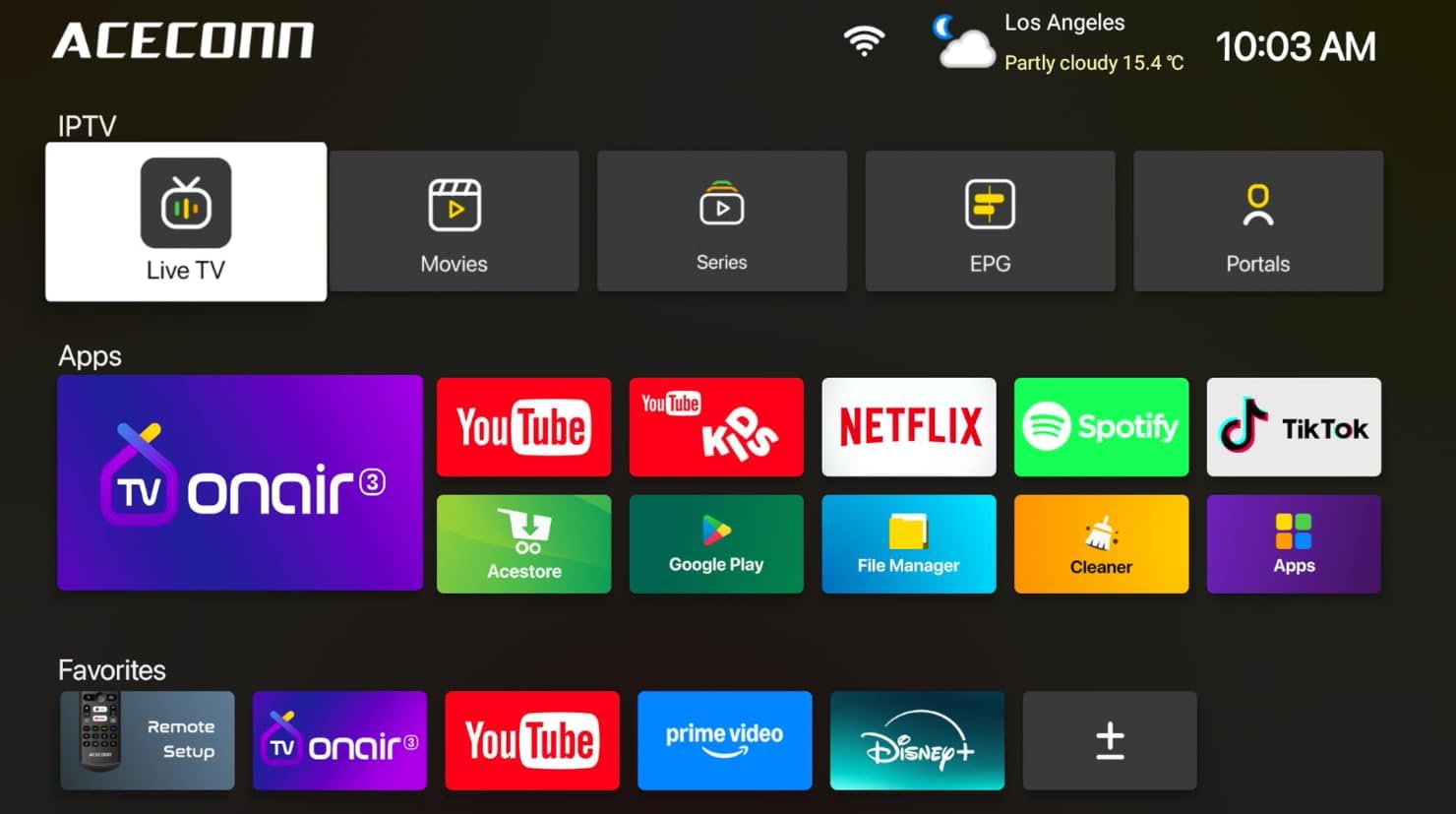
Image: Main user interface of the ACECONN Pi2, displaying various content categories and applications.
3.2 Navigation and Remote Control
Use the directional buttons on the remote control to navigate through menus and select items. The 'OK' button confirms selections, and the 'Back' button returns to the previous screen. Familiarize yourself with the remote's layout for optimal control.
3.3 Lekti Medya
The Pi2 supports various media playback options:
- Difizyon: Access pre-installed or downloaded streaming applications for online content.
- Lektur lokal: Connect a USB hard drive or flash drive to play downloaded 4K content directly. The device supports full format compatibility including MKV, MP4, and AVI.
- Personal Media Library: Utilize applications like Kodi to organize and play your media collection.

Image: The ACECONN Pi2 supports various media consumption scenarios, including family streaming, personal media organization, and local file lèktur.
3.4 Anviwònman rezo
Pou konekte ak yon rezo:
- Navigate to the 'Settings' menu from the home screen.
- Select 'Network' or 'Wi-Fi' settings.
- For Wi-Fi, select your network from the list and enter the password. For Ethernet, ensure the cable is connected; the device should automatically connect.
3.5 Anviwònman Sistèm
The 'Settings' menu allows you to customize various aspects of your device:
- Ekspozisyon: Adjust resolution, screen scaling, and HDR settings. The device supports 4K@60fps with HDR 10+ for an enhanced visual experience.
- Odyo: Configure audio output options.
- Language & Input: Change the system language and keyboard settings.
- Kontwòl paran yo: Utilize the built-in parental control features to manage content access.
- Konsènan: View device information, including the Linux 4.9 kernel version.

Image: The ACECONN Pi2 offers advanced 4K decoding, HDR 10+ dynamic color, and broad media format compatibility.
4. Antretyen
4.1 Netwayaj
To maintain the device's appearance and performance, gently wipe the exterior with a soft, dry cloth. Avoid using liquid cleaners or abrasive materials.
4.2 Software Updates (OTA Updates)
The ACECONN Pi2 supports Over-The-Air (OTA) updates, as well as updates via USB. Regularly checking for and installing updates ensures you have the latest features, drivers, and security enhancements. This contributes to the device's rugged 24/7 stability.
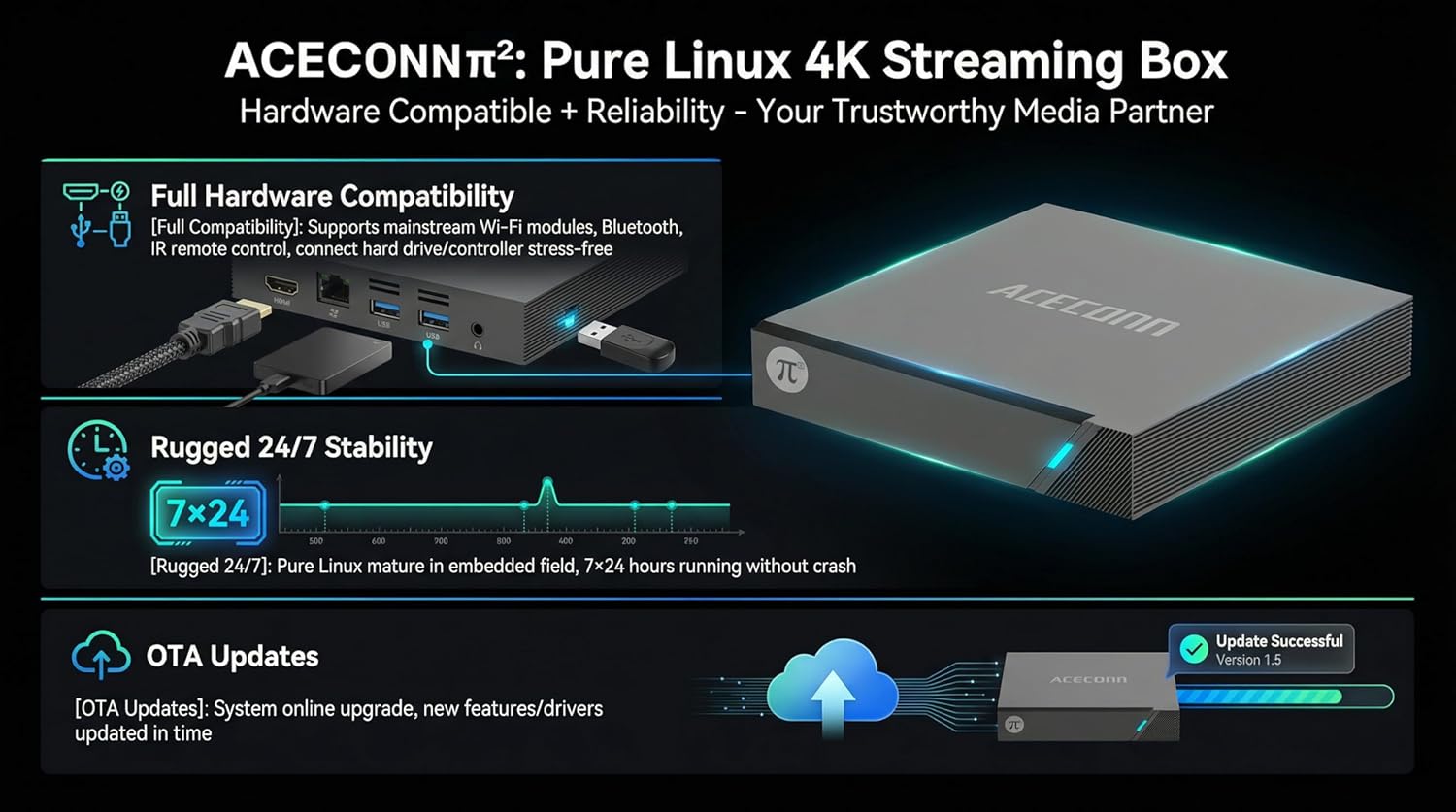
Image: The ACECONN Pi2 features full hardware compatibility, robust stability, and convenient OTA updates.
NAN. Depanaj
If you encounter issues with your ACECONN Pi2, refer to the following common problems and solutions:
- Pa gen pouvwa:
- Asire w adaptè kouran an byen konekte ak aparèy la epi li nan yon priz kouran ki fonksyone.
- Eseye yon priz kouran diferan.
- Pa gen siyal sou televizyon:
- Verify the HDMI cable is firmly connected to both the TV Box and the TV.
- Tcheke si televizyon ou an byen branche sou bon sous antre HDMI a.
- Eseye yon lòt kab HDMI oswa yon lòt pò HDMI sou televizyon ou an.
- Kontwòl Remote pa reponn:
- Ensure the batteries in the remote control are correctly inserted and not depleted. Replace if necessary.
- Dirije telekòmand lan dirèkteman nan direksyon reseptè IR bwat televizyon an.
- Pwoblèm Koneksyon Rezo:
- For Wi-Fi, re-enter the password in network settings. Ensure your router is working correctly.
- For Ethernet, check the cable connection to both the TV Box and the router.
- Rekòmanse routeur ou a ak bwat televizyon an.
- Sistèm lan ralanti oubyen bloke:
- Rekòmanse bwat televizyon an.
- Asire w ke aparèy la gen ase vantilasyon.
- Tcheke epi enstale nenpòt mizajou lojisyèl ki disponib.
6. Espesifikasyon
| Karakteristik | Spesifikasyon |
|---|---|
| Nimewo Modèl | Pi2 |
| Mak | ACECONN |
| Dimansyon pwodwi | 11 x 11 x 2 cm |
| Pwa atik | 0.5 Kilogram |
| Koneksyon Teknoloji | Bluetooth, Ethernet, HDMI, USB, Wi-Fi |
| Kalite Connector | HDMI |
| Rezolisyon | 4K |
| Rezolisyon Sòti Videyo | 3840 piksèl |
| Kalite kontwolè | Kontwòl Aplikasyon, Kontwòl Remote |
| Kapasite Depo memwa | 8 GB |
| Karakteristik espesyal | Kontwòl Paran yo |
| Sistèm operasyon | Linux 4.9 Kernel |
7. Garanti ak sipò
7.1 Enfòmasyon sou Garanti
This ACECONN Pi2 Linux 4K HD Super Box TV Box comes with a 1 Ane Manifakti Garanti apati dat acha a. Tanpri konsève prèv acha ou pou reklamasyon garanti.
7.2 Sipò pou Kliyan
For technical assistance or warranty inquiries, please contact the manufacturer:
- Manifakti: shenzhenshiniulinkejiyouxiangongsi
- Imèl: zengkkoo@gmail.com