
1. Pwodwi souview
The HONOR Magic8 Lite 5G is a robust and feature-rich smartphone designed for durability and high performance. It boasts industry-leading resistance to drops, water, and dust, a long-lasting battery, a high-resolution camera, and an immersive display, all powered by an efficient processor with advanced AI capabilities.
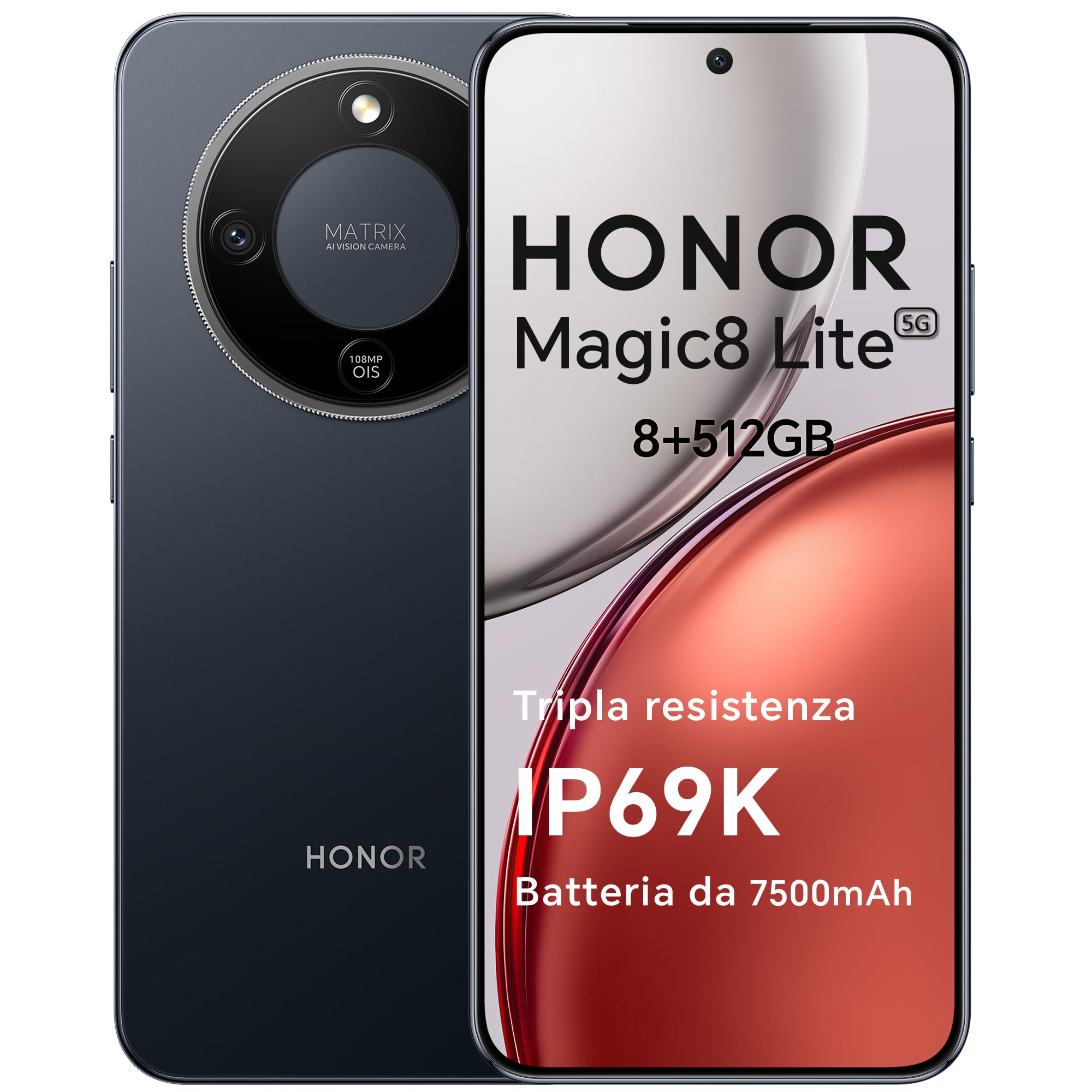
Figure 1: HONOR Magic8 Lite 5G Smartphone, Midnight Black variant.
Karakteristik kle:
- Triple Resistance: SGS Five-Star Overall Drop Resistance (up to 2.5 meters), IP69K and IP68 water and dust resistance.
- Batri ki dire lontan: 7500 mAh silicon-carbon battery with up to 3 days of autonomy and 66W SuperCharge. Functions as a portable power bank.
- Sistèm Kamera Avanse: 108 MP Ultra-Sensing Camera with Optical Image Stabilization (OIS) and Electronic Image Stabilization (EIS) for clear photos and stable 4K videos. Includes AI photography features.
- Ekspozisyon Immersion: 6.79-inch 1.5K OLED display with 6000 nits peak brightness, 120 Hz refresh rate, and HONOR Eye Comfort Display technology.
- Pèfòmans pwisan: Snapdragon 6 Gen 4 (4nm) mobile platform for smooth multitasking and gaming, integrated with Google Gemini and other AI functionalities.
2. Enstalasyon aparèy
2.1 Kontni pake a
Verifye ke pake ou a gen atik sa yo:
- HONOR Magic8 Lite 5G Smartphone
- USB-C kab
- Power Adapter (66W SuperCharge)
- Zouti èkstrè SIM
- Gid Quick Start
- Kat Garanti
2.2 Mete Kat SIM yo
- Jwenn plato kat SIM lan sou bò aparèy ou an.
- Mete zouti pou retire kat SIM lan nan ti twou ki akote plato a epi peze byen fèm jiskaske plato a soti.
- Place your Nano-SIM card(s) into the designated slots on the tray. Ensure the gold contacts face downwards. The device supports Dual SIM functionality.
- Remete plato kat SIM lan nan telefòn nan avèk anpil atansyon.
The device also supports eSIM functionality. Refer to your carrier for activation details.
2.3 Premye Chaje ak Limen
- Connect the USB-C cable to the phone's charging port and the other end to the 66W power adapter. Plug the adapter into a power outlet.
- Allow the phone to charge for at least 15 minutes before initial use.
- To power on, press and hold the Power button (located on the side) until the HONOR logo appears on the screen.
- Swiv enstriksyon ki sou ekran an pou w konplete konfigirasyon inisyal la, ki gen ladan seleksyon lang lan, koneksyon Wi-Fi a, ak konfigirasyon kont Google la.

Figure 2: The 7500mAh silicon-carbon battery provides extended usage.
3. Operasyon Enstriksyon
3.1 Navigasyon debaz
- Ekran manyen: Tape pou chwazi, glise pou defile, pense pou agrandi.
- Ekran Kay: Jwenn aksè a aplikasyon, widjèt, ak notifikasyon.
- Jès: Customize navigation gestures in Settings for a fluid experience.
3.2 Itilizasyon Kamera
The HONOR Magic8 Lite 5G features a 108 MP Ultra-Sensing Camera with OIS and EIS for superior image and video capture.
- Open the Camera app from your home screen or lock screen.
- Select your desired mode (Photo, Video, Portrait, Night, Pro, etc.).
- Tape bouton deklanchè a pou pran yon foto oswa pou kòmanse/sispann anrejistreman videyo.
- Utilize AI features like AI Eraser, AI Cutout, and AI Outpainting for enhanced photo editing.
- For underwater photography, ensure the device is properly sealed and use the dedicated underwater mode.

Figi 3: Egzamples of high-quality images captured by the 108 MP camera.
3.3 Jesyon batri
The 7500 mAh battery is designed for extended use. To optimize battery life:
- Aktive mòd ekonomize enèji yo lè batri a ba.
- Ajiste klète ekran an ak paramèt tan ekran an.
- Close background apps not in use.
- The device supports reverse charging, allowing it to act as a power bank for other devices. Connect the devices using a compatible USB-C cable.

Figure 4: The device can charge other accessories, acting as a power bank.
3.4 Ekspozisyon Karakteristik
The 6.79-inch 1.5K OLED display offers vibrant visuals and eye comfort features.
- Mode Konfò Je: Reduces blue light to prevent eye strain. Activate it in Display Settings.
- Pousantaj rafrechir dinamik: The 120 Hz adaptive refresh rate adjusts automatically for smooth scrolling and power efficiency.
- Segondè klète: With 6000 nits peak brightness, the display remains clear even in direct sunlight.

Figure 5: The 1.5K OLED display offers exceptional clarity and color.
3.5 AI Features and Google Gemini
The device integrates advanced AI functionalities and Google Gemini for enhanced user experience.
- Google Gemini: Interact with Gemini for real-time translation, information retrieval, and more.
- AI Writing Tools: Utilize AI to assist with text composition and productivity tasks.
- Magic Portal: A shortcut for AI-powered tasks.

Figure 6: Google Gemini integration for intelligent assistance.
3.6 Fonksyonalite NFC
The HONOR Magic8 Lite 5G supports Near Field Communication (NFC) for quick and secure transactions and data exchange.
- Enable NFC in your phone's Settings.
- Tap your phone to compatible NFC readers for mobile payments or to share content with other NFC-enabled devices.
4. Antretyen
4.1 Netwaye aparèy ou an
Despite its IP69K and IP68 ratings for water and dust resistance, proper cleaning helps maintain your device's longevity.
- Sèvi ak yon twal mou ki pa gen pousyè pou siye ekran an ak kò a.
- Evite itilize pwodui chimik ki agresif, materyèl abrazif, oswa lè konprese.
- If the device gets wet, wipe it dry with a clean cloth before charging or opening any ports.
4.2 Mizajou lojisyèl
Regular software updates provide security patches, new features, and performance improvements. Ensure your device is connected to Wi-Fi and has sufficient battery before initiating an update.
- Navige nan Anviwònman > Sistèm ak mizajou > Mizajou lojisyèl pou tcheke si gen mizajou ki disponib.
4.3 Swen Batri
The 7500 mAh battery is designed for a long lifespan. To maximize its performance:
- Avoid extreme temperatures (below -30°C or above 55°C) as they can degrade battery performance.
- Use only HONOR-approved chargers and cables.
- Evite vide batri a nèt souvan.

Figure 7: The device is designed to operate in a wide range of temperatures.
NAN. Depanaj
This section addresses common issues you might encounter with your HONOR Magic8 Lite 5G.
5.1 Aparèy la pa limen
- Asire w batri a chaje. Konekte chajè a epi tann kèk minit anvan ou eseye limen l ankò.
- Peze epi kenbe bouton Pouvwa a pou omwen 10-15 segonn pou fòse yon rekòmanse.
5.2 Pwoblèm chaj
- Check if the charging cable and adapter are securely connected.
- Try using a different HONOR-approved charger and cable.
- Enspekte pò chaj la pou nenpòt debri oswa domaj.
5.3 Kamera a pa fonksyone
- Rekòmanse aparèy la.
- Clear the cache and data of the Camera app in Settings > Apps > Camera > Storage.
- Ensure no other apps are currently using the camera.
5.4 Water/Dust Exposure
While the device is highly resistant, prolonged exposure or exposure to high-pressure jets (beyond IP69K/IP68 limits) can cause damage.
- If the device gets wet, dry it thoroughly before charging.
- Do not intentionally submerge the device in water beyond specified depths or for extended periods.
- If you suspect water damage, contact customer support.

Figure 8: The device is designed with advanced water resistance.
For other issues, refer to the official HONOR support websit oswa kontakte sèvis kliyan.
6. Espesifikasyon
| Karakteristik | Spesifikasyon |
|---|---|
| Mak | ONÈ |
| Modèl | Magic8 Lite |
| RAM | 8 GB |
| Depo Entèn | 512 GB |
| Koulè | Minwi Nwa |
| Kapasite batri | 7500 mAh |
| Ekspozisyon | 6.79-inch 1.5K AMOLED, 120Hz, 6000 nits peak brightness |
| Kamera dèyè | 108 MP with OIS |
| Processeur | Snapdragon 6 Gen 4 (4nm) |
| Dlo & Pousyè Rezistans | IP69K, IP68 |
| Drop Rezistans | SGS Five-Star Overall Drop Resistance (up to 2.5m) |
| Koneksyon | 5G, Dual SIM, NFC |
| Orijin | Lachin |
| ASIN | B0G43TWKGS |

Figure 9: Detailed product information sheet.
For more detailed energy efficiency information, please refer to the EPREL database: https://eprel.ec.europa.eu/qr/2515767
7. Garanti ak sipò
7.1 Enfòmasyon sou Garanti
Warranty terms and conditions are typically provided with your purchase documentation. Please retain your proof of purchase for warranty claims. For specific warranty details, refer to the warranty card included in your product package or visit the official HONOR websit pou rejyon ou an.
7.2 Sipò pou Kliyan
For technical assistance, service, or further inquiries, please contact HONOR customer support:
- Ofisyèl Websit: https://www.honor.com/de/
- Self-Repair Support: https://www.honor.com/de/support/self-repair/
- Sipò Imèl: support@honor.com


