
1. Entwodiksyon
The LOTUS Smartwatch 50203/1 Naya Lite is designed to integrate health tracking and activity control into your daily routine. This smartwatch allows you to monitor health metrics, track various sports activities, and manage calls directly from your wrist. Its versatile and modern design ensures both functionality and comfort for daily use.
2. Ki sa ki nan bwat la
- LOTUS Smartwatch 50203/1 Naya Lite
- 1 plato
- Manyèl Itilizatè (dokiman sa a)
3. Enstalasyon
3.1. Chaje Aparèy la
Before initial use, fully charge your smartwatch. Connect the provided charger to the charging port on the back of the watch and plug the USB end into a compatible power adapter (not included) or a computer's USB port. The watch display will indicate charging status. A full charge typically takes approximately 2 hours.
3.2. Enstalasyon ak koneksyon aplikasyon an
- Telechaje App a: Chèche pou the official LOTUS Smartwatch application in your smartphone's app store (Google Play Store for Android or Apple App Store for iOS). Install the application.
- Pèmèt Bluetooth: Asire w ke Bluetooth aktive sou smartphone ou.
- Louvri aplikasyon an: Launch the LOTUS Smartwatch app and follow the on-screen instructions to create an account or log in.
- Ajoute Aparèy: Within the app, navigate to the 'Add Device' or 'Pair Device' section. The app will search for available smartwatches.
- Select Your Smartwatch: Select 'LOTUS 50203/1 Naya Lite' from the list of discovered devices. Confirm the pairing request on both your smartphone and the smartwatch if prompted.
- Ranpli Enstalasyon: Follow any remaining prompts in the app to complete the initial setup, including personal profile information and notification preferences.
4. Operasyon Enstriksyon
4.1. Navigasyon debaz
- Ekran tactile: Glise agoch, adwat, anlè, oswa anba pou navige nan meni ak fonksyon yo. Tape pou chwazi yon opsyon.
- Bouton bò: Press the side button to return to the home screen or to wake the display. A long press may access power options or specific features.
4.2. Fè ak resevwa apèl
Once paired with your smartphone, the smartwatch allows you to manage calls directly. Ensure your watch is connected via Bluetooth to your phone.
- Resevwa apèl: Lè yon apèl rive, mont lan ap montre idantifikasyon moun kap rele a. Tape ikòn vèt la pou reponn oswa ikòn wouj la pou rejte.
- Fè apèl: Access the 'Phone' or 'Dialer' function on your smartwatch. You can dial numbers directly or select contacts from your synced phonebook.
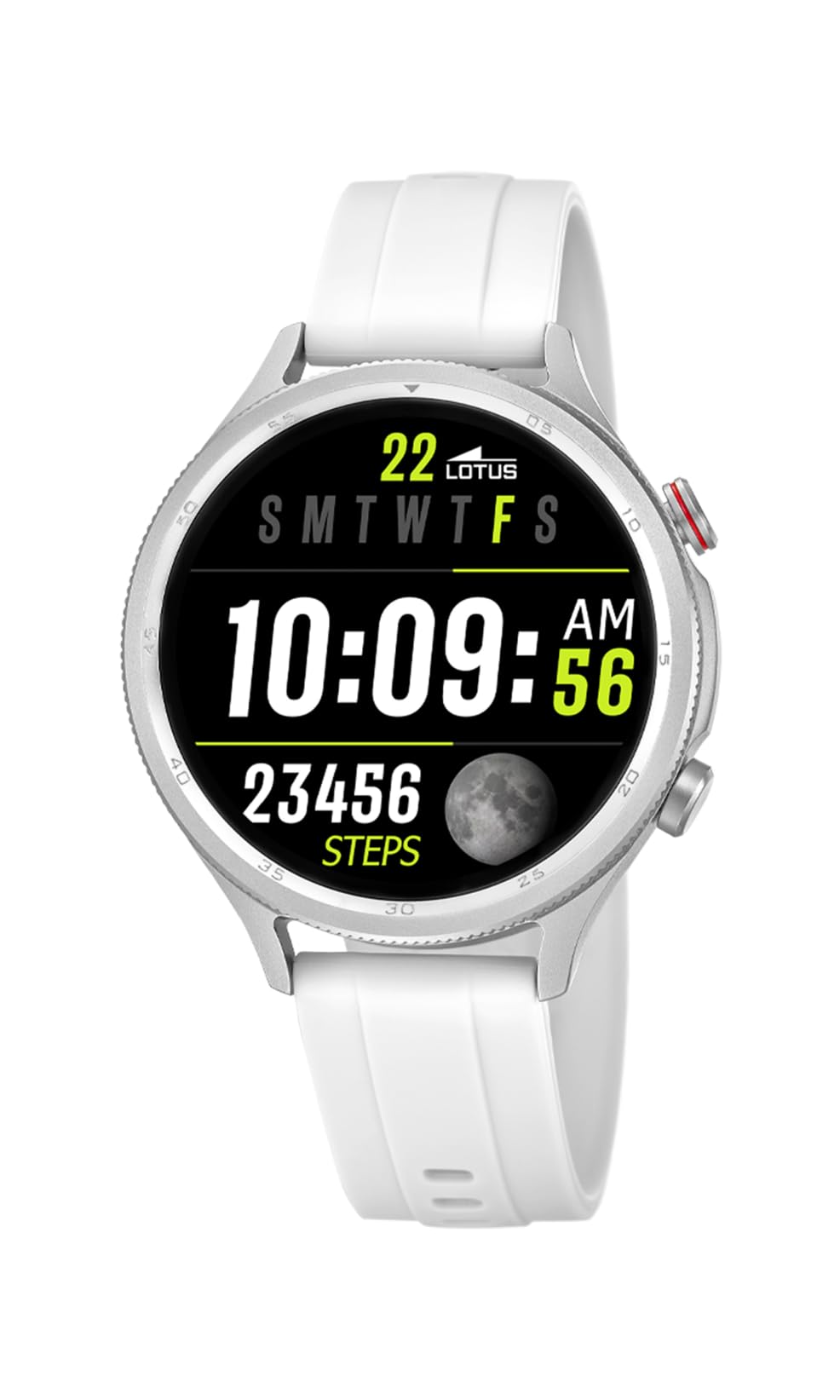
Image: The Lotus Smartwatch 50203/1 Naya Lite allows for convenient call management directly from your wrist.
4.3. Kontwòl Klas Mizik
Control music playback on your smartphone directly from your smartwatch. Navigate to the 'Music Control' feature on your watch. You can play, pause, skip tracks, and adjust volume.
4.4. Activity and Sports Tracking
The smartwatch tracks various fitness metrics and supports multiple sports modes.
- Steps and Calories: The watch automatically counts your steps and estimates calories burned throughout the day. View your daily progress on the watch face or in the app.
- Mòd espò: Access the 'Sports' menu to select from various activities (e.g., running, walking, cycling). The watch will record duration, distance, and other relevant data for your chosen activity.

Image: The smartwatch display provides real-time updates on your activity metrics.
4.5. Siveyans Sante
- Monitè dòmi: Wear the smartwatch to bed to track your sleep patterns. The app provides detailed analysis of your sleep quality.
- Other Health Metrics: The watch may offer additional health monitoring features. Refer to the app for a complete list and instructions on how to use them.
4.6. Asistan Vwa IA
Activate the AI Voice Assistant feature on your smartwatch to perform tasks using voice commands. Ensure your watch is connected to your smartphone and the voice assistant feature is enabled in the app.
5. Antretyen
5.1. Netwaye Smartwatch ou a
Regularly clean your smartwatch and strap to prevent skin irritation and maintain functionality.
- Siye ekran an ak kò a ak yon twal mou,amp, twal ki pa gen pèl.
- For the rubber strap, use mild soap and water, then rinse thoroughly and dry completely before wearing.
- Evite itilize pwodui chimik ki fò, pwodui netwayaj abrazif, oswa solvan.
5.2. Swen batri
- Evite dechaje batri a nèt souvan.
- Pa ekspoze mont lan nan tanperati ekstrèm, paske sa ka diminye lavi batri a.
- Sèvi ak sèlman plato bay la.
5.3. Rezistans dlo (IP65)
The LOTUS Smartwatch 50203/1 Naya Lite is rated IP65 water resistant. This means it is protected against dust ingress and low-pressure water jets from any direction. It is suitable for everyday use and can withstand splashes or light rain. Li pa apwopriye pou naje, pran douch, oswa rete nan dlo pou yon tan ki long.
NAN. Depanaj
- Mont lan pa limen: Asire w ke mont lan chaje nèt. Konekte l nan plato a pou omwen 30 minit.
- Pa ka konekte ak telefòn nan: Make sure Bluetooth is enabled on your phone and the watch. Ensure the watch is within range. Restart both the watch and your phone, then try pairing again through the app.
- Notifikasyon yo pa parèt: Check app settings on your phone to ensure notification permissions are granted for the LOTUS Smartwatch app. Also, verify notification settings within the smartwatch app itself.
- Done aktivite ki pa egzak: Ensure the watch is worn snugly on your wrist. Calibrate your personal information (height, weight, age) in the app for better accuracy.
- Ekran an pa reponn: Try restarting the smartwatch. If the issue persists, contact customer support.
7. Espesifikasyon
| Mak | LOTUS |
| Modèl | 50203/1 |
| Manifakti | Time Road SL. |
| Kalite ekspozisyon | Digital |
| Kalite Materyèl | Zenk alyaj |
| Kalite Materyèl Band | Kawotchou |
| Koulè Band | Blan |
| Nivo rezistans dlo | IP65 (Rezistan a dlo) |
| Batri | 1 Non-standard battery (included) |
| Eleman enkli | 1 plato |
8. Garanti ak sipò
For warranty information and customer support, please refer to the documentation provided with your purchase or visit the official LOTUS websit la. Kenbe prèv acha ou pou reklamasyon garanti.
Manifakti: Time Road SL.