
1. Entwodiksyon
This manual provides essential information for setting up, operating, and maintaining your DOOGEE Note 56 X PRO Android 16 smartphone. Please read this guide thoroughly to ensure proper usage and to maximize the device's capabilities. Keep this manual for future reference.
2. Ki sa ki nan bwat la
Lè w ap ouvri pake a, verifye si tout bagay ki nan lis anba a la:
- 1x DOOGEE NOTE 56 X PRO Cell Phone
- 1x Kalite-C USB kab
- 1x Chargeur
- 1x ka telefòn
- 1x kat garanti
- 1x Manyèl Itilizatè (dokiman sa a)
- 1x Card Removal Pin
- 1x Fim Pwoteksyon (Pre-aplike)

Image: Contents of the DOOGEE Note 56 X PRO retail box.
3. Aparèy souview
Familiarize yourself with the physical components of your DOOGEE Note 56 X PRO smartphone.

Imaj: Devan ak dèyè view of the DOOGEE Note 56 X PRO.
Imaj: Side profile of the DOOGEE Note 56 X PRO, demonstrating its slim design.

Imaj: Anwo ak anba view of the DOOGEE Note 56 X PRO, indicating port locations.
4. Enstalasyon
4.1. Installing SIM and TF Cards
- Jwenn plato kat SIM lan sou bò telefòn nan.
- Insert the provided card removal pin into the small hole next to the tray to eject it.
- Place your Nano-SIM card(s) and/or TF (microSD) card into the tray according to the diagram. The phone supports dual SIM (SIM1 + SIM2) or one SIM card and one TF card for expandable storage up to 2TB.
- Remete plato a nan telefòn nan avèk prekosyon jiskaske li aliyen ak kò aparèy la.
4.2. Premye Limen ak Chaje
- Peze epi kenbe bouton Power la (ki sitiye sou bò a) jiskaske logo DOOGEE a parèt.
- Swiv enstriksyon ki sou ekran an pou w konplete konfigirasyon inisyal la, ki gen ladan seleksyon lang lan, koneksyon Wi-Fi a, ak konfigirasyon kont Google la.
- To charge the phone, connect the Type-C USB cable to the phone's charging port and the other end to the provided charger. Plug the charger into a power outlet. The phone supports 10W fast charging.
- Pou yon lavi batri optimal, chaje aparèy la nèt anvan premye itilizasyon an.
5. Itilizasyon Telefòn Ou
5.1. Sistèm operasyon Android 16
The DOOGEE Note 56 X PRO runs on the Android 16 operating system, offering an intuitive user experience with enhanced features:
- Game Space: Optimize gaming performance and manage notifications during gameplay.
- Smart Body Sensing: Utilize advanced sensor capabilities for various applications.
- Screen Sense: Intelligent screen features for improved interaction.
- Video Display Enhancement: Optimized visual quality for video playback.
- Live Subtitles: Real-time captioning for audio content.
- Espas Prive: Create a secure, isolated environment for sensitive apps and data.
- Mòd Sistèm Doub: Run two separate system environments for enhanced privacy or work/personal separation.
- Super Clipboard: Advanced clipboard functionality for efficient copy-pasting.
- Fann ekran: Use two applications simultaneously on the same screen for multitasking.

Imaj: Plis paseview of Android 16 features.
5.2. Calls, Messages, and Internet
- Fè apèl: Tape ikòn Telefòn nan, antre nimewo a, epi tape bouton apèl la.
- Voye Mesaj: Tap the Messages icon, start a new conversation, enter the recipient and message, then send.
- Koneksyon Entènèt: Connect to Wi-Fi via Settings > Network & internet > Wi-Fi. Ensure mobile data is enabled via Settings > Network & internet > Mobile network for cellular internet access.
5.3. Fonksyon Kamera
The phone features a 13MP main camera and an 8MP front camera, enhanced by Google intelligent camera features.
- Lè w ap pran foto: Louvri aplikasyon Kamera a, ankadre foto w la, epi tape bouton deklanchè a.
- Chanje Kamera: Tap the camera switch icon to toggle between the main and front cameras.
- Google Intelligent Camera: Utilize features like homework analysis, view search, and e-commerce search directly from the camera interface.

Image: Camera specifications and capabilities.
5.4. Karakteristik sekirite
- Debloke figi: Register your face for quick and secure unlocking.
- Rekonesans anprent bò: Use the side-mounted fingerprint sensor for convenient access.
5.5. NFC ak GPS
- NFC (Near Field Communication): Enable NFC in settings to use features like Google Pay for contactless payments.
- GPS: The phone supports Beidou, Galileo, Glonass, and GPS navigation systems for accurate location services.
5.6. Google Gemini AI Assistant
The integrated Google Gemini AI assistant offers advanced functionalities:
- Gemini an dirèk: Engage in real-time conversations with the AI.
- Unleash Creativity: Generate ideas and creative content.
- Smarter Insights: Gain deeper understanding from information.
- Language Partner: Assist with language learning and translation.

Image: Key connectivity and security features.
6. Antretyen
6.1. Swen batri
The DOOGEE Note 56 X PRO is equipped with a 6150mAh Silicon-Carbon battery.
- Sèvi sèlman ak plato ak kab ki vini ak yo pou evite domaj.
- Evite ekspoze telefòn nan nan tanperati ekstrèm.
- The phone supports OTG reverse charging, allowing it to act as a power bank for other devices.

Image: Battery capacity and usage estimates.
6.2. Netwaye Aparèy Ou a
Gently wipe the screen and body with a soft, lint-free cloth. Avoid using harsh chemicals or abrasive materials.
NAN. Depanaj
Si ou rankontre pwoblèm ak aparèy ou an, eseye solisyon komen sa yo:
- Telefòn nan pa limen: Asire w batri a chaje. Konekte chajè a epi tann kèk minit anvan ou eseye limen l ankò.
- Aplikasyon k ap kraze: Close and restart the app. If the issue persists, clear the app's cache or reinstall it.
- Siyal rezo pòv: Check your SIM card installation. Move to an area with better network coverage.
- Ekran an pa reponn: Restart the phone by holding the power button.
- Batri a vide byen vit: Diminye klète ekran an, fèmen aplikasyon ou pa itilize yo, oswa dezaktive fonksyon ki pa nesesè tankou GPS oswa Bluetooth lè w pa ap itilize yo.
For more complex issues, refer to the official DOOGEE support resources or contact customer service.
8. Espesifikasyon
Key technical specifications for the DOOGEE Note 56 X PRO:
| Karakteristik | Spesifikasyon |
|---|---|
| Non modèl | DOOGEE NOTE 56 X PRO |
| Sistèm operasyon | Android 16 |
| Processeur | Unisoc T7225 Octa-Core Chipset |
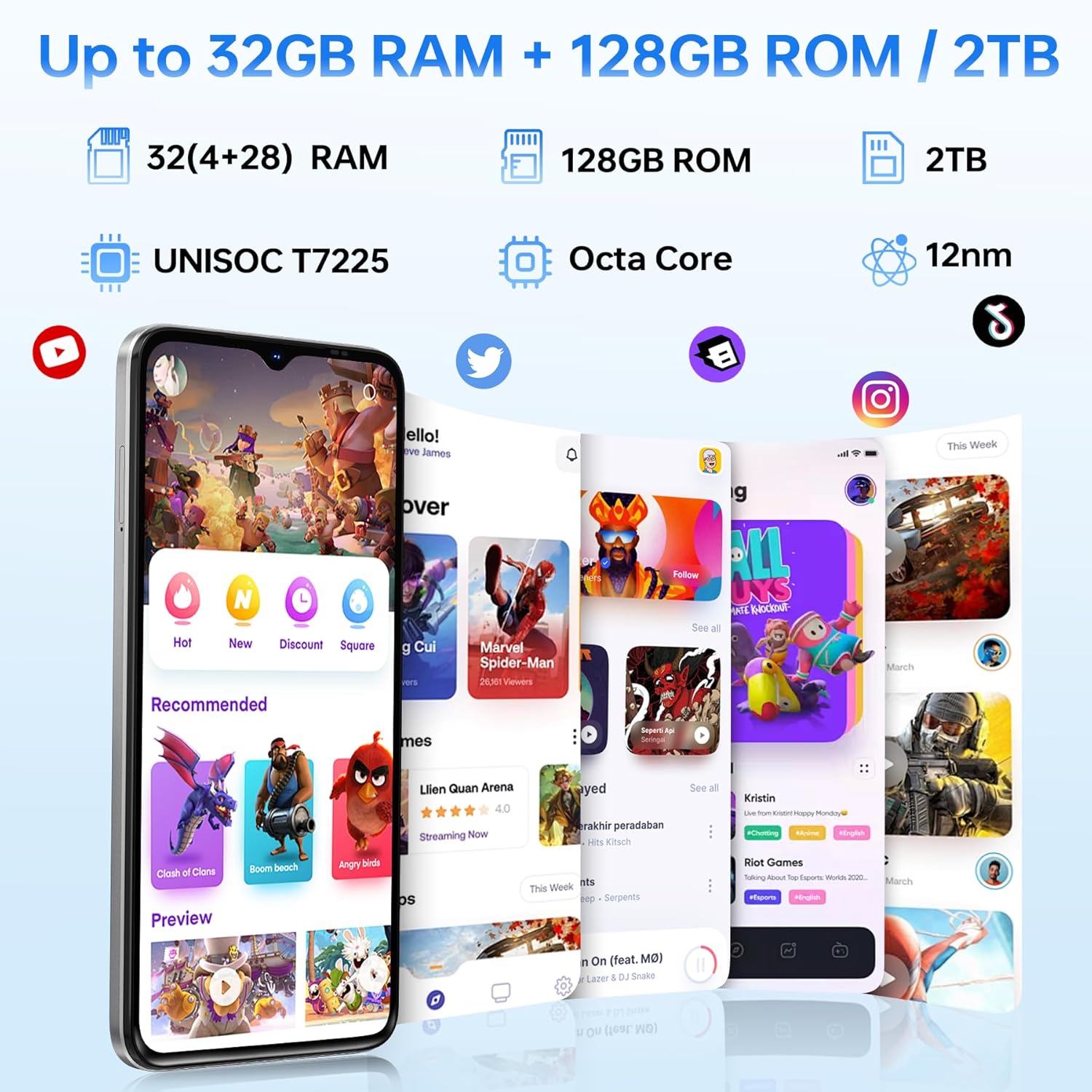
| RAM | 32GB (4GB basic + up to 28GB extended) |
| Depo Entèn | 128GB |
| Depo dilatabl | Jiska 2TB atravè kat TF |
| Gwosè ekran | 6.56 pous |
| Kalite ekspozisyon | HD+ IPS Waterdrop Display |
| Rezolisyon | 720 * 1612 |
| Rafrechisman pousantaj | 90Hz |
| Kamera prensipal | 13MP |
| Kamera devan | 8MP |
| Kapasite batri | 6150mAh Silicon-Carbon |
| Chaje | Chaje rapid 10W, chaje ranvèse OTG |
| Koneksyon | 4G, Bluetooth 5.0, NFC, Wi-Fi 2.4G/5G |
| Navigasyon | GPS, Glonass, Galileo, Beidou |
| Audio Jack | 3.5 mm |
| Dimansyon | 8.45mm Ultra-Slim |
| Pwa | 195g |
9. Pwodwi souview Videyo
Gade videyo sa a pou yon vizyon anplisview of the DOOGEE Note 56 X PRO's design and key features.
Video: DOOGEE Note 56 X PRO Android 16 Cell Phone Unlocked - Product Overview.
10. Garanti ak sipò
DOOGEE provides a 30-day no-reason return policy for this product. Additionally, long-term technical support and 24-hour online customer service are available. If you have any questions or require assistance with your DOOGEE Note 56 X PRO, please contact the DOOGEE customer service team.