
Entwodiksyon
The MINIX 100W USB C Charger (NEO P3 Pro) is a versatile 3-port GaN charger designed for rapid charging of various devices, including laptops, tablets, and smartphones. It features a smart display for real-time charging information and a compact, travel-friendly design. This manual provides essential information for the safe and efficient use of your charger.

Image: The MINIX 100W USB C Charger (NEO P3 Pro) connected to a laptop, illustrating its fast charging capability.
What's in the Box (Setup)
Your MINIX 100W USB C Charger package includes the following items:
- 1x MINIX P3 PRO 100W Charger
- 1x EU Plug Adapter
- 1x UK Plug Adapter
- 1x manyèl itilizatè
- 1x Bag Depo

Image: The MINIX P3 Pro charger, EU plug, UK plug, and storage bag, as included in the package.
Attaching the Correct Plug Adapter
The MINIX P3 Pro charger comes with interchangeable plug adapters (US, EU, UK) to ensure compatibility in various regions. To attach an adapter:
- Align the desired plug adapter with the charger's prongs.
- Gently push the adapter onto the charger until it clicks securely into place.
- To remove, press the release button (if present) and slide the adapter off.

Image: The MINIX charger with its switchable US, EU, and UK plug adapters.
Enstriksyon Operasyon
Konekte Aparèy
The MINIX P3 Pro features two USB-C ports and one USB-A port. Connect your devices using appropriate charging cables. For optimal 100W charging, use a 100W 5A cable connected to a single USB-C port.
- USB-C1: Up to 100W Max output.
- USB-C2: Up to 100W Max output.
- USB-A1: Up to 30W Max output.

Image: The MINIX P3 Pro charging three devices concurrently: a laptop via USB-C1, a tablet via USB-C2, and a smartphone via USB-A1.
Smart Display and Touch Control
The integrated smart display provides real-time information about your charging status. You can interact with the display using the touch control button.
- Chaje Estati: View the current wattage pwodiksyon an.
- Port-Specific Details: Tap the touch button to cycle through individual port outputs.
- Temperature Reminder: The display may show temperature-related information for safety.
- Tan total: Displays the total charging duration.
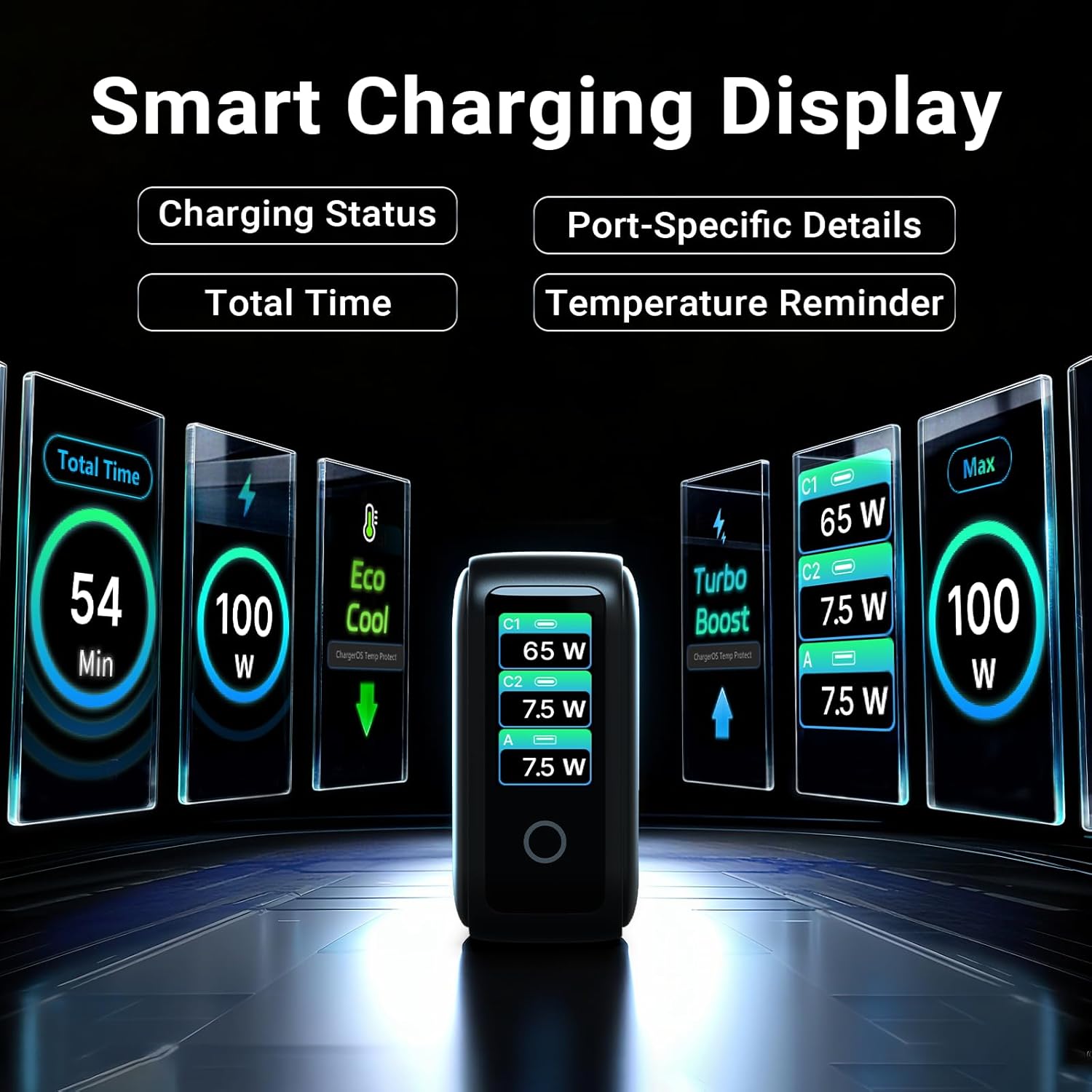
Image: The smart display of the MINIX P3 Pro, showcasing real-time charging status and port-specific details.
Wotasyon ekran
To adapt the display orientation to your wall outlet, press and hold the touch control button for 3 seconds. The screen will rotate 180°.
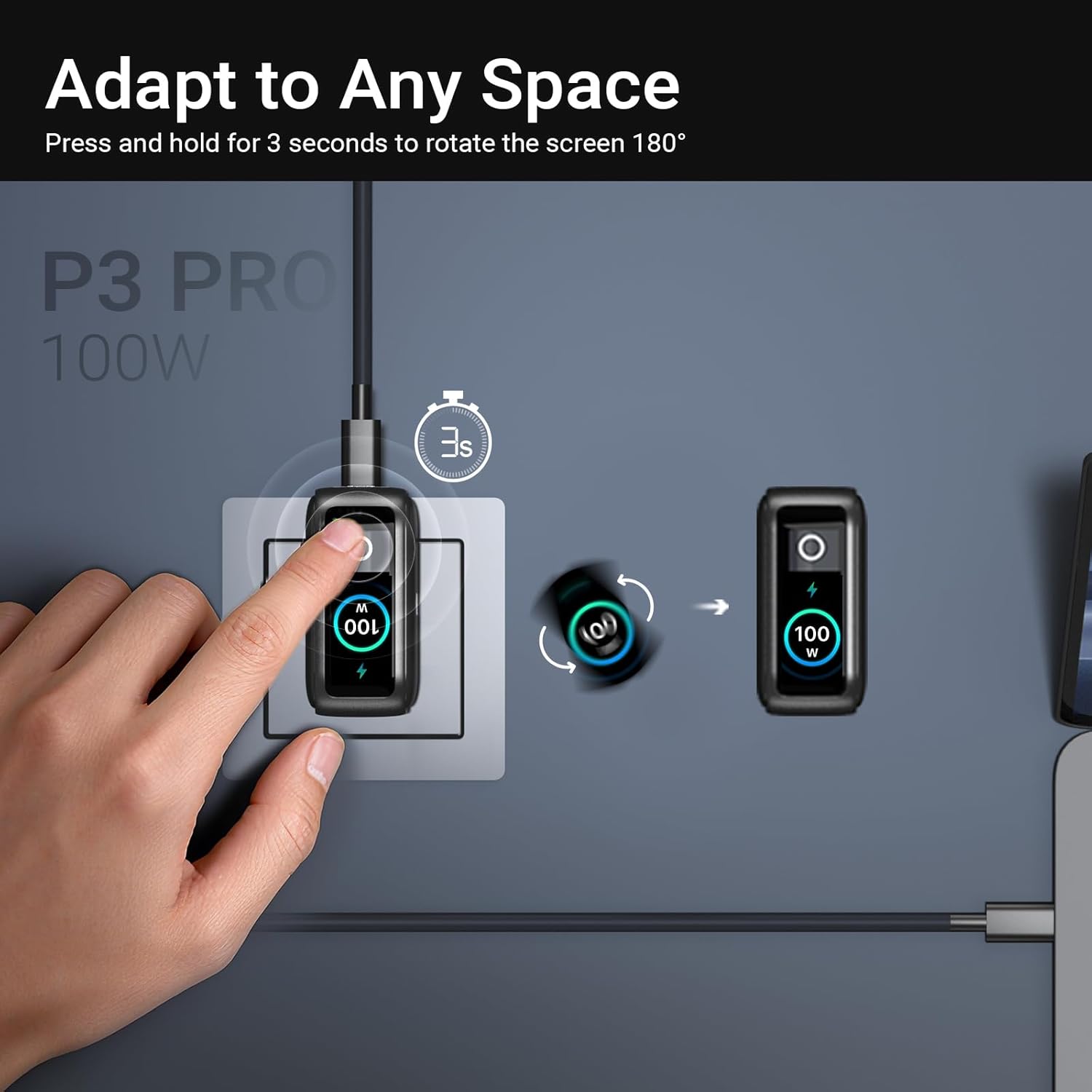
Image: The MINIX P3 Pro charger plugged into a wall socket, illustrating how to rotate the smart display by 180 degrees for better viewing.
Distribisyon pouvwa
The charger intelligently redistributes power based on the number of connected devices and their power requirements. Below is a general guide to power output configurations:
- 1 Pò Sòti:
- USB-C1: 100W
- USB-C2: 100W
- USB-A1: 30W
- 2 Pò Sòti:
- USB-C1 + USB-C2: 65W + 30W
- USB-C1 + USB-A1: 65W + 7.5W
- USB-C2 + USB-A1: 7.5W + 7.5W
- 3 Pò Sòti:
- USB-C1 + USB-C2 + USB-A1: 65W + 7.5W + 7.5W
Video: An official product introduction video for the MINIX P3 Pro, demonstrating its features and functionality, including power distribution across multiple ports.
Antretyen
To ensure the longevity and optimal performance of your MINIX P3 Pro charger, follow these maintenance guidelines:
- Kenbe plato a pwòp epi san pousyè ak debri. Sèvi ak yon twal mou epi sèk pou netwaye.
- Evite ekspoze plato a nan tanperati ekstrèm, imidite, oswa limyè solèy dirèk.
- Do not drop or subject the charger to strong impacts.
- Store the charger in the provided storage bag when not in use, especially during travel, to protect it from scratches and damage.
- Asire w ke chajè a gen bon vantilasyon pandan l ap fonksyone pou anpeche l chofe twòp.
Espesifikasyon
| Karakteristik | Detay |
|---|---|
| Mak | MINIX |
| Nimewo Modèl | P5010 |
| Total pò USB | 3 (2x USB Kalite-C, 1x USB Kalite-A) |
| Wattage | 100W (Max) |
| Antre Voltage | 240 Volts |
| Sòti aktyèl | 5 Amps |
| Sòti Voltage | 120 Volts |
| Kalite Connector | USB Kalite A, USB Kalite C |
| Aparèy konpatib | Laptops, Tablets, Samsung Galaxy S21-S24 Series, iPhone 17/16/15/14/13/12 Series, iPhone SE (3rd Gen) |
| Karakteristik espesyal | Fast Charging, Lightweight Design, Multi-Device Charging, Travel-Friendly, Smart Display, Touch Control |
| Koulè | Nwa |
| Pwa atik | 200 gram |
| Materyèl | Elastomè tèmoplastik (TPE) |
| Sètifikasyon | CE, FCC, WEEE |
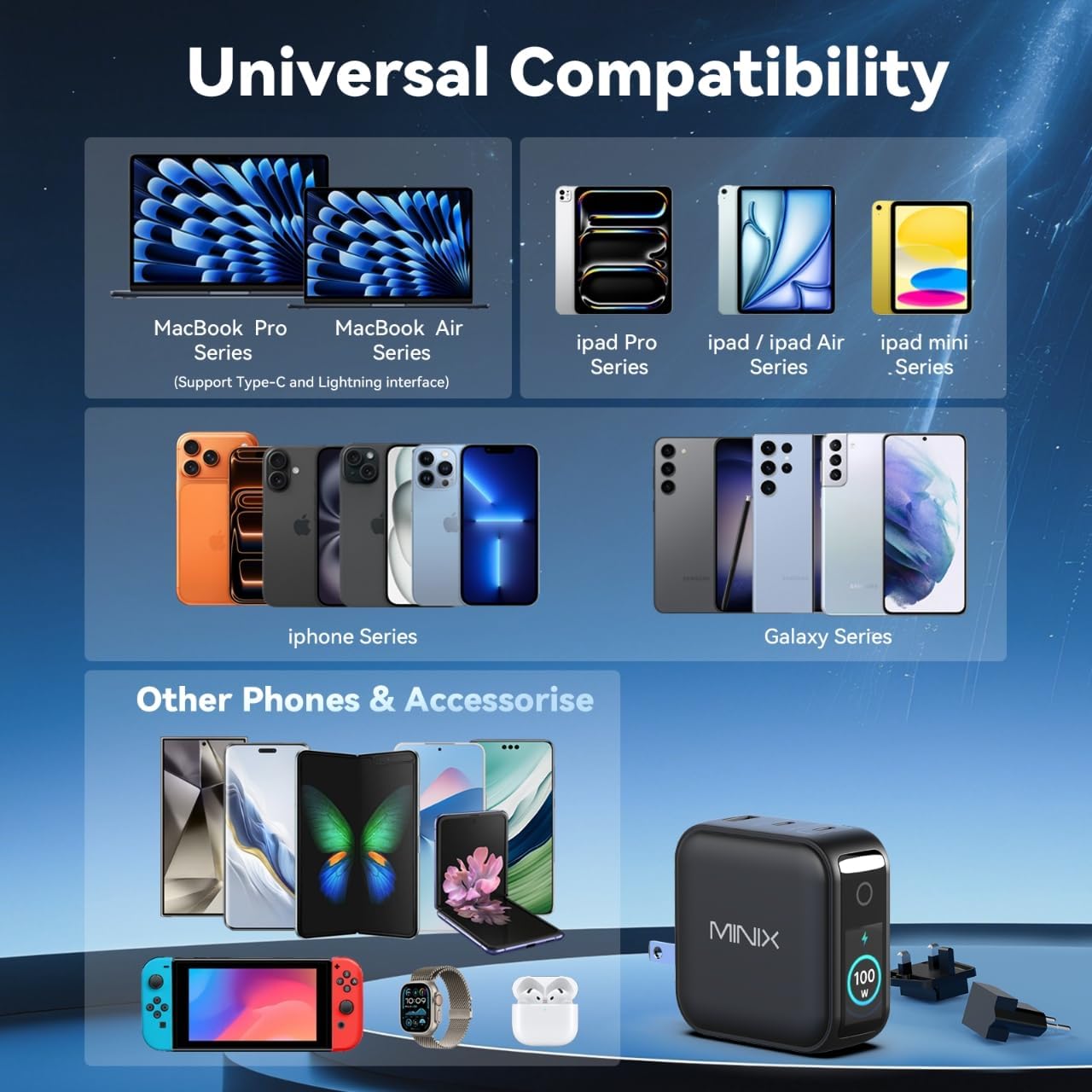
Image: A visual representation of the MINIX P3 Pro's universal compatibility with various devices.
Depanaj
If you encounter issues with your MINIX P3 Pro charger, please refer to the following common troubleshooting steps:
- Charger pa alimante:
- Asire w ke plato a byen branche nan yon priz miray ki fonksyone.
- Verify that the correct regional plug adapter is firmly attached.
- Aparèy la pa chaje oswa l ap chaje dousman:
- Tcheke ke kab chaje a byen konekte ak plato a ak aparèy ou an.
- Ensure the charging cable is not damaged and supports the required power delivery (e.g., 100W for high-power devices).
- Eseye yon lòt pò sou plato a.
- If charging multiple devices, note that power is distributed, which may reduce individual port output. Refer to the "Power Distribution" section.
- Ensure your device supports the charging protocols (PPS, PD3.0, QC3.0) supported by the charger.
- Smart display not working or showing incorrect information:
- Ensure the charger is powered on and a device is connected.
- Tap the touch button to cycle through display modes.
- If the display is unresponsive, unplug the charger from the wall for a few seconds and then plug it back in.
- Chajè a cho pandan l ap itilize l:
- Li nòmal pou plato a vin cho pandan l ap fonksyone, sitou lè l ap chaje ak gwo puisans.
- Ensure there is adequate ventilation around the charger. If it becomes excessively hot, disconnect it immediately and contact support.
Enfòmasyon sou Sekirite
Please read and follow these safety precautions to prevent damage to the product or injury to yourself:
- Pa ekspoze chargeur a nan dlo, imidite, oswa imidite ki wo.
- Avoid using the charger in environments with extreme temperatures.
- Do not disassemble, modify, or attempt to repair the charger yourself. This will void the warranty.
- Kenbe plato a deyò pou timoun ak bèt kay.
- Use only compatible cables and devices with the charger.
- Debranche chajè a pandan tanpèt zèklè oswa lè ou pa itilize li pou yon bon bout tan.
- The charger includes built-in safety features such as over-current, over-voltage, sou-tanperati, ak kout-sikwi pwoteksyon.
Garanti ak sipò
The MINIX 100W USB C Charger (NEO P3 Pro) comes with a Garanti manifakti 1 zan.
Sipò pou Kliyan
For any questions, technical assistance, or warranty claims, please contact MINIX customer service:
- Sipò sou entènèt: Vizite la MINIX Store on Amazon and use the "Ask Product Question" feature.
- Offline Maintenance Service: Tanpri vizite ofisyèl nou an websit pou plis enfòmasyon.
Please have your product model number (P5010) and purchase details ready when contacting support.