
YOSUN MJFM3LL
YOSUN Replacement Remote Control for Apple TV 4K/HD (Model MJFM3LL) Instruction Manual
Model: MJFM3LL
Entwodiksyon
This manual provides instructions for the YOSUN Replacement Remote Control, designed for use with Apple TV 4K and HD models. This remote offers essential control functions without requiring complex setup. Please read this manual thoroughly before use.
Nòt enpòtan: This remote control does NOT support Siri or voice control functions. It also does not feature Bluetooth or touchpad functionality. Power, Volume, and Mute buttons are compatible with specific TV brands only (Samsung, LG, Vizio, Hisense, Sony, Amazon Fire TV, Toshiba, Insignia Fire TV).
Aparèy konpatibilite
The YOSUN Replacement Remote Control is compatible with the following Apple TV models:
- Apple TV Remote (white) A1156 MA128LL/A
- Apple TV Remote (aluminum) MM4T2AM/A
- Siri Remote (1st Gen) / Apple TV Remote (1st Gen) MQGD2LL/A
- Siri Remote (2nd Gen) / Apple TV Remote (2nd Gen) MJFM3LL/A
- Siri Remote (3rd Gen) / Apple TV Remote (3rd Gen) MNC73AM/A
This remote is designed to work with Apple TV (1st/2nd/3rd Gen), Apple TV HD (4th/5th Gen), and Apple TV 4K (1st/2nd/3rd Gen).
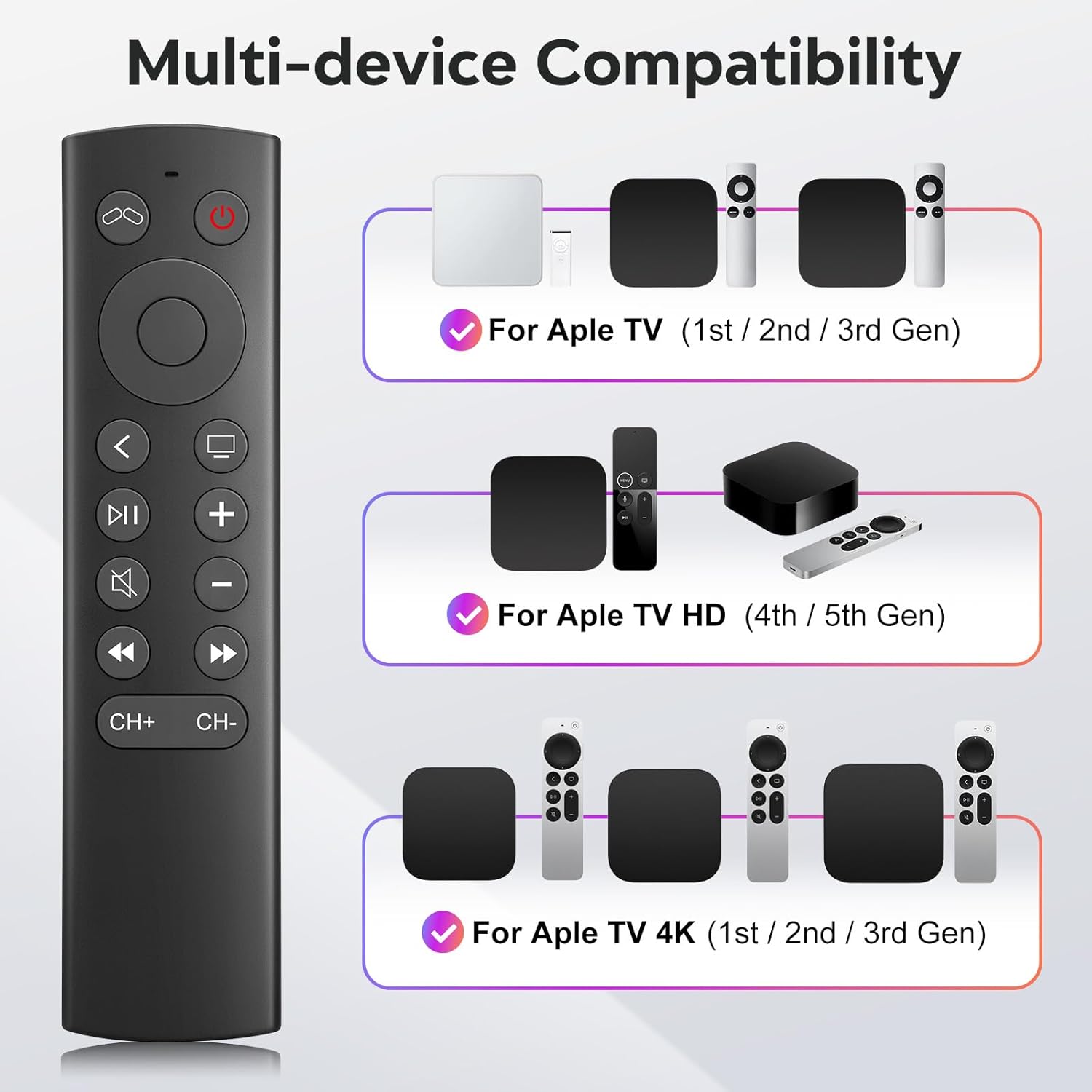
Figure 1: Multi-device compatibility overview for the YOSUN remote.
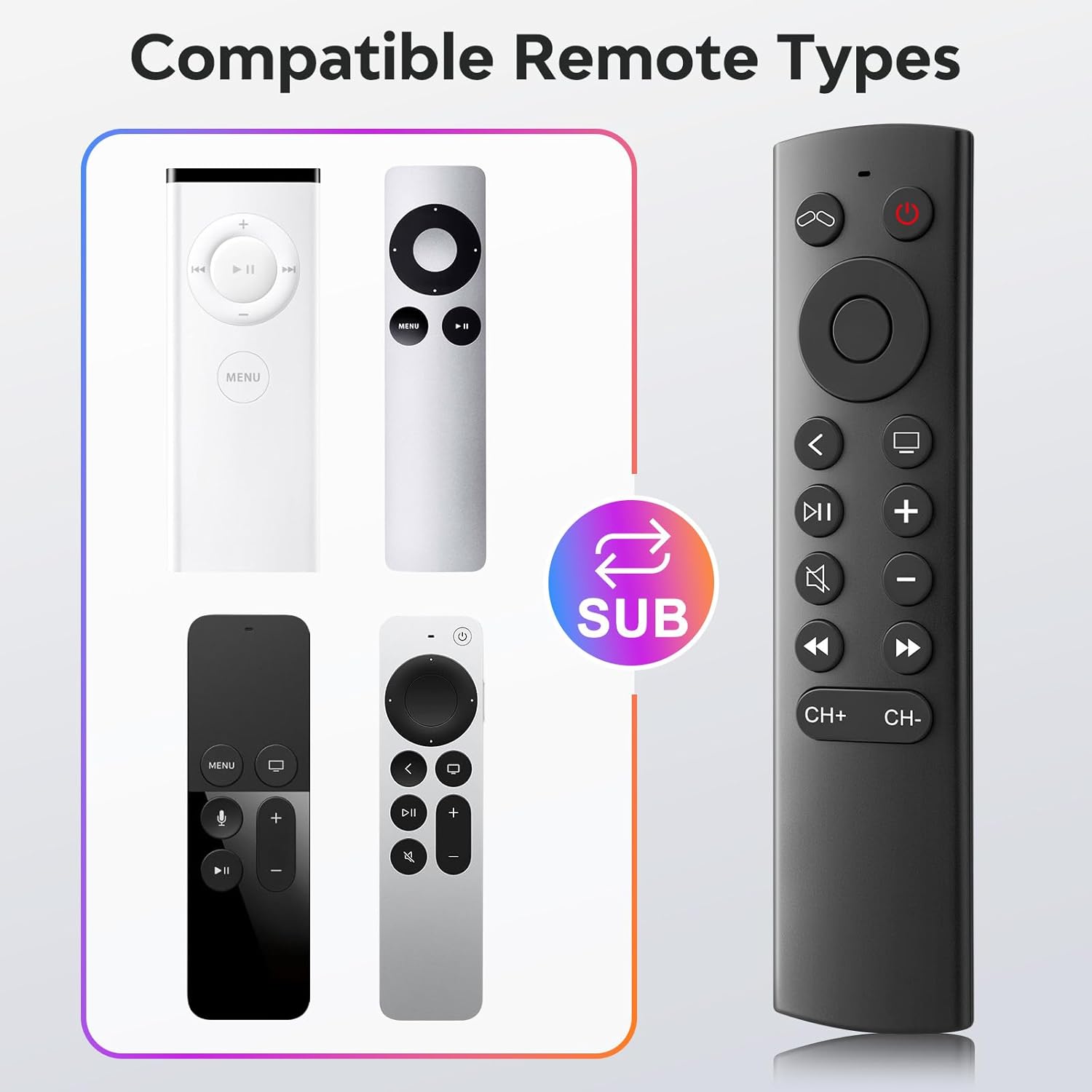
Figure 2: Compatible remote types that the YOSUN remote can replace.
Enstriksyon Enstalasyon
- Mete pil: Open the battery compartment on the back of the remote control. Insert two (2) AAA batteries, ensuring correct polarity (+/-). (Batteries are not included).
- Pa bezwen pè: This remote control operates using infrared (IR) technology and does not require any programming or pairing with your Apple TV device. It is ready to use immediately after battery installation.
- Unlock Previous Device (if applicable): If you are replacing an older Apple TV remote (1st, 2nd, or 3rd Gen), you might need to "unlock" the old device using its original remote control first. This ensures the new remote can connect properly.
- Klike sou Televizyon pouvwa button on the YOSUN remote.
- Wait for the "unlocked" icon (two interlocking circles, one purple, one orange) to appear on your screen.
- Klike sou Televizyon pouvwa button once more to "unlock" your old device.
- Once unlocked, the YOSUN remote should function as usual.
Note: The "Unlock / Locked" function only supports Apple TV (1st / 2nd / 3rd Gen).
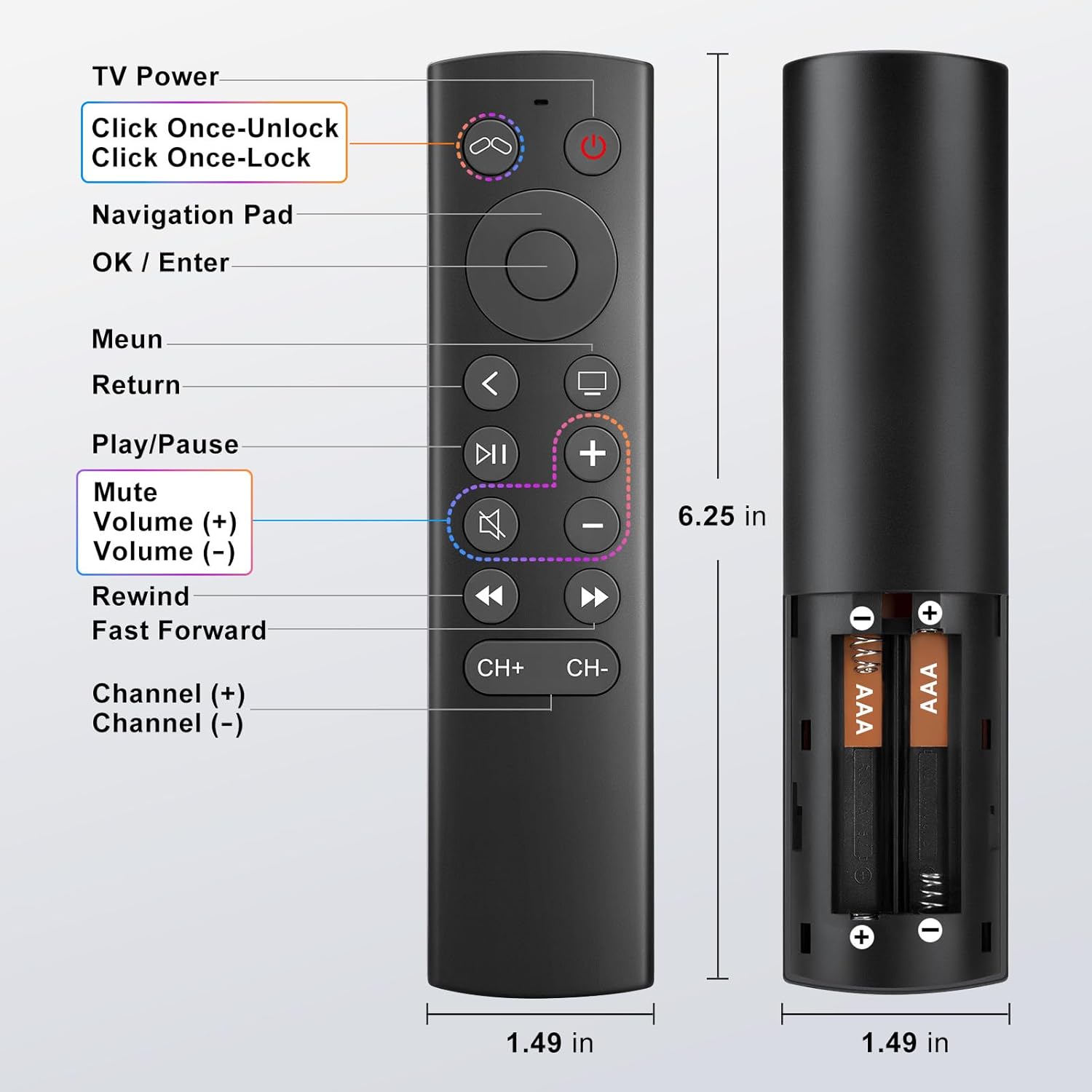
Figure 3: Battery installation diagram.
Enstriksyon Operasyon
The YOSUN Replacement Remote Control provides intuitive access to your Apple TV functions. Refer to the button layout below for specific controls.
Figure 4: Remote Control Button Layout and Functions.
Fonksyon kle:
- TV Power Button: Controls the power of your television.
- Navigation Pad (Up, Down, Left, Right): Navige nan meni ak kontni.
- OK / Enter Button: Konfime seleksyon yo.
- Bouton meni: Returns to the previous menu or home screen.
- Bouton Retounen: Retounen nan ekran anvan an.
- Bouton jwe/poz: Kontwole lèktur medya yo.
- Bouton bèbè: Aktive oubyen dezaktive odyo televizyon an.
- Volume (+) / Volume (-) Buttons: Ajiste volim televizyon.
- Rewind / Fast Forward Buttons: Controls media playback speed.
- Channel (+) / Channel (-) Buttons: Changes channels (if supported by your TV setup).
Note on TV Control Buttons: The Power, Volume, and Mute buttons are designed to control your television directly. These buttons are compatible with Samsung, LG, Vizio, Hisense, Sony, Amazon Fire TV, Toshiba, and Insignia Fire TV brands only. For other TV brands, these buttons may not function.

Figure 5: Important functional limitations of the remote.
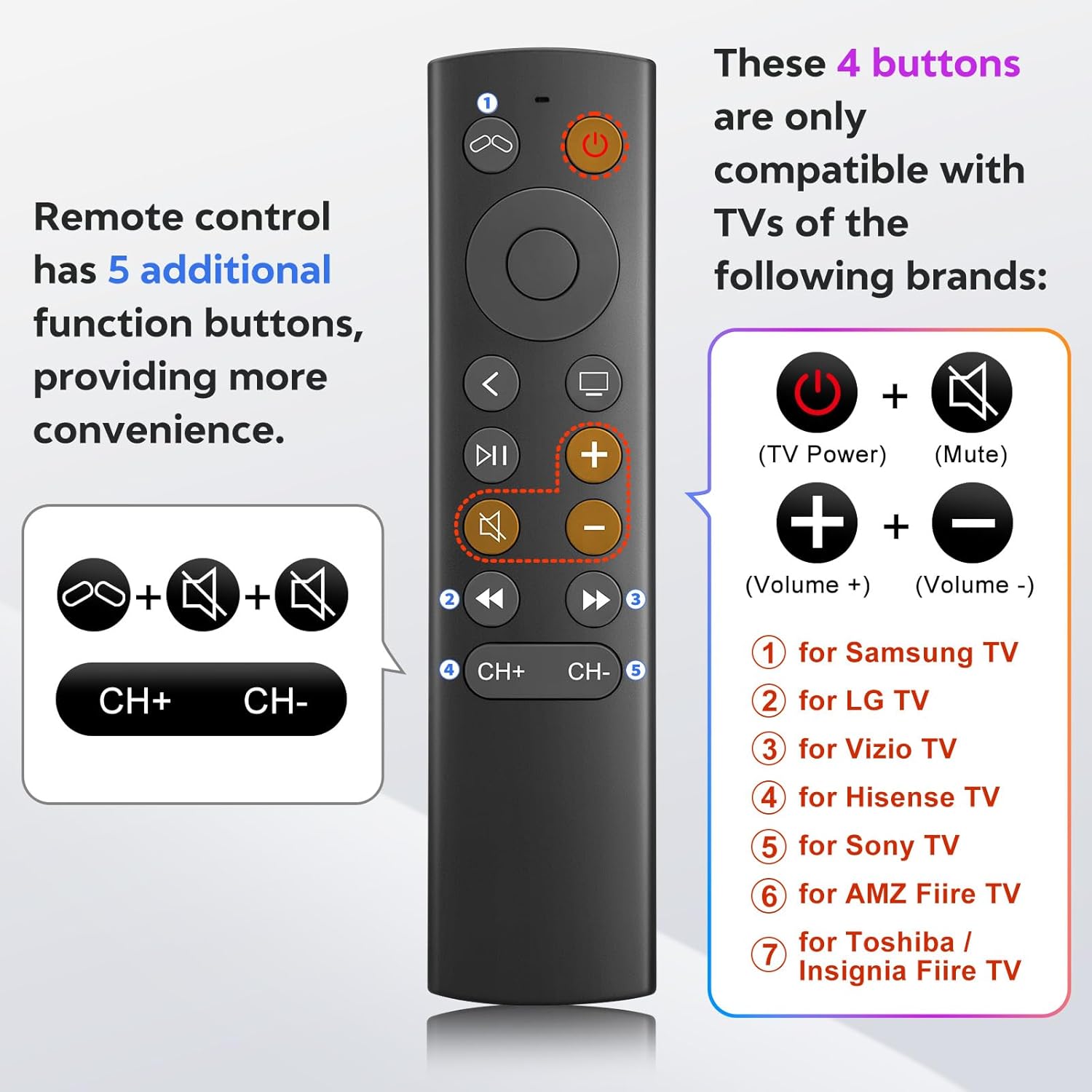
Figure 6: TV control button compatibility.
Antretyen
- Netwayaj: Sèvi ak yon twal mou epi sèk pou netwaye kontwòl remote la. Pa sèvi ak pwodui netwayaj likid oswa materyèl abrazif.
- Ranplasman batri: Replace batteries when the remote's response becomes sluggish or stops working. Always replace both AAA batteries at the same time.
- Depo: Sere telekòmand lan nan yon kote ki fre epi sèk, lwen limyè solèy dirèk ak tanperati ekstrèm.
Depanaj
- Problem: Remote is not responding.
- Tcheke batri yo: Asire w pil yo byen mete ak polarite ki kòrèk la epi yo pa fin itilize. Ranplase yo ak pil AAA nèf si sa nesesè.
- Liy Vizyon: Ensure there is a clear line of sight between the remote and your Apple TV. Infrared remotes require direct line of sight.
- "Unlock" Procedure: If you are using an older Apple TV (1st, 2nd, or 3rd Gen), ensure you have performed the "unlock" procedure as described in the Setup Instructions.
- Problem: Power, Volume, or Mute buttons are not working on my TV.
- Konpatibilite: These buttons are only compatible with specific TV brands: Samsung, LG, Vizio, Hisense, Sony, Amazon Fire TV, Toshiba, and Insignia Fire TV. If your TV is not one of these brands, these functions may not work.
- Problem: No Siri, voice control, Bluetooth, or touchpad functionality.
- Intended Design: This remote is an infrared replacement and is specifically designed without these advanced features to offer a simpler, direct control experience. These are not malfunctions.
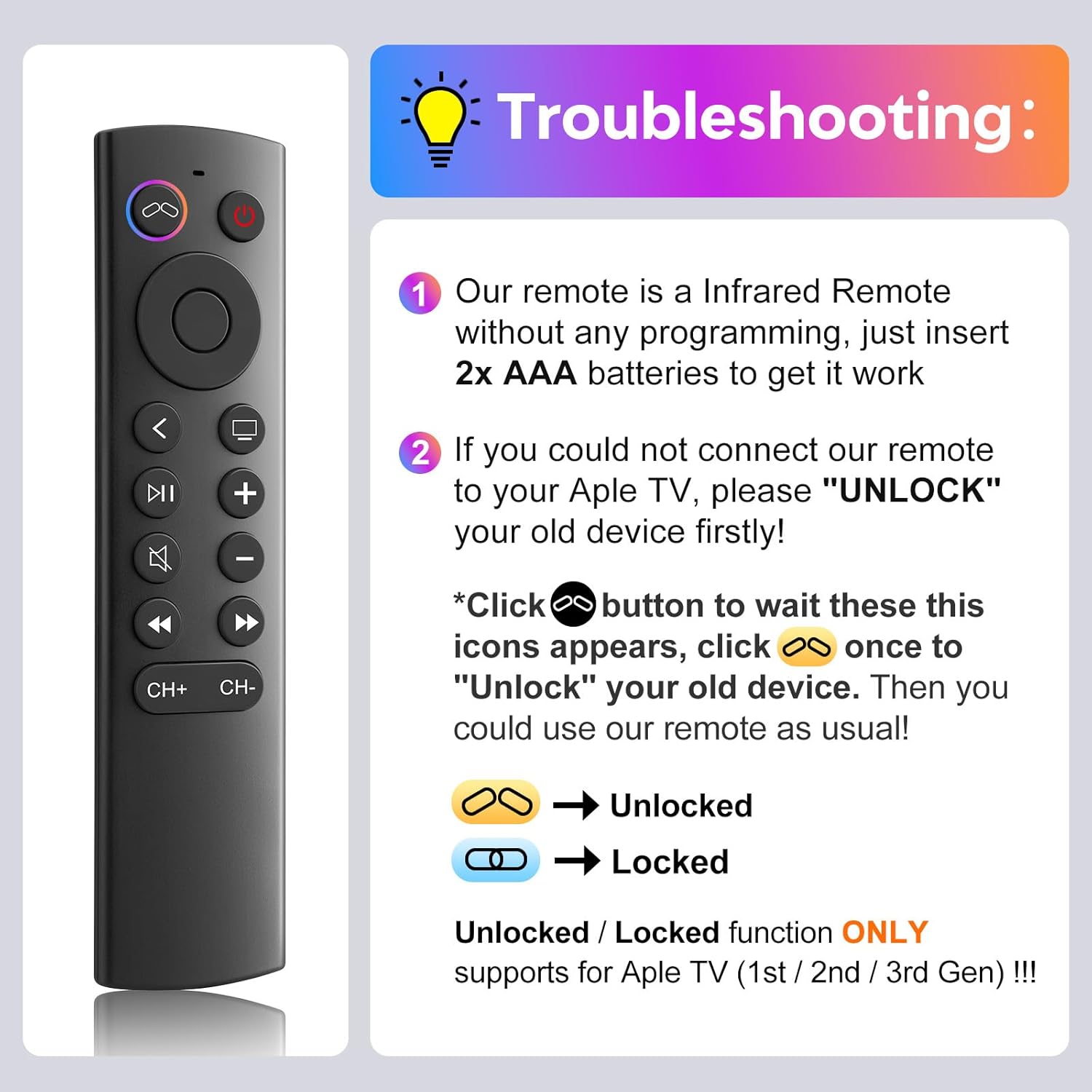
Figure 7: Troubleshooting guide for common issues.
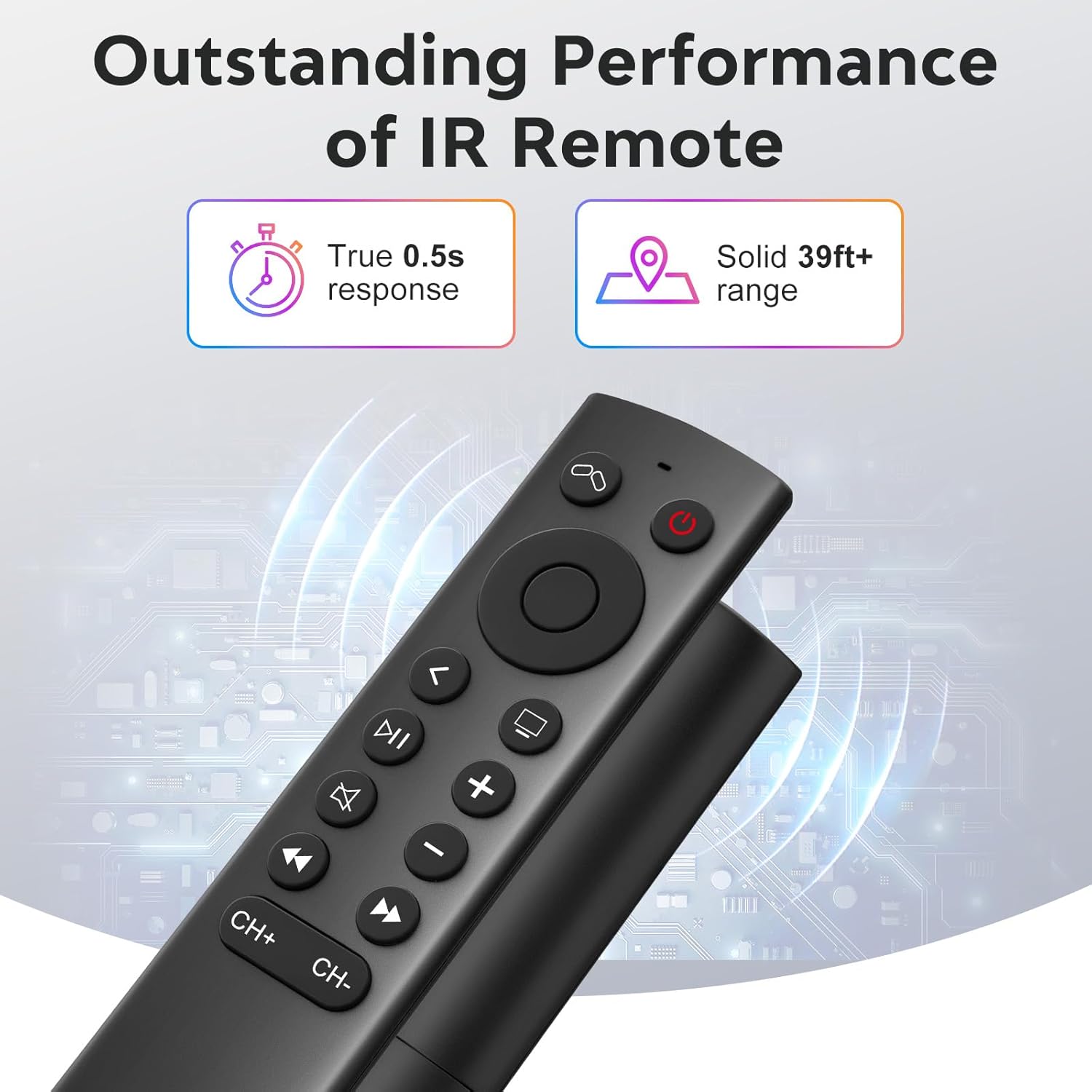
Figure 8: Visual comparison of unlocked vs. locked device states.
Espesifikasyon
| Mak | YOSUN |
| Nimewo Modèl | MJFM3LL |
| Dimansyon pwodwi | 6.29 x 1.57 x 0.66 pous |
| Pwa atik | 1.44 ons |
| Koulè | Nwa |
| Karakteristik espesyal | Pa gen pwogramasyon obligatwa |
| Max Kantite Aparèy Sipòte | 1 |
| Aparèy konpatib | Apple TV (various generations) |
| Tan repons | True 0.5s response |
| Range opere | Solid 39ft+ range (approx. 10 meters) |
Figure 9: Performance features of the IR remote.
Garanti ak sipò
This YOSUN Replacement Remote Control comes with a 1-Year Warranty. For warranty claims or technical support, please contact YOSUN customer service through the retailer where the product was purchased.
Tanpri konsève prèv acha ou a pou rezon garanti.
Demonstrasyon Videyo Pwodwi
Videyo 1: Yon ti apèsi souview of the YOSUN Replacement Remote Control for Apple TV, highlighting its features and compatibility.
Ask a question about this manual
Ask about setup, troubleshooting, compatibility, parts, safety, or missing instructions. Manuals+ will review the question and use this page’s manual context to help answer it.