
Entwodiksyon
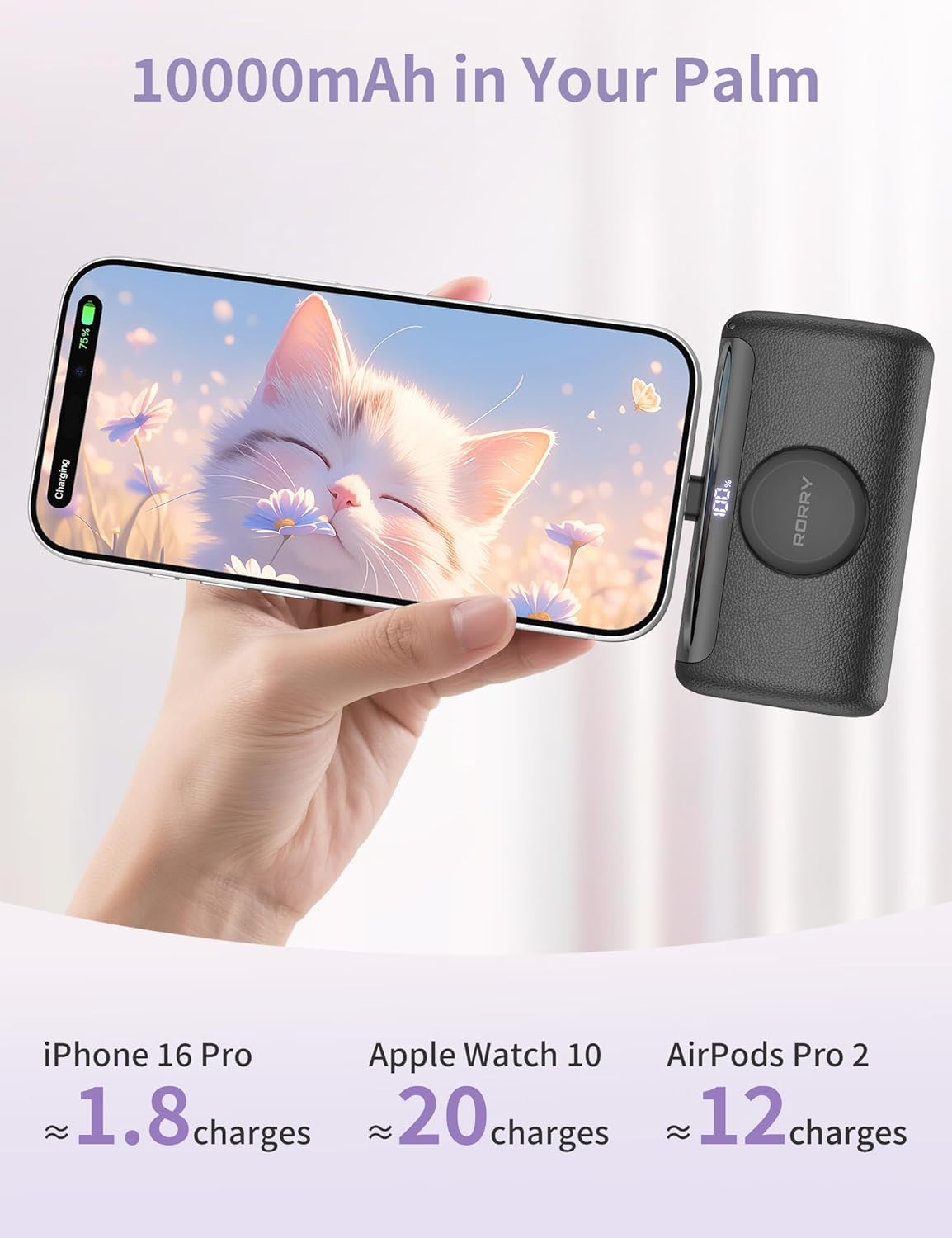
The RORRY Mini Portable Charger D5-10000 is a compact and versatile power bank designed to keep your devices charged on the go. With a 10,000mAh capacity and 22.5W fast charging, it offers convenient power for a wide range of devices, including iPhones, Apple Watches, and iPads. Its integrated USB-C connector and magnetic wireless charger provide a cable-free charging experience, while its portable design makes it an ideal travel companion.
Ki sa ki nan bwat la
- 1* RORRY Mini Portable Charger D5-10000
- 1 * Manyèl itilizatè
- 2* Lanyard cables (USB-C to USB-C and USB-C to Lightning)
Pwodwi souview


Videyo ansèyman
Video: Small Power Bank for iPhone 15 - This video demonstrates the RORRY Mini Portable Charger's ability to charge an iPhone 15, highlighting its compact size and ease of use.
Video: RORRY Small Portable Charger for iPhone 15 and Apple Watch - A quick demonstration of how the RORRY charger simultaneously charges both an iPhone 15 and an Apple Watch.
Video: RORRY Mini Portable Charger 3 in 1 - This video showcases the 3-in-1 charging capabilities of the RORRY power bank, including its built-in connectors and wireless charging.
Enstalasyon
1. Premye Chajman Bank Ekstèn lan
- Before first use, fully charge your RORRY Mini Portable Charger.
- Extend the built-in AC plug (if available on your model) or use a USB-C cable to connect the power bank to a wall adapter or computer.
- The digital display will show the charging progress. Charge until it reaches 100%.
2. Konprann Ekspozisyon Dijital la
Ekran dijital entegre a montre pousantaj batri ki rete a.tage of the power bank. This allows you to monitor the charge level and know when to recharge the unit.
Enstriksyon Operasyon
1. Charging Devices via Built-in USB-C Connector
- Locate the built-in USB-C connector on the power bank.
- Carefully plug the USB-C connector directly into your compatible device (e.g., iPhone 15/16/17 series, iPad Pro/Air, Android phones).
- The device should begin charging automatically. The power bank supports up to 22.5W fast charging for compatible devices.
2. Charging Apple Watch Wirelessly
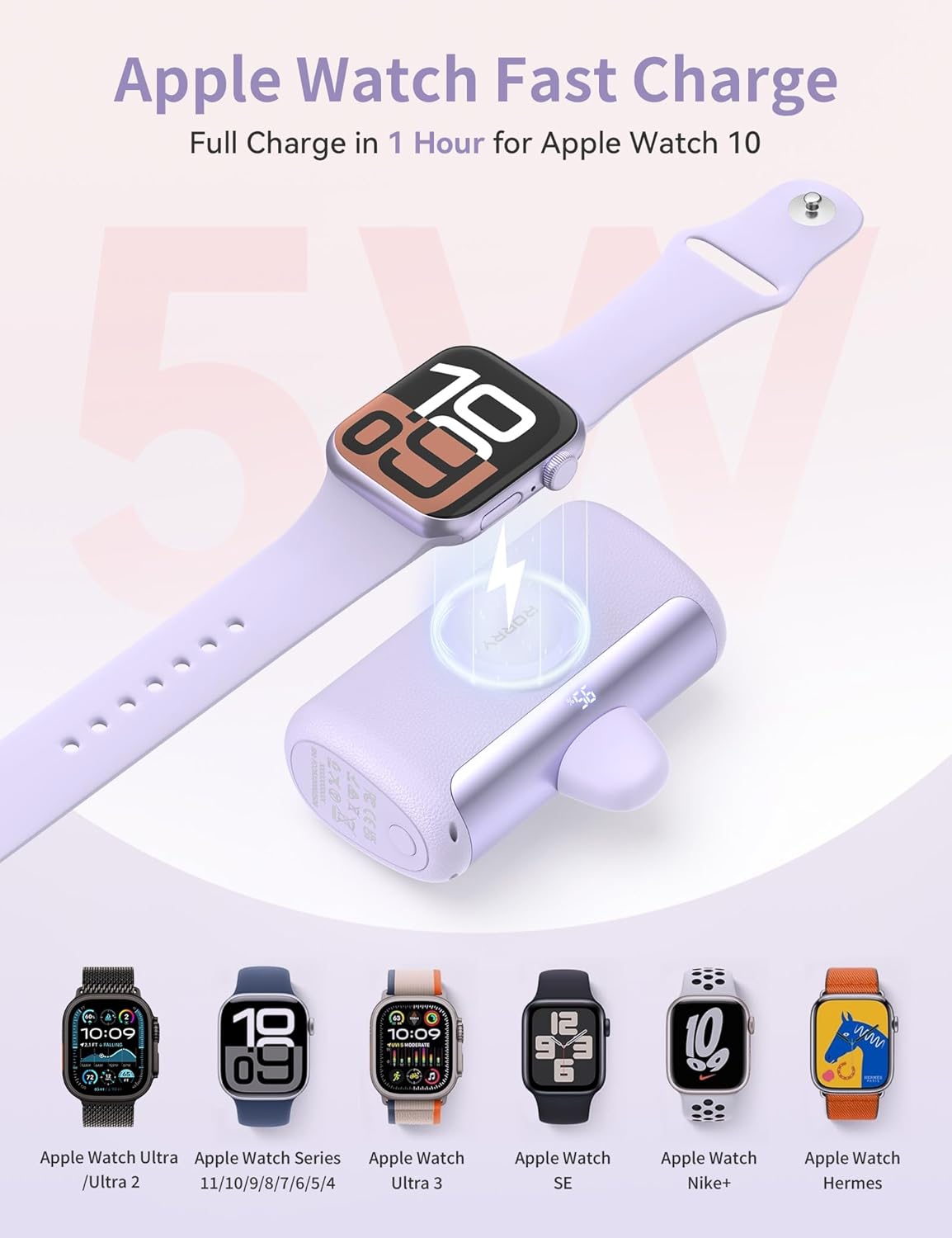
- Place your Apple Watch (Ultra/1/2/3/4/5/6/7/8/9/10/11/SE) onto the magnetic wireless charging pad on the power bank.
- Ensure the watch is properly aligned for optimal charging. The watch display will indicate charging status.
- The magnetic charger provides 5W charging, fully charging an Apple Watch Series 10 in approximately 1 hour.
3. Using External Cables with USB-C Port
- For devices requiring a different connection or for simultaneous charging, use the provided lanyard cables or your own USB-C cables.
- Connect one end of the cable to the USB-C port on the power bank and the other end to your device.
- The power bank can charge multiple devices concurrently, distributing power as needed.
Antretyen
- Kenbe bank pouvwa a lwen tanperati ekstrèm, limyè solèy dirèk, ak imidite.
- Netwaye aparèy la ak yon twal mou, sèk. Evite itilize pwodwi chimik piman bouk oswa materyèl abrazif.
- Store the power bank in a cool, dry place when not in use. For long-term storage, ensure it has at least a 50% charge to preserve battery health.
- Evite jete oswa sibi aparèy la nan gwo enpak.
Depanaj
1. Aparèy la pa ap chaje
- Ensure the power bank is sufficiently charged (check the digital display).
- Verify that the built-in USB-C connector or external cable is securely connected to both the power bank and your device.
- For Apple Watch, ensure it is correctly placed on the magnetic charging pad.
- Try using a different cable or port to rule out a faulty connection.
2. Slow Charging
- Confirm your device supports 22.5W fast charging. Older devices may charge at a slower rate.
- Asire w ke w ap itilize yon kab kalite siperyè ki sipòte chaj rapid.
- Charging multiple devices simultaneously may reduce the charging speed for each individual device.
3. Digital Display Not Working
- Peze bouton pouvwa a pou aktive ekspozisyon an.
- If the display remains off, the power bank might be completely drained. Try charging the power bank.
Espesifikasyon
| Dimansyon pwodwi | 3.3 x 2.1 x 1.3 pous |
| Pwa atik | 3.53 ons |
| Nimewo Modèl Atik | D5-10000 |
| Kalite batri | 1 pil ityòm polymère obligatwa (enkli) |
| Kapasite batri | 10000 Miliamp Orè |
| Kalite Connector | IN/OUT: USB Type C*2 |
| Karakteristik espesyal | Fast Charging, Digital Display, Built-In USB-C Connector, Lightweight, Pocket Size, Short Circuit Protection, Airline Approved Travel Charger, Scratch Resistant |
Garanti ak sipò
RORRY is committed to providing excellent customer service. Your RORRY Mini Portable Charger D5-10000 comes with the following support:
- 7x24H After-sales Service: Dedicated support available around the clock for any inquiries or issues.
- Sèvis Echanj 30 Jou: If you encounter any problems within 30 days of purchase, you are eligible for an exchange.
- 12-Months Care Plan: Enjoy peace of mind with a 12-month care plan covering potential defects or malfunctions.
For further assistance, please refer to the contact information provided on the product packaging or visit the official RORRY websit.