
Entwodiksyon
Thank you for choosing the Devoko Electric Height Adjustable Desk. This desk is designed to provide a versatile and ergonomic workspace, allowing you to switch between sitting and standing positions effortlessly. This manual provides essential information for the safe assembly, operation, and maintenance of your new desk. Please read it thoroughly before use and retain it for future reference.
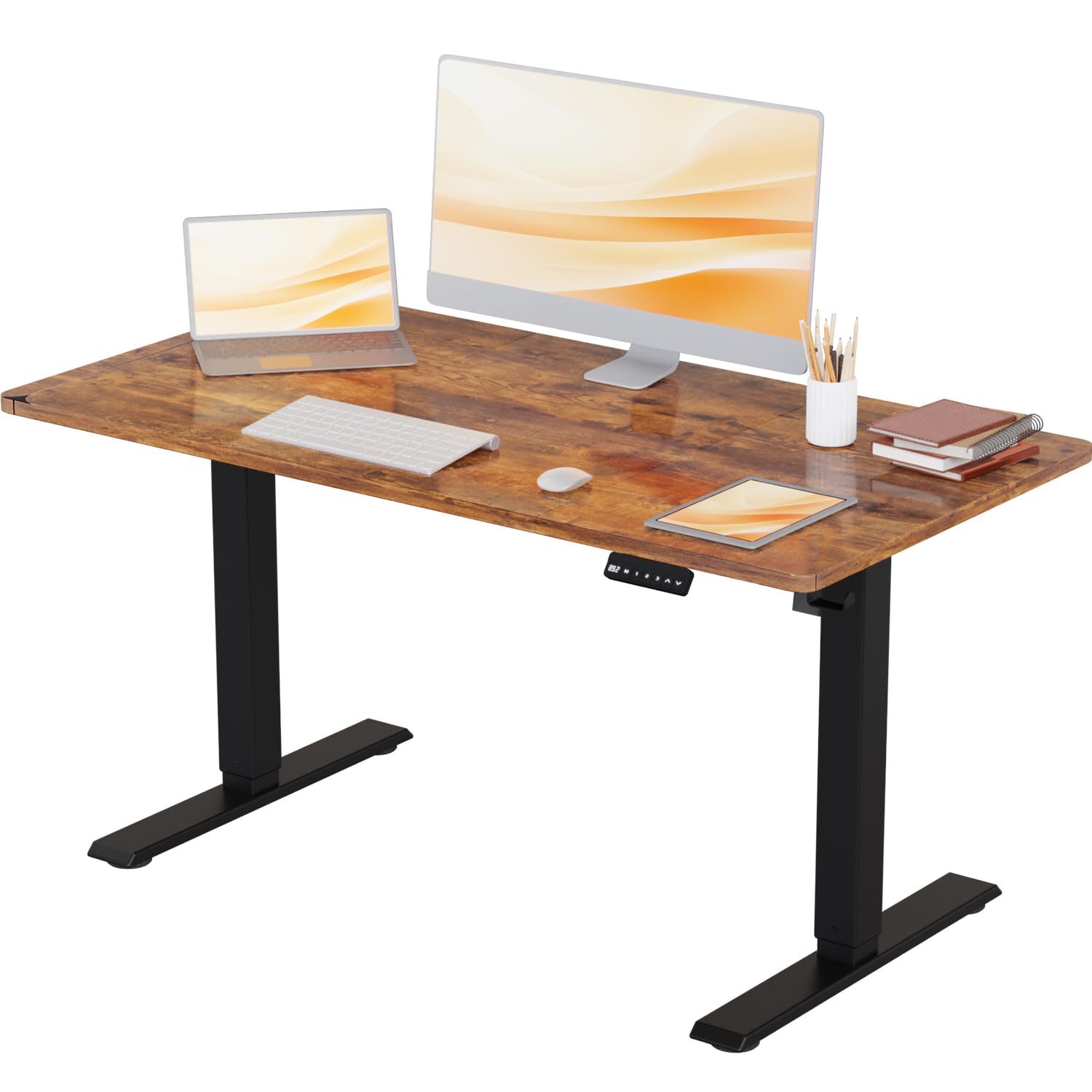
Image: The Devoko Electric Height Adjustable Desk in a typical office environment, showcasing konsepsyon ak fonksyonalite li yo.
Enstriksyon Sekirite
- Asire w tout konpozan yo la epi yo pa domaje anvan w asanble l. Pa sèvi avè l si gen nenpòt pyès ki manke oswa ki kase.
- Kenbe timoun ak bèt kay lwen biwo a pandan w ap opere pou evite blesi.
- Do not overload the desk. The maximum weight capacity is 80 kg (176 lbs).
- Ensure there are no obstructions in the desk's path during height adjustment to avoid damage or injury. The desk features anti-collision technology to help prevent this.
- Sèlman sèvi ak adaptè pouvwa yo bay la.
- Do not disassemble or modify the desk's electrical components. Contact customer support for repairs.
- Kenbe likid yo lwen konpozan elektrik yo.
Kontni pake
Tanpri verifye ke tout konpozan sa yo enkli nan pake ou a:
- Desktop (1 piece)
- Leg Columns (2 pieces)
- Pye (2 moso)
- Control Panel (1 piece)
- Power Adapter and Cable (1 set)
- Cable Management Tray/Hooks (1 set)
- Hardware Kit (screws, Allen keys, etc.)
- Manyèl Enstriksyon (dokiman sa a)
Enstalasyon (Asanblaj)
Assembly of the Devoko Electric Height Adjustable Desk is designed to be straightforward, typically taking less than 30 minutes with the provided clear instructions and pre-drilled holes.
- Depake konpozan: Retire tout pyès yo nan anbalaj la avèk prekosyon epi mete yo sou yon sifas pwòp e mou pou evite reyur.
- Attach Feet to Leg Columns: Secure the feet to the bottom of each leg column using the provided screws.
- Rasanble ankadreman: Connect the leg columns to the crossbar/frame components. Ensure all connections are tight.
- Tache Desktop la: Carefully place the desktop upside down on a soft surface. Position the assembled frame onto the desktop, aligning the pre-drilled holes. Secure the frame to the desktop using the provided screws.
- Enstale Panèl Kontwòl la: Mount the control panel to the underside of the desktop in the desired location using the small screws.
- Konekte kab: Connect the motor cables from the leg columns to the control box, and then connect the control panel cable to the control box. Finally, connect the power adapter to the control box.
- Jesyon kab: Use the included cable management accessories (e.g., hooks) to organize and secure cables neatly.
- Premye pouvwa-up: Carefully flip the desk upright. Plug the power adapter into a wall outlet.

Image: This illustration highlights the desk's robust stability, its anti-collision technology for safety, and a convenient hook for headphones or bags.
Enstriksyon Operasyon
Your Devoko Electric Height Adjustable Desk offers easy and quiet height adjustments with memory presets.
Fonksyon panèl kontwòl:

Imaj: Yon imaj detaye view of the control panel, featuring an LED display, three memory preset buttons, and up/down adjustment arrows.
- Flèch Anwo/Anba (▲ / ▼): Press and hold these buttons to manually adjust the desk height. Release to stop at your desired position.
- Prereglaj Memwa (1, 2, 3): Your desk has three programmable memory settings.
- Ajiste biwo a nan wotè ou vle a avèk flèch monte/desann yo.
- Peze bouton 'M' lan. Ekran an ap montre 'S-'.
- Within 3 seconds, press the desired memory button (1, 2, or 3). The display will show 'S-1', 'S-2', or 'S-3' to confirm the setting is saved.
- To recall a saved height, simply press the corresponding memory button (1, 2, or 3). The desk will automatically move to that height.
- Karakteristik Anti-Kolizyon: The desk is equipped with an anti-collision system. If the desk encounters an obstruction during adjustment, it will stop and reverse slightly to prevent damage.
Height Range and Noise Level:
The desk offers a height adjustment range from 71 cm to 119 cm. The lifting mechanism operates quietly, typically below 50 decibels, ensuring a peaceful work environment.
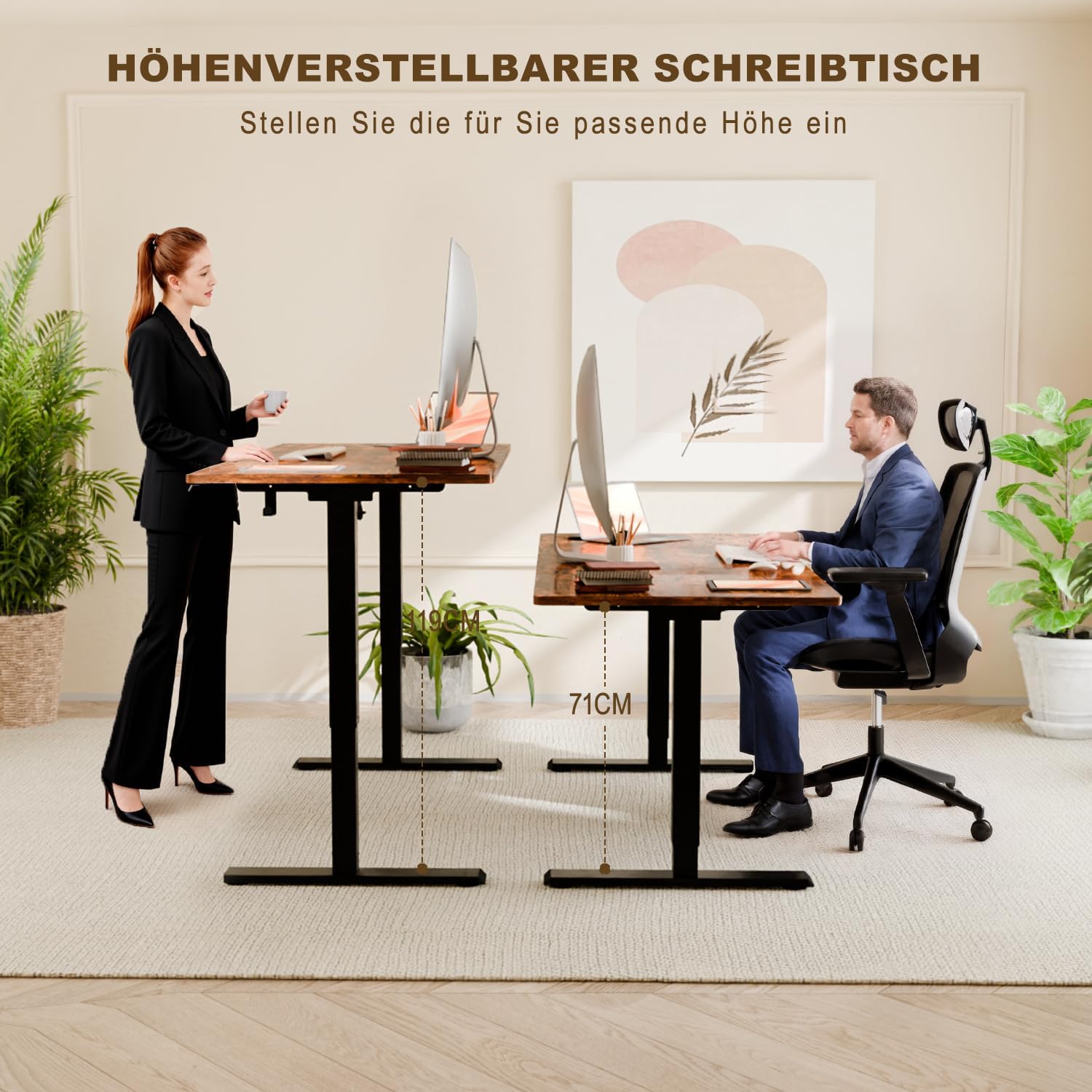
Image: This image illustrates the ergonomic benefits, showing users comfortably working at both the minimum (71 cm) and maximum (108 cm) adjustable heights.
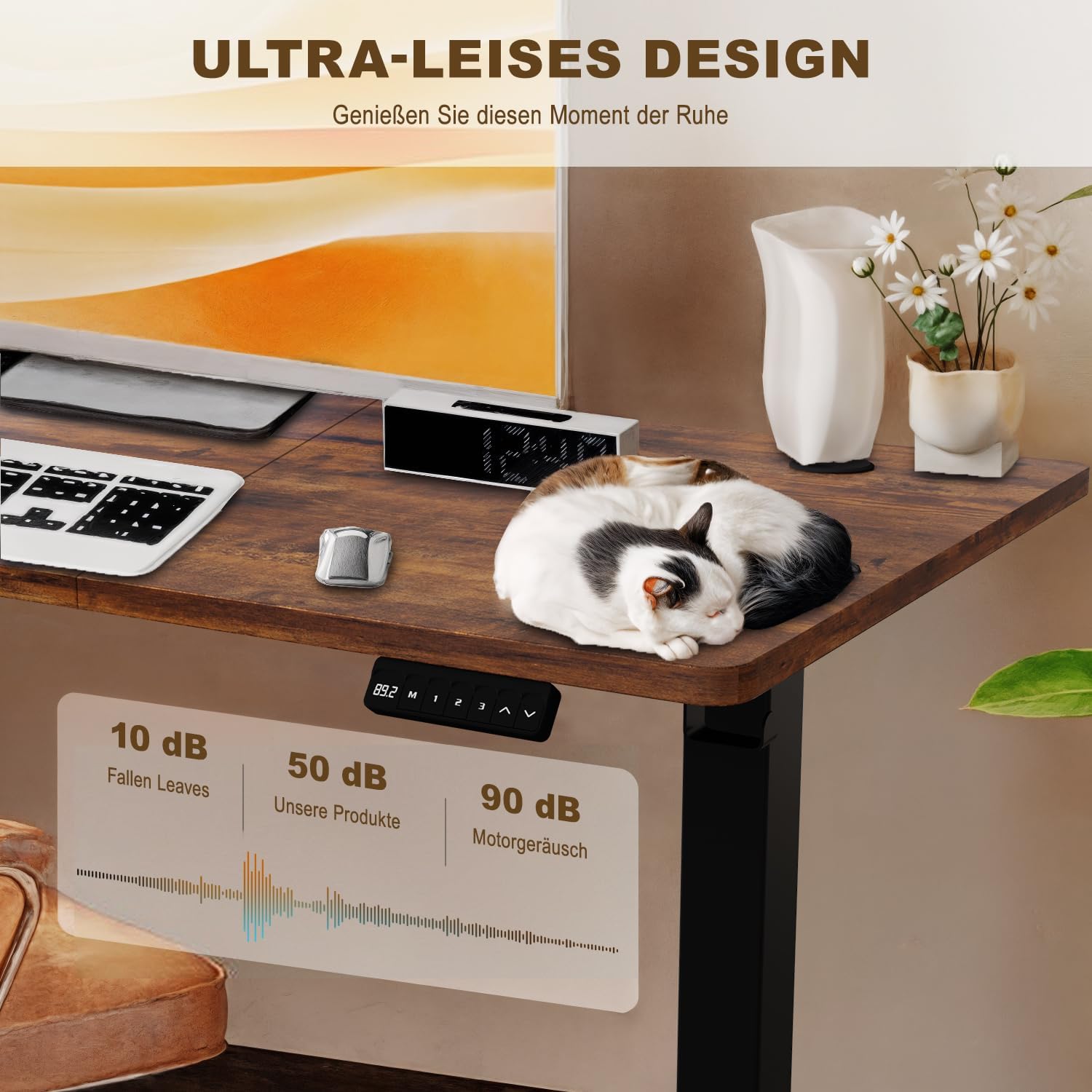
Image: A visual representation of the desk's ultra-quiet operation, indicating a noise level of approximately 50 dB, significantly lower than typical motor noise.
Antretyen
- Netwayaj: Siye biwo a ak ankadreman an avèk yon twal mou.amp twal. Evite pwodui chimik ki agresif oswa pwodui netwayaj abrazif.
- Jesyon kab: Tcheke detanzantan ke tout kab yo byen konekte epi ke yo pa kwense oswa mele.
- Fastener: Occasionally check and tighten any loose screws or bolts to ensure stability.
- Swen motè: The electric motor is maintenance-free. Do not attempt to lubricate or open it.
Depanaj
| Pwoblèm | Kòz posib | Solisyon |
|---|---|---|
| Biwo a pa deplase. | Power cable disconnected; Overload; Motor error. | Check power connection. Reduce weight on desk. Unplug for 10 seconds, then plug back in to reset. |
| Biwo a ap deplase yon fason inegal. | Uneven weight distribution; Loose connections. | Distribute weight evenly. Check and tighten all assembly screws. |
| Ekran an ap montre yon kòd erè (pa egzanp, E01, E02). | Specific motor or sensor error. | Refer to the full manual for specific error codes or contact customer support. Often, a power cycle (unplug, wait 10s, plug in) can resolve temporary errors. |
| Anti-collision feature is too sensitive/not sensitive enough. | Sensor sensitivity setting. | Consult the full manual for instructions on adjusting anti-collision sensitivity, if available. |
Espesifikasyon
- Modèl: Devoko Electric Height Adjustable Desk
- Dimansyon biwo: 110 cm (longè) x 60 cm (lajè)
- Ranje Ajisteman Wotè: 71 santimèt - 119 santimèt
- Kapasite maksimòm pwa: 80 kg (176 liv)
- Materyèl: Steel frame, Wood desktop
- Nivo bri: < 50 dB
- Karakteristik espesyal: Electric height adjustment, 3 memory presets, Anti-collision technology, Headphone/bag hooks

Image: A clear diagram illustrating the desk's key dimensions, including desktop size (110x60 cm), height range (71-119 cm), and maximum load capacity (80 kg).
Enfòmasyon sou Garanti
Devoko products are manufactured to high-quality standards. For specific warranty details, including coverage period and terms, please refer to the warranty card included with your purchase or visit the official Devoko websit la. Tanpri konsève prèv acha ou a pou reklamasyon garanti.
Sipò pou Kliyan
If you have any questions, require assistance with assembly, or encounter any issues not covered in this manual, please do not hesitate to contact Devoko customer support. Our team is available to help you.
Enfòmasyon pou kontakte:
- Websit: Visit the Devoko Store on Amazon
- Imèl: [Please refer to your product packaging or warranty card for specific email address]
- Telefòn: [Please refer to your product packaging or warranty card for specific phone number]