
Entwodiksyon
This manual provides essential information for setting up, operating, and maintaining your Roku 32-Inch Select Series 1080p Full HD Smart TV. Designed for a delightful streaming experience, this TV offers excellent picture quality, clear sound, and automatic updates. Please read this manual thoroughly before using your television.
Ki sa ki nan bwat la
Verifye ke tout konpozan yo prezan nan anbalaj la:
- Roku 32-Inch Select Series 1080p Full HD Smart TV
- Kontwòl Remote
- Sipò (2 moso)
- Stand Screws (4 pieces)
- Pouvwa kab
- Manyèl Itilizatè (dokiman sa a)

Image: Contents of the Roku TV box, showing the television, remote control, two stand pieces, and four screws.
Enstriksyon Enstalasyon
1. Mete Sipò Televizyon an an plas
- Carefully place your TV face-down on a soft, clean surface to prevent damage to the screen.
- Aliyen moso sipò yo ak twou vis yo anba televizyon an.
- Secure each stand piece with two screws using a Phillips head screwdriver. Do not overtighten.
2. Konekte pouvwa ak aparèy yo
- Konekte kab kouran an nan antre kouran televizyon an epi answit nan yon priz miray.
- Connect your external devices (e.g., cable box, gaming console, Blu-ray player) to the available HDMI ports on the back of the TV. This model features 3 HDMI ports.
- For older devices, use the AV input ports (yellow, white, red).
- An optical audio output is available for connecting to soundbars or home theater systems.
- A USB port is provided for media playback.

Imaj: Dèyè view of the Roku TV displaying HDMI, AV, Antenna, USB, Optical, and Headphone ports.
3. Premye limen ak koneksyon rezo a
- Peze bouton pouvwa a sou kontwòl remote la oswa televizyon an.
- Follow the on-screen instructions to select your language and connect to your Wi-Fi network.
- Activate your Roku account or create a new one. This is required to access streaming channels and features.
Enstriksyon Operasyon
1. Roku OS Interface
The Roku OS provides a simple and intuitive home screen for accessing all your entertainment. Easily navigate between streaming apps, live TV, and connected devices.

Image: The Roku TV home screen with a menu on the left and app icons on the right, including Netflix, Disney+, Apple TV, and Roku Channel.
2. Voice Remote
Your Roku TV comes with a voice remote for convenient control. Use your voice to search for content, launch apps, and control playback.
- Rechèch vwa: Press the voice button and speak your command (e.g., "Find comedies," "Open Netflix").
- Rakoursi aplikasyon: Dedicated buttons provide quick access to popular streaming services.
- Kontwòl Volim: Ajiste volim nan avèk bouton bò yo.
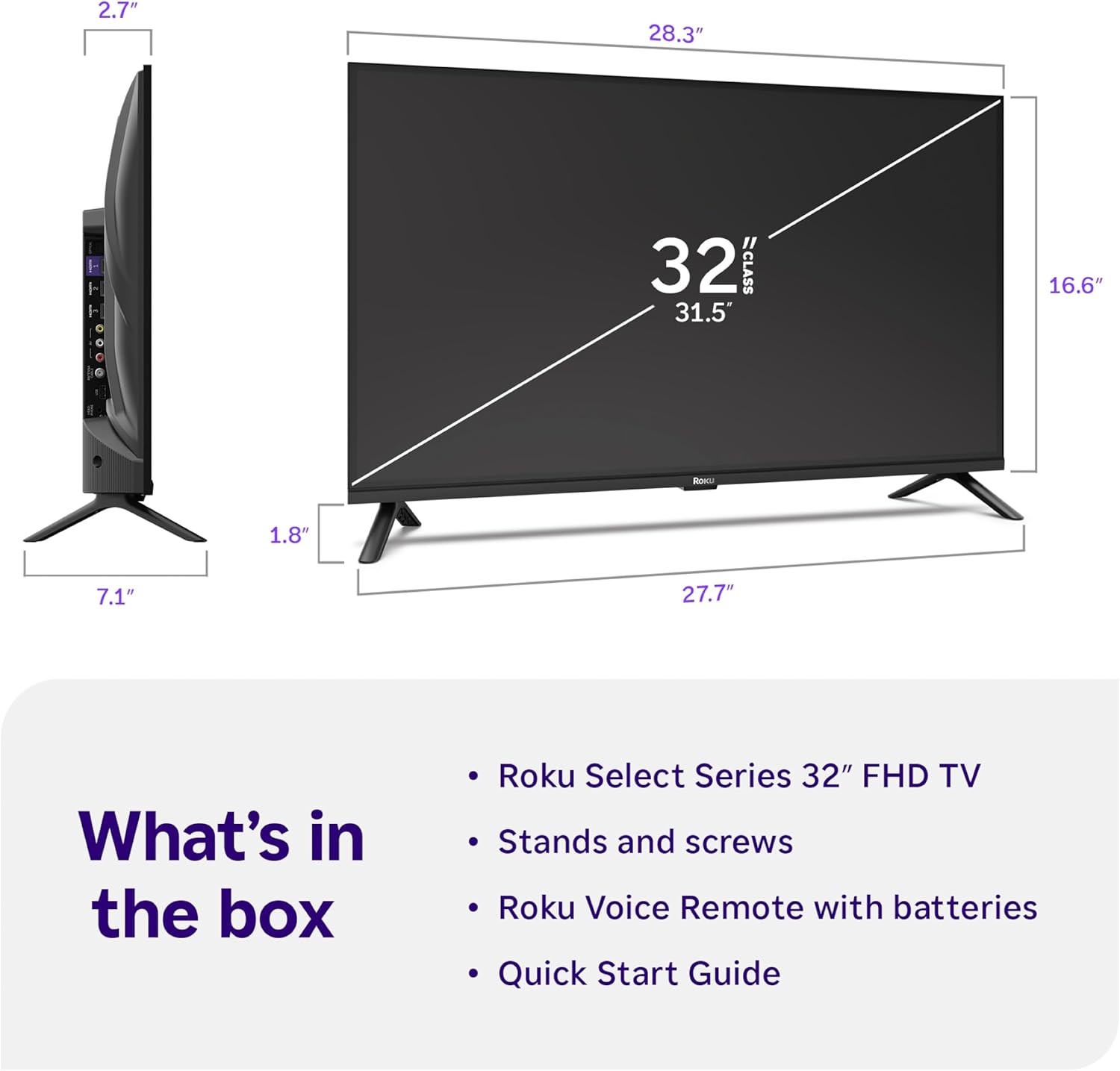
Image: Close-up of the Roku Voice Remote, highlighting buttons for TV power, volume, mute, voice search, instant replay, options, and dedicated app shortcuts.
3. Streaming Apps and Live TV
Access thousands of streaming channels, including Netflix, Disney+, Hulu, Prime Video, and Apple TV+. The Roku Channel also offers free live TV and on-demand content.

Image: A vibrant Roku TV home screen displaying a selection of popular streaming applications and recommended shows.
4. Anviwònman Foto
Optimize ou vieweksperyans ak divès paramèt foto:
- Roku Smart Picture: Automatically adjusts picture mode for optimal viewing.
- Mòd foto: Choose from presets like Movie, Sports, Vivid, Standard, or Low Power.
- Pèsonalizasyon: Adjust brightness, contrast, sharpness, color, and tint for a personalized picture.
5. Anvi son
Amelyore eksperyans odyo ou:
- Dolby Audio: Enjoy clear speech and louder sound.
- Mòd son: Select from Standard, Dialogue, Movie, Music, or Night mode.
- Bluetooth Headphone Mode: Connect your wireless headphones to listen without disturbing others.

Image: A child wearing wireless headphones while watching the Roku TV, demonstrating the Bluetooth Headphone Mode.
6. Entegrasyon Kay Entelijan
Your Roku TV is compatible with various smart home ecosystems:
- Kontwòl vwa: Use Roku Voice, Siri, Alexa, or Google Assistant for hands-free control.
- Apple AirPlay: Effortlessly share videos, photos, and music from your Apple devices.
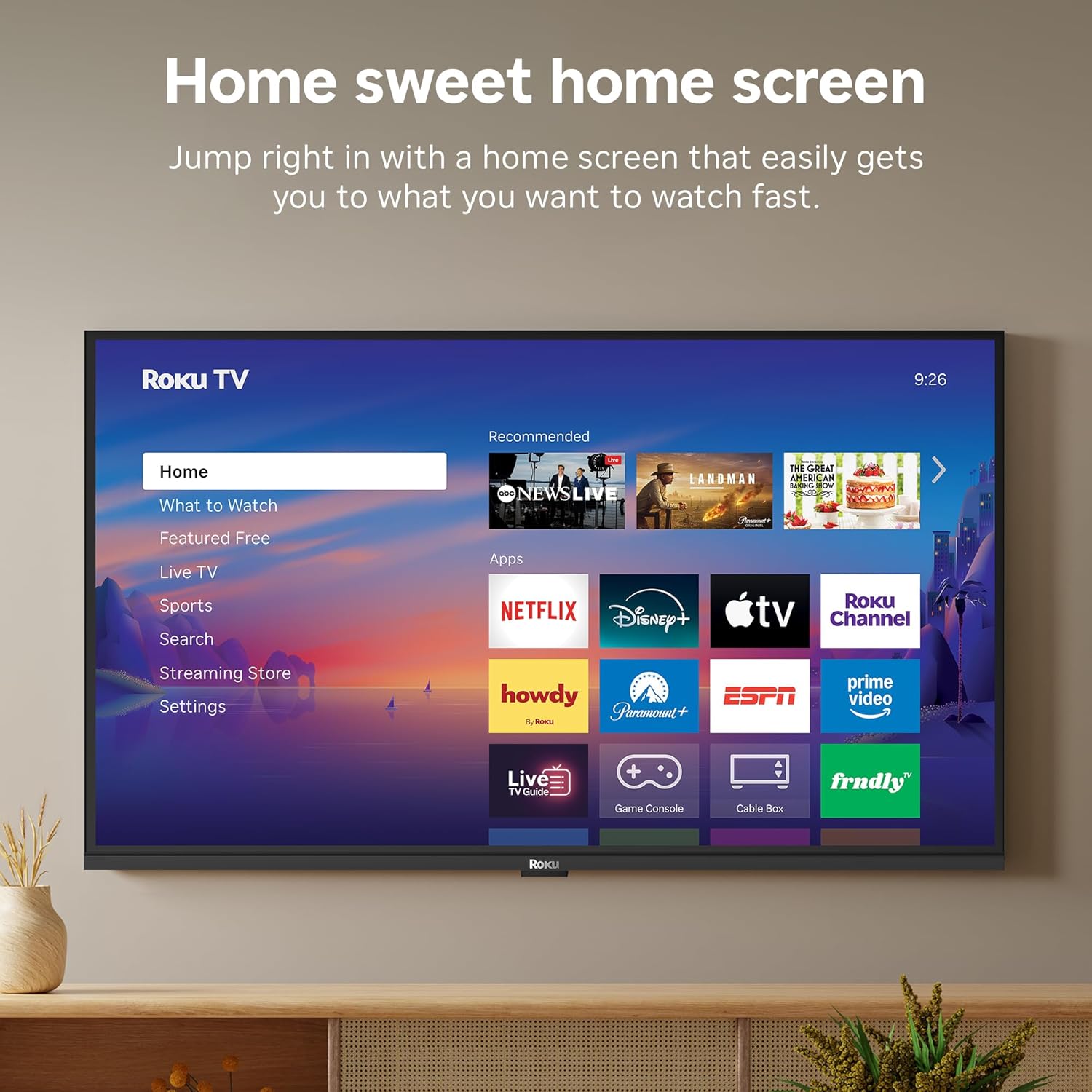
Image: The Roku TV screen displaying smart home compatibility logos for Roku Smart Home, Apple AirPlay, Apple Home, Alexa, and Google Home, with a smart speaker nearby.
7. Kontwòl Paran yo
Manage content access with built-in parental controls, including V-Chip technology, to ensure a safe viewanviwònman pou timoun yo.
Videyo pwodwi ofisyèl la
Videyo: Yon finiview of the Roku TV OS, demonstrating its user-friendly interface, app selection, and smart features. This video is provided by Roku, Inc.
Espesifikasyon
- Gwosè ekran:
- 32 pous
- Rezolisyon:
- 1080p plen HD
- Teknoloji ekspozisyon:
- dirije
- Pousantaj rafrechisman:
- 60 Hz
- Karakteristik espesyal:
- Bluetooth Headphone Mode, Dolby Audio, Voice Remote, Roku Smart Picture
- Koneksyon Teknoloji:
- Bluetooth, fil
- Entèfas pyès ki nan konpitè:
- 3 HDMI Ports, 1 USB Port, S/PDIF (Optical Audio Out)
- Sistèm operasyon:
- Roku OS
- Dimansyon pwodwi (P x W x H):
- 7.1"D x 28.3"W x 18.4"H
- Pwa atik:
- 7.7 liv (ak sipò a)
- VESA Mount Standard:
- 200 x 200 mm
- Nimewo Modèl:
- 32R3E5
- UPC:
- 829610009469
Depanaj
If you encounter issues with your Roku TV, please refer to the following common solutions:
- Pa gen pouvwa: Asire w kab kouran an byen konekte ak televizyon an ak yon priz elektrik ki fonksyone. Eseye yon lòt priz.
- Pa gen imaj/son: Verify that the correct input source is selected on your TV. Check all cable connections (HDMI, AV, etc.) for looseness.
- Remote pa reponn: Replace the batteries in your remote control. Ensure there are no obstructions between the remote and the TV.
- Pwoblèm Koneksyon Rezo: Restart your Wi-Fi router and modem. Go to the TV's Settings > Network > Check connection to diagnose and reconnect.
- App Not Loading: Restart the app. If the issue persists, try removing and reinstalling the app from the Roku Channel Store.
For more detailed troubleshooting, visit the official Roku support websit.
Antretyen
To ensure the longevity and optimal performance of your Roku TV, follow these maintenance guidelines:
- Netwaye ekran an: Siye ekran an dousman avèk yon twal mikwofib mou epi sèk. Pou tach ki difisil pou retire, siye l dousman.ampRense twal la avèk dlo oswa yon solisyon netwayaj ekran ki fèt espesyalman pou aparèy elektwonik. Pa flite likid dirèkteman sou ekran an.
- Netwayaj kò televizyon an: Use a soft, dry cloth to wipe the exterior of the TV. Avoid abrasive cleaners or solvents.
- Vantilasyon: Ensure the TV's ventilation openings are not blocked to prevent overheating. Maintain adequate space around the TV for air circulation.
- Mizajou lojisyèl: Your Roku TV automatically receives software updates. Ensure your TV is connected to the internet to receive the latest features and performance improvements.
- Jesyon pouvwa: Debranche televizyon an nan priz kouran an pandan tanpèt zèklè oswa lè ou pral kite l san siveyans pou yon bon bout tan.
Garanti ak sipò
Enfòmasyon sou Garanti
Roku warrants the hardware of this device against defects in materials and workmanship under normal use for a period of one (1) year from the date of purchase ("Warranty Period"). If Roku determines that the device’s hardware is defective during the Warranty Period, Roku’s sole obligation, and your exclusive remedy, will be to either repair or replace the unit with either a new or rebuilt device, at its option. This warranty applies if the device is used in accordance with the provided documentation.
Important information about warranty returns and replacements is available on the Roku support site. You may also return a device for any reason, subject to the terms of the applicable return policy: 1) Within thirty (30) days from the date of purchase from Roku; or 2) within the applicable return period if purchased from an authorized reseller or distributor. Additional details regarding product returns can be found on the Roku support site.
Sipò pou Kliyan
For further assistance, technical support, or to access the full range of support resources, please visit the official Roku support websit la. Ou ka jwenn FAQ, gid depanaj, ak enfòmasyon pou kontakte sèvis kliyan la.