
Pwodwi souview
The DIERYA DK68 is a 60% compact mechanical keyboard designed for versatility and performance. It features triple-mode connectivity, allowing seamless switching between Bluetooth 5.0, 2.4GHz wireless, and USB-C wired connections. Equipped with clicky blue mechanical switches and vibrant RGB backlighting, it offers a responsive and customizable typing experience for both gaming and office use.

Figure 1: DIERYA DK68 Wireless Mechanical Keyboard showcasing its compact design and RGB lighting.
Kontni pake
Asire w tout atik yo prezan nan pakè a:
- DIERYA DK68 Wireless Mechanical Keyboard
- USB-C pou USB-A kab
- Keycap Puller
- 2.4GHz USB Receiver (stored in the keyboard's back compartment)
- Manyèl Itilizatè (dokiman sa a)
Enstalasyon ak Koneksyon
The DK68 keyboard supports three connection modes: USB-C wired, 2.4GHz wireless, and Bluetooth 5.0. Choose the mode that best suits your needs.
1. Mòd USB-C Filaire
- Konekte kab USB-C ki vini ak li a nan pò USB-C klavye a.
- Konekte bout USB-A kab la nan yon pò USB ki disponib sou òdinatè w la.
- Klavye a pral rekonèt otomatikman epi li pral pare pou itilize.
2. Mòd san fil 2.4GHz
- Locate the 2.4GHz USB receiver in the compartment on the back of the keyboard.
- Retire reseptè a epi branche li nan yon pò USB ki disponib sou òdinatè w la.
- Turn on the keyboard using the switch located on the back.
- The keyboard should automatically connect to the receiver. If not, press Fn + G (labeled '2.4G' on the key) to activate 2.4GHz pairing mode.

Figure 2: Triple-mode connectivity options including 2.4GHz wireless.
3. Mòd Bluetooth 5.0
Klavye a ka konekte ak jiska twa aparèy Bluetooth.
- Turn on the keyboard using the switch on the back.
- Peze epi kenbe Fn+Z (labeled 'BT1'), Fn + X (labeled 'BT2'), or Fn + C (labeled 'BT3') for 3-5 seconds until the corresponding key's backlight flashes rapidly. This indicates pairing mode.
- On your device (PC, laptop, tablet, phone), enable Bluetooth and search for "DIERYA DK68".
- Select the keyboard to pair. The key's backlight will stop flashing once connected.
- Pou chanje ant aparèy Bluetooth ki asosye yo, jis peze Fn + Z/X/C.

Figure 3: Bluetooth connectivity for multiple devices.
Enstriksyon Operasyon
Kontwòl ekleraj RGB
The DK68 features 20 built-in RGB lighting effects and 16.8 million customizable colors. Use the following key combinations to control the lighting:
- Fn + Backspace: Turn backlighting On/Off.
- Fn + Shift: Switch light colors.
- Fn + Antre: Switch light modes (20 dynamic RGB modes).
- Fn + Flèch moute: Ogmante klète.
- Fn + Flèch desann: Diminye klète.
- Fn + Flèch Goch: Decrease light speed.
- Fn + flèch dwat: Increase light speed.

Figure 4: RGB lighting control key combinations for the DK68 keyboard.
Pèsonalizasyon kle ak makro
The DIERYA DK68 supports full key anti-ghosting and N-Key Rollover (NKRO) for accurate input. For advanced customization, including key remapping, macro programming, and additional lighting effects, dedicated software is available. Please refer to the official DIERYA websit pou telechaje lojisyèl ak enstriksyon.

Figure 5: Full N-Key Rollover and software customization capabilities.
Bouton ble mekanik
The keyboard is equipped with clicky blue mechanical switches, providing a distinct tactile bump and an audible click with each keystroke. These switches are ideal for users who prefer clear feedback and a satisfying typing experience. They feature a medium 60gf actuation force (±15gf) and 2.3mm travel (±0.6mm), with a lifespan of 50 million clicks.

Figi 6: Detaye view of mechanical blue switches and their specifications.
Antretyen
Jesyon batri
The keyboard is powered by a 3000mAh lithium battery. To charge, connect the keyboard via the USB-C cable to a power source. The keyboard can be used while charging.
- Usage Time (Backlighting On): Jiska 12 èdtan.
- Usage Time (Backlighting Off): Jiska 333 èdtan.
- Auto-dòmi Mode: The keyboard enters auto-sleep mode after 3 minutes of inactivity to conserve power.
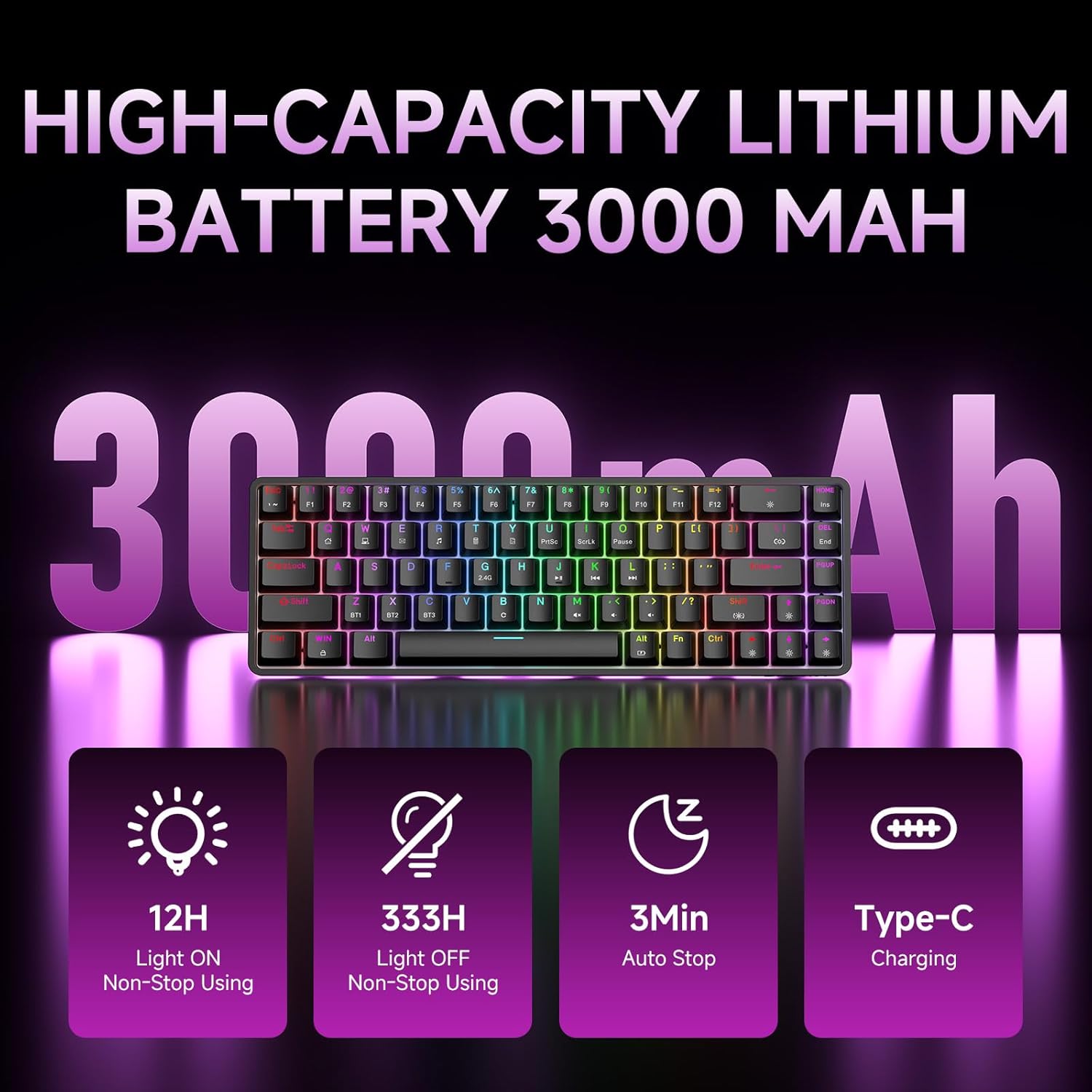
Figure 7: Battery capacity and power-saving features of the DK68.
Netwayaj ak Swen
- Use the provided keycap puller to carefully remove keycaps for cleaning.
- Clean the keyboard surface with a soft, damp twal. Evite twòp imidite.
- Pa sèvi ak pwodwi chimik piman bouk oswa pwodui netwayaj abrazif.
- Asire w klavye a etenn anvan ou netwaye li.
Depanaj
- Klavye pa reponn:
- Check the power switch on the back of the keyboard.
- Ensure the correct connection mode (wired, 2.4GHz, or Bluetooth) is selected.
- Pou 2.4GHz, asire w ke reseptè USB a byen branche.
- For Bluetooth, ensure the keyboard is paired and selected on your device. Try re-pairing if necessary.
- If using wired mode, try a different USB port or cable.
- Ekleraj dèyè a pa fonksyone:
- Peze Fn + Backspace to toggle the backlighting.
- Check battery level; low battery may disable backlighting.
- Kle yo pa anrejistre:
- Asire w klavye a byen konekte epi li byen limen.
- If specific keys are not working, try removing and re-seating their keycaps.
Espesifikasyon
| Karakteristik | Detay |
|---|---|
| Nimewo Modèl | DK68 |
| Koneksyon Teknoloji | 2.4GHz san fil, Bluetooth 5.0, USB-C ak fil |
| Chanje Kalite | Clicky Blue Mechanical Switches |
| Layout kle | 68 Keys (60% Layout) |
| Ekleraj | RGB (16.8 Million Colors, 20 Effects) |
| Kapasite batri | 3000mAh Lityòm Polymère |
| Aparèy konpatib | Konsole jwèt, Laptop, PC, Tablèt |
| Anti-Ghosting | Full Key Anti-Ghosting & NKRO |
| Materyèl | Plastik |
| Pwa atik | 1.76 liv (apeprè 800g) |
| Dimansyon pake | 14.33 x 4.37 x 1.73 pous |

Figure 8: Keyboard dimensions and compact 68-key layout.
Garanti ak sipò
For warranty information and technical support, please refer to the documentation included with your product or visit the official DIERYA website. Amazon's return policy for this product is 30 days from the date of receipt.