
1. Entwodiksyon
This manual provides detailed instructions for the setup, operation, maintenance, and troubleshooting of your GMKtec Nucbox G10 Mini PC. The Nucbox G10 is a compact and powerful desktop computer designed for various applications, from office tasks to multimedia entertainment, featuring an AMD Ryzen 5 3500U processor, 16GB DDR4 RAM, and a 1TB NVMe SSD.
2. Pake kontni
Verifye ke tout atik ki nan lis anba a yo prezan nan pakè ou a:
- GMKtec Nucbox G10 AMD Ryzen 5 3500U Mini PC Computer
- Power Supply & Cable
- HDMI kab
- Montur VESA ak vis
- Manyèl Itilizatè (dokiman sa a)

Image: Retail Boxed Packaging. This image displays the GMKtec Nucbox G10 Mini PC, power supply, HDMI cable, VESA mount, screws, and user manual, illustrating the complete contents of the product package.
3. Pwodwi souview
3.1 Karakteristik kle
- Processeur: AMD Ryzen 5 3500U (4 Cores, 8 Threads, up to 3.70GHz Turbo Boost)
- Grafik: Integrated AMD Radeon Vega 8 Graphics (1200 MHz)
- memwa: 16GB Dual Channel DDR4 RAM (expandable up to 64GB)
- Depo: 1TB M.2 2280 NVMe SSD (expandable up to 16TB via dual M.2 2280 PCIe 3.0 slots)
- Rezo: 2.5GbE Ethernet, WiFi 5, Bluetooth 5.0
- Ekspozisyon Sòti: Triple 4K display support via HDMI 2.1, DisplayPort 1.4, and Full Function USB-C
- Refwadisman: Silent Turbo Cooling Fan system

Image: Nucbox G10 Feature Overview. This image provides a visual summary of the mini PC's core components including the AMD Ryzen 5 3500U CPU, Radeon Vega 8 Graphics, DDR4 RAM, M.2 SSD, 2.5GbE LAN, WiFi 5, Bluetooth 5.0, triple display support, and cooling system.
3.2 Pò ak Konektè
The Nucbox G10 features a comprehensive set of ports for connectivity:
- Devan: 1x CTIA Audio Jack, 2x USB 3.2 (5Gbps), 1x Power Button
- Dèyè: 1x Type-C (PD Only), 1x USB 2.0, 1x 2.5G Giga LAN, 1x HDMI 2.1 (4K@60Hz), 1x DP 1.4 (4K@60Hz), 1x Full Function USB-C (PD/DP/Data), 1x Kensington Lock slot

Image: Front Panel Ports. This image shows the front of the Nucbox G10, highlighting the power button, two USB 3.2 ports, and the CTIA audio jack.

Image: Rear Panel Ports. This image illustrates the rear of the Nucbox G10, detailing the USB-C (PD Only), USB 2.0, 2.5G LAN, HDMI 2.1, DisplayPort 1.4, Full Function USB-C, and Kensington Lock slot.
4. Gid Enstalasyon
4.1 Konekte periferik
- Siveye: Connect your monitor(s) to the Mini PC using the HDMI, DisplayPort, or USB-C ports. The Nucbox G10 supports up to three 4K displays simultaneously.
- Klavye ak sourit: Connect your USB keyboard and mouse to the available USB ports.
- Rezo: For a wired connection, connect an Ethernet cable from your router/modem to the 2.5GbE LAN port. For wireless, ensure your WiFi network is available.
- Odyo: Connect speakers or headphones to the 3.5mm audio jack on the front panel if needed.
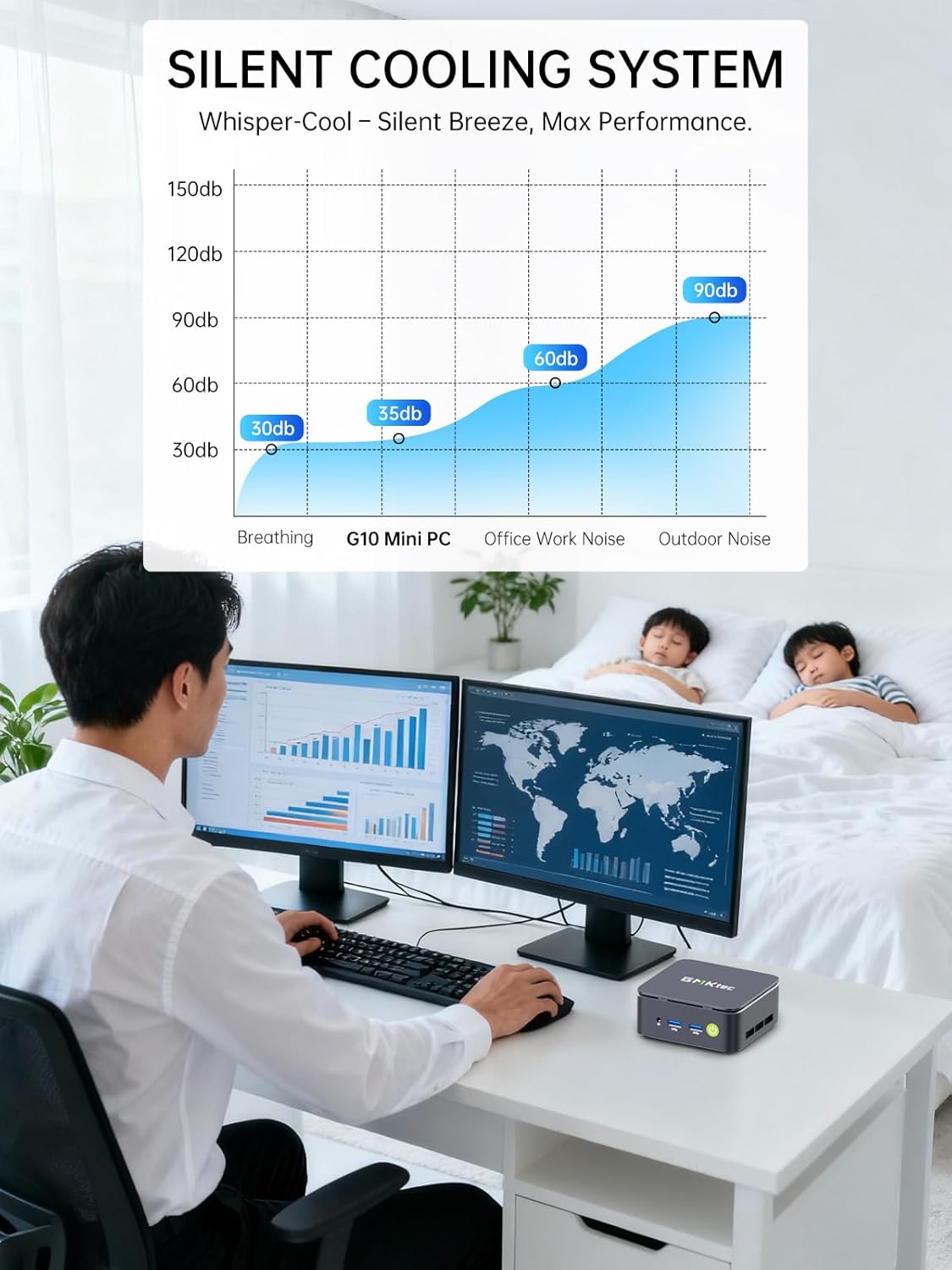
Image: Triple Display Setup. This image demonstrates the Nucbox G10 connected to two vertical monitors and a tablet, showcasing its triple display capability for enhanced productivity.
4.2 Koneksyon pouvwa
Connect the provided power adapter to the DC-in port on the Mini PC, then plug the power cable into a wall outlet. The Mini PC is designed for low power consumption.
4.3 Inisyal bòt
Press the power button on the front panel. The Mini PC will boot into the pre-installed Windows 11 Pro operating system. Follow the on-screen instructions for initial Windows setup.
5. Operasyon Enstriksyon
5.1 Power On/Off
- Pouvwa sou: Peze bouton pouvwa a yon fwa.
- Pouvwa Off: From Windows, go to Start > Power > Shut down. Alternatively, press and hold the power button for 5 seconds to force a shutdown (use only when necessary).
5.2 Sistèm operasyon
Your Nucbox G10 comes with Windows 11 Pro pre-installed. Ensure you keep your operating system updated for optimal performance and security.
5.3 Koneksyon Rezo
- Filaire (Etènèt): Once the Ethernet cable is connected, the system should automatically detect the network.
- San fil (Wi-Fi): In Windows, click the Wi-Fi icon in the taskbar, select your network, enter the password, and connect.
- Bluetooth: To connect Bluetooth devices, go to Windows Settings > Bluetooth & devices, and pair your device.
6. Antretyen
6.1 Netwayaj
Regularly clean the exterior of the Mini PC with a soft, dry cloth. Ensure ventilation openings are free from dust to maintain optimal cooling performance. Do not use liquid cleaners directly on the device.

Image: Ultra Efficient Cooling System. This image provides an internal view of the Nucbox G10, highlighting the silent turbo cooling fan designed for efficient heat dissipation.
6.2 Mizajou lojisyèl
Keep your Windows operating system and drivers updated to ensure system stability, security, and performance. Windows Update can be accessed via Settings > Windows Update.
6.3 Depo ak Ekspansyon Memwa
The Nucbox G10 supports memory expansion up to 64GB DDR4 RAM and storage expansion up to 16TB via its dual M.2 2280 PCIe 3.0 slots. Consult a qualified technician for hardware upgrades to avoid voiding your warranty or damaging the device.
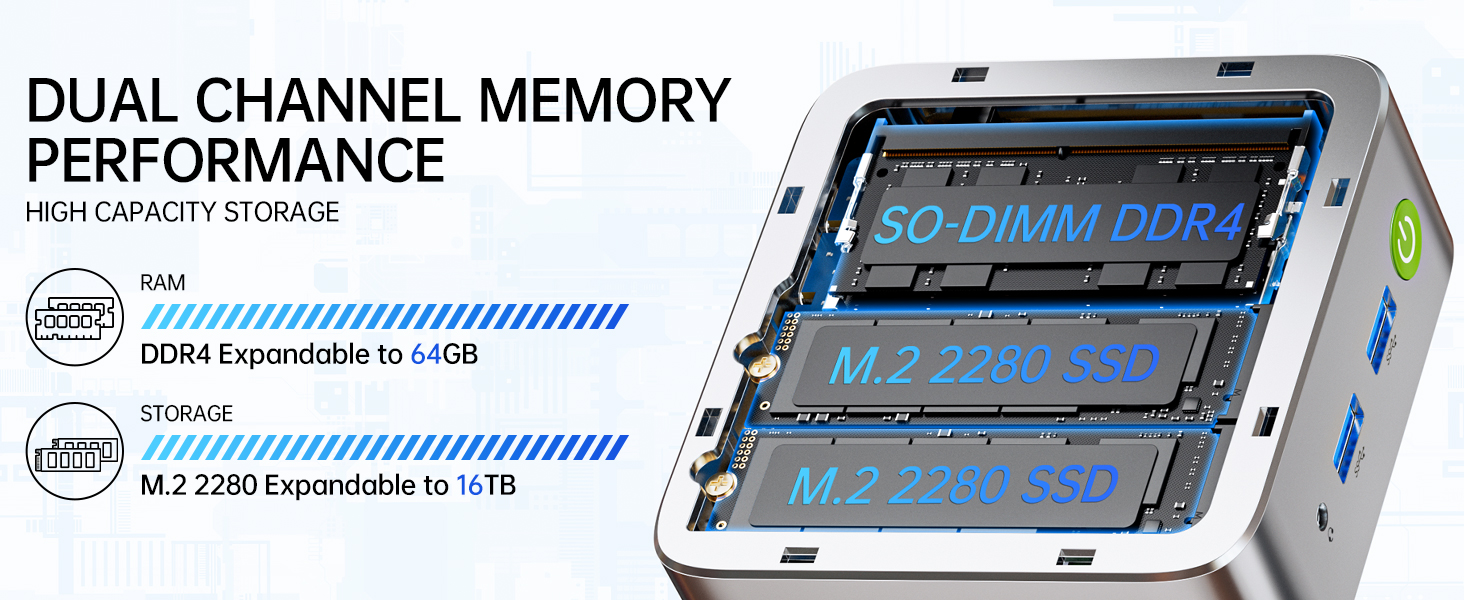
Image: Dual Channel Memory Performance and High Capacity Storage. This diagram illustrates the internal layout for SO-DIMM DDR4 RAM and M.2 2280 SSDs, indicating their expandability.
NAN. Depanaj
Si ou rankontre pwoblèm ak Mini PC ou a, gade pwoblèm ak solisyon komen sa yo:
- Pa gen pouvwa:
- Asire w ke adaptè kouran an byen konekte ak Mini PC a ak yon priz kouran ki fonksyone.
- Verifye si priz kouran an fonksyone byen lè w branche yon lòt aparèy.
- Pa gen ekspozisyon:
- Check that the HDMI, DisplayPort, or USB-C cable is firmly connected to both the Mini PC and the monitor.
- Asire w ke monitè a limen epi li configuré sou sous antre ki kòrèk la.
- Eseye konekte ak yon lòt ekran oubyen sèvi ak yon lòt kab.
- Pwoblèm koneksyon rezo:
- Branche: Tcheke koneksyon kab Ethernet la. Rekòmanse routeur/modèm ou an.
- San fil: Ensure Wi-Fi is enabled in Windows settings. Verify your Wi-Fi password. Restart your router.
- Pèfòmans Ralanti:
- Fèmen aplikasyon ki pa nesesè k ap fonksyone nan background nan.
- Asire w ke sistèm nan gen bon vantilasyon epi li pa chofe twòp.
- Tcheke epi enstale nenpòt mizajou Windows oswa mizajou chofè ki annatant.
- Run a disk cleanup to free up storage space.
8. Espesifikasyon
| Karakteristik | Spesifikasyon |
|---|---|
| Mak | GMKtec |
| Non modèl | G10 |
| Sistèm operasyon | Windows 11 Pro |
| Modèl CPU | AMD Ryzen 5 3500U |
| CPU vitès | 3.7 GHz (Boost) |
| Konte processeur | 4 |
| Koprosesè grafik | AMD Radeon Vega 8 Graphics 1200 MHz |
| Memwa RAM enstale | 16 GB DDR4 |
| Gwosè Maksimòm Memwa RAM | 64 GB |
| Vitès memwa | 2400 MT/s |
| Kapasite Depo memwa | SSD NVMe 1 TB |
| Deskripsyon Hard Disk | Dual Slot M.2 2280 PCIE Max. 16TB |
| Koneksyon Teknoloji | HDMI 2.1, RJ45 2.5GbE LAN, USB 3.2, USB-C (DP/DATA/PD), WIFI5/ BT 5.0 |
| Konpatibilite Wireless | 802.11a/b/g/n/ac (WiFi 5), Bluetooth 5.0 |
| Sòti videyo | HDMI 2.1, DisplayPort, Type-C (Triple Display) |
| Montre Rezolisyon Maksimòm | 4096 × 2160 Pixels (4K) |
| Total pò USB | 4 (2x USB 3.2, 1x USB 2.0, 1x USB-C Full Function) |
| Konsomasyon pouvwa | 25 Watts (Typical) |
| Dimansyon atik | 4.1 x 3.8 x 1.7 pous |
| Pwa atik | 0.95 Kilogram |
| Metòd refwadisman | Dual Cooling Fan |
| Karakteristik adisyonèl | RTC Wake, Auto Power On, Wake On LAN, PXE Boot |
9. Garanti ak sipò
9.1 Enfòmasyon sou Garanti
GMKtec offers a 1-ane garanti limite for each Mini PC, starting from the date of purchase. This warranty covers defects due to design and workmanship. Please retain your proof of purchase for warranty claims.
9.2 Sipò pou Kliyan
For technical assistance, warranty claims, or any questions regarding your GMKtec Nucbox G10 Mini PC, please contact GMKtec customer support. You can typically find contact information on the official GMKtec website or through the seller's contact page where you purchased the product (e.g., GMKtec-Direct on Amazon).