
Entwodiksyon
Thank you for choosing the JBL Endurance Peak 4 Wireless Sport Earbuds. This manual provides essential information to help you set up, operate, and maintain your earbuds for optimal performance. Please read this manual thoroughly before using your product.

Image: JBL Endurance Peak 4 earbuds shown in an active outdoor environment.
Ki sa ki nan bwat la
Asire w tout atik yo prezan nan pakè w la:
- 1 x JBL Endurance Peak 4 Headset
- 1 x ka chaje san fil
- Konsèy zòrèy (divès gwosè)
- 1 x Amplifier (ear fin)
- 1 x QSG (Quick Start Guide) Safety Sheet
- 1 x Warranty / Warning Sheet
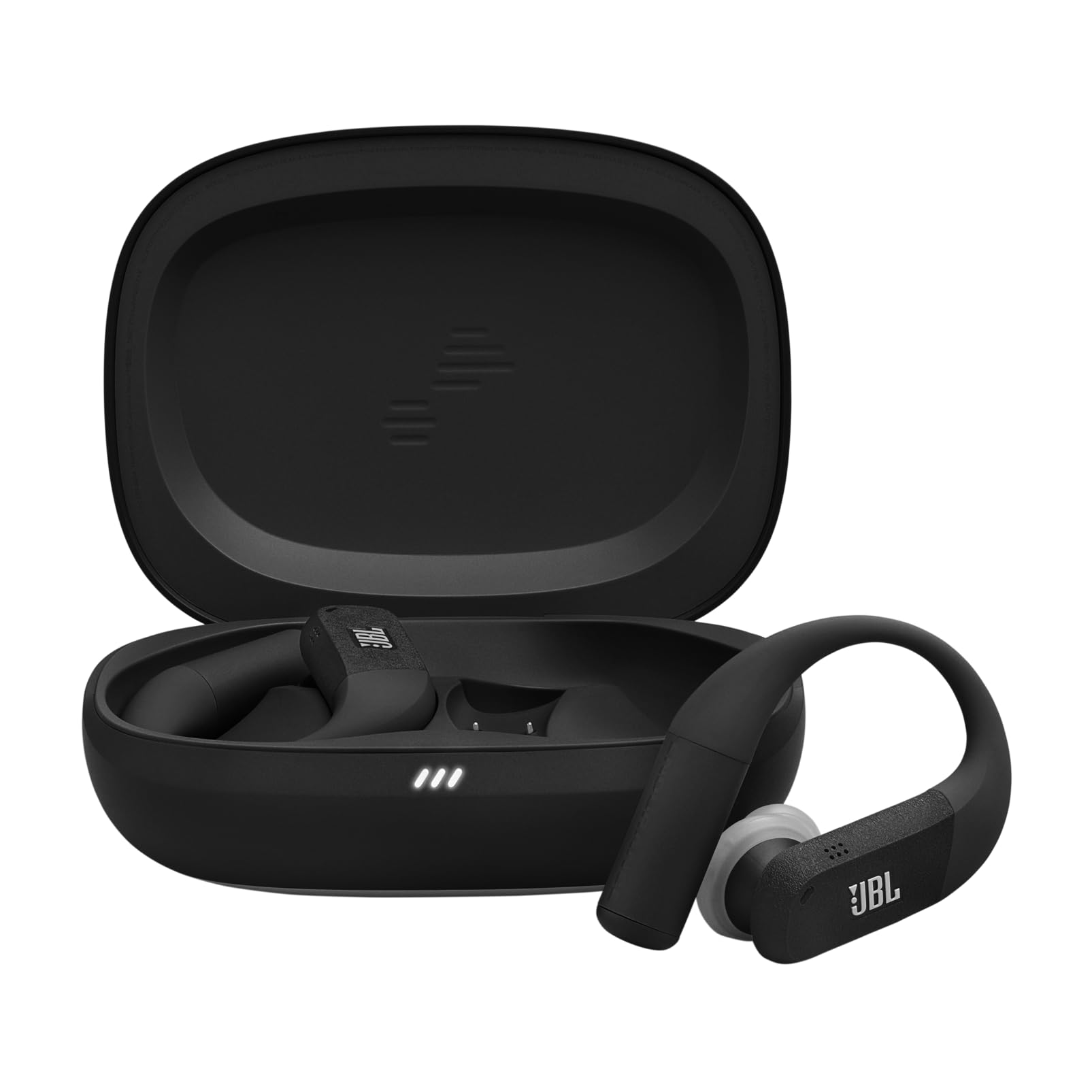
Image: The JBL Endurance Peak 4 earbuds and their charging case.
Enstalasyon
1. Chaje
Before first use, fully charge your earbuds and charging case. Connect the charging case to a power source using the provided USB-C cable. The LED indicators on the case will show the charging status. For optimal battery life, fully charge your True Wireless earbuds at least once every 3 months.

Image: The JBL Endurance Peak 4 charging case.
2. Secure Fit (TwistLock)
The JBL Endurance Peak 4 features an oval ear tip design and TwistLock technology for a secure and comfortable fit during workouts. The liquid silicone ear hook with memory wire adapts effortlessly to various ear sizes.
- Mete earbud la nan zòrèy ou.
- Twist the earbud backward to lock it in place, ensuring the ear hook sits comfortably over your ear.
- Adjust the ear tip for a snug seal to optimize sound quality and noise cancellation.

Image: A person wearing JBL Endurance Peak 4 earbuds, highlighting the secure fit.
3. Pairing ak Aparèy Bluetooth
Pou konekte ekoutè ou yo ak yon aparèy:
- Louvri bwat chaje a. Ekoutè yo ap antre otomatikman nan mòd koneksyon.
- On your device (smartphone, tablet, computer), go to Bluetooth settings and select "JBL Endurance Peak 4" from the list of available devices.
- For Android 6.0+ devices, Fast Pair is supported for quick connection.
- For Microsoft Swift Pair (Windows 10 v1803+), quick connection is also supported.
- The earbuds support seamless switching between two Bluetooth devices (multipoint pairing).
Enstriksyon Operasyon
Power On/Off
- Pouvwa sou: Open the charging case, or if already out of the case, press and hold the touch control area on both earbuds for a few seconds.
- Pouvwa Off: Place the earbuds back into the charging case and close the lid, or press and hold the touch control area on both earbuds for a few seconds until they power off.
Kontwòl manyen
The earbuds feature touch-sensitive controls. Specific functions can be customized via the JBL Headphones App.
| Aksyon | Fonksyon (Defo) |
|---|---|
| Yon sèl tape (agoch/adwat) | Jwe/Poz, Reponn apèl |
| Tape de fwa (Agoch/Dwat) | Pwochen Pist, Fini Apèl |
| Twa Tape (Agoch/Dwat) | Previous Track |
| Press and Hold (Left) | Toggle Noise Cancelling / Ambient Aware |
| Press and Hold (Right) | Aktive Asistan Vwa |
Anilasyon Bri Adaptatif ak Anbyans Entelijan
The earbuds feature Adaptive Noise Cancelling with four microphones to reduce distractions, allowing you to focus on your audio. Smart Ambient mode allows you to stay aware of your surroundings while listening to music.

Image: A person exercising with earbuds, demonstrating focus with noise cancellation.
JBL Pure Bass Sound ak son espasyal
Experience powerful stereo sound with deep, immersive bass thanks to the 10mm dynamic drivers and JBL Pure Bass Sound. Personalize your audio experience further with Personi-Fi 3.0.

Image: Individuals in a gym setting, emphasizing the immersive sound for workouts.
Apèl klè
Six beamforming microphones capture your voice clearly while reducing background noise. The wind-cut design ensures clear outdoor calls.

Image: A woman using the earbuds for a call in an outdoor environment.
Aplikasyon pou kas ekoutè JBL
Customize your listening experience with the JBL Headphones App. Gain more control over your music, adjust EQ settings, customize touch controls, and manage noise cancellation modes.
Lavi batri
Enjoy up to 48 hours of total playback time. The earbuds provide 12 hours of listening, with an additional 3 full charges stored in the case. A quick 10-minute charge provides 4 more hours of playback.

Image: Earbuds and case illustrating extended battery life.
Rezistans move tan (IP68)
The JBL Endurance Peak 4 earbuds are IP68 certified, making them water and dustproof. This ensures they function reliably through sweat, rain, sand, and even under extreme conditions, making them ideal for any workout environment.

Image: Earbuds with water droplets, showcasing their weather resistance.
Antretyen
To ensure the longevity and performance of your JBL Endurance Peak 4 earbuds:
- Clean the earbuds and charging contacts regularly with a dry, soft cloth.
- Evite itilize pwodui netwayaj abrazif oswa solvang.
- Sere ekoutè yo nan ka chaje yo lè yo pa itilize pou pwoteje yo epi kenbe yo chaje.
- Do not expose the earbuds or case to extreme temperatures.
- Asire w ke pò a chaje sèk anvan ou chaje.
Depanaj
Si ou rankontre pwoblèm ak ekoutè ou yo, eseye solisyon sa yo:
- Pa gen son: Ensure earbuds are charged and properly paired. Check volume levels on both earbuds and your connected device.
- Pwoblèm kouple: Make sure Bluetooth is enabled on your device and the earbuds are in pairing mode. Try unpairing and re-pairing the earbuds.
- Ekoutè pa chaje: Ensure the charging case is charged and the earbuds are correctly seated in the case with charging contacts aligned. Clean the charging contacts if necessary.
- Kalite son pòv: Adjust the fit of the ear tips for a better seal. Ensure there are no obstructions between the earbuds and your device.
- Kontwòl ki pa reponn: Ensure the touch control area is clean and dry. Try restarting the earbuds.
Espesifikasyon
| Karakteristik | Detay |
|---|---|
| Mak | JBL |
| Non modèl | JBL Endurance Peak 4 |
| Nimewo Modèl | JBLENDUPEAK4BLKG |
| Koulè | Nwa/Gri |
| Plasman Zòrèy | Nan-zòrèy |
| Faktè fòm | Vrè Wireless |
| Enpedans | 16 Ohms |
| Kontwòl bri | Rediksyon Bri Adaptatif |
| Repons Frekans | 20 Hz - 20 KHz |
| Sansiblite | 108 dB |
| Koneksyon Teknoloji | Bluetooth |
| Bluetooth vèsyon | 4.0 |
| Metòd kontwòl | Aplikasyon |
| Karakteristik pwodwi | Noise Cancellation, Rechargeable Battery, Multipoint Pairing, Sweat Resistant |
| Nivo rezistans dlo | IP68 (enpèmeyab) |
| Aparèy konpatib | Cell Phone, Tablet, Computer |
| Mwayèn lavi batri | 48 èdtan |
Garanti ak sipò
Your JBL Endurance Peak 4 earbuds come with a standard manufacturer's warranty. For detailed warranty information, please refer to the Warranty / Warning Sheet included in your product package. For technical support, troubleshooting assistance, or to inquire about repairs, please visit the official JBL support websit oswa kontakte sèvis kliyan yo.
Ou ka vizite tou JBL Brand Store on Amazon pou plis enfòmasyon sou pwodwi ak akseswa.