
1. Entwodiksyon
This manual provides essential information for setting up, operating, and maintaining your DOOGEE Anywise W1 Smart Watch. Please read this manual thoroughly to ensure proper use and to fully utilize all features of your device.
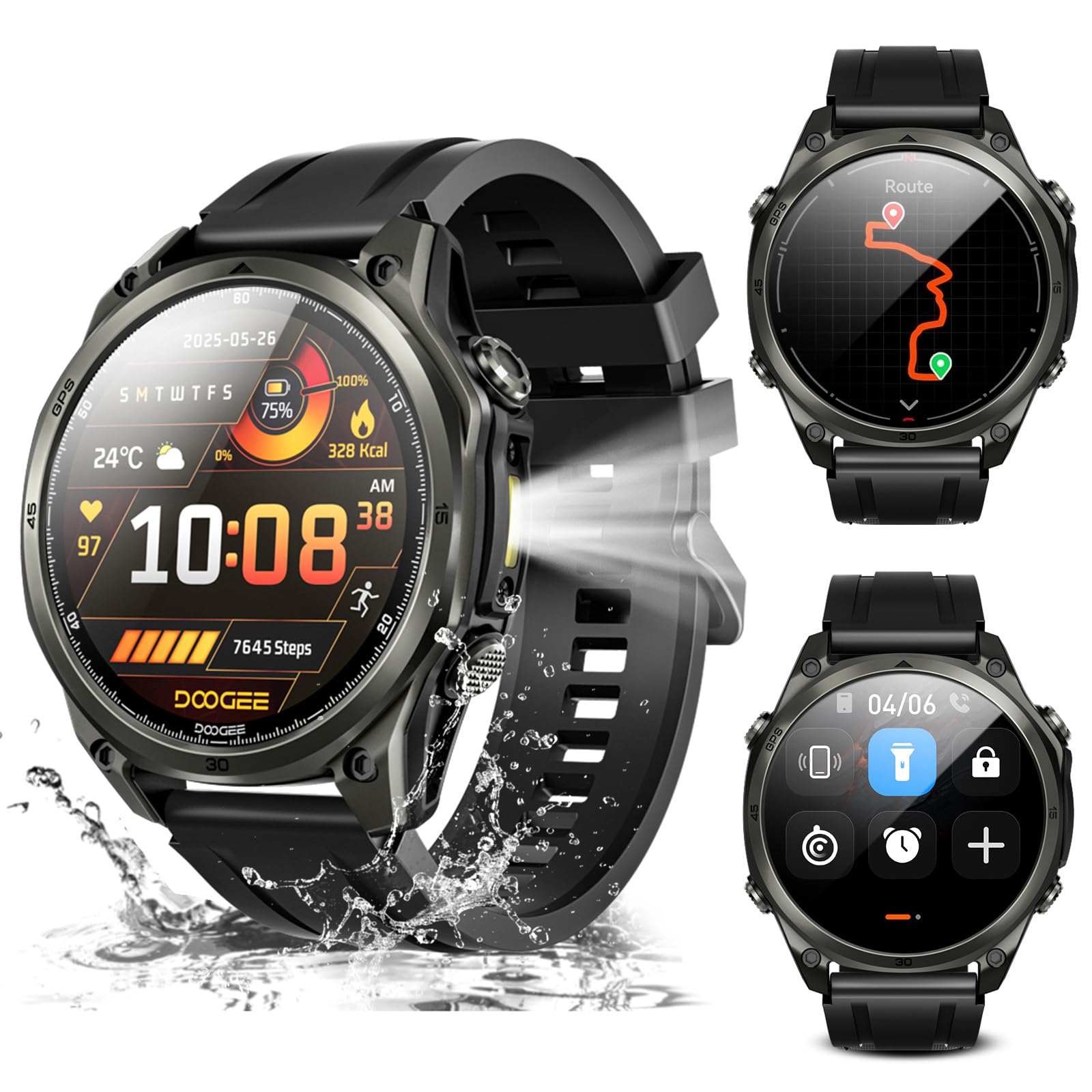
Imaj: Plis paseview of the DOOGEE Anywise W1 Smart Watch and its main features.
2. Pake kontni
Verifye ke tout atik yo prezan nan pake pwodwi ou a:
- 1 X Anywise W1 Smartwatch
- 1 X Magnetic Charging Cable
- 2 X Watch Straps (1*Silicone Strap + 1*Braided Strap)
- 1 X Gid itilizatè
- 1 X Enstriksyon Manyèl
- 1 X Service Card
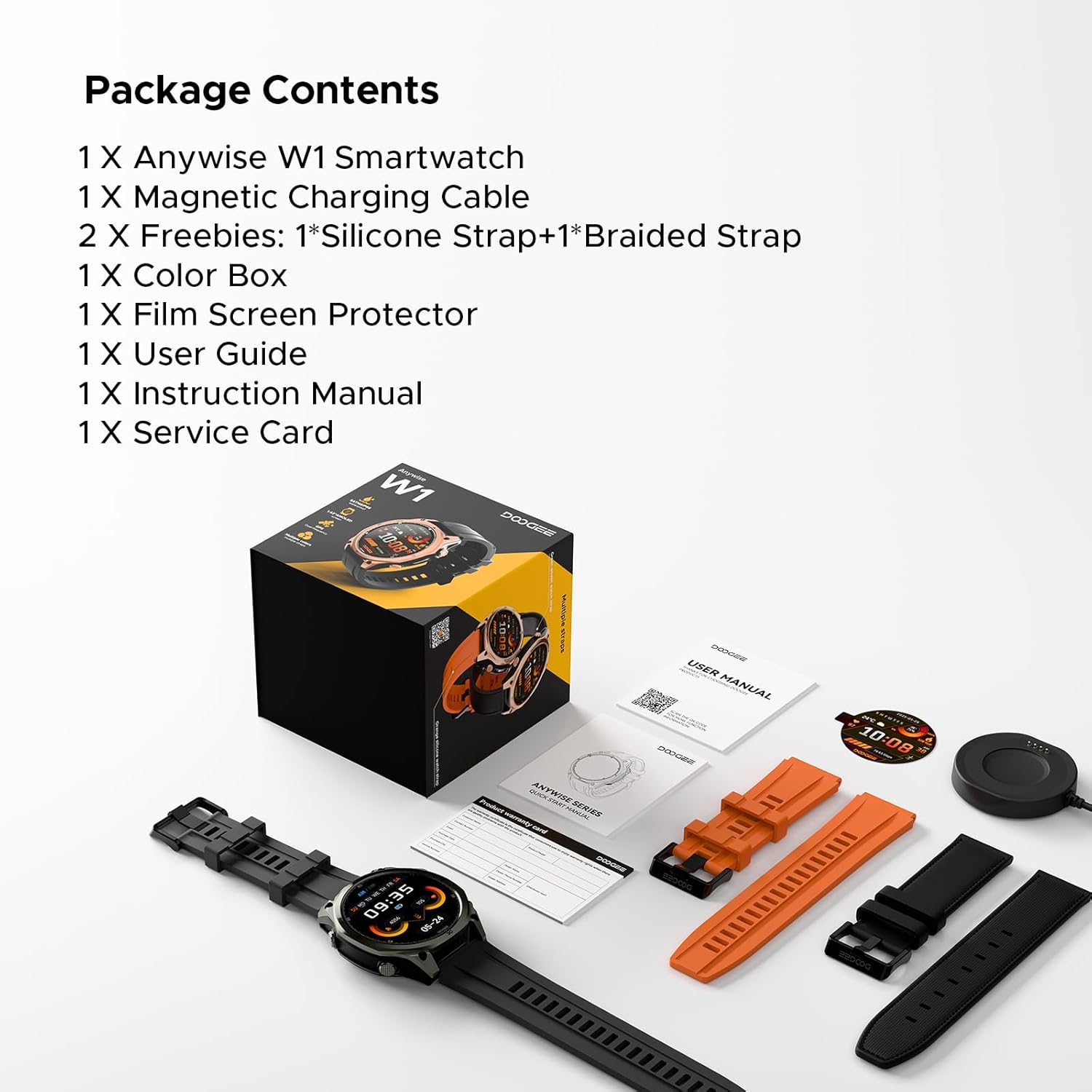
Image: The DOOGEE Anywise W1 Smart Watch and its accessories as found in the box.
3. Enstalasyon
3.1 Premye chaj
Before first use, fully charge your DOOGEE Anywise W1 Smart Watch. Connect the magnetic charging cable to the charging pins on the back of the watch and plug the USB-A end into a compatible power source. The watch display will indicate charging status.
Video: Demonstrates connecting the magnetic charging cable to the watch and a USB power source.
3.2 Enstalasyon ak koneksyon aplikasyon an
- Download the official DOOGEE Fit application from your smartphone's app store (compatible with Android and iPhone).
- Louvri aplikasyon an epi kreye yon kont oubyen konekte.
- Follow the on-screen prompts to set up your personal profile (gender, height, weight, age, daily goals).
- Enable Bluetooth on your smartphone and allow the DOOGEE Fit app to access Bluetooth.
- In the app, select 'Add Device' and choose 'DOOGEE Anywise W1' from the list of available devices.
- Konfime demann koneksyon an sou telefòn entelijan ou ak sou mont lan.
Video: Shows the process of setting up the DOOGEE Fit application on a smartphone and pairing it with the watch.
3.3 Seleksyon Lang
After initial charging and pairing, you may need to select your preferred language on the watch. Tap the screen to navigate through language options and select 'English'.
4. Operasyon Enstriksyon
4.1 Ekspozisyon ak Navigasyon
The DOOGEE Anywise W1 features a 1.43-inch AMOLED high-definition touch screen, providing clear visibility in various conditions. Navigate the watch interface by swiping left, right, up, or down, and tapping to select options.

Image: The watch display showing a notification, highlighting its clarity.
4.2 Fonksyonalite GPS
The watch includes built-in Dual-Band GPS (L1+L5) with six-satellite support (GPS, GLONASS, Beidou, Galileo, QZSS, AGPS) for fast and accurate location tracking during outdoor activities.

Image: The watch displaying GPS navigation during a run.
4.3 Rezistans dlo
The DOOGEE Anywise W1 has a 5ATM waterproof rating, making it suitable for swimming, showering, and use in various harsh environments.

Image: The watch being used in water, showcasing its water resistance.
4.4 Lavi batri
Equipped with a 550mAh high-capacity battery, the watch offers up to 12 days of daily use and 40 hours of continuous GPS positioning.

Image: Visual representation of the watch's extended battery life.
4.5 Espò mòd
The watch supports over 170 sports modes. Connect to the app to download more. It monitors critical data like workout heart rate, distance, speed, and calories in real-time.

Imaj: Egzamples of different sports modes available on the watch.
4.6 Siveyans Sante
The watch provides comprehensive health monitoring, including real-time heart rate, sleep tracking, stress levels, and blood oxygen saturation. Access these metrics through the DOOGEE Fit app.
4.7 Communication & AI Features
- Rele Bluetooth: Make and answer calls directly from the watch. Up to 100 contacts can be imported via the app.
- Asistan vwa AI: Utilize AI functions for dialing, Q&A, and real-time translation (voice input to text display and voice announcements).
- Notifikasyon: The watch alerts you to incoming messages and calls. Note: The watch cannot reply to messages.
4.8 Lòt Karakteristik
- Flach ki ap dirije: A 60 LM LED flashlight with 4 brightness levels.
- konpa: Integrated compass function for outdoor navigation.
- Daily Tools: Music control, weather updates, stopwatch, alarm, camera control, SOS mode, and voice recording.
4.9 Chanje Kadran Mont yo
Customize your watch's appearance by changing watch faces through the DOOGEE Fit app. Navigate to the watch face section in the app to browse and apply different styles.
4.10 Changing Watch Straps
The watch comes with two interchangeable straps (silicone and braided). To change a strap, locate the small pin on the underside of the strap connection point, slide it to release, and then attach the new strap by aligning the pins and releasinMete yo nan kousen mont lan.
5. Antretyen
To ensure the longevity and optimal performance of your DOOGEE Anywise W1 Smart Watch, follow these maintenance guidelines:
- Netwayaj: Regularly clean the watch and straps with a soft, damp twal. Evite pwodui chimik ki agresif oswa materyèl abrazif.
- Siye: After exposure to water, ensure the watch is completely dry before charging or using buttons.
- Depo: Sere mont lan nan yon kote ki fre epi sèk lè w pa ap itilize li.
- Evite kondisyon ekstrèm: While rugged, prolonged exposure to extreme temperatures or direct sunlight can affect battery life and component integrity.
NAN. Depanaj
If you encounter issues with your DOOGEE Anywise W1 Smart Watch, refer to the following common solutions:
- Mont lan pa limen: Asire w ke mont lan chaje nèt. Konekte l nan plato a pou omwen 30 minit.
- Pa kapab konekte ak telefòn entelijan an: Check that Bluetooth is enabled on your phone and the watch. Ensure the watch is within range of your phone. Restart both devices and try pairing again.
- Done sou sante ki pa egzak: Asire w ke mont lan byen sere sou ponyèt ou, ni twò sere ni twò lach. Netwaye detèktè ki dèyè mont lan.
- GPS la pa konekte: Asire w ou nan yon zòn deyò ouvè ki klè. view syèl la. Kite mont lan pran kèk minit pou l resevwa yon siyal.
- Notifikasyon yo pa parèt: Check the notification settings in the DOOGEE Fit app and your smartphone's system settings to ensure permissions are granted.
For further assistance, consult the DOOGEE Fit app's help section or contact customer support.
7. Espesifikasyon
| Karakteristik | Spesifikasyon |
|---|---|
| Kapasite Depo memwa | 35 GB |
| Wireless Kominikasyon Creole | Bluetooth |
| Gwosè ekran | 1.43 pous |
| Mak | DOOGEE |
| Koulè | Nwa |
| Kalite Materyèl Band | Silicone, Braided |
| Sipòte Aplikasyon | Fitness Tracker, Sleep Monitor, Heart Rate Monitor, Pedometer, Blood Pressure Monitor, Multisport Tracker, Reminders, Calendar |
| Metrik Mezire | Heart Rate Monitor, Sleep Duration, Stress Monitor, Blood Oxygen Monitor |
| Maximum Display Brightness | 800 nit |
| Communication Feature | Bluetooth |
8. Garanti ak sipò
For warranty information and customer support, please refer to the Service Card included in your package or visit the official DOOGEE website. You can also find additional resources and FAQs within the DOOGEE Fit application.