
1. Entwodiksyon
This manual provides detailed instructions for the safe and effective use of your Moukey MPS5 Portable Karaoke Machine. Please read this manual thoroughly before operating the device and retain it for future reference. The MPS5 is a versatile portable speaker system designed for various audio playback needs, including karaoke, music streaming, and public address, featuring wireless microphones and multiple connectivity options.
2. Ki sa ki nan bwat la
Carefully unpack all items from the box. Ensure all components listed below are present and in good condition.
- Moukey MPS5 Portable Karaoke Machine (1 unit)
- Mikwofòn san fil (2 inite)
- Kab chaje USB (1 inite)
- 3.5mm AUX Cable (1 unit)
- Shoulder Strap (1 unit)
- Manyèl itilizatè (1 inite)
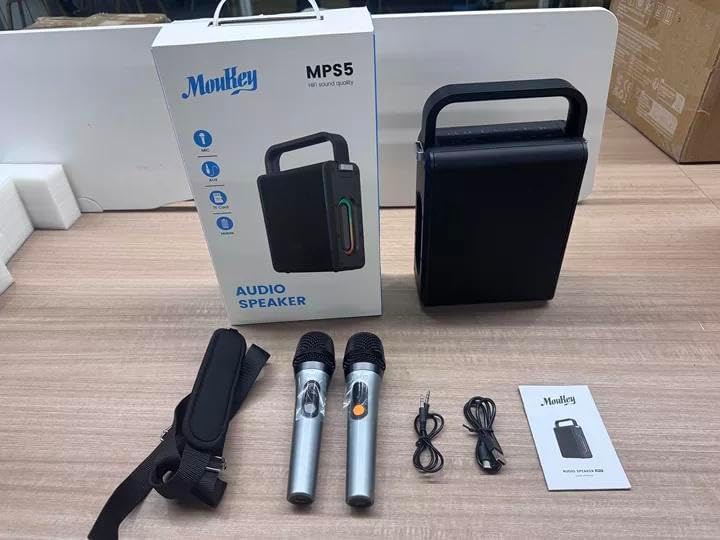
Image: All components included in the Moukey MPS5 package.
3. Pwodwi souview
The Moukey MPS5 is a compact yet powerful portable karaoke machine. It features a robust design with integrated LED lighting on the sides, enhancing the user experience. A sturdy handle and an included shoulder strap provide convenient portability.
Imaj: Devan view of the Moukey MPS5 speaker.

Imaj: Bò kote view of the Moukey MPS5, showing the LED lighting.
4. Karakteristik kle
- Excellent Sound Output: The MPS5 delivers 200W peak power (RMS 60W) through a 4-inch woofer and two 2-inch tweeters, providing full-range stereo sound with enhanced bass.
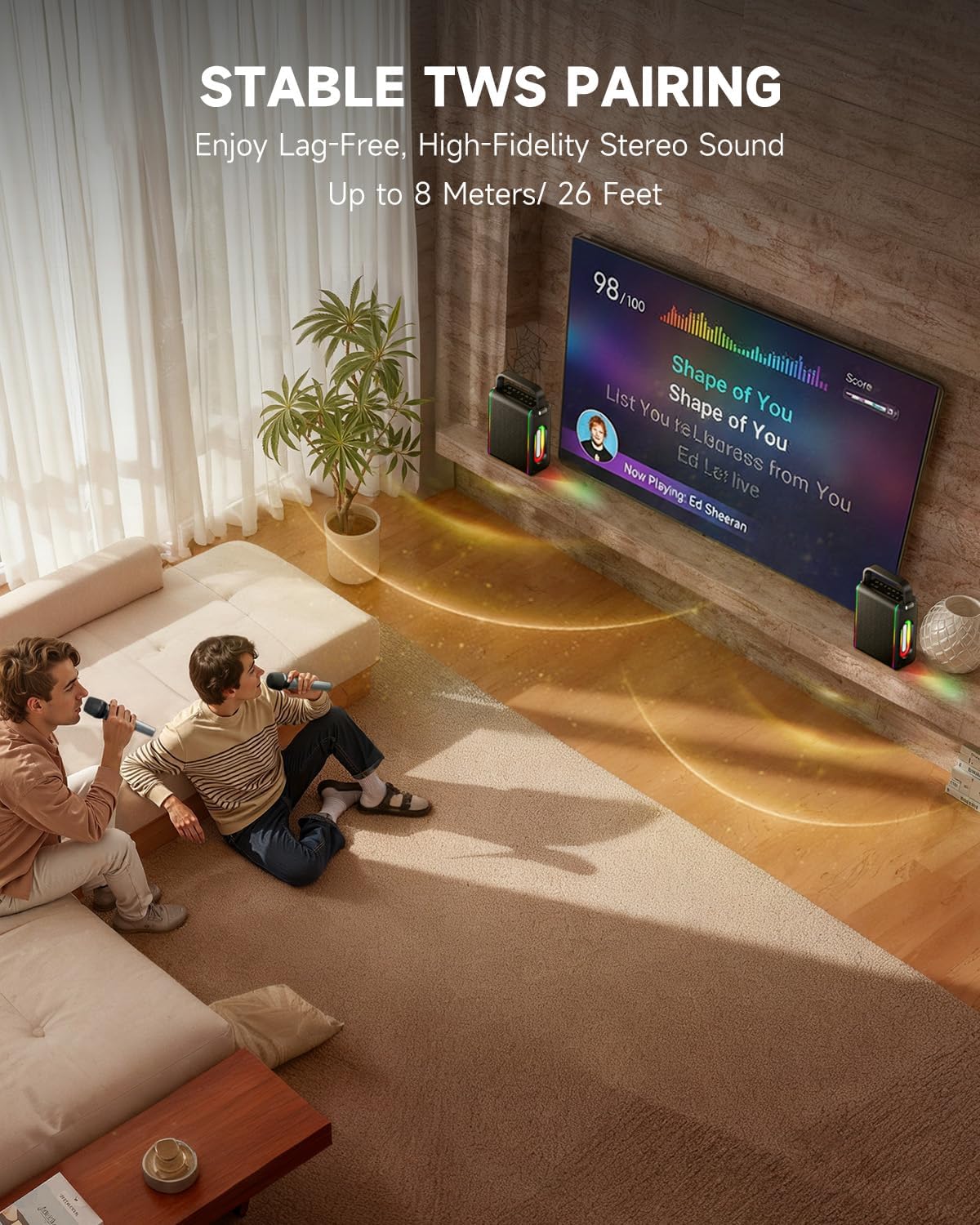
- Fonksyonalite Pwisan: Supports Bluetooth 5.3 for wireless connection to various devices. Also includes Micro TF card, Flash USB, MP3, and AUX IN playback options. Features stable TWS (True Wireless Stereo) pairing for connecting two MPS5 units for a wider stereo soundstage.
- Dire Batri Ultra Long: The rechargeable battery provides up to 8 hours of continuous music playback on a 2-hour charge, suitable for extended use indoors or outdoors.
- Konsepsyon ki lejè ak pòtab: Weighing only 2kg, the MPS5 is designed for easy transport. It can be carried by hand using the integrated handle or with the included shoulder strap.
- Doub mikwofòn san fil: Includes two 2.4Ghz rechargeable microphones with a connection range of up to 60 feet and up to 8 hours of use time per charge (2-3 hours charging time). Features one-tap connectivity for effortless pairing.

Image: Internal speaker components of the MPS5.

Image: MPS5 connected to multiple devices via Bluetooth.

Image: Battery life and charging details for the MPS5.

Image: Demonstrating the portability of the MPS5 with hand and shoulder strap options.

Image: The two wireless microphones for the MPS5.
5. Enstalasyon
5.1 Chaje Oratè a ak Mikwofòn yo
Before first use, fully charge the MPS5 speaker and both wireless microphones.
- Oratè: Connect the provided USB Type-C cable to the charging port on the speaker and to a compatible USB power adapter (not included). The charging indicator light will show charging status. A full charge takes approximately 2 hours.
- Mikwofòn: Each microphone has a charging port. Connect them to a USB power source using the provided USB cable. Charging time for microphones is 2-3 hours.
5.2 Power On/Off
- To power on the speaker, press and hold the power button (U) on the top panel for 2 seconds.
- To power off, press and hold the power button (U) ankò pou 2 segonn.
5.3 Bluetooth Pairing
- Ensure the MPS5 speaker is powered on and in Bluetooth mode (indicated by a blue LED). If not, press the 'M' (Mode) button to switch to Bluetooth mode.
- Sou aparèy mobil ou a (telefòn entelijan, tablèt, elatriye), aktive Bluetooth epi chèche aparèy ki disponib yo.
- Select 'Moukey MPS5' from the list of devices to pair. A voice prompt will confirm successful connection.
5.4 TWS (Vrè Stereo san fil) Koneksyon
To achieve stereo sound, you can pair two Moukey MPS5 speakers together.
- Ensure both MPS5 speakers are powered on and in Bluetooth mode, but not connected to any other device.
- On one of the speakers, double-press the 'M' (Mode) button. The speaker will enter TWS pairing mode.
- The two speakers will automatically connect to each other. A voice prompt will confirm successful TWS pairing.
- Once TWS is established, connect your mobile device to one of the MPS5 speakers via Bluetooth as described in section 5.3. Both speakers will then play audio in stereo.
Videyo: Yon ti pale rapidview of the MPS5 Karaoke Machine, demonstrating TWS pairing and other features.
6. Operasyon Enstriksyon
6.1 Kontwòl souview
The top panel of the MPS5 speaker features several buttons for controlling playback, volume, and microphone settings.
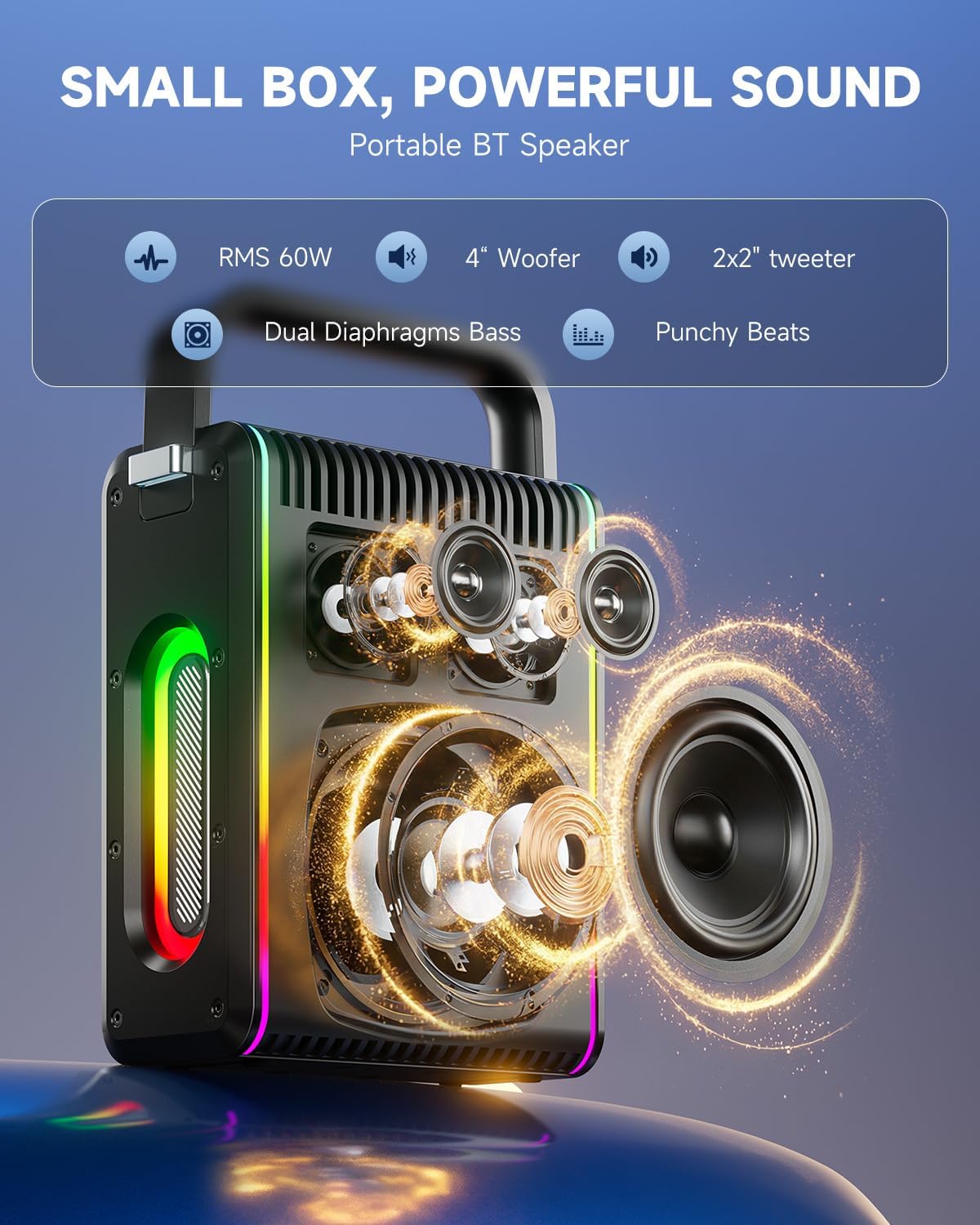
Image: Top control panel of the MPS5.
- Bouton pouvwa (U): Peze epi kenbe pou 2 segonn pou pouvwa sou / koupe.
- Bouton Mòd (M): Short press to cycle through input modes (Bluetooth, AUX, USB, TF Card). Double-press to initiate TWS pairing.
- Microphone Volume (Mic - / Mic +): Ajiste volim mikwofòn ki konekte yo.
- Echo Adjustment (R- / R+): Adjusts the echo effect for the microphones.
- Jwe/Poz (▶): Jwe oswa mete mizik aktyèl la sou poz.
- Diminye Volim (-): Decreases the main speaker volume.
- Ogmante Volim (+): Increases the main speaker volume.
- EQ A/E: Short press to switch between EQ modes. Long press to toggle between original sound and accompaniment elimination.
6.2 Itilizasyon Mikwofòn
The MPS5 comes with two wireless microphones for karaoke and vocal performances.
- Limen/Etenyen: Press and hold the power button on the microphone to turn it on or off.
- Peyaj: The microphones are pre-paired with the speaker. If re-pairing is needed, ensure the speaker is on, then power on the microphone. They should connect automatically.
- Microphone Disconnect/Reconnect: Press the dedicated microphone button on the speaker's control panel to quickly disconnect or reconnect the microphones.
6.3 Audio Input Modes
In addition to Bluetooth, the MPS5 supports several wired and local storage input options.

Image: Input ports on the MPS5 speaker.
- Antre AUX: Connect an external audio device using the 3.5mm AUX cable. Select AUX mode using the 'M' button.
- USB lèktur: Mete yon kle USB ki gen odyo MP3 ladan l files nan pò USB a. Oratè a ap chanje otomatikman nan mòd USB epi li pral kòmanse jwe.
- Lektur kat TF: Insert a Micro TF card containing MP3 audio files nan fant kat TF la. Oratè a ap chanje otomatikman nan mòd kat TF epi li pral kòmanse jwe.
6.4 dirije ekleraj
The MPS5 features dynamic LED lighting on its sides. Use the dedicated LED button (if available, or refer to the 'M' button for light control if combined) to cycle through different light modes or turn them off.
7. Antretyen
- Netwayaj: Sèvi ak yon twal mou epi sèk pou netwaye deyò oratè a. Pa sèvi ak pwodui netwayaj likid oswa materyèl abrazif.
- Depo: Sere aparèy la nan yon kote ki fre epi sèk, lwen limyè solèy dirèk ak tanperati ekstrèm.
- Swen batri: Pou pwolonje lavi batri a, evite dechaje batri a nèt souvan. Chaje aparèy la regilyèman, menm si ou pa itilize li pandan yon bon bout tan.
NAN. Depanaj
If you encounter issues with your Moukey MPS5, refer to the following common problems and solutions:
| Pwoblèm | Kòz posib | Solisyon |
|---|---|---|
| Pa gen pouvwa | Batri ap vide. | Chaje oratè a avèk kab USB Kalite-C ki vini ak li a. |
| Pa gen son ki soti nan oratè | Volim nan twò ba oswa li twò ba. Mòd antre ki pa kòrèk la chwazi. | Increase volume using the '+' button. Press 'M' to cycle through input modes. |
| Aparèy Bluetooth echwe | Speaker is not in pairing mode. Device is too far. | Ensure speaker is in Bluetooth mode. Move device closer to speaker. Try restarting both devices. |
| Mikwofòn pa mache | Microphone is off or uncharged. Microphone is disconnected. | Ensure microphone is charged and powered on. Press the microphone button on the speaker to reconnect. |
| TWS appariement echwe | Speakers are already connected to another device. | Ensure both speakers are not connected to any other Bluetooth device before initiating TWS pairing. |
9. Espesifikasyon
- Mak: Moukey
- Nimewo Modèl: Mps5
- Sòti Wattage: 200 Watt (pik)
- Koneksyon Teknoloji: Bluetooth 5.3
- Antre odyo: Bluetooth, TF card, USB, MP3, AUX, Wired microphones
- Kantite chanèl: 2
- Sous pouvwa: Batri Powered
- Kalite konektè: USB Kalite C
- Dimansyon atik (L x W x H): 2.36 x 6.3 x 12.2 pous
- Pwa atik: Apeprè 2 kg
- Aparèy konpatib: Smartphone, Tablet, Laptop, MP3 Player, Microphone
- Koulè: Black with Silver Accents
10. Garanti & Sipò
The Moukey MPS5 Portable Karaoke Machine comes with a 1-ane garanti apati dat acha a. Garanti sa a kouvri domaj fabrikasyon ak atizan konn fè nan itilizasyon nòmal. Tanpri konsève prèv acha ou pou reklamasyon garanti.
For technical support, troubleshooting assistance, or warranty inquiries, please contact Moukey customer service through the retailer where the product was purchased or visit the official Moukey websit pou enfòmasyon kontak.