
Entwodiksyon
The VOPLLS G7 Flagship Smart Google TV Projector offers a comprehensive home entertainment experience. This manual provides essential information for setting up, operating, and maintaining your projector, ensuring optimal performance and longevity.
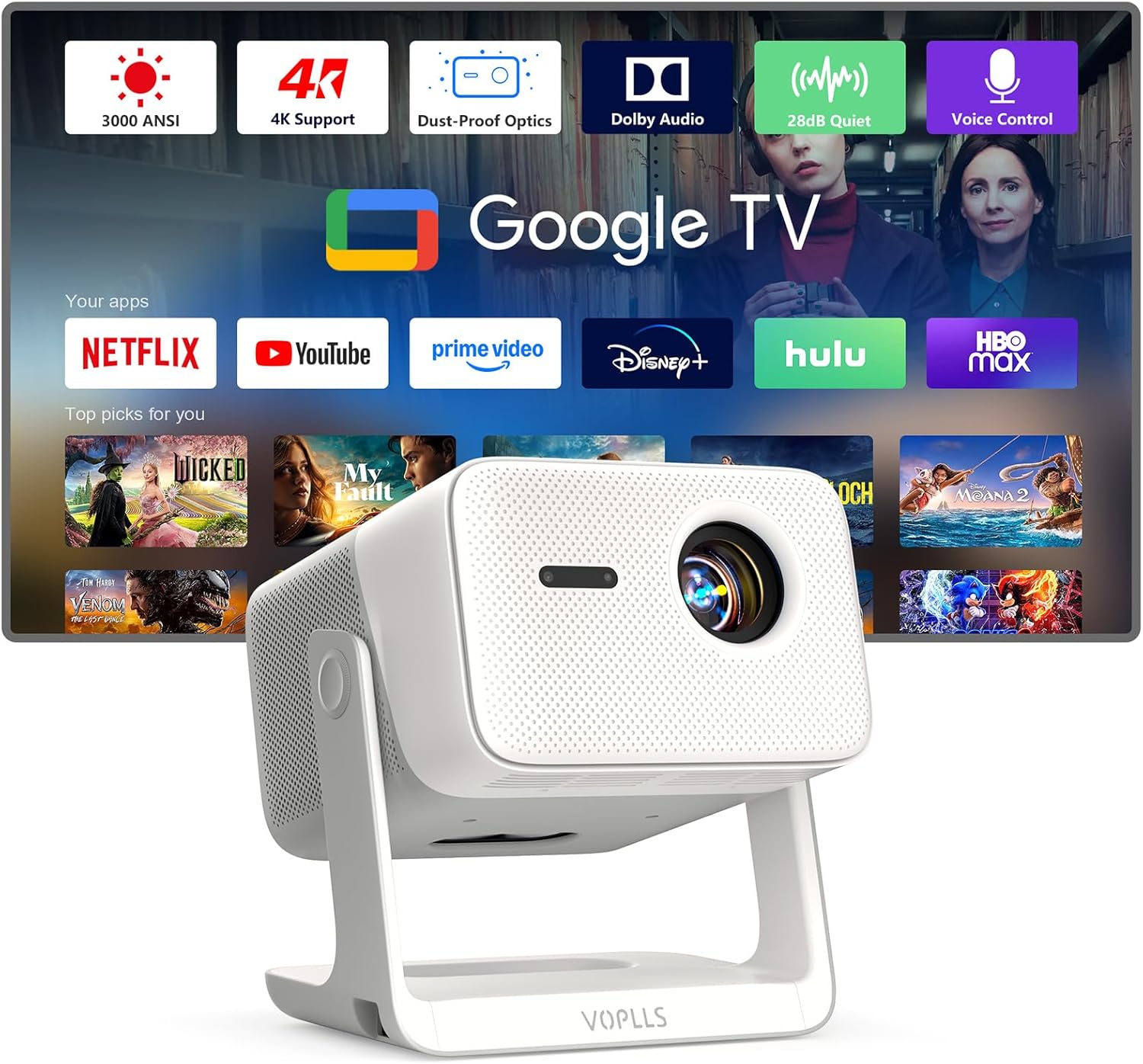
Image: The VOPLLS G7 projector displaying the Google TV interface with various streaming applications.
Enstalasyon
Unboxing
Lè w ap ouvri pake a, asire w ke tout konpozan yo la:
- G7 Flagship Google TV Projector
- Rotating stand
- HDMI kab
- Kòd pouvwa
- Manyèl itilizatè
- Remote (pil pa enkli)
Video: An unboxing demonstration of the VOPLLS G7 Smart Flagship Google TV Projector, showing included accessories.
Plasman Fizik
The projector features a flexible rotating stand, allowing for versatile placement. It can project onto a wall or ceiling. Position the projector at the desired distance from the projection surface to achieve the preferred screen size.
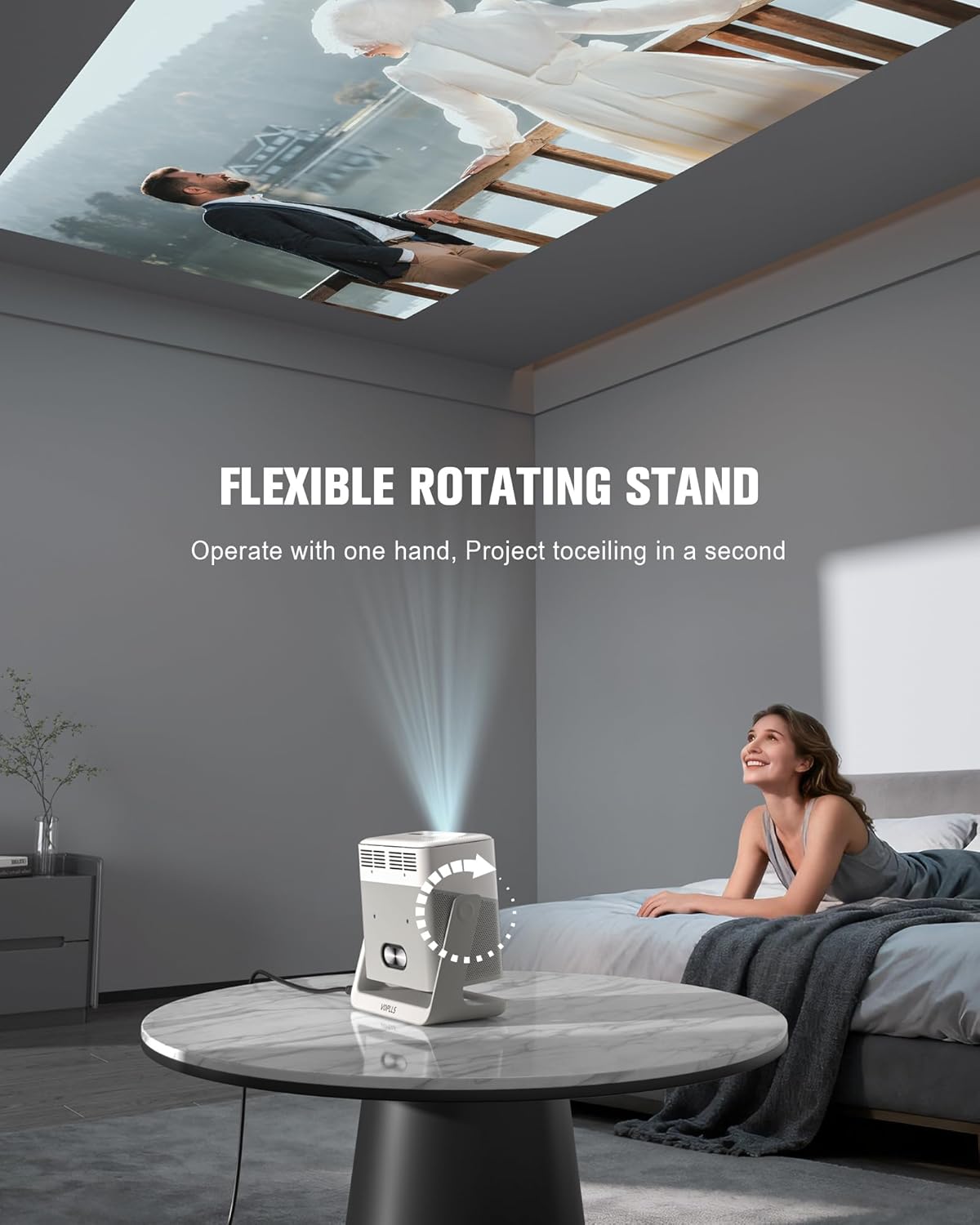
Image: The VOPLLS G7 projector utilizing its flexible rotating stand to project an image onto a ceiling.
Initial Setup & Automatic Adjustments
The VOPLLS G7 simplifies setup with fully automatic features:
- Konsantre Auto: Automatically adjusts for a clear image.
- Koreksyon Keystone 6D: Corrects image distortion from angled projection.
- Evite Obstak: Automatically adjusts the projection to avoid objects in the path.
- Anfòm ekran: Optimizes the image to fit the projection surface.
These features ensure a perfect image in seconds without manual adjustments.

Image: Visual representation of the projector's full-scope visual calibration features, including auto-focus and keystone correction.
Koneksyon rezo
The projector supports Wi-Fi 6 and Bluetooth 5.2 for seamless wireless connections. Navigate to the settings menu to connect to your home Wi-Fi network and pair Bluetooth devices such as headphones or external speakers.
Opere
Google TV Ecosystem
The certified Google TV system provides access to a vast content library. Stream directly from pre-installed apps like Netflix, Disney+, Prime Video, and Hulu. Download thousands more from Google Play and access over 800 free live channels. Create personalized profiles, including a Kid-Safe mode for content filtering and time management.

Image: The VOPLLS G7 projector showcasing the Google TV interface with various streaming apps and voice command suggestions.
Kontwòl vwa
Utilize the built-in Google Assistant for hands-free control. Press the voice button on the remote and speak commands to search for movies, launch apps, control smart devices, or adjust settings.
Mòd klète
Choose between two intelligent brightness modes:
- Standard Mode (3000 ANSI): Operates at an ultra-quiet level, ideal for indoor viewing.
- High Brightness Mode (3600 ANSI): Provides a brighter, more vivid picture suitable for living rooms or outdoor use.

Image: A visual comparison of the projector's Bright Mode (3600 ANSI) for well-lit environments and Quiet Mode (3000 ANSI) for darker settings.
Sistèm Audio
The projector is equipped with powerful dual 8W speakers and dual diaphragms, delivering rich bass and an immersive soundstage. Dolby Audio technology enhances the audio experience for movies and games. The projector can also function as a standalone Bluetooth speaker.

Image: The VOPLLS G7 projector highlighting its dual 8W speaker system with Dolby Audio for immersive sound.
Vizyèl
Experience cinema-quality visuals with HDR10 support, revealing rich contrast and vibrant colors. The 98% wide color gamut ensures near-Hollywood accuracy. The system smoothly decodes 4K UHD content from streaming apps, presenting it in superb 1080P Full HD.

Image: The VOPLLS G7 projector emphasizing its cinema-quality HDR visuals, 4K decoding, and wide color gamut.
Connectivity Hub & Digital Zoom
The projector serves as an all-in-one wireless connectivity hub. It supports AirPlay, Miracast, and Chromecast for one-tap casting from various devices. Versatile ports (HDMI, USB, Audio) allow direct connection to game consoles, laptops, and USB drives. The digital zoom feature allows flexible image sizing from 50% to 100% without moving the projector.
Video: A demonstration of the VOPLLS G7 projector's features, including its smart interface and connectivity options.
Antretyen
Dust-Proof Optical Engine
The VOPLLS G7 features a professional sealed optical engine designed to prevent dust and dark spots, ensuring consistent pure image quality throughout its lifespan. This reduces the need for frequent internal cleaning.

Image: A visual comparison illustrating the benefit of the dust-sealed optical engine in maintaining image purity.
Netwayaj jeneral
For external cleaning, use a soft, dry cloth. Avoid abrasive cleaners or solvents. Ensure the projector is powered off and unplugged before cleaning.
Depanaj
- Imaj la twoub: Ensure the projector is stable. The auto-focus feature should correct this automatically. If not, check for any obstructions in front of the lens.
- Image is distorted or not rectangular: The 6D Keystone Correction should automatically adjust the image. If manual adjustment is preferred, consult the on-screen settings.
- Pa gen son: Check the volume level on the projector and any connected devices. Verify that the correct audio output device is selected in the settings. If using Bluetooth, ensure the device is properly paired.
- Pa ka konekte ak Wi-Fi/Bluetooth: Ensure the Wi-Fi network is active and the password is correct. For Bluetooth, ensure the device is in pairing mode and within range.
- Apps not loading or slow performance: Check your internet connection speed. Restart the projector if the issue persists.
Espesifikasyon
| Karakteristik | Detay |
|---|---|
| Mak | VOPLLS |
| Nimewo Modèl | G7 |
| Rezolisyon ekspozisyon | 1920 x 1080 (1080P Full HD, 4K decoding supported) |
| Klète | Standard Mode: 3000 ANSI, High Brightness Mode: 3600 ANSI |
| Koneksyon Teknoloji | 3.5mm Jack, Bluetooth 5.2, HDMI, USB, Wi-Fi 6 |
| Karakteristik espesyal | Google TV, HDR10+, 98% NTSC Color Gamut, Dual 8W Dolby Audio, Auto Focus, 6D Keystone Correction, Obstacle Avoidance, Screen Fit, Digital Zoom (50%-100%), Voice Control, Kid-Safe Mode, Sealed Optical Engine |
| Pwa atik | 7.96 liv |
| Koulè | Blan |
Ki sa ki nan bwat la
- G7 Flagship Google TV Projector with WiFi and Bluetooth
- Rotating stand x 1
- HDMI Kab x XNX
- Fil elektrik x 1
- Manyèl itilizatè
- Remote (Battery not included)
Garanti ak sipò
VOPLLS provides a 3-year warranty and lifetime customer support for the G7 projector. For any inquiries or assistance, please refer to the contact information provided in the User Manual or visit the official VOPLLS support websit.