
Entwodiksyon
This manual provides detailed instructions for the setup, operation, and maintenance of your Rapoo VT3 MAX Gen-2 Wireless Gaming Mouse. Please read this manual thoroughly to ensure optimal performance and longevity of your device.

Image: The Rapoo VT3 MAX Gen-2 Wireless Gaming Mouse, showcasing konsepsyon ergonomik li yo.
Kontni pake
Verifye ke tout atik ki nan lis anba a yo enkli nan pakè ou a:
- 1 x Wireless Gaming Mouse
- 1 x Kalite-C Kab
- 1 x USB Adapter (2.4G wireless dongle)
- 1 x Etikèt Anti-glise
- 1 x Ranplasman Pye Sourit PTFE

Image: An illustration detailing the mouse dimensions and the included accessories: Type-C cable, USB adapter, anti-slip stickers, and replacement PTFE feet.
Pwodwi souview
The Rapoo VT3 MAX Gen-2 is designed for high-performance gaming, featuring advanced technology for precision and comfort.
Karakteristik kle:
- 53g Ultra Lightweight Design: Optimized hand grip and accessible side buttons enhance comfort and accuracy, reducing strain during extended use.
- Jiska 750 èdtan lavi batri: Equipped with a Nordic nRF54L15 MCU, this mouse offers extended usage at 1000Hz polling rate.
- True 8K Wireless Polling Rate: Delivers native 8000Hz wireless performance without requiring additional software or dongles, ensuring responsive tracking.
- 120-Million Optical Switch: Utilizes infrared light for click registration, eliminating double-click issues and debounce delay, with a prolonged lifespan.
- 30K Independent X/Y DPI: Provides pixel-precise tracking with 99.9% resolution accuracy and customizable X/Y-axis DPI settings.
- A Hub for Windows & Mac OS: Dedicated driver software for advanced features, including programmable buttons and macros, with onboard memory.
Detay karakteristik:

Image: The mouse highlighting its 53g ultra-lightweight design for enhanced maneuverability.

Image: Visual representation of the mouse's extended battery life, capable of up to 750 hours.

Image: The mouse demonstrating its true 8K wireless polling rate for superior responsiveness.

Image: An illustration of the Rapoo optical switch, highlighting its 120-million click lifespan and lack of debounce delay.
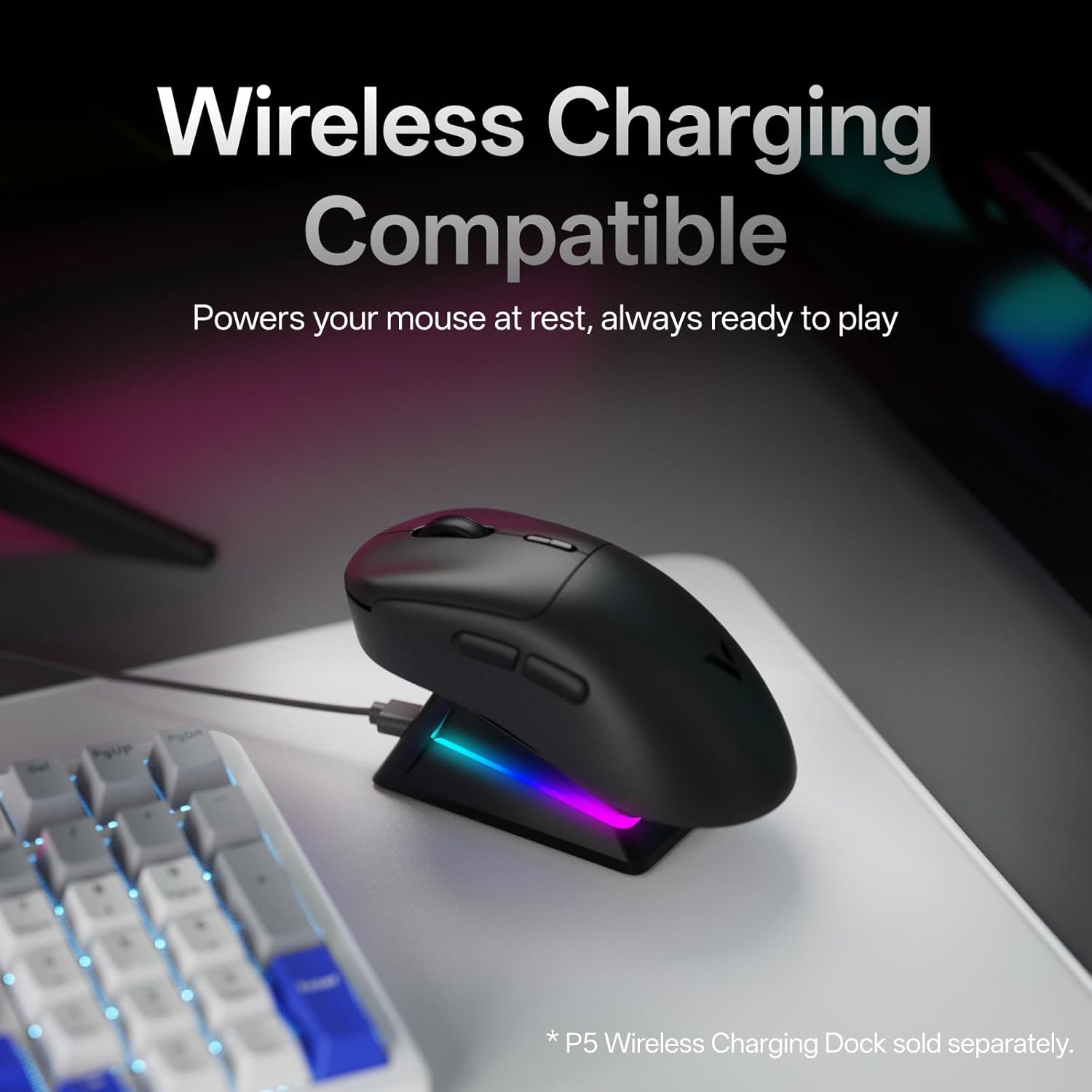
Image: The mouse placed on a wireless charging dock (sold separately), illustrating its wireless charging compatibility.

Image: Screenshots of the 'A Hub' software interface for Windows and Mac OS, showing customization options for the mouse.
Enstalasyon
- Chaje sourit la: Connect the included Type-C cable to the mouse and a USB power source (e.g., computer USB port, wall adapter). The mouse will begin charging.
- 2.4G Wireless Koneksyon:
- Locate the USB adapter (dongle) in the package.
- Plug the USB adapter into an available USB port on your computer.
- Limen sourit la avèk bouton pouvwa ki sitiye anba sourit la.
- Sourit la ta dwe konekte otomatikman ak òdinatè w la.
- Koneksyon filaire:
- Connect the Type-C cable directly from the mouse to a USB port on your computer.
- The mouse will function in wired mode and charge simultaneously.
- Enstalasyon lojisyèl (Si ou vle men ou rekòmande):
- Download the 'A Hub' driver software from the official Rapoo websit.
- Install the software to access advanced features such as programmable buttons, macro settings, and independent X/Y DPI adjustments.
Enstriksyon Operasyon
Ajisteman DPI:
The mouse features dedicated DPI +/- buttons, typically located near the scroll wheel. Press these buttons to cycle through preset DPI levels. For fine-tuning and independent X/Y DPI settings, use the 'A Hub' software.
Programmable Buttons and Macros:
The Rapoo VT3 MAX Gen-2 includes 10 programmable buttons. Utilize the 'A Hub' software to assign custom functions, macros, or key combinations to these buttons. Settings are stored in the mouse's onboard memory, allowing them to be used across different devices and operating systems without re-configuration.
Pousantaj biwo vòt:
The mouse supports a true 8K wireless polling rate. This setting can be managed and optimized through the 'A Hub' software to suit your preferences and system capabilities.
Jesyon pouvwa:
Use the ON/OFF switch on the bottom of the mouse to conserve battery life when not in use. The mouse also features an ultra-low-power wireless technology for extended battery performance.
Antretyen
- Netwayaj: Sèvi ak yon twal mou epi sèk pou netwaye sifas sourit la. Pou pousyè tè ki difisil pou retire, yon ti krasamp Ou ka itilize twal, pou asire pa gen likid ki antre nan sourit la. Evite pwodui chimik ki agresif oswa materyèl abrazif.
- Depo: Sere sourit la nan yon kote ki fre epi sèk, lwen limyè solèy dirèk ak tanperati ekstrèm.
- Replacing Mouse Feet: If the mouse feet show signs of wear, use the included replacement PTFE mouse feet for optimal glide performance. Carefully peel off the old feet and apply the new ones, ensuring they are securely attached.
Depanaj
| Pwoblèm | Kòz posib | Solisyon |
|---|---|---|
| Sourit pa reponn | Low battery; Power switch OFF; USB adapter not connected; Driver issue. | Charge the mouse; Turn ON the power switch; Reconnect USB adapter; Reinstall 'A Hub' software. |
| Koneksyon tanzantan | Interference; USB adapter too far; Low battery. | Move mouse closer to adapter; Ensure no strong interference sources; Charge the mouse. |
| Buttons not working as expected | Incorrect software settings; Physical damage. | Check 'A Hub' software for button assignments; Contact support if physical damage is suspected. |
| Mouse cursor erratic | Dirty sensor; Uneven surface; Software issue. | Clean the optical sensor; Use a clean, even mouse pad; Update or reinstall 'A Hub' software. |
Espesifikasyon
| Karakteristik | Detay |
|---|---|
| Nimewo Modèl | VT3 MAX |
| Dimansyon pwodwi | 4.96 x 2.68 x 0.04 pous (126.2 x 68.2 x 42.4 mm) |
| Pwa atik | 1.87 ons (53g) |
| Koneksyon Teknoloji | Radio Frequency (2.4G Wireless), USB (Wired) |
| Teknoloji deteksyon mouvman | PAW 3950 Ultimate |
| Pousantaj biwo vòt | True 8K Wireless (8000Hz) |
| Chanje Kalite | 120-Million Optical Switch |
| Kalite batri | 1 batri ityòm Ion (enkli) |
| Karakteristik espesyal | Lightweight, Programmable Buttons, Rechargeable, True 8K Wireless Polling Rate, Wireless Charging Compatible |
| Sistèm operasyon sipò | Windows, Mac OS |
Garanti ak sipò
Pou enfòmasyon sou garanti ak sipò teknik, tanpri al gade paj ofisyèl Rapoo a. websit la oubyen kontakte sèvis kliyan yo dirèkteman. Kenbe resi acha w la pou reklamasyon garanti.
Rapoo is committed to providing quality products and support. For the latest drivers, FAQs, and contact information, visit the official Rapoo support page.