
Entwodiksyon
Thank you for choosing the Gevi 14-Cup Programmable Coffee Maker. This manual provides essential information for the safe and efficient operation, maintenance, and troubleshooting of your new appliance. Please read these instructions thoroughly before first use and keep them for future reference.
Enstriksyon Sekirite Enpòtan
Lè w ap itilize aparèy elektrik, yo ta dwe toujou swiv prekosyon sekirite debaz yo pou redwi risk pou dife, chòk elektrik ak/oswa blesi moun, tankou sa ki annapre yo:
- Li tout enstriksyon yo.
- Pa manyen sifas cho. Sèvi ak manch oswa bouton.
- Pou pwoteje kont dife, chòk elektrik, ak blesi pèsonèl, pa plonje kòd, ploge, oswa aparèy nan dlo oswa nan lòt likid.
- Sipèvizyon sere se nesesè lè nenpòt aparèy itilize pa oswa toupre timoun yo.
- Debranche soti nan priz lè yo pa itilize ak anvan netwaye. Kite refwadi anvan ou mete oswa retire pati yo, epi anvan ou netwaye aparèy la.
- Pa opere nenpòt aparèy ki gen yon kòd oswa ploge ki domaje oswa apre aparèy la fonksyone byen, oswa li te domaje nan nenpòt fason. Retounen aparèy la nan sant sèvis otorize ki pi pre a pou egzamen, reparasyon oswa ajisteman.
- Itilizasyon akseswar manifakti aparèy la pa rekòmande pou yo ka lakòz dife, chòk elektrik oswa blesi pèsonèl.
- Pa sèvi ak deyò.
- Pa kite kòd pandye sou kwen tab oswa kontwa, oswa manyen sifas cho.
- Pa mete sou oswa toupre yon gaz cho oswa recho elektrik, oswa nan yon fou chofe.
- Toujou branche ploge a nan aparèy la an premye, answit branche kòd la nan priz miray la. Pou dekonekte li, vire nenpòt kontwòl sou 'off', answit retire ploge a nan priz miray la.
- Pa sèvi ak aparèy pou lòt itilizasyon ki gen entansyon an.
- Do not open the top lid during brewing.
Ki sa ki enkli
Your Gevi 14-Cup Programmable Coffee Maker package includes the following components:
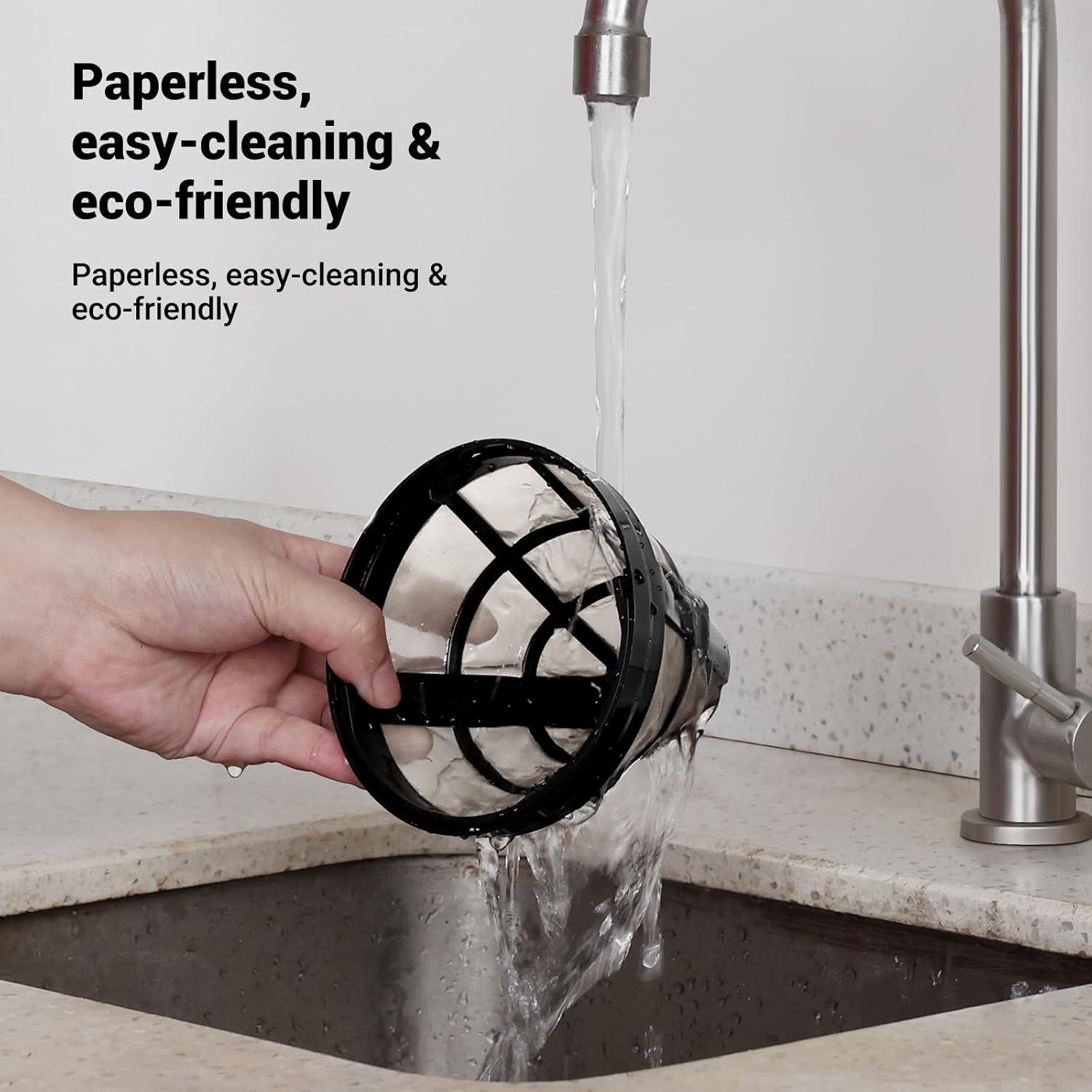
- Filtè ki kapab itilize ankò
- Filtre panyen
- 14-tas vè karafe
- Kiyè kafe

Pwodwi souview
The Gevi 14-Cup Programmable Coffee Maker is designed for convenience and versatility, offering several features to enhance your coffee brewing experience.
Karakteristik kle:
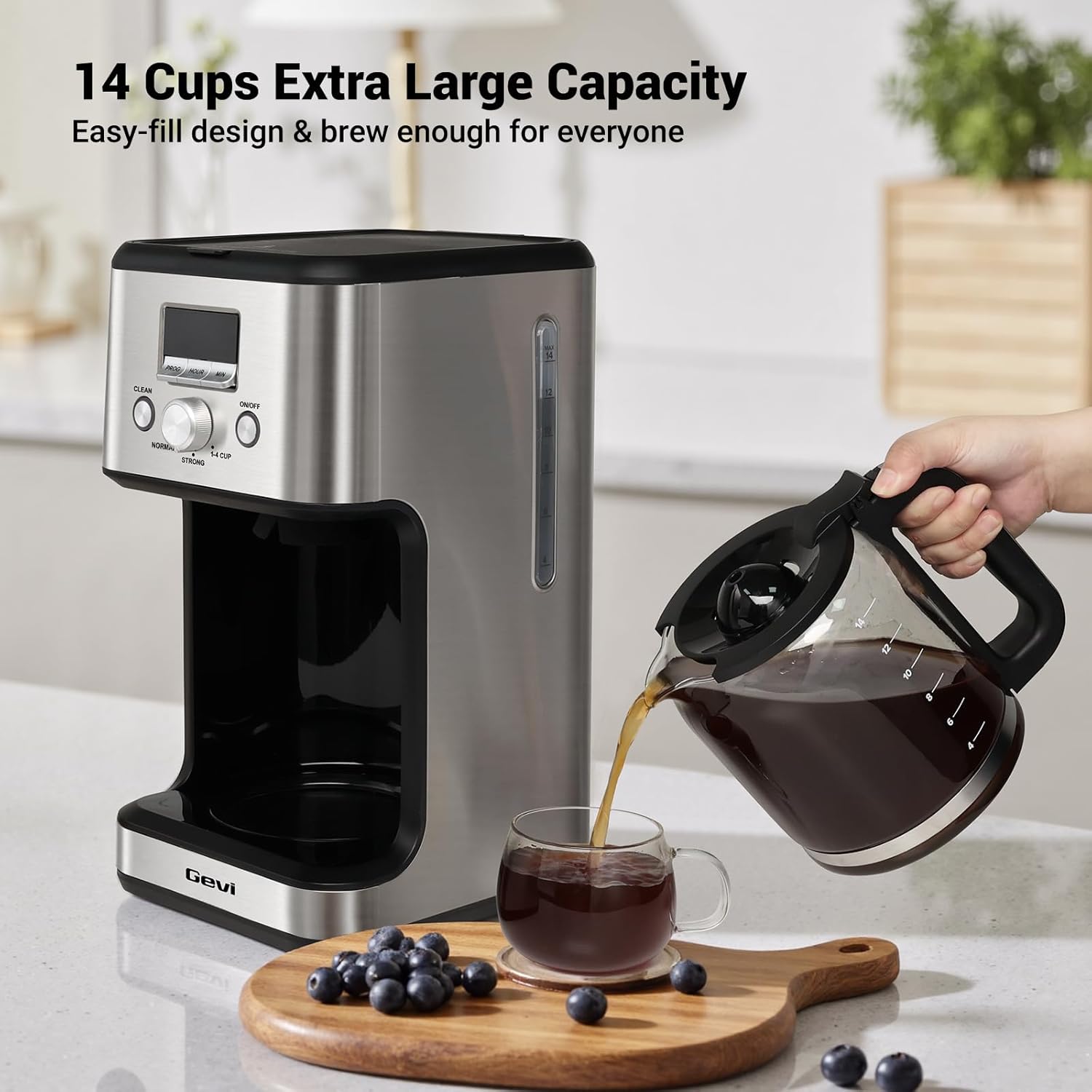
- 14-Cup Large Capacity: Brews up to 2.1 liters of coffee, suitable for families, offices, or entertaining guests.
- Programmable Brewing & LCD Display: Features a 24-hour programmable timer and an easy-to-read LCD display for setting brewing times and monitoring settings.
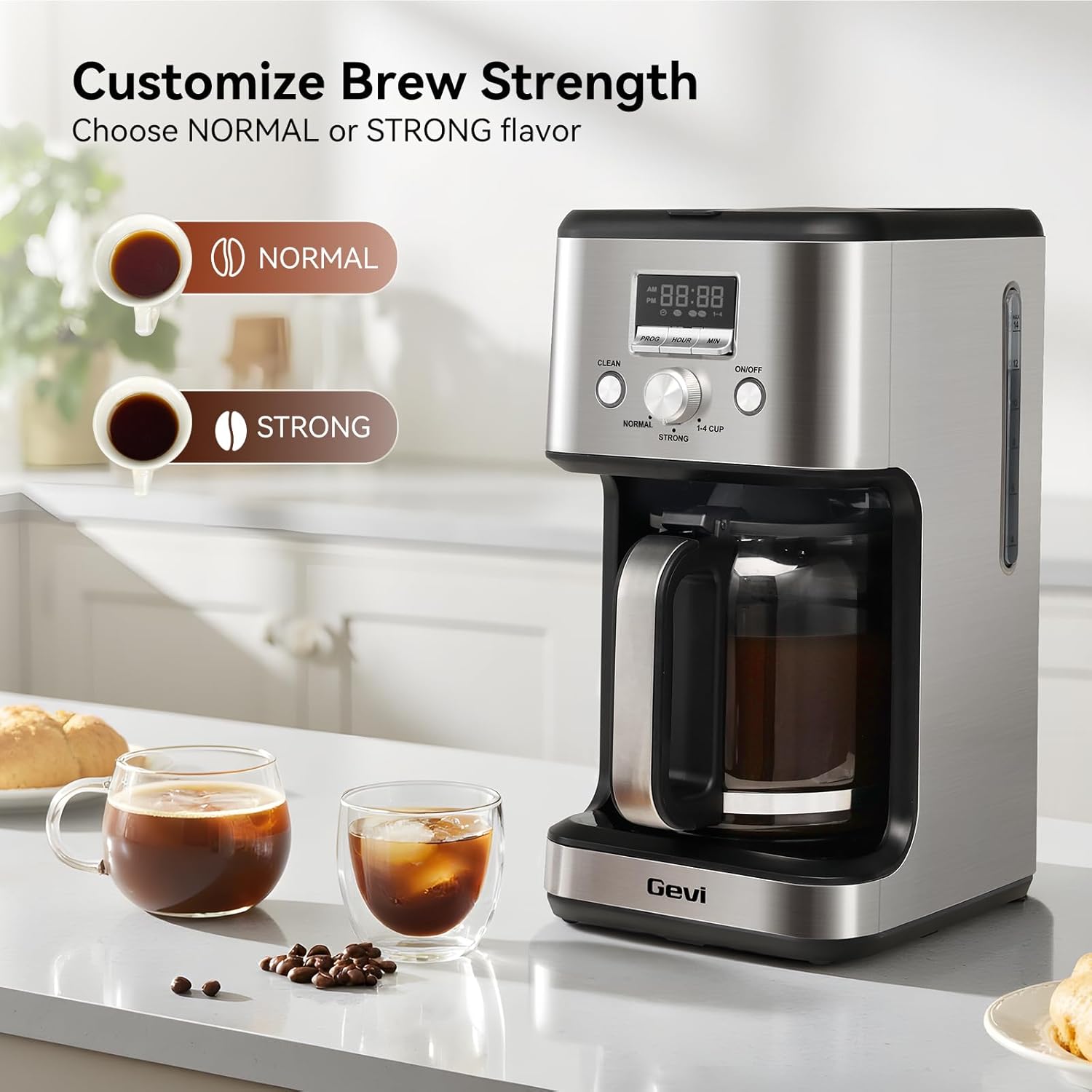
- Two Coffee Flavor Options: Select between 'STRONG' or 'NORMAL' brewing modes to customize your coffee's intensity.
- 2-Hour Keep Warm & Auto-Shutoff: Maintains coffee temperature for up to 2 hours and automatically turns off for safety.
- Pran yon poz epi sèvi: The anti-drip system allows you to pause brewing and pour a cup without spills.
- Rapèl Sik Netwayaj: A 'CLEAN' indicator flashes after 60 brewing cycles, signaling the need for descaling.
- Konsepsyon pou ekonomize espas: Compact build with stainless steel housing, ideal for various kitchen and office spaces.




Enstalasyon
- Netwayaj inisyal: Before first use, clean all removable parts (carafe, filter basket, reusable filter) with warm, soapy water. Wipe the exterior of the coffee maker with a damp cloth. Run a full cycle with only water to flush the internal components.
- Ajoute dlo: Fill the glass carafe with the desired amount of fresh, cold water. Open the top lid of the coffee maker and pour the water into the water reservoir. Ensure the water level is between the 'MIN' and 'MAX' marks on the water level indicator.
- Ajoute Kafe: Place the reusable filter or a paper filter into the filter basket. Add your preferred amount of ground coffee. Do not fill the coffee grounds past the 'MAX' line on the coffee filter. Close the top lid securely.
- Mete karafe a: Ensure the empty glass carafe is correctly positioned on the warming plate.
- Ploge nan: Plug the power cord into a standard electrical outlet. The display will show '12:00' blinking, indicating it's ready for time setting or brewing.
Video: How to Make Awesome Drip Coffee
This video demonstrates the basic steps for brewing coffee with the Gevi 14-Cup Drip Coffee Machine, including adding water and coffee grounds, and starting the brewing process.
Enstriksyon Operasyon
1. Mete Lè Aktyèl la
- When plugged in, the display will show '12:00' blinking.
- Press the 'HOUR' button to set the hour.
- Peze bouton 'MIN' lan pou mete minit yo.
- Once the desired time is set, the display will stop flashing after a few seconds, indicating the time is saved.
Video: How to Set the Time
This video guides you through the process of setting the current time on your Gevi coffee maker's digital display.
2. Setting the Brew Timer (Preset Time)
- Asire w ke lè aktyèl la byen fikse.
- Press the 'PROG' button. The display will show '12:00' blinking.
- Press the 'HOUR' button to set the desired hour for brewing.
- Press the 'MIN' button to set the desired minutes for brewing.
- After setting the preset time, the display will stop flashing, and a small preset icon will illuminate, indicating the timer is active. The machine will automatically start brewing at the set time.
- To cancel the preset mode, press the 'PROG' button again.
Video: How to Set the Brew Timer
This video demonstrates how to program your Gevi coffee maker to start brewing at a specific time using the brew timer function.
3. Adjusting Brew Strength
You can customize the strength of your coffee using the selector knob:
- Turn the knob to 'NORMAL' for a standard coffee flavor.
- Turn the knob to 'STRONG' for a bolder, more intense coffee flavor.
- Turn the knob to '1-4 CUP' for brewing smaller quantities (1-4 cups) with optimized extraction.
Video: How to Adjust the Flavor
This video demonstrates how to use the flavor selector knob to choose between 'Normal', 'Strong', and '1-4 Cup' brewing options.
4. Pause & Serve Function
The anti-drip system allows you to temporarily remove the carafe during the brewing cycle to pour a cup of coffee. The brewing will pause for approximately 30 seconds and resume once the carafe is returned to the warming plate. Avoid removing the carafe for longer than 30 seconds to prevent overflow.
5. Keep Warm & Auto-Shutoff
After brewing is complete, the coffee maker will automatically switch to a keep-warm mode, maintaining the coffee's temperature for up to 2 hours. After 2 hours, the appliance will automatically shut off for safety and energy conservation.
Netwayaj ak antretyen
Netwayaj regilye asire pi bon pèfòmans epi li pwolonje dire lavi machin kafe ou a. Note: None of the components are dishwasher safe.
1. Netwayaj chak jou
- Karafe ak panyen filtè: After each use, remove the carafe and filter basket. Discard used coffee grounds. Wash the carafe, filter basket, and reusable filter in warm, soapy water. Rinse thoroughly and dry.
- Eksteryè: Siye eksteryè kafe a ak yon mou, damp twal. Pa sèvi ak pwodui netwayaj abrazif oswa kousinen.
2. Self-Clean Cycle (Descaling)
The 'CLEAN' indicator on the screen will start flashing after approximately 60 brewing cycles, indicating that the coffee maker needs to be descaled to remove mineral buildup.
- Prepare Solisyon Netwayaj la: Fill the carafe with water up to the 14-cup mark. Add one packet of citric acid cleaning powder (or a suitable descaling solution as per manufacturer's instructions) to the water and stir until dissolved.
- Pour Solution: Pour the cleaning solution into the coffee maker's water reservoir.
- Kòmanse Sik Netwayaj la: Place the empty carafe on the warming plate. Press the 'CLEAN' button. The 'CLEAN' indicator will illuminate, and the machine will begin the auto-clean cycle.
- Soaking Phase: The brewing process will pause for a few minutes during the cycle to allow the cleaning solution to soak and dissolve mineral deposits.
- Konplete: Once the cleaning cycle is finished, the machine will beep and automatically switch to standby mode.
- Sik rense: After the self-clean cycle, discard the dirty water from the carafe. Fill the water reservoir with fresh, clean water and run 2-3 full brewing cycles with only water to thoroughly rinse the machine.
Video: How to Run the Self-Clean on the Machine
This video demonstrates the steps to perform a self-clean cycle on your Gevi coffee maker, including preparing the cleaning solution and initiating the cleaning process.
Depanaj
| Pwoblèm | Kòz posib | Solisyon |
|---|---|---|
| Kafe a pa ap prepare. | No water in reservoir, machine not plugged in, 'ON/OFF' button not pressed. | Fill water reservoir, ensure power cord is plugged in, press 'ON/OFF' button. |
| Kafe fèb. | Insufficient coffee grounds, 'NORMAL' brew strength selected, coarse grind. | Add more coffee grounds, select 'STRONG' brew, use a medium-fine grind. |
| Kafe a debòde nan panyen filtè a. | Too many coffee grounds, filter clogged, carafe not properly placed. | Reduce coffee grounds, clean filter, ensure carafe is correctly positioned. |
| 'CLEAN' indicator flashing. | Machin bezwen detartrage. | Run the self-clean cycle as described in the 'Cleaning and Maintenance' section. |
| Kafe pa cho ase. | Keep warm cycle ended, warming plate not functioning. | Ensure coffee is consumed within the 2-hour keep warm period. If issue persists, contact support. |
Espesifikasyon
| Karakteristik | Detay |
|---|---|
| Mak | gevi |
| Nimewo Modèl | DCMO0-SS0A1 |
| Kapasite | 2.1 Lit (14 Tas) |
| Koulè | Nerjaveèi asye |
| Kalite Coffee Maker | Degoute kafe machin |
| Mòd operasyon | Totalman otomatik |
| Kalite Antre Kafe | Kafe tè |
| Sous pouvwa | AC adaptè |
| Dishwasher Safe | Non |
| UPC | 767791889473 |
Garanti ak sipò
Every Gevi product purchased through official or authorized channels includes a 12-month warranty and lifetime technical support. If you encounter any problems when using your Gevi coffee machine, please feel free to contact us for assistance.
For support, please refer to the contact information provided with your product packaging or visit the official Gevi websit.