
1. Entwodiksyon
Thank you for choosing the HEBEOT HD 1080p Portable Video Camera. This manual provides essential information for setting up, operating, and maintaining your device. Please read it thoroughly before use to ensure optimal performance and longevity of your camera.
2. Enfòmasyon sou Sekirite
- Pa ekspoze kamera a ak dlo oswa imidite.
- Evite tanperati ekstrèm, limyè solèy dirèk, oswa anviwònman ki gen pousyè.
- Pa eseye demonte oswa repare aparèy la tèt ou. Kontakte pèsonèl kalifye pou sèvis.
- Kenbe soti nan atenn timoun yo.
- Use only the provided data cable for charging.
3. Pake kontni
Tanpri tcheke pake a pou atik sa yo:
- 1 x HEBEOT HD 1080p Portable Video Camera
- 1 x Data Cable (USB Type-C)
- 1 x manyèl enstriksyon
4. Pwodwi souview
The HEBEOT Portable Video Camera is a compact device designed for capturing high-definition video and photos. It features a 1080p camera module, built-in supplementary lights for low-light conditions, and WiFi connectivity for easy content management.


5. Enstalasyon
5.1 Chaje Kamera a
Before first use, fully charge the camera. Connect the provided USB Type-C data cable to the camera's charging port and the other end to a USB power adapter (not included) or a computer USB port. The charging indicator will show the charging status.
5.2 Mete yon Kat TF
The camera requires a TF (microSD) card for storing recordings. Locate the TF card slot on the side of the camera. Gently insert the TF card with the gold contacts facing down until it clicks into place. Ensure the card is inserted correctly to avoid damage.
5.3 Limen/Etenyen
To power on the camera, slide the power switch to the 'ON' position. To power off, slide the switch to the 'OFF' position.
6. Operasyon Enstriksyon
6.1 One-Touch Recording and Photo Taking
The camera features dedicated buttons for quick recording and photo capture. Press the designated button (refer to Figure 4.2) once to start recording video or take a photo. Press again to stop recording or take another photo.
6.2 Ajiste Ang Kamera a
The camera lens can be rotated 360 degrees. Gently rotate the lens module to achieve the desired shooting angle. This flexibility allows for capturing footage from various perspectives, whether mounted or handheld.
6.3 Montaj Opsyon
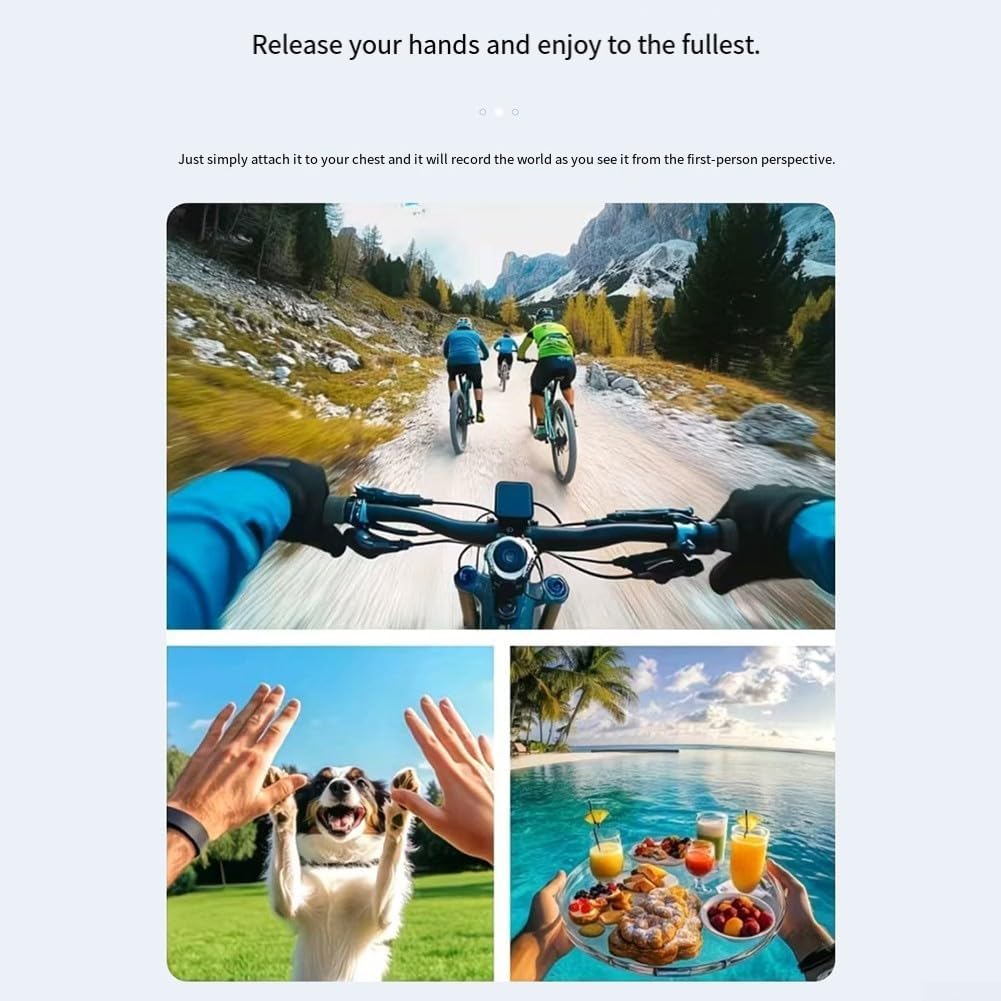
The camera includes a fixed back clip for attaching it to clothing, bags, or other surfaces. Additionally, it features a 1/4 inch expansion socket, making it compatible with standard tripods and other mounting accessories for stable recording.

7. WiFi Koneksyon
The camera supports WiFi connectivity, allowing you to connect your smartphone to its built-in WiFi hotspot. This feature enables seamless playback and downloading of recorded videos and photos directly to your smartphone without consuming mobile data. Refer to the camera's on-screen menu or a dedicated app (if applicable, check product packaging for app details) for WiFi setup instructions.
8. Low Light / Night Recording
Equipped with integrated supplementary lights, this camera is designed to deliver clear video quality even in low-light environments. This makes it suitable for use during nighttime or in dimly lit indoor settings, ensuring your recordings maintain detail and visibility.
9. Antretyen
- Netwayaj: Sèvi ak yon twal mou epi sèk pou netwaye kò kamera a. Pou lantiy la, sèvi ak yon twal espesyal ak yon solisyon pou netwaye lantiy. Pa sèvi ak pwodui chimik ki agresif oswa materyèl abrazif.
- Depo: Lè w pa ap itilize kamera a, sere l nan yon kote ki fre epi sèk, lwen limyè solèy dirèk ak tanperati ekstrèm.
- Swen batri: For optimal battery life, avoid fully discharging the battery frequently. Charge the camera regularly, even if not in active use, to maintain battery health.
NAN. Depanaj
10.1 Kamera a pa limen
- Asire w batri a chaje. Konekte kamera a nan yon sous kouran epi kite l chaje pou omwen 30 minit.
- Verifye ke switch pouvwa a nan pozisyon 'ON'.
10.2 Cannot Record Video/Take Photos
- Check if a TF card is inserted correctly and has sufficient free space.
- Ensure the TF card is formatted correctly (usually FAT32). Format the card if necessary (this will erase all data).
- The battery level might be too low. Charge the camera.
10.3 Pwoblèm Koneksyon WiFi
- Ensure the camera's WiFi hotspot is enabled.
- Rekòmanse tou de kamera a ak smartphone ou.
- Make sure you are within the effective range of the camera's WiFi signal.
11. Espesifikasyon
| Karakteristik | Spesifikasyon |
|---|---|
| Mak | HEBEOT |
| Modèl | M22T1UQO235FIZDV759Y5JN4M |
| Rezolisyon videyo | 1080p HD |
| Dimansyon (L x W x H) | 10 x 8 x 6 cm |
| Pwa | 150 gram |
| Koneksyon | WiFi |
| Depo | Kat TF (pa enkli) |
| Karakteristik espesyal | Night Recording (built-in supplementary lights), 360° Rotatable Lens, One-touch Recording, Fixed Back Clip, 1/4 inch Tripod Socket |
12. Garanti ak sipò
Pou enfòmasyon sou garanti a ak sipò teknik, tanpri al gade dokiman ki vini ak acha ou a oswa kontakte détayan/fabrikan an dirèkteman. Kenbe prèv acha ou a pou nenpòt reklamasyon garanti.