
Pwodwi souview
The pTron Studio Pro are wireless over-ear headphones designed for extended listening and clear communication. They feature an ergonomic design with soft earpads and an adjustable headband for comfortable wear. Key features include long battery life, advanced audio drivers, and versatile connectivity options.
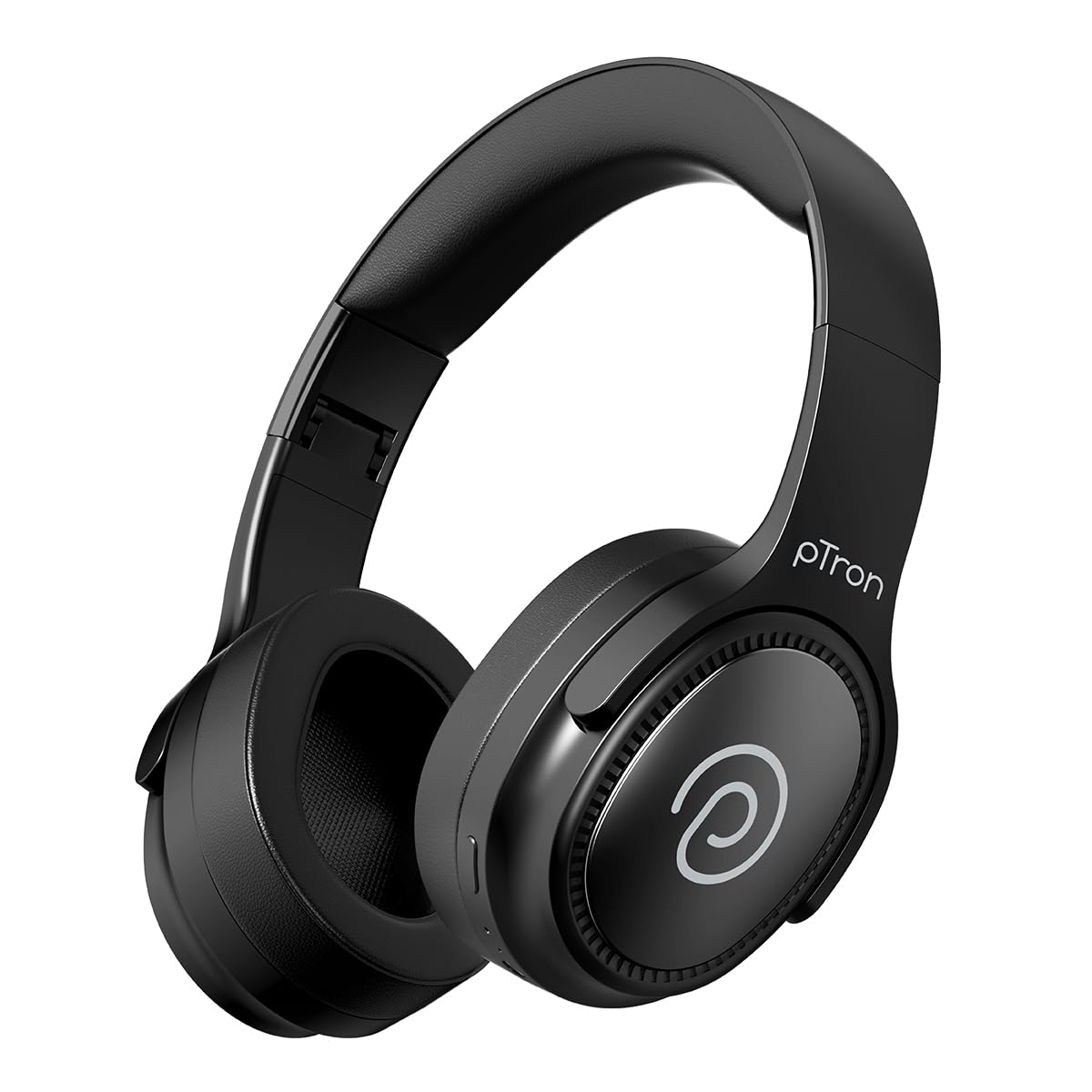
Image: pTron Studio Pro Wireless Over-Ear Headphones in Jet Black, showcasing konsepsyon elegant la.
Karakteristik kle
- Tan pou jwe pwolonje: Up to 65 hours of music playback on a single full charge.
- Chaje rapid: 2.5 hours for a full charge via Type-C. A 10-minute charge provides approximately 4 hours of playtime.
- Odyo kalite siperyè: Equipped with 40mm Neody Drivers for pristine stereo sound.
- Apèl klè: Built-in HD Microphone with TruTalk AI-ENC (Environmental Noise Cancellation) for crystal-clear calls.
- Koneksyon avanse: Fast Bluetooth v5.4 for instant pairing and stable connection.
- Koneksyon Doub Aparèy: Seamlessly connect and switch between two devices simultaneously.
- Mòd versatile: Dedicated Low-Latency Gaming Mode and Music Mode.
- Rezistans dlo: IPX4 rating, making them resistant to water splashes and sweat.
- Comfort & Portability: Ergonomic, lightweight, and foldable design with soft earpads and an adjustable headband for a perfect fit and easy storage.
- Kontwòl fasil: Multi-functional buttons for managing music, calls, and activating voice assistant.

Image: Infographic detailing the main features of the pTron Studio Pro headphones, including battery life, drivers, and connectivity.
Ki sa ki nan bwat la
Upon unboxing your pTron Studio Pro headphones, you will find the following items:
- pTron Studio Pro Wireless Over-Ear Headphones
- Chaje kab (Tip-C)
- Manyèl itilizatè
Video: An official product video demonstrating the unboxing and key features of the pTron Studio Pro headphones.
Layout pwodwi ak kontwòl
Familiarize yourself with the physical components and control buttons of your pTron Studio Pro headphones.

Imaj: Detaye view of the multi-function control buttons located on the ear cup, including power, volume, and track controls.
Fonksyon bouton kontwòl yo:
| Bouton/Aksyon | Fonksyon |
|---|---|
| Bouton Pouvwa (Long Press) | Limen/Etenn, Antre nan Mòd Koneksyon |
| Play/Pause Button (Single Press) | Jwe/Pòz Mizik, Reponn/Fen Apèl |
| Play/Pause Button (Long Press) | Rejte apèl la, aktive asistan vwa a |
| Volume Up (+) (Single Press) | Ogmante Volim |
| Volume Down (-) (Single Press) | Diminye Volim |
| Volume Up (+) (Long Press) | Next Track |
| Volume Down (-) (Long Press) | Previous Track |
| Mode Button (Single Press) | Chanje ant Mòd Jwèt ak Mòd Mizik |
Enstalasyon
1. Chaje kas ekoutè yo
- Konekte kab chaje Kalite-C ki vini ak kas ekoutè a nan pò chaje ki sou kas ekoutè a.
- Connect the other end of the cable to a USB power source (DC5V-1A max.).
- Endikatè LED la ap montre eta chaj la. Yon chaj konplè pran apeprè 2.5 èdtan.
- A 10-minute charge can provide up to 4 hours of playtime.

Image: The pTron Studio Pro headphones highlighting the Type-C charging port and emphasizing the 65-hour playtime.
2. Pè Bluetooth
- Asire w ke kas ekoutè yo byen chaje.
- Press and hold the Power button until the LED indicator flashes red and blue alternately, indicating pairing mode.
- Sou aparèy ou an (telefòn entelijan, tablèt, òdinatè pòtab), aktive Bluetooth epi chèche aparèy ki disponib yo.
- Select "pTron Studio Pro" from the list of devices.
- Yon fwa konekte, endikatè LED la ap vin ble fiks oswa li ap sispann flache.
3. Koneksyon ant de aparèy
- Konekte kas ekoutè yo ak premye aparèy la jan sa dekri pi wo a.
- Dezaktive Bluetooth sou premye aparèy la. Kas ekoutè a ap antre nan mòd koneksyon ankò.
- Koup kas ekoutè yo ak dezyèm aparèy la.
- Reaktive Bluetooth sou premye aparèy la. Kas ekoutè a ta dwe konekte otomatikman ak tou de aparèy yo.
- You can now switch audio playback between the two connected devices.

Image: The headphones connected to both a laptop and a smartphone, demonstrating the dual device pairing feature.
4. Wired Connection (3.5mm Aux-in)
- Insert one end of a 3.5mm audio cable (not included) into the Aux-in port on the headphones.
- Connect the other end of the cable to your audio source's 3.5mm jack.
- Kas ekoutè yo ap chanje otomatikman nan mòd filaire.

Image: The headphones connected to a smartphone using a 3.5mm Aux-in cable, illustrating wired music playback.
Enstriksyon Operasyon
Power On/Off
- Pouvwa sou: Peze epi kenbe bouton Power la pou apeprè 3 segonn jiskaske endikatè LED la limen.
- Pouvwa Off: Peze epi kenbe bouton Power la pou apeprè 5 segonn jiskaske endikatè LED la etenn.
Kontwòl Mizik
- Jwe/Poz: Peze bouton Jwe/Pòz la yon sèl fwa.
- Pwochen Track: Peze bouton pou monte volim nan (+) pandan yon bon bout tan.
- Track Previous: Peze bouton Diminye Volim nan (-) pandan yon bon bout tan.
- Volim moute: Single press the Volume Up (+) button.
- Volim desann: Single press the Volume Down (-) button.
Rele Kontwòl
- Reponn/Fen Apèl: Peze bouton Jwe/Pòz la yon sèl fwa.
- Rejte apèl: Long peze bouton Jwe/Paz la.
Asistan vwa
- Aktive Asistan Vwa: Long press the Play/Pause button (after rejecting a call, if applicable, or when not on a call).
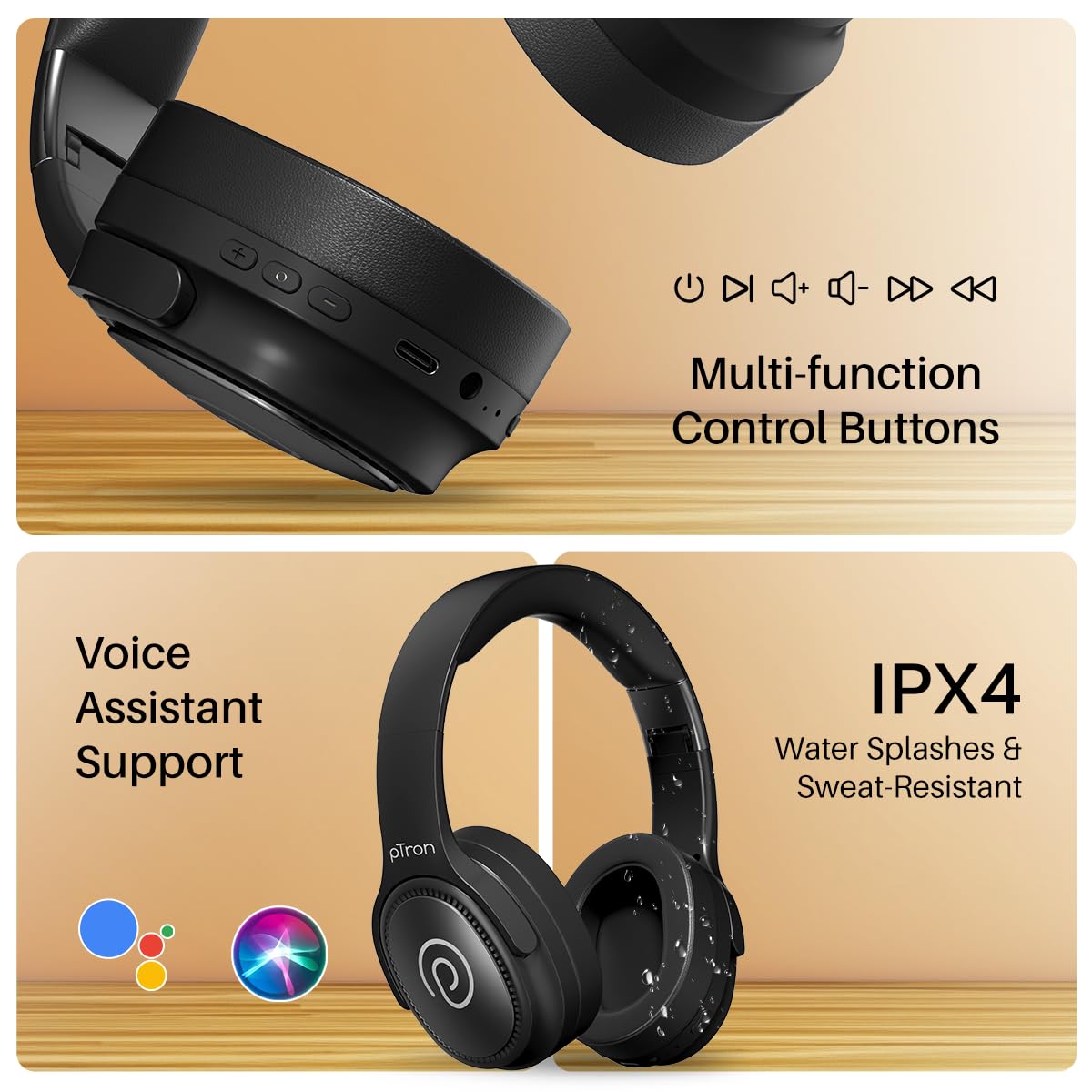
Image: The headphones illustrating support for voice assistants like Google Assistant and Siri, along with their IPX4 water-resistant rating.
Game & Music Modes
- Chanje mòd: Single press the Mode button to toggle between Low-Latency Gaming Mode and standard Music Mode.
Antretyen
To ensure the longevity and optimal performance of your pTron Studio Pro headphones, follow these maintenance guidelines:
- Netwayaj: Sèvi ak yon twal mou epi sèk pou netwaye kas ekoutè yo. Pa sèvi ak pwodui netwayaj abrazif oswa solvan.
- Depo: Lè w pa ap itilize kas ekoutè yo, sere yo nan yon kote ki fre epi sèk. Lefèt ke yo ka pliye pèmèt ou sere yo byen.
- Ekspozisyon dlo: While rated IPX4 for water splashes and sweat resistance, avoid submerging the headphones in water or exposing them to heavy rain. Dry them thoroughly if they get wet.
- Chaje: Use only the provided Type-C cable and a compatible power adapter (DC5V-1A max.) for charging.
- Evite tanperati ekstrèm: Pa ekspoze kas ekoutè yo nan tanperati ki wo oswa ki ba anpil.
Depanaj
If you encounter any issues with your pTron Studio Pro headphones, refer to the following common troubleshooting steps:
| Pwoblèm | Solisyon |
|---|---|
| Kas ekoutè yo pa limen. | Asire w ke kas ekoutè yo byen chaje. Konekte yo nan yon sous kouran epi tcheke endikatè chaj la. |
| Pa ka konekte ak yon aparèy. | Make sure Bluetooth is enabled on your device and the headphones are in pairing mode (LED flashing red/blue). Move closer to the device. Forget previous pairings on your device and try again. |
| Pa gen son oswa volim nan ba. | Check the volume levels on both the headphones and your connected device. Ensure the headphones are correctly paired. If using Aux-in, ensure the cable is fully inserted. |
| Kalite apèl la pa bon. | Ensure the microphone is not obstructed. Move to an area with less environmental noise. Check your device's network signal. |
| Kas ekoutè yo dekonekte souvan. | Ensure there are no obstacles between the headphones and your device. Keep within the Bluetooth range (10 meters). Avoid strong electromagnetic interference. |
Espesifikasyon
| Karakteristik | Detay |
|---|---|
| Mak | pTron |
| Non modèl | Studio |
| Plasman Zòrèy | Sou Zòrèy |
| Bluetooth vèsyon | 5.4 |
| Gamme Bluetooth | 10 mèt |
| Gwosè Chofè Audio | 40 Milimèt |
| Enpedans | 32 Ohms |
| Lavi Mwayèn Batri | 65 èdtan |
| Tan chaj batri | 2.5 èdtan |
| Port chaje | Kalite-C |
| Nivo rezistans dlo | IPX4 (rezistan dlo) |
| Mikwofòn | Built-in HD Mic with AI-ENC |
| Jack kas ekoutè | 3.5mm Jack |
| Kalite kontwòl | Call Control, Push Button |
| Karakteristik pwodwi | Fast Charging, Foldable, Microphone Included, Noise Isolation, Surround Sound |
| Pwa atik | 200 gram |
| Materyèl | Akrilonitrile butadien stirèn (ABS) |
| Aparèy konpatib | Telefòn selilè, òdinatè biwo, òdinatè pòtab, tablèt |
Garanti ak sipò
Your pTron Studio Pro headphones come with a manufacturer's warranty and dedicated customer support.
- Garanti: 6 Months Manufacturer Warranty from the Date of Purchase on Manufacturing Defects Only.
- Kontakte manifakti: Building A1, Red Box Creative Park, No. 3 Huancheng South Road, Bantian Street, Longgang District, Shenzhen City, China 518116.
- Customer Care Contact Details: 40-67138888 / Support@ptron.in
- Kontak Enpòtatè a: PALRED ELECTRONICS PVT. LTD., SY.NO. 56, 1ST FLOOR, GUNDLAPOCHAMPALLY VILLAGE, TECH PARK MTP, TSIIC-IALA NACHARAM, HYDERABAD - 500076, TELANGANA, INDIA.