
1. Pwodwi souview
This manual provides essential information for the SGIN 15.6 Inch Laptop Computer, Model SGIN-Y101. It covers initial setup, operation, maintenance, and troubleshooting to ensure optimal performance and longevity of your device.
Karakteristik kle:
- Powerful Core i3 Processor: Equipped with an i3 (4-thread) CPU up to 3.9GHz for multitasking.
- Ample Storage and Speed: Features 16GB RAM and 1024GB SSD for quick application loading and smooth operation. Storage is expandable with a TF card up to 1TB.
- 15.6 Inch FHD IPS Display: Full HD 1920×1080 IPS screen with 180° viewing angles for vivid colors and sharp details.
- Klavye retroeklere: White backlit keyboard for improved typing accuracy in low-light conditions. Activate with "FN" + "F5".
- All-Day Battery and Connectivity: 53.2Wh battery (7000mAh) providing up to 8 hours of battery life. Includes USB 3.0, HDMI, Micro SD slot, Kensington lock, and a headphone jack. Features WiFi 6.
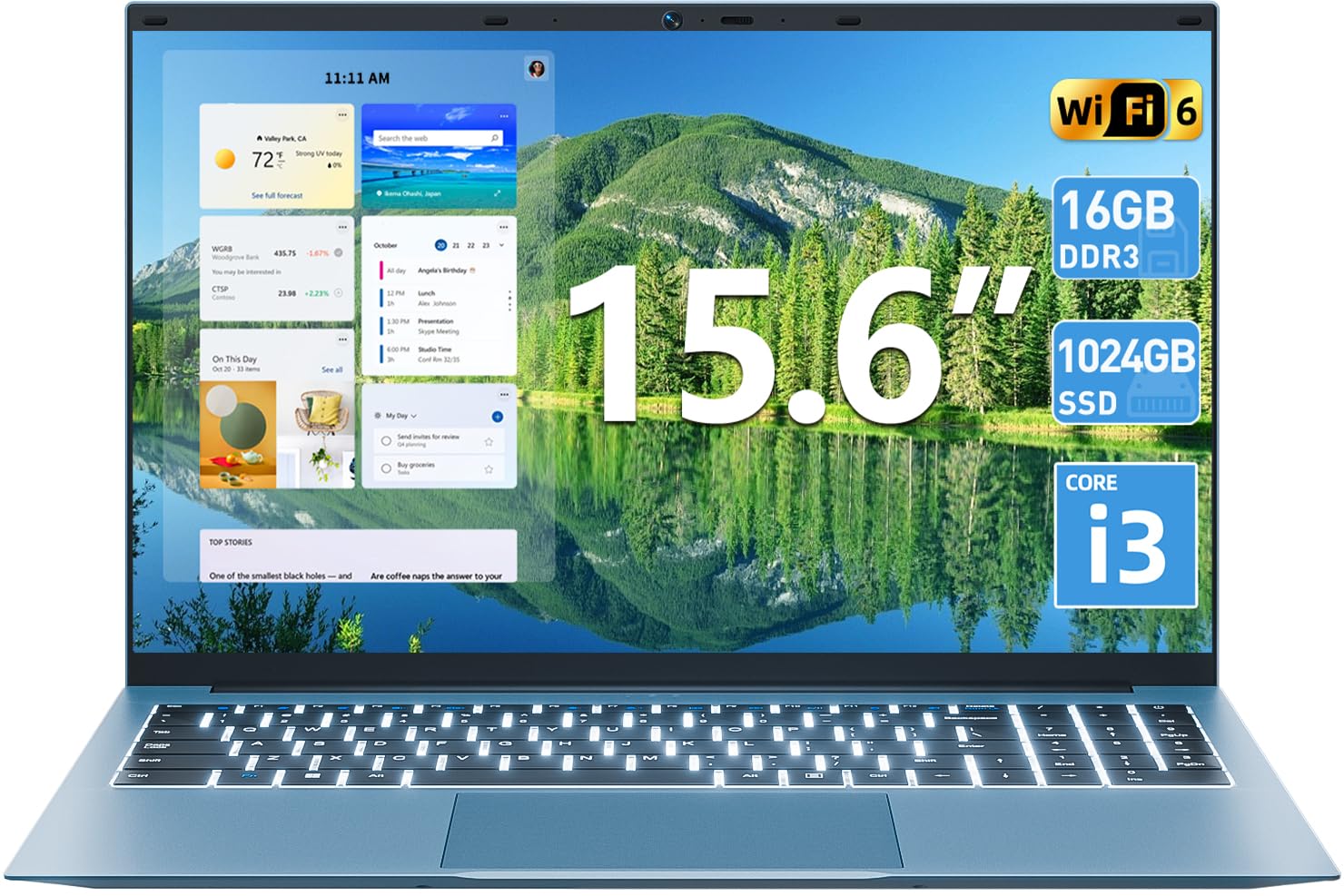
Imaj 1.1: Plis paseview of the SGIN 15.6 Inch Laptop Computer, highlighting its main features like RAM, SSD, Core i3 processor, Windows 11, battery, backlit keyboard, and WiFi 6.
2. Inisyal Enstalasyon
2.1 Unpacking the Laptop
Retire tout konpozan yo nan anbalaj la avèk prekosyon. Asire w ke atik sa yo la:
- SGIN 15.6 Inch Laptop
- Adaptè pouvwa
- Manyèl itilizatè

Image 2.1: The SGIN laptop, power adapter, and user manual as typically found in the package.
2.2 Chaje batri a
Before first use, fully charge the laptop battery.
- Connect the power adapter to the charging port on the laptop.
- Ploge adaptè pouvwa a nan yon priz miray.
- Allow the laptop to charge until the battery indicator shows a full charge.
Enpòtan: Use only the provided power adapter to avoid damage to the laptop.
2.3 Powering On and Initial Windows Setup
- Louvri kouvèti laptop la.
- Peze bouton pouvwa a ki sitiye sou klavye a.
- Follow the on-screen instructions to complete the Windows 11 initial setup, including language selection, network connection, and user account creation.
3. Itilizasyon òdinatè pòtab la
3.1 Klavye ak Touchpad
The laptop features a full-size keyboard with a numeric keypad and a large touchpad for navigation.
- Klavye retroeklere: To toggle the keyboard backlight, press the FN kle a an menm tan ak la F5 kle.
- Jès Touchpad: Gade paramèt Windows 11 yo pou wè jès personnalisable sou touchpad la.

Image 3.1: The laptop's backlit keyboard and numeric keypad, shown illuminated for use in low-light conditions.
3.2 Konekte periferik
The laptop offers various ports for connecting external devices.
- Pò USB: Konekte aparèy USB tankou sourit, klavye, oswa depo ekstèn.
- HDMI Port: Konekte ak yon monitè ekstèn oswa yon televizyon pou yon ekspozisyon pwolonje.
- Kalite-C Port: For data transfer and potentially charging (check specific adapter compatibility).
- Mikwo SD plas: Insert a Micro SD card for additional storage.
- Kas ekoutè Jack: Konekte kas ekoutè oswa oratè ekstèn.
- Fant Kensington Lock: Use a compatible security cable to secure your laptop.

Image 3.2: The left side of the laptop displaying the power input, Type-C port, HDMI port, and a USB port.
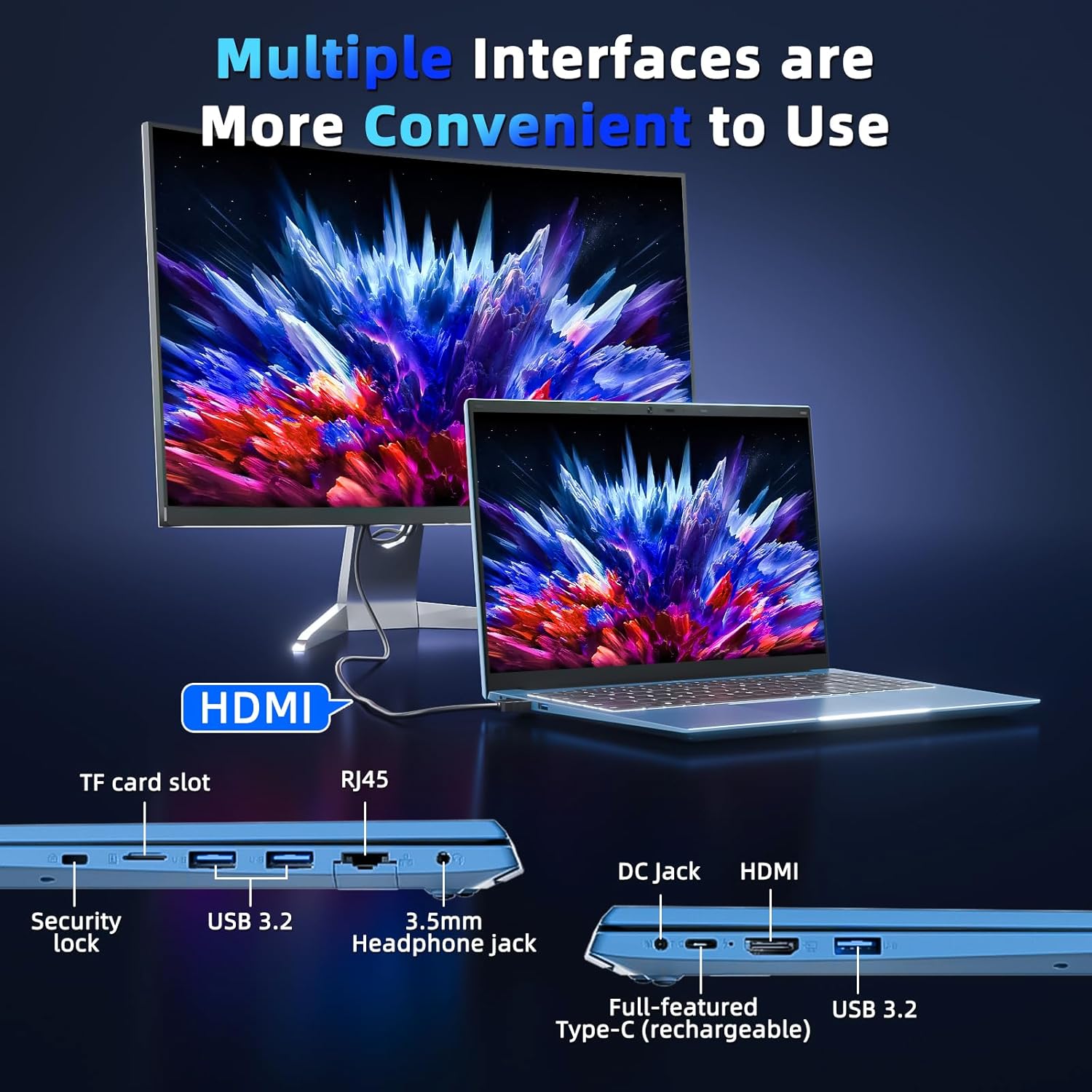
Image 3.3: The right side of the laptop displaying the Kensington lock slot, Micro SD card slot, two USB ports, and the headphone jack.
3.3 Koneksyon Wi-Fi
The laptop supports Wi-Fi 6 for fast wireless internet access.
- Klike sou ikòn Wi-Fi a nan ba travay la.
- Chwazi rezo ou vle a nan lis la.
- Enter the network password if prompted and click "Connect".
For wired internet connection, use the Ethernet port.
4. Antretyen ak Swen
4.1 Netwaye òdinatè pòtab la
- Sèvi ak yon twal mou ki pa gen pousyè pou netwaye ekran an ak deyò a.
- Evite itilize pwodwi chimik piman bouk oswa materyèl abrazif.
- Pou tach ki difisil pou retire, pase yon ti krasampRense twal la avèk dlo oswa yon solisyon pou netwaye ekran.
4.2 Swen Batri
- Evite dechaje batri a nèt souvan.
- Sere laptop la nan yon kote ki fre epi sèk lè w pa itilize li pou yon bon bout tan.
- If the laptop will not be used for a long time, charge the battery to about 50-60% before storage.
4.3 Webcam Privacy
The laptop includes a physical webcam switch for privacy. Slide the switch to cover or uncover the webcam lens as needed.
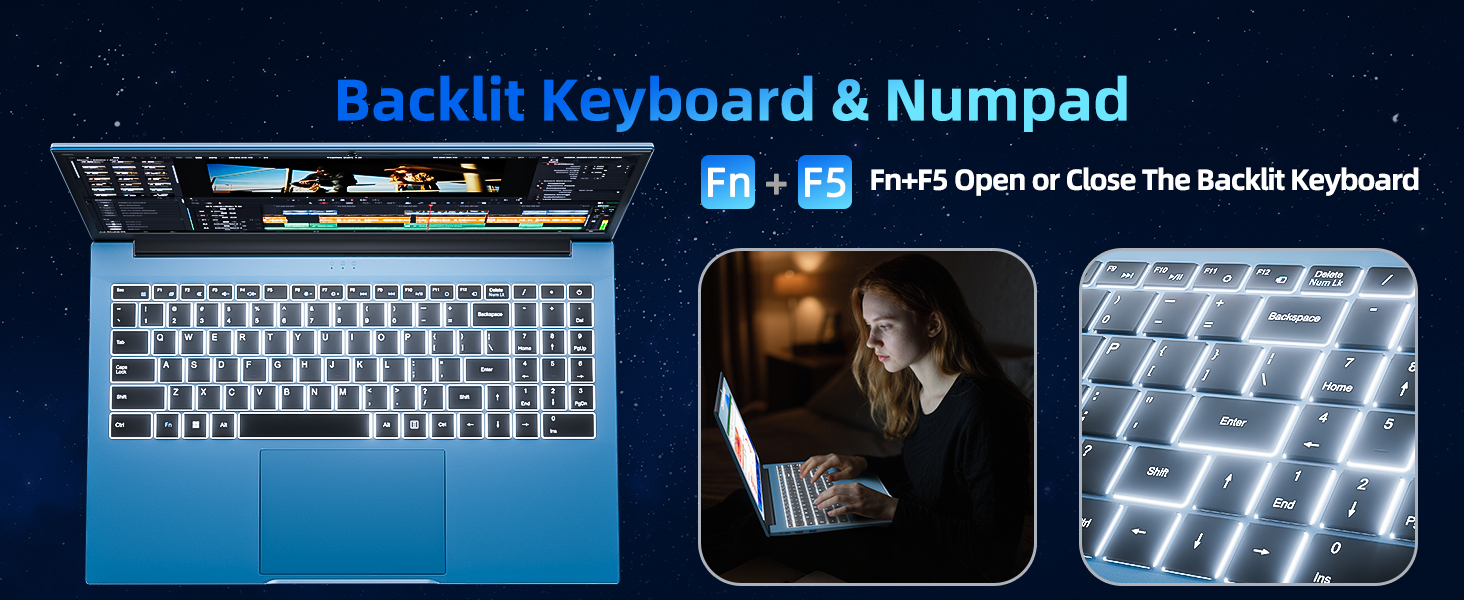
Image 4.1: Illustration of the physical webcam cover, demonstrating how to open and close it for privacy.
NAN. Depanaj
5.1 Pwoblèm pouvwa
- Laptop la pa limen: Asire w adaptè kouran an byen konekte ak laptop la ak yon priz kouran ki fonksyone. Tcheke si batri a chaje.
- Batri pa chaje: Verify the power adapter connection. If the issue persists, contact customer support.
5.2 Pwoblèm ekspozisyon
- Ekran an vid: Ensure the laptop is powered on. Try adjusting the screen brightness using the function keys. If connected to an external monitor, disconnect it.
- Distorted image: Restart the laptop. Update display drivers if necessary.
5.3 Pwoblèm koneksyon
- Pa gen koneksyon Wi-Fi: Tcheke si Wi-Fi a aktive nan paramèt Windows yo. Rekòmanse routeur ou a ak laptop la. Asire w ke ou nan zòn yon rezo Wi-Fi.
- Aparèy Bluetooth la pa konekte: Ensure Bluetooth is enabled on both the laptop and the device. Make sure the device is in pairing mode.
6. Espesifikasyon
| Karakteristik | Detay |
|---|---|
| Mak | SGIN |
| Nimewo Modèl | SGIN-Y101 |
| Gwosè ekran | 15.6 pous |
| Rezolisyon ekspozisyon | 1920 x 1080 piksèl (Full HD IPS) |
| Modèl CPU | Core i3 (10th Gen, Intel Core i3-10100) |
| CPU Speed (Max) | 3.9 GHz |
| RAM | 16GB DDR3 SDRAM |
| Depo | 1024GB SSD (Expandable with TF card up to 1TB) |
| Sistèm operasyon | Windows 11 |
| Kapasite batri | 53.2 Wh (7000mAh) |
| Koneksyon san fil | WiFi 6 (802.11ax), Bluetooth |
| Pò | USB 3.0, HDMI, Micro SD slot, Kensington lock, Headphone jack, Type-C |
| Klavye | Retroeklere |
| Webkam | Yes (with physical privacy switch) |
| Pwa | 2.52 Kilogram |
7. Garanti ak sipò
The SGIN 15.6 Inch Laptop Computer comes with a 1-year limited protection warranty.
For technical assistance, troubleshooting, or warranty claims, please contact SGIN customer support. They offer 24/7 instant help. Refer to the contact information provided with your product packaging or visit the official SGIN websit pou detay sipò.
8. Videyo pwodwi
Video 8.1: An official product video demonstrating the SGIN 15.6 Inch Laptop Computer, including its physical features and some operational aspects. This video is provided by the seller, SGIN Lap US.