
1. Entwodiksyon
This manual provides essential information for setting up, operating, maintaining, and troubleshooting your NIMO N158 15.6-inch laptop. Please read this manual thoroughly before using your device to ensure optimal performance and longevity.
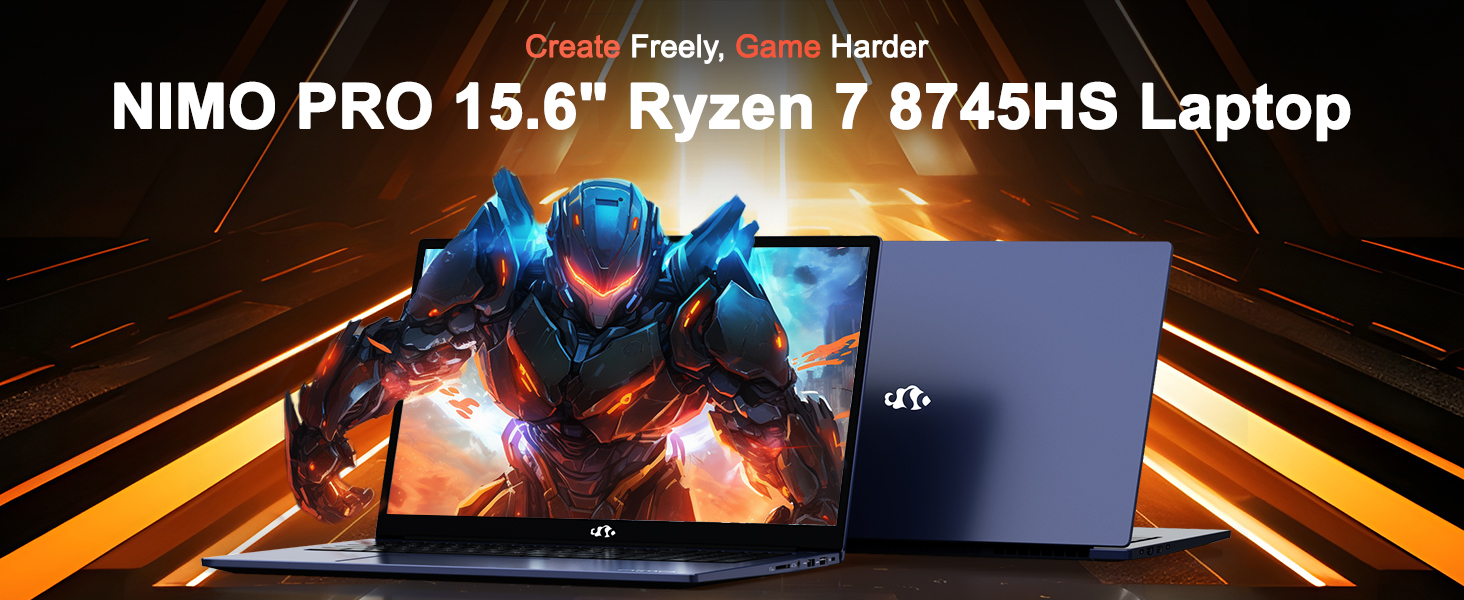
Image: The NIMO N158 15.6-inch laptop, showcasing konsepsyon li yo ak karakteristik prensipal li yo.
2. Pwodwi souview
The NIMO N158 is a high-performance laptop designed for productivity and entertainment. It features an AMD Ryzen 7 8745HS processor, 64GB DDR5 RAM, and a 1TB PCIe 4.0 SSD.
2.1 Konpozan kle
- Processeur: AMD Ryzen 7 8745HS (8 Nwayo, 16 Fil, jiska 4.9GHz)
- Grafik: Grafik entegre AMD Radeon 780M
- memwa: 64GB DDR5 RAM (4800 MHz)
- Depo: SSD PCIe 4.0 1TB
- Ekspozisyon: Ekran IPS 15.6 pous Full HD (1920x1080) Anti-refleksyon
- Sistèm operasyon: Windows 11 Kay
- Batri: 75Wh Lithium Polymer
2.2 Pò ak Entèfas
The NIMO N158 laptop offers a variety of ports for connectivity:

Image: Diagram illustrating the various ports and interfaces on the NIMO N158 laptop.
- 1 x USB 2.0 Port
- 3 x USB 3.0 pò
- 1 x USB 4.0 Type-C Port (with 100W PD fast charging support)
- XNX x HDMI Port
- 1 x Jack ekoutè
- 1 x SD Card Reader
- 1 x Kensington Lock emplacement
3. Enstalasyon
3.1 Initial Power-On and Charging
- Unpack the laptop and the included 100W Type-C PD Fast Charger.
- Connect the charger to the USB Type-C port on the laptop and to a power outlet. The Charger LED will illuminate.
- Kite laptop la chaje pou omwen 30 minit anvan premye itilizasyon an, oubyen jiskaske endikatè batri a montre ase chaj.
- Peze bouton pouvwa a pou limen laptop la.

Image: The NIMO N158 laptop connected to its 100W Type-C fast charger, illustrating the charging process.
3.2 Enstalasyon sistèm operasyon
Upon first boot, you will be guided through the Windows 11 Home setup process. Follow the on-screen instructions to configure your language, region, network connection, and user account.
3.3 Enstalasyon Lektè Anprent Dwèt
For enhanced security, set up the integrated fingerprint reader during the Windows 11 setup or later via Windows Settings > Accounts > Sign-in options. This allows for quick and secure login.
4. Operasyon Enstriksyon
4.1 Klavye ak Touchpad
- Klavye retroeklere: The keyboard features backlighting for comfortable typing in low-light conditions. Use the designated function key (Fn + F key combination, typically) to adjust brightness or toggle the backlight.
- Klavye nimerik: A dedicated numeric keypad is included for efficient data entry.
- Precision Gesture Touchpad: Touchpad la sipòte jès milti-touch pou navigasyon. Gade paramèt Windows yo pou pèsonalize jès touchpad yo.

Image: A user interacting with the NIMO N158 laptop, highlighting the backlit keyboard and fingerprint reader on the touchpad.
4.2 Montre
The 15.6-inch Full HD IPS anti-glare display provides clear and vibrant visuals. Adjust display settings (resolution, brightness, color) through Windows Display Settings.

Image: The NIMO N158 laptop displaying a vibrant image on its 15.6-inch Full HD IPS screen, emphasizing visual quality.
4.3 Webkam
The laptop includes a 2MP webcam. For privacy, a physical webcam shield or switch is integrated. Ensure the webcam is open when in use and closed when not needed.

Image: A visual representation of the NIMO N158 laptop's privacy-focused camera, showing the open and closed states of the webcam switch.
4.4 Pèfòmans ak Miltitasking
The AMD Ryzen 7 8745HS processor and 64GB DDR5 RAM provide robust performance for demanding tasks, content creation, and gaming. The 1TB PCIe 4.0 SSD ensures fast boot times and application loading.

Image: A close-up of the AMD Ryzen 7 8745HS processor chip, highlighting its core specifications.
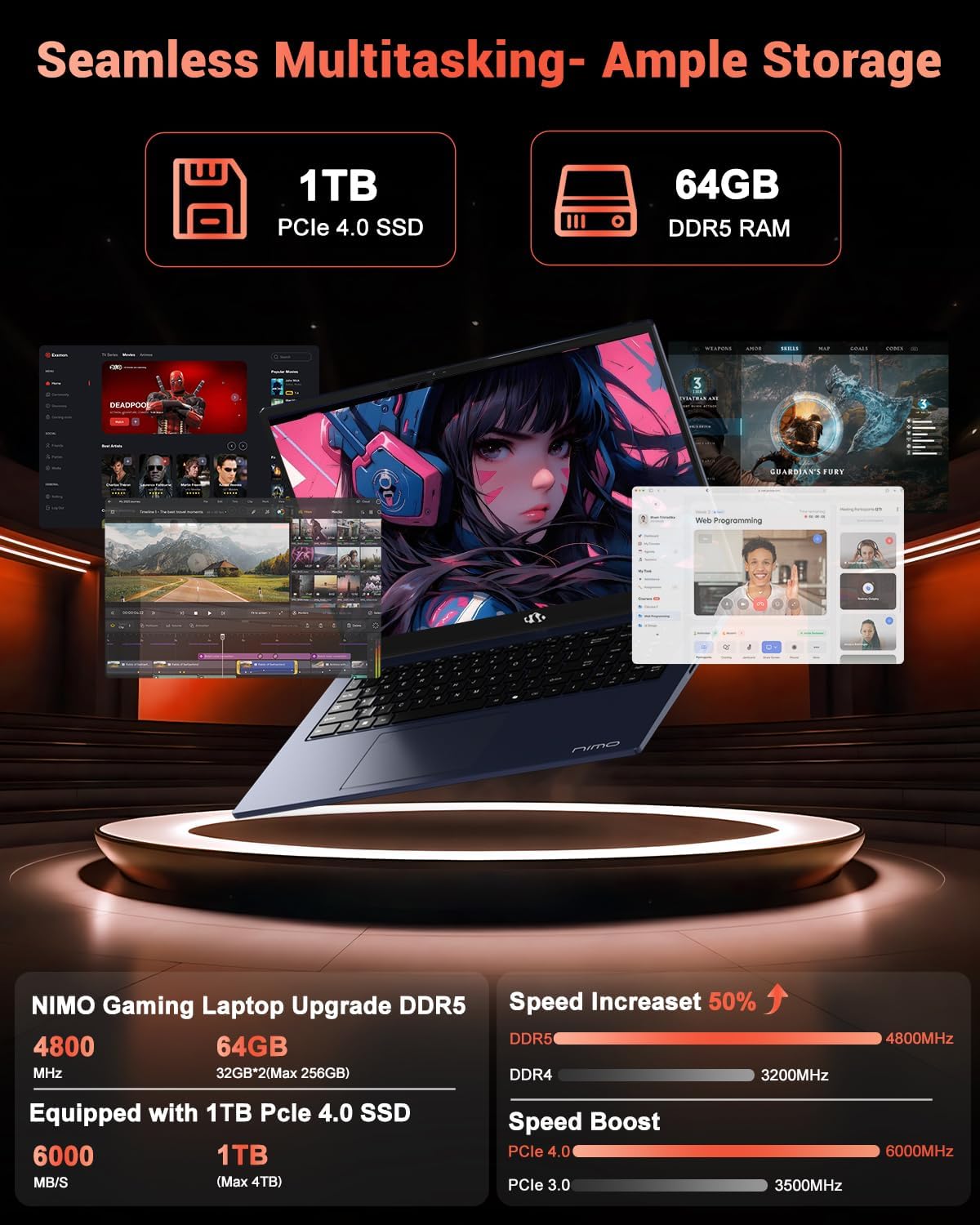
Image: The NIMO N158 laptop displaying multiple applications open, demonstrating its multitasking capabilities with 64GB RAM and 1TB SSD.
5. Antretyen
5.1 Swen Jeneral
- Kenbe laptop la pwòp lè w siye sifas yo ak yon twal mou epi sèk.
- Avoid exposing the laptop to extreme temperatures, direct sunlight, or moisture.
- Do not place heavy objects on the laptop.
- Asire bon vantilasyon pa bloke vantilasyon yo.
5.2 Amelyorasyon
The NIMO N158 features an upgradable design, allowing for expansion of memory (RAM) and storage (SSD). Consult a qualified technician or refer to official NIMO support resources before attempting any internal upgrades to avoid voiding your warranty.
NAN. Depanaj
If you encounter issues with your NIMO N158 laptop, consider the following basic troubleshooting steps:
- Pa gen pouvwa: Ensure the charger is securely connected and the power outlet is functional. Try a different outlet.
- Pwoblèm ekspozisyon: Check external display connections if using one. Adjust screen brightness. Restart the laptop.
- Pèfòmans Ralanti: Fèmen aplikasyon ki pa nesesè yo. Tcheke pou mizajou an background. Asire w ke gen ase espas depo lib.
- Pwoblèm koneksyon: Restart your Wi-Fi router. Reconnect to the Wi-Fi network. Update network drivers.
- Sistèm bloke: Press and hold the power button for 10-15 seconds to force a shutdown, then restart.
For persistent issues, refer to the NIMO support websit oswa kontakte sèvis kliyan.
7. Espesifikasyon
| Karakteristik | Spesifikasyon |
|---|---|
| Mak | NIMO |
| Non modèl | NIMO N158B |
| Gwosè ekran | 15.6 pous |
| Rezolisyon ekran | 1920 x 1080 Pixels (FHD IPS) |
| Processeur | AMD Ryzen 7 8745HS (jiska 4.9 GHz) |
| RAM | 64 GB DDR5 (4800 MHz) |
| Disk Drive | SSD 1024 GB (PCIe 4.0) |
| Koprosesè grafik | AMD Radeon 780M |
| Sistèm operasyon | Windows 11 Kay |
| Kalite san fil | 802.11a/b/g/n/ac (Wi-Fi 6E) |
| Pò USB 2.0 | 1 |
| Pò USB 3.0 | 3 |
| USB 4.0 Kalite-C pò | 1 |
| Mwayèn lavi batri | 15.5 èdtan |
| Pwa atik | 3.8 liv |
| Dimansyon pwodwi | 14.07 x 8.98 x 0.76 pous |
| Karakteristik espesyal | Klavye retroeklere, lektè anprent, odyo HD, klavye nimerik |
8. Garanti ak sipò
NIMO is committed to providing excellent customer service and product support.
8.1 Enfòmasyon sou Garanti
Laptop NIMO N158 ou a vini ak yon 2-ane garanti apati dat acha a. Garanti sa a kouvri domaj fabrikasyon ak fonksyònman defo pyès ki nan konpitè anba itilizasyon nòmal. Tanpri konsève prèv acha ou pou reklamasyon garanti.

Image: A technician performing maintenance on a laptop, representing the 2-year support provided by NIMO.
8.2 Règleman pou retounen
NIMO offers a Règleman pou retounen pwodwi a san pwoblèm nan 90 jou. If you are not satisfied with your purchase, you may return the product within 90 days from the date of purchase. Please refer to the official NIMO return policy for detailed terms and conditions.

Image: A delivery person handing a package to a customer, illustrating the 90-day return policy.
8.3 Sipò pou Kliyan
Our dedicated support team is available to assist you with any questions or issues. You can reach us via:
- Imèl: service@nimopc.com
- Sou entènèt: Vizite NIMO ofisyèl la websit pou FAQ ak resous sipò.
We strive to provide quick solutions and a worry-free experience.

Image: Customer service representatives wearing headsets, representing professional customer assistance.