
1. Entwodiksyon
This manual provides detailed instructions for the installation, configuration, and operation of the D-Link Guardian 700 Pro Multi-Gig Business Router (DBR-700). The DBR-700 is designed to provide enterprise-level networking capabilities for small and medium businesses, offering high-speed connectivity, robust security features, and simplified management.
Key features include a 2.5GbE WAN port, six 2.5GbE LAN ports, a 2.5GbE SFP uplink for flexible fiber connections, Multi-WAN failover, SPI Firewall, VPN support (IPSec, WireGuard, OpenVPN), and centralized management for up to 15 D-Link Guardian Wi-Fi 6 Smart Access Points (DBR-X3000-AP, sold separately).

Image: The D-Link Guardian 700 Pro Multi-Gig Router (DBR-700) designed for small and medium business environments.
2. Pake kontni
Verifye ke pake ou a gen atik sa yo:
- D-Link Guardian 700 Pro Multi-Gig Business Router (DBR-700)
- Adaptè pouvwa
- Gid Enstalasyon rapid (QIG)
Si gen nenpòt atik ki manke oswa ki domaje, tanpri kontakte revandè D-Link lokal ou a.
3. Materyèl Plis paseview
3.1. Front Panel
The front panel of the DBR-700 features status indicators and network ports.

Imaj: Devan view of the DBR-700 router, showing LED indicators, Console port, LAN ports, WAN port, and LAN/WAN SFP port.
- SYS dirije: Endike estati sistèm lan.
- SFP dirije: Indicates status of the SFP port.
- Bouton Reyajiste: Used to reset the device or restore factory defaults.
- Pò konsole: For command-line interface access.
- Pò LAN (1-6): Six 2.5GbE LAN ports for connecting local network devices.
- Pò LAN/WAN: A 2.5GbE port configurable as either a LAN or WAN interface.
- Pò WAN: A dedicated 2.5GbE WAN port for internet connectivity.
- LAN/WAN SFP Port: A 2.5GbE/1GbE SFP port for fiber or copper connections, configurable as LAN or WAN.
3.2. Panel aryè
The rear panel includes the power input and power switch.

Imaj: Dèyè view of the DBR-700 router, showing the DC 12V/2A power input and On/Off switch.
- DC 12V/2A: Konektè antre pouvwa.
- Bouton On/Off: Kontwòl pouvwa pou aparèy la.
4. Enstalasyon
Follow these steps for the initial setup of your DBR-700 router:
- Koneksyon pouvwa: Connect the provided power adapter to the DC 12V/2A port on the rear panel of the router and plug it into a power outlet. Turn on the router using the On/Off switch.
- Koneksyon WAN: Connect your internet service provider's modem or main network line to the WAN port on the router using an Ethernet cable. If using fiber, insert the SFP module (sold separately) into the LAN/WAN SFP port and connect the fiber cable.
- Koneksyon LAN: Connect your local network devices (e.g., computers, switches, access points) to the LAN ports (1-6) or the configurable LAN/WAN port using Ethernet cables.
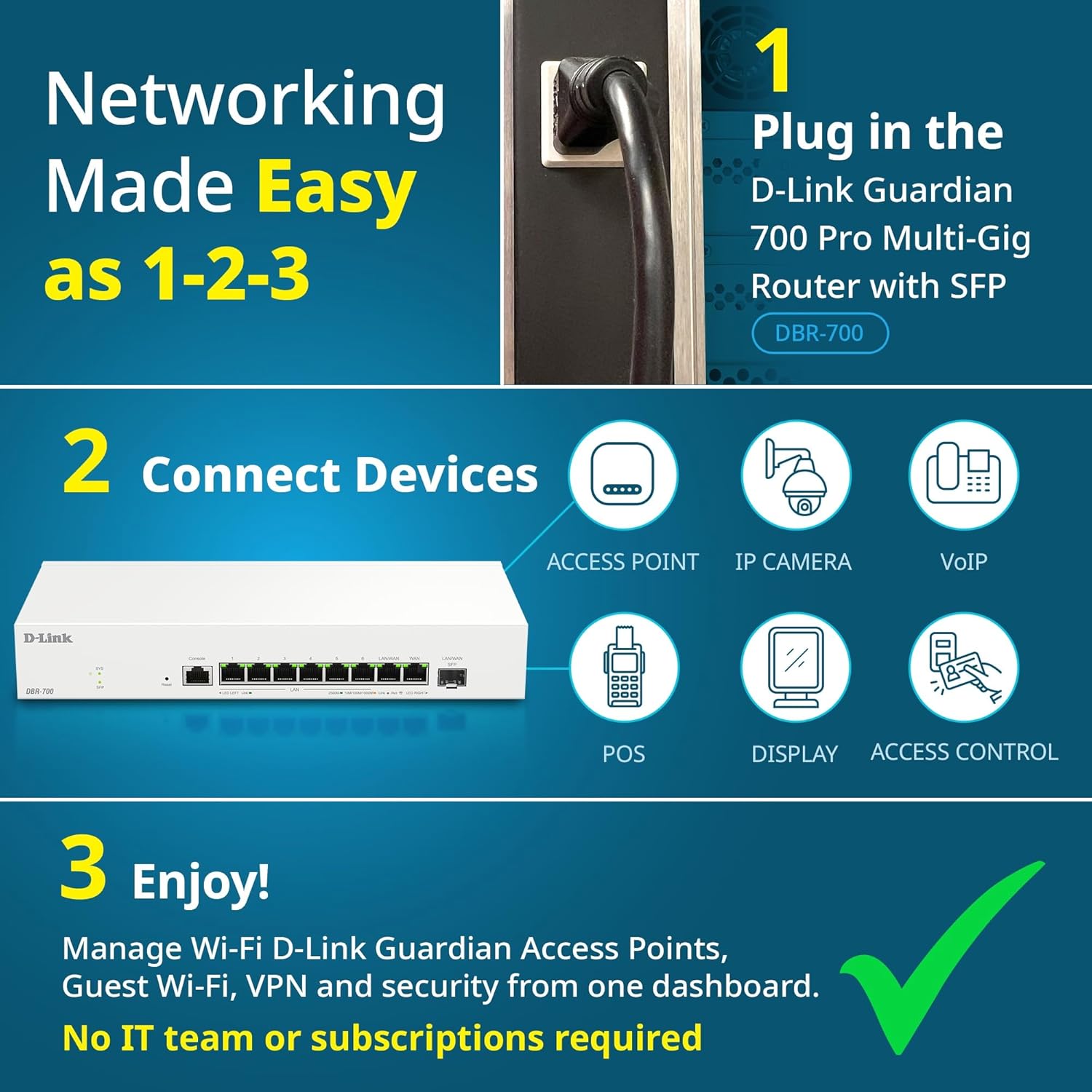
Image: Visual guide for router installation: 1. Plug in the DBR-700 router. 2. Connect devices like access points, IP cameras, VoIP, POS, displays, and access control. 3. Enjoy managed Wi-Fi, Guest Wi-Fi, VPN, and security from one dashboard.
5. Konfigirasyon
5.1. Aksè a Web Entèfas
To configure the DBR-700, access its web-koòdone jesyon ki baze sou:
- Asire w ke òdinatè w lan konekte ak youn nan pò LAN routeur la.
- Louvri a web navigatè (pa egzanp, Chrome, Firefox, Edge).
- Enter the router's default IP address (typically
192.168.1.1or similar, refer to the Quick Installation Guide for the exact address) into the address bar and press Enter. - Enter the default username and password when prompted. (Refer to the Quick Installation Guide for default credentials).
5.2. Basic Network Settings
Once logged in, you can configure basic network settings:
- Anviwònman WAN: Configure your internet connection type (e.g., DHCP, Static IP, PPPoE) as provided by your ISP.
- Anviwònman LAN: Adjust the router's internal IP address, subnet mask, and DHCP server settings for your local network.
- Anviwònman tan: Set the correct time zone and synchronize the router's clock.
6. Karakteristik avanse
6.1. Multi-WAN Failover
The DBR-700 supports Multi-WAN with intelligent failover, ensuring business continuity by providing redundant internet connections. If the primary WAN link fails, the router automatically switches to a secondary WAN link.

Image: The DBR-700's ports, illustrating the Primary 2.5GbE WAN, Secondary 2.5GbE LAN/WAN, and SFP Uplink for Multi-WAN failover capabilities.
6.2. VPN Configuration
The router includes built-in VPN support for IPSec, WireGuard, and OpenVPN, enabling secure remote access for employees and branch office connectivity. It supports up to 100 VPN tunnels.
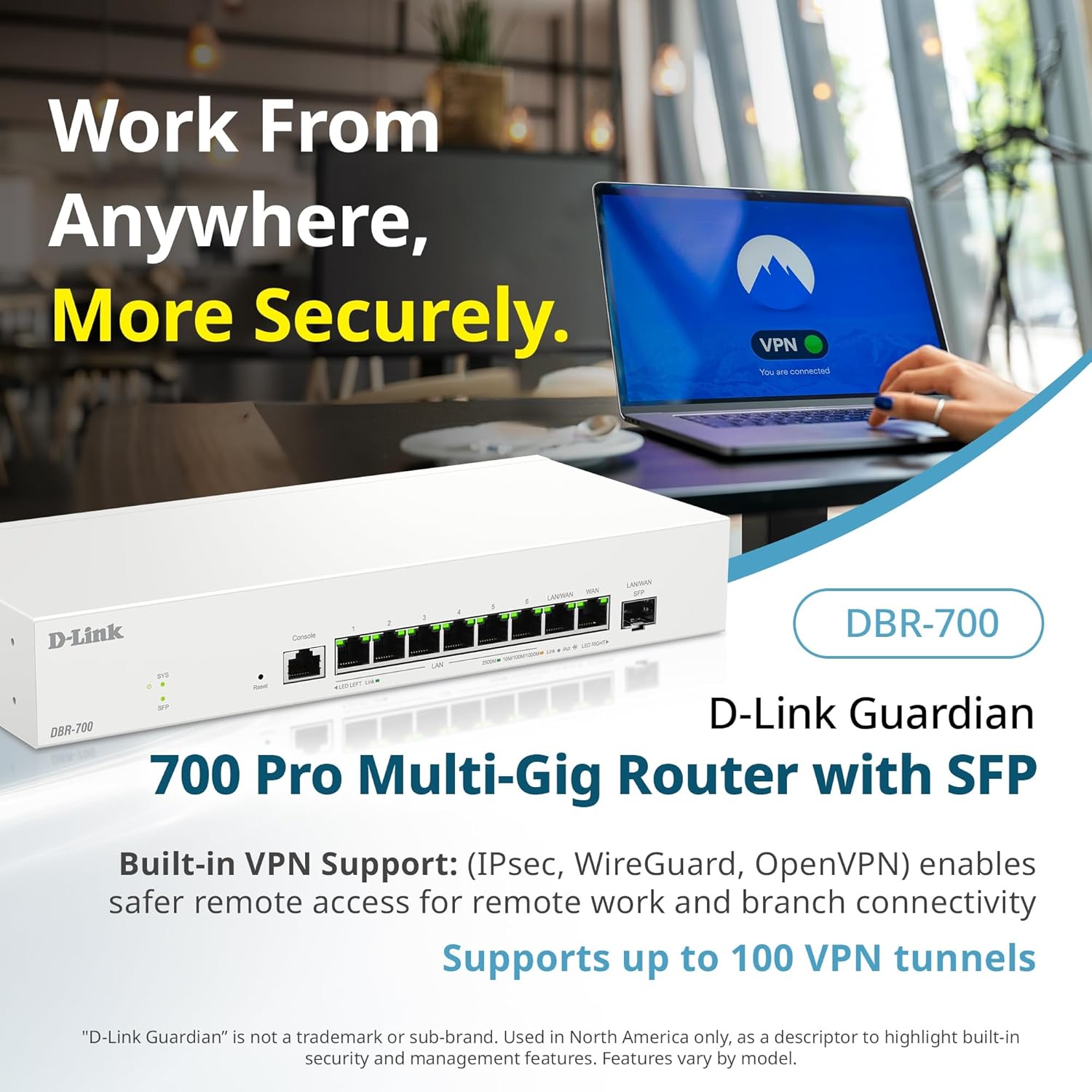
Image: A laptop displaying a 'VPN Connected' status, with the DBR-700 router in the foreground, illustrating secure remote access.
6.3. Centralized Access Point Management
The DBR-700 can discover and manage up to 15 D-Link Guardian Wi-Fi 6 Smart Access Points (DBR-X3000-AP, sold separately) from a single intuitive dashboard. This simplifies Wi-Fi network deployment and management.

Image: A tablet showing the D-Link Wi-Fi management dashboard, demonstrating centralized control over D-Link Guardian Access Points, with the DBR-700 router and a DBR-X3000-AP in the background.
6.4. Guest Wi-Fi Management
Set up and manage guest Wi-Fi networks with a Captive Portal. This allows for branded sign-in pages for guests while keeping business systems separate and secure. Configuration and management are done from the router dashboard.

Image: A smartphone screen showing a customizable guest Wi-Fi login portal, highlighting the DBR-700's ability to manage and customize guest networks.
7. Antretyen
7.1. Mizajou Firmware
Regularly check for and install firmware updates to ensure optimal performance, security, and access to new features. Firmware updates can typically be found on the D-Link support websit pou modèl espesifik ou a.
7.2. Reset faktori
If you encounter persistent issues or wish to clear all configurations, you can perform a factory reset. To do this, locate the Reset button on the front panel. With the router powered on, use a paperclip or similar pointed object to press and hold the Reset button for approximately 5-10 seconds until the SYS LED blinks. Release the button, and the router will restart with factory default settings.
NAN. Depanaj
This section addresses common issues you might encounter with your DBR-700 router.
8.1. Pa gen koneksyon entènèt
- Tcheke Câbles: Asire w tout kab Ethernet yo byen konekte ak pò ki kòrèk yo (WAN, LAN).
- Estati Modem: Verify that your internet service provider's modem is working correctly and has an active internet connection.
- Konfigirasyon WAN: Konekte nan routeur la web interface and verify that the WAN settings (e.g., IP address, DNS) are correctly configured according to your ISP's requirements.
- Rekòmanse Aparèy yo: Power cycle your modem, then the router, and then your connected devices.
8.2. Pa ka jwenn aksè Web Entèfas
- Adrès IP: Ensure your computer is configured to obtain an IP address automatically (DHCP) or has a static IP address within the router's subnet.
- IP routeur: Double-check the router's default IP address. It might be printed on a label on the router itself or in the Quick Installation Guide.
- Pare-feu/Antiviris: Dezaktive tanporèman nenpòt pare-feu oswa lojisyèl antivirus sou òdinatè w la ki ta ka bloke aksè.
- Kach Navigatè: Klè ou web kach navigatè a ak bonbon yo, oubyen eseye yon lòt navigatè.
8.3. Slow Network Speeds
- Kalite kab: Ensure you are using high-quality Ethernet cables (Cat5e or Cat6) for multi-gig connections.
- Aparèy konpatibilite: Verify that connected devices and network adapters support 2.5GbE speeds.
- ISP Speed: Confirm your internet service plan provides the expected speeds.
- Jesyon trafik: Check router settings for any Quality of Service (QoS) or bandwidth limits that might be affecting performance.
9. Espesifikasyon teknik
| Karakteristik | Spesifikasyon |
|---|---|
| Mak | D-Link |
| Nimewo Modèl | DBR-700 |
| Pò WAN | 1x 2.5GbE WAN, 1x 2.5GbE/1GbE SFP (configurable as WAN) |
| Pò LAN | 6x 2.5GbE LAN, 1x 2.5GbE (configurable as LAN) |
| VPN Sipò | IPSec, WireGuard, OpenVPN (up to 100 tunnels) |
| Jesyon AP | Manages up to 15 D-Link Guardian Wi-Fi 6 Smart Access Points |
| Karakteristik sekirite | SPI Firewall, WPA3 encryption, VLANs |
| Dimansyon (LxWxH) | 11.02 x 1.73 x 4.96 pous |
| Pwa atik | 2 liv |
| Voltage | 120 Vòlt (AC) |
| Koulè | Blan |
10. Garanti ak sipò
Pou enfòmasyon detaye sou garanti a, sipò teknik, ak lòt resous, tanpri vizite sit ofisyèl D-Link la. website. You can find product registration, FAQs, firmware downloads, and contact information for customer service.
Ofisyèl D-Link Websit: www.dlink.com
Please have your product model number (DBR-700) and serial number ready when contacting support.