
1. Entwodiksyon
Welcome to the user manual for your new vivo Y31 5G smartphone. This guide provides essential information to help you set up, operate, maintain, and troubleshoot your device. Please read this manual thoroughly to ensure proper usage and to maximize your phone's capabilities.
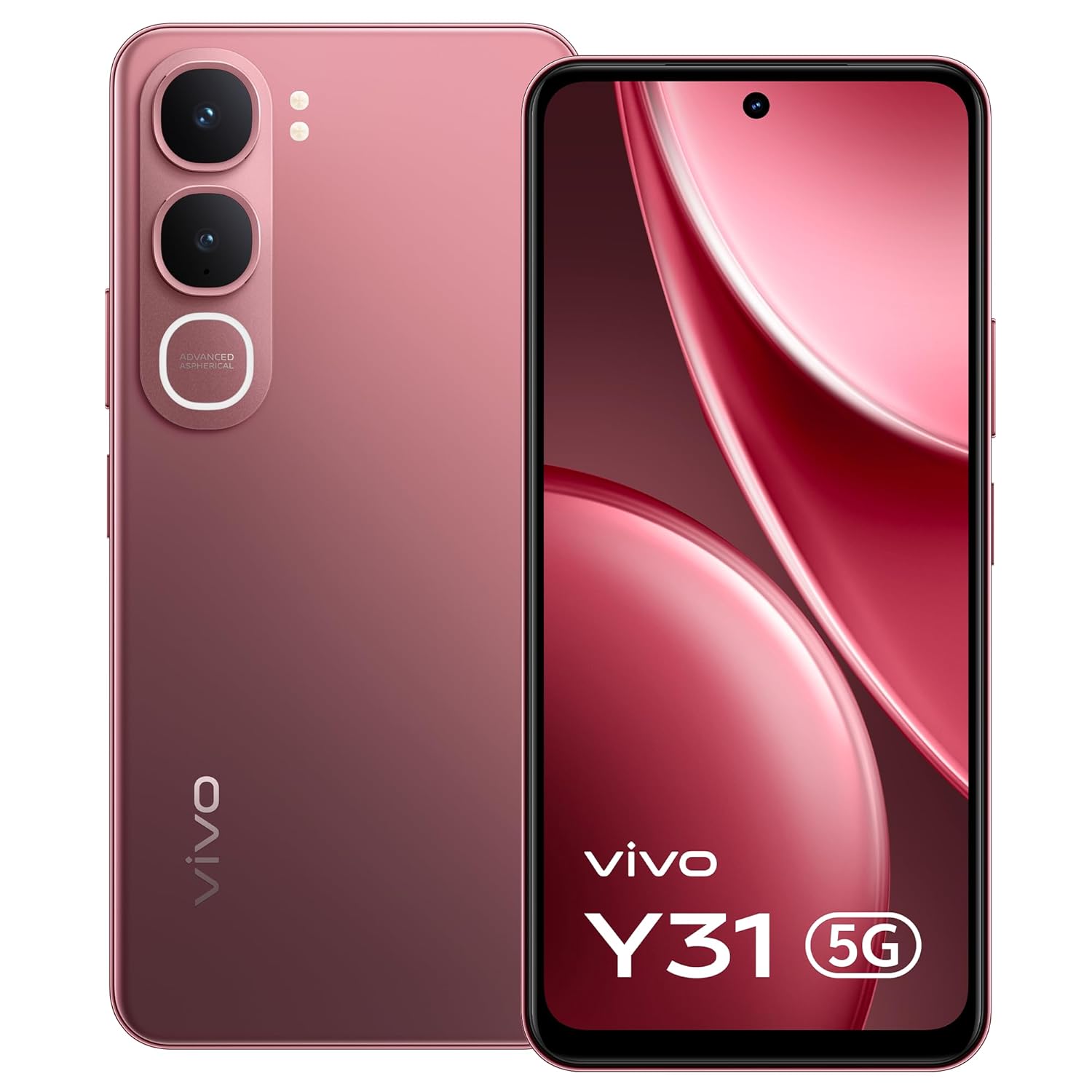
Imaj: Devan view of the vivo Y31 5G smartphone in Rose Red.
2. Ki sa ki nan bwat la
Verifye ke tout atik yo prezan nan anbalaj pwodwi ou a:
- vivo Y31 5G Smartphone
- Ka Telefòn
- Adaptè pouvwa
- SIM Plato Ejector
- Pwotektè ekran (pre-aplike)
- USB kab
3. Enstalasyon
3.1. Inserting the SIM Card and SD Card
- Jwenn plato kat SIM lan sou bò telefòn ou an.
- Mete zouti pou retire plato SIM lan nan ti twou ki akote plato a epi peze dousman jiskaske plato a soti.
- Place your Nano-SIM card(s) and/or microSD card (if applicable) into the tray with the gold contacts facing down, ensuring they are correctly oriented.
- Pouse plato a tounen nan telefòn nan ak anpil atansyon jiskaske li fè yon klik.

Imaj: Bò kote view of the vivo Y31 5G, illustrating the SIM tray location.
3.2. Chaje Aparèy la
Before first use, fully charge your phone. Use only the provided power adapter and USB cable.
- Konekte kab USB a ak adaptè pouvwa a.
- Plug the USB Type-C end of the cable into the charging port at the bottom of your phone.
- Ploge adaptè pouvwa a nan yon priz miray.
- Endikatè chaj la ap parèt sou ekran an.

Imaj: Anba view of the vivo Y31 5G, highlighting the USB Type-C charging port.
3.3. Limen ak Premye Konfigirasyon
- Press and hold the Power button (located on the right side) until the vivo logo appears.
- Follow the on-screen instructions to select your language, connect to Wi-Fi, set up your Google account, and configure security features like fingerprint or face unlock.
4. Opere aparèy ou an
4.1. Navigasyon debaz
Your vivo Y31 5G uses Funtouch OS 15, based on Android, for intuitive touch-based navigation:
- Tape: Chwazi yon atik oubyen louvri yon aplikasyon.
- Glise: Defile nan ekran yo oswa lis yo.
- Zongle: Agrandi oswa diminye foto yo epi web paj.
- Long Press: Jwenn aksè nan meni kontèks yo oubyen deplase ikòn aplikasyon yo.
4.2. Fè apèl epi voye mesaj
- Pou fè yon apèl, ouvri Telefòn aplikasyon an, antre nimewo a, epi tape ikòn apèl la.
- Pou voye yon mesaj, ouvri Mesaj aplikasyon an, tape ikòn nouvo mesaj la, antre non moun k ap resevwa a ak mesaj ou a.
4.3. Itilizasyon kamera
Your phone features a 50 MP AI main camera and an 8 MP front camera.
- Louvri a Kamera app.
- Chwazi mòd ou vle a (Foto, Pòtrè, Videyo, elatriye).
- Tape bouton deklanchè a pou pran yon foto oswa pou kòmanse/sispann anrejistreman yon videyo.
- Sèvi ak kontwòl ki sou ekran an pou chanje ant kamera devan ak dèyè, ajiste zoom nan, oswa aplike filtè.
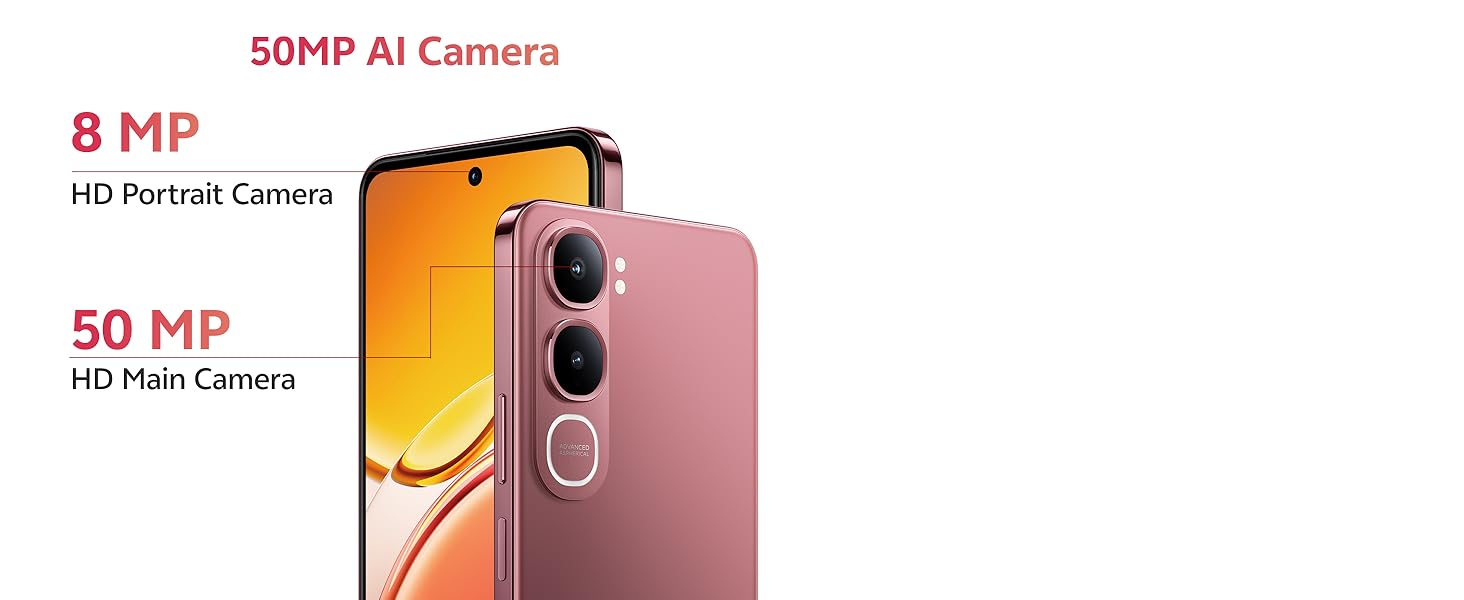
Image: Detail of the 50MP AI Camera system on the vivo Y31 5G.

Imaj: Egzamples of Smart AI features like AI Erase and AI Photo Enhance.
4.4. Koneksyon
- Wi-Fi: Ale nan Anviwònman > Rezo ak entènèt > Wi-Fi pou konekte ak rezo ki disponib yo.
- Bluetooth: Ale nan Anviwònman > Aparèy konekte > Bluetooth pou konekte ak lòt aparèy.
- Rezo 5G: Your device supports 5G cellular technology. Ensure your SIM card and plan support 5G for optimal network speeds.
5. Antretyen
5.1. Netwaye Aparèy Ou a
Sèvi ak yon twal mou ki pa gen pousyè pou netwaye ekran ak kò telefòn ou an. Evite itilize pwodui chimik ki agresif oswa materyèl abrazif.
5.2. Swen batri
Pou pwolonje lavi batri:
- Evite tanperati ekstrèm.
- Pa kite batri a dechaje nèt regilyèman.
- Use the provided 44W FlashCharge adapter for efficient charging.
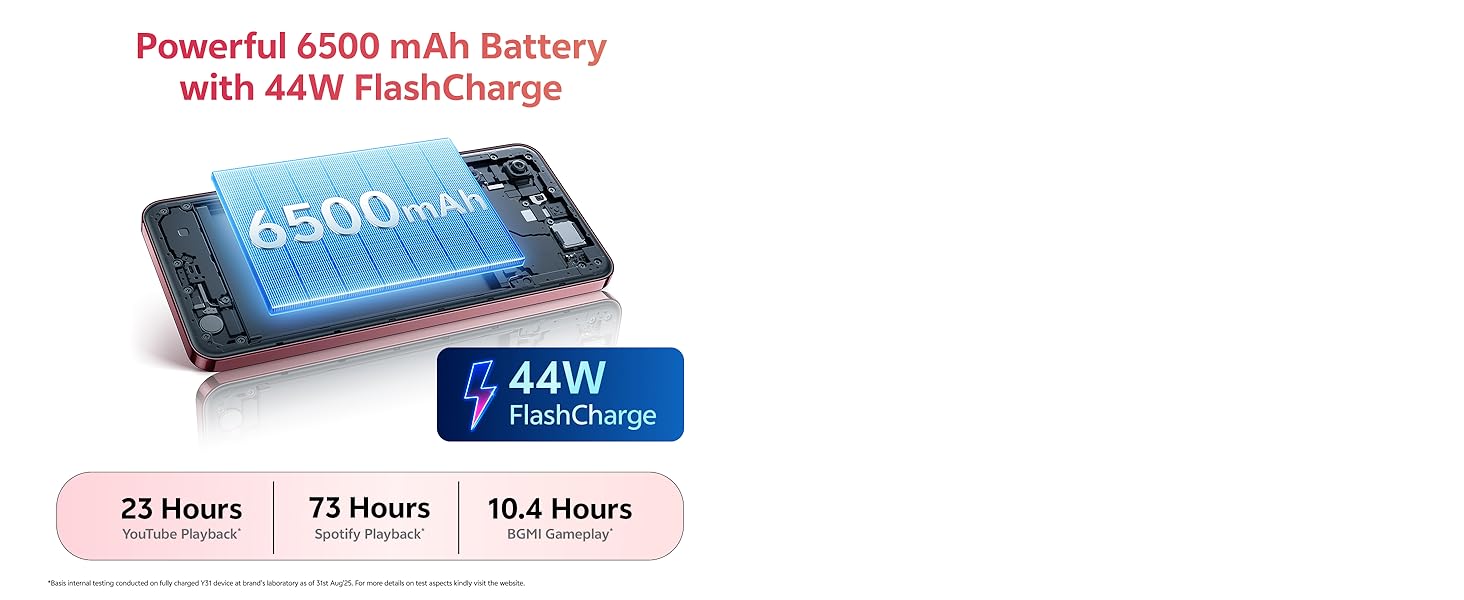
Image: Illustration of the 6500 mAh battery and 44W FlashCharge capability.
5.3. Mizajou lojisyèl
Tcheke epi enstale mizajou lojisyèl regilyèman pou asire pèfòmans ak sekirite optimal. Ale nan Anviwònman > Sistèm > Mizajou sistèm.
5.4. Jesyon Depo
Pou jere depo entèn 128GB ou a, ale nan Anviwònman > DepoOu ka efase kach la, dezenstale aplikasyon ou pa itilize yo, oubyen deplase files nan yon kat microSD (si li enstale).
NAN. Depanaj
If you encounter issues with your vivo Y31 5G, try the following solutions:
- Aparèy pa limen: Asire w batri a chaje. Peze epi kenbe bouton Pouvwa a pou omwen 10 segonn.
- Aplikasyon yo ap plante oswa bloke: Close the app and reopen it. Clear the app's cache (Settings > Apps > [App Name] > Storage & cache). Restart your phone.
- Network issues (no signal, slow data): Check if your SIM card is properly inserted. Restart your phone. Go to Anviwònman > Rezo ak entènèt > Kat SIM and ensure your SIM is enabled.
- Move kalite apèl: Tcheke fòs siyal rezo a. Deplase nan yon zòn ki gen pi bon resepsyon.
- Aparèy la pa reponn: Perform a force restart by pressing and holding the Power button for about 10-15 seconds until the device restarts.
- Reyajisteman faktori (Dènye rekou): If problems persist, you may need to perform a factory reset. Avètisman: Sa ap efase tout done ki sou telefòn ou an. Fè yon kopi done enpòtan yo anvan ou kontinye. Ale nan Anviwònman> Sistèm> Opsyon Reyajiste> Efase tout done (reset faktori).
7. Espesifikasyon
Key technical specifications for the vivo Y31 5G:
| Karakteristik | Spesifikasyon |
|---|---|
| Mak | vivo |
| Sistèm operasyon | Sistèm operasyon Funtouch 15 |
| Memwa RAM | 4 GB |
| Modèl CPU | Snapdragon Octa-Core |
| CPU vitès | 2.2 GHz |
| Depo Entèn | 128 GB |
| Koulè | Rose Wouj |
| Kantite plas kat SIM | Doub SIM |
| Kalite Connector | USB Kalite C |
| Faktè fòm | Bar |
| Nivo rezistans dlo | Pa reziste dlo |
| Ekoutè Jack | Pa gen priz kas ekoutè |
| Rezolisyon kamera devan | 8 MP |
| Rezolisyon kamera dèyè | 50 MP |
| Kapasite batri | 6500 Miliamp Orè |
| Pwa atik | 209 gram |
| Dimansyon atik | 16.6 x 7.7 x 0.8 santimèt |
| Gwosè ekran | 6.68 pous |
| Rezolisyon ekspozisyon | 1608 x 720 piksèl |
| Kalite ekspozisyon | LCD |
| Teknoloji selilè | 5G |
| Ane ki gen konpòtman egzanplè | 2025 |
| Peyi orijin | peyi Zend |
8. Enfòmasyon sou Garanti
Your vivo Y31 5G comes with a 1-year manufacturer warranty for the device epi 6 months for in-box accessories, effective from the date of purchase. Please retain your proof of purchase for warranty claims. For detailed terms and conditions, refer to the warranty card included in your packaging or visit the official vivo websit.
9. Sipò
For further assistance, technical support, or service inquiries, please contact vivo customer support:
- Manifakti: vivo Mobile India Pvt Ltd
- Adrès: Plot No 08, Sector 24, Yamuna Expressway Area, Gautam Buddha Nagar, Uttar Pradesh, 201310
- Websit: Refer to your product packaging or official vivo documentation for the latest support contact information.