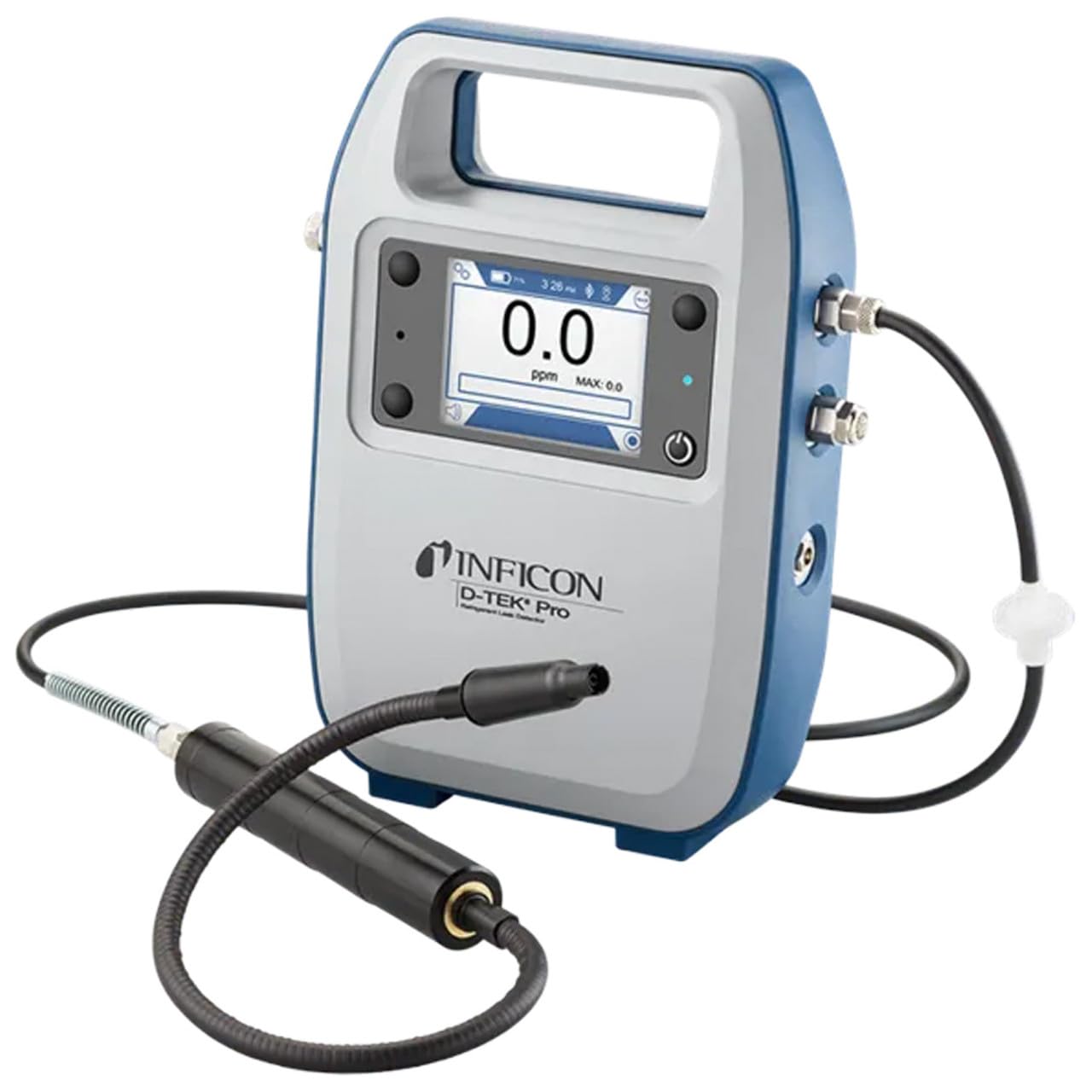
Inficon D-TEK Pro Refrigerant Leak Detector User Manual
Model: 508-202-G1
1. Entwodiksyon
The Inficon D-TEK Pro Refrigerant Leak Detector is designed for precise and rapid detection of refrigerant leaks. This device offers high sensitivity and an all-in-one Pro Mode for efficient leak identification. This manual provides essential information for the proper setup, operation, and maintenance of your D-TEK Pro.
2. Enfòmasyon sou Sekirite
Toujou obsève prekosyon sekirite sa yo pou evite blesi ak domaj nan aparèy la:
Li tout enstriksyon yo anvan ou opere aparèy la.
Sèvi ak aparèy la sèlman jan sa dekri nan manyèl sa a.
Pa ekspoze aparèy la nan tanperati ekstrèm oswa imidite.
Asire w ke gen bon vantilasyon lè w ap travay avèk frijidè.
Mete ekipman pwoteksyon pèsonèl (PPE) ki apwopriye tankou gan ak pwoteksyon pou je.
Do not attempt to service the device beyond what is described in the maintenance section. Refer all other servicing to qualified personnel.
3. Ki sa ki nan bwat la
Verifye ke tout atik yo prezan lè w ap debale yo:
(1) D-TEK Pro Refrigerant Leak Detector
(1) Soft case with shoulder strap
(1) Spare filters
(1) Phone holder
(1) Chaje kab
4. Enstalasyon
4.1 Chaje Aparèy la
The D-TEK Pro is powered by a rechargeable battery. Before first use, fully charge the device.
Connect the provided charging cable to the charging port on the D-TEK Pro.
Plug the other end of the charging cable into a suitable power source.
The charging indicator on the device will illuminate. Allow sufficient time for a full charge.
4.2 Mete Sipò Telefòn nan
The included phone holder allows for convenient mobile device integration.
Locate the attachment point for the phone holder on the D-TEK Pro.
Securely attach the phone holder according to its design.
Place your mobile device into the holder, ensuring it is stable.
5. Operasyon Enstriksyon
5.1 Limen/Etenyen
Pou limen, peze epi kenbe bouton pouvwa a jiskaske ekran an limen.
Pou etenn, peze epi kenbe bouton pouvwa a jiskaske aparèy la fèmen.
5.2 Using Pro Mode for Leak Detection
The D-TEK Pro features an all-in-one Pro Mode that combines cloud hunting and pinpointing capabilities, allowing for efficient leak location.
Ensure the device is powered on and in Pro Mode (refer to the display for mode indication).
Move the sensor probe slowly around suspected leak areas. The device's superior airflow allows for detection from a greater distance.
The D-TEK Pro will indicate the presence of refrigerants with high sensitivity, detecting down to 0.1 ppm.
Follow the increasing readings to pinpoint the exact leak source.
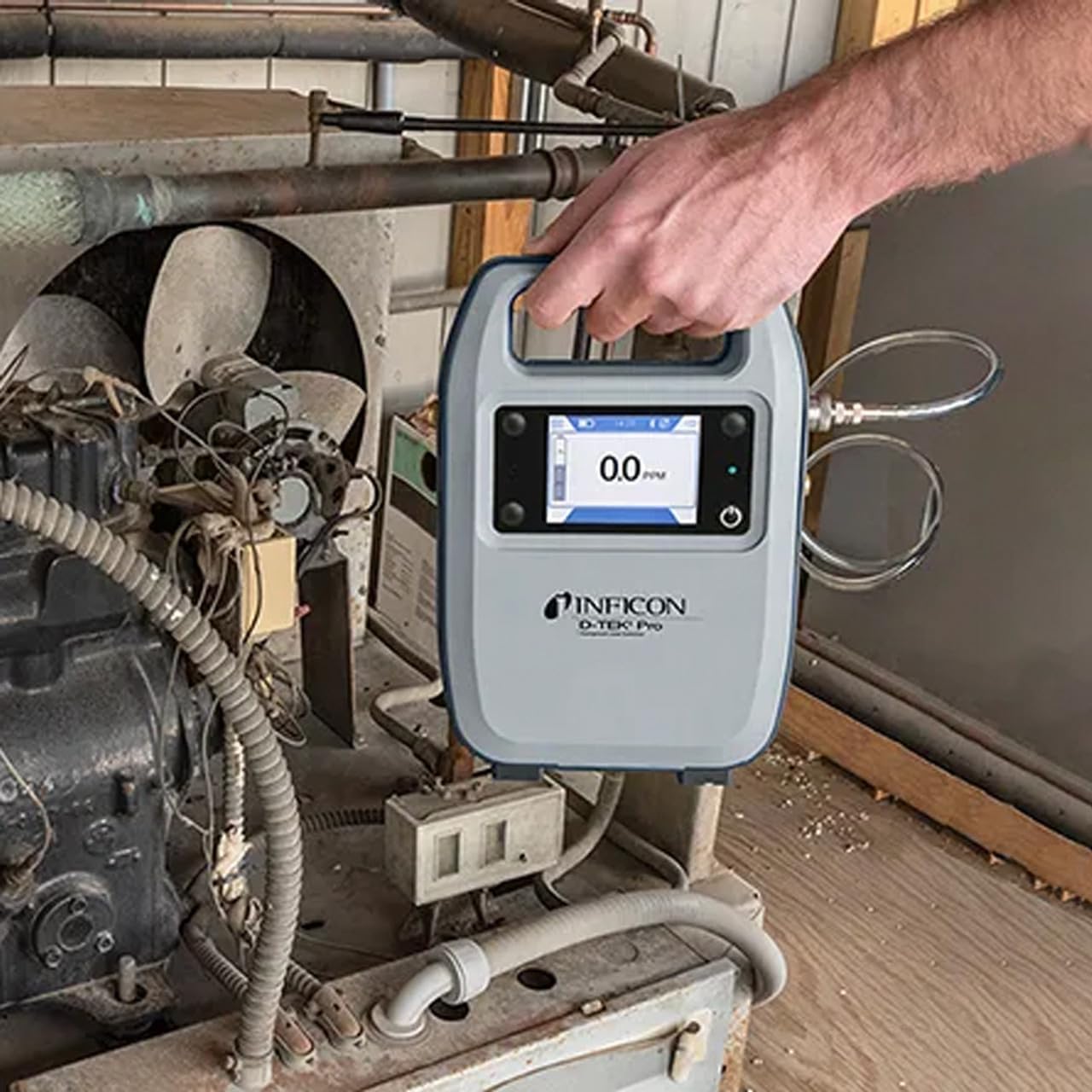
Figure 1: The Inficon D-TEK Pro being used to inspect a refrigeration unit. The display shows a 0.0 ppm reading, indicating no refrigerant detected at the current location. The device is held by a user's hand, demonstrating its portability and ease of use in an industrial setting.
5.3 Refrigerant Compatibility
The D-TEK Pro is designed to detect a wide range of refrigerants, including:
CFCs (Chlorofluorocarbons)
HCFCs (Hydrochlorofluorocarbons)
HFCs (Hydrofluorocarbons)
HFOs (Hydrofluoroolefins)
Blends including A2Ls
5.4 Mobile App Integration
Download the D-TEK Pro mobile app to enhance your leak detection workflow.
Customer Reports: Generate detailed reports with photos and ppm tracking.
Suivi GPS: Confirm job location with integrated GPS functionality.
Figure 2: The Inficon D-TEK Pro connected to a smartphone, showcasing the mobile application's interface. This setup allows users to view real-time leak detection data, generate reports, and utilize GPS tracking for job site verification.
6. Antretyen
6.1 Swen Jeneral ak Netwayaj
To ensure optimal performance and longevity of your D-TEK Pro:
Siye aparèy la ak yon mou, damp twal. Pa sèvi ak pwodui netwayaj abrazif oswa solvang.
Keep the sensor probe clean and free from debris.
Store the device in its soft case when not in use to protect it from dust and physical damage.
6.2 Ranplasman Filtè
The D-TEK Pro is designed for low maintenance, requiring no purging and no charcoal filters. However, spare filters are provided for specific applications or if the existing filter becomes visibly soiled or damaged.
Locate the filter housing on the device.
Retire ansyen filtè a avèk anpil atansyon.
Insert a new spare filter, ensuring it is seated correctly.
NAN. Depanaj
This section addresses common issues you might encounter with your D-TEK Pro.
Pwoblèm
Kòz posib
Solisyon
Aparèy pa limen.
Batri ki fèb oswa ki vid.
Chaje aparèy la lè l sèvi avèk kab chaje yo bay la.
Lekti ki pa egzak oswa ki pa konsistan.
Sensor probe is dirty or damaged; environmental interference.
Clean the sensor probe. Ensure proper environmental conditions. If issue persists, contact support.
Mobile app not connecting.
Bluetooth issue; app not updated.
Ensure Bluetooth is enabled on both devices. Update the D-TEK Pro app to the latest version.
8. Espesifikasyon
Karakteristik
Detay
Nimewo Modèl
508-202-G1
Pwa atik
3 liv
Dimansyon pake
15 x 12 x 4 pous
Kalite ekspozisyon
LCD, dirije
Sous pouvwa
Batri rechargeable
Sansiblite
0.1 ppm rezolisyon
Detected Refrigerants
CFCs, HCFCs, HFCs, HFOs, and blends including A2Ls
9. Enfòmasyon sou Garanti
The Inficon D-TEK Pro Refrigerant Leak Detector comes with a 2-ane garanti from the date of purchase. This warranty covers defects in materials and workmanship under normal use. For warranty claims or detailed terms and conditions, please refer to the official Inficon websit oswa kontakte sipò kliyan.
10. Sipò pou Kliyan
For technical assistance, troubleshooting not covered in this manual, or general inquiries, please contact Inficon customer support.
Resous sou entènèt: Vizite ofisyèl la Inficon Store on Amazon pou enfòmasyon ak mizajou sou pwodwi yo.
Enfòmasyon pou kontakte: Refer to the Inficon official website for direct contact details (phone, email).
Ask a question about this manual
Ask about setup, troubleshooting, compatibility, parts, safety, or missing instructions. Manuals+ will review the question and use this page’s manual context to help answer it.