
1. Entwodiksyon
This manual provides essential instructions for the proper setup, operation, and maintenance of your Zebronics ZEB-Spark 207 7.1 Channel Home Theatre Speaker System. Please read this manual thoroughly before using the product to ensure optimal performance and safety. The ZEB-Spark 207 is designed to deliver an immersive audio experience with its powerful output and versatile connectivity options.
2. Pake kontni
Verifye ke tout atik ki nan lis anba a yo prezan nan pakè ou a:
- Subwoofer - 1 Unit
- Satellite Speakers - 7 Units
- Input Cable - 1 Unit
- Remote Control - 1 Unit
- Gid Kòd QR - 1 Inite
- Antenna Cable - 1 Unit
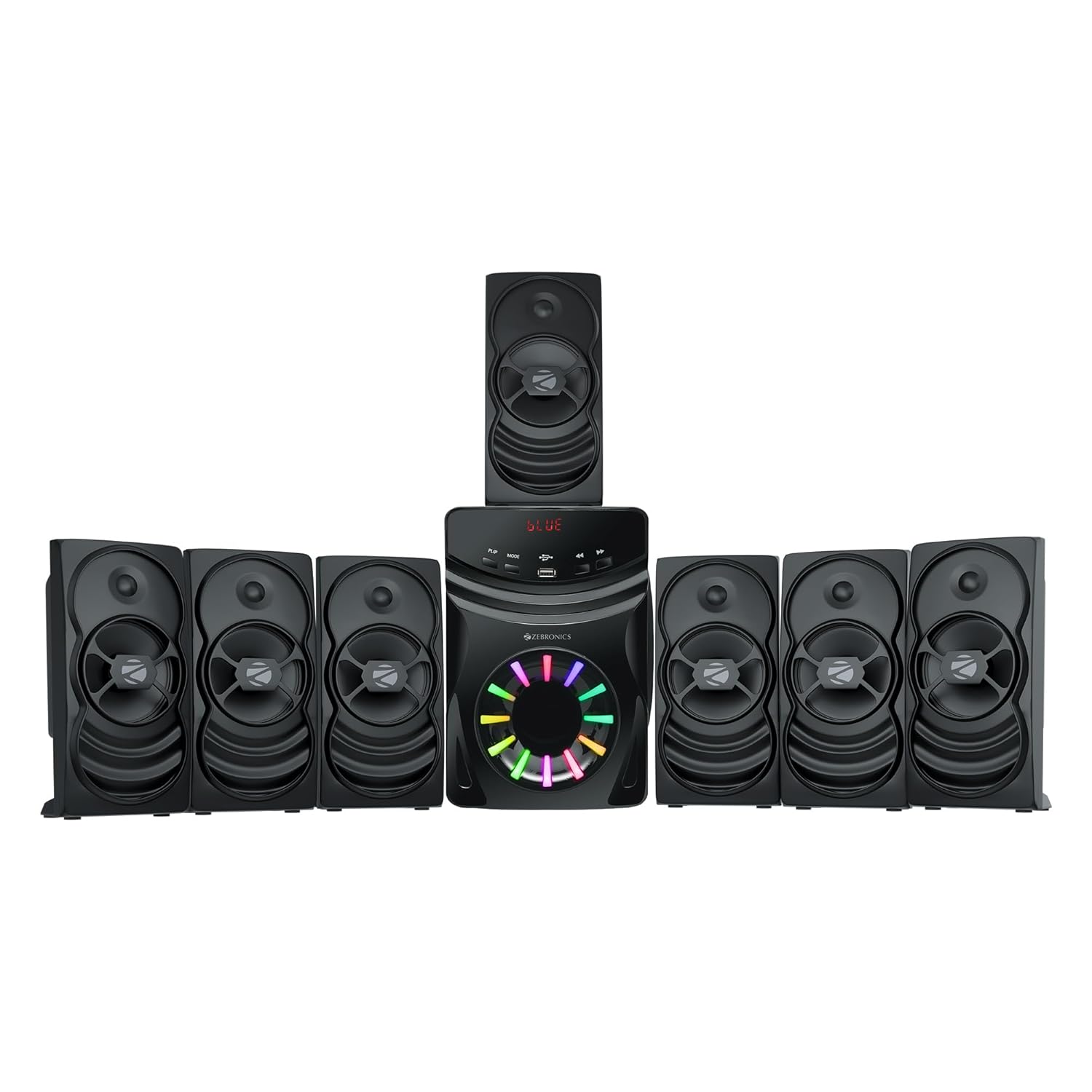
Image: Complete Zebronics ZEB-Spark 207 speaker system, showing the central subwoofer unit and seven satellite speakers.
3. Pwodwi souview
3.1 Main Unit (Subwoofer)
The subwoofer serves as the central hub for the speaker system, housing the main controls, connectivity ports, and the primary bass driver. It features an LED display and RGB lighting.

Imaj: Gwo plan view of the ZEB-Spark 207 subwoofer, highlighting its 13.33cm driver and dynamic RGB lighting effect.
3.2 Oratè Satelit
Seven satellite speakers provide clear mid-range and crisp high-frequency audio, complementing the subwoofer for a full-range sound experience. These speakers are compact and designed for flexible placement.
3.3 LED Display and Remote Control
The integrated LED display on the subwoofer provides visual feedback for input mode, volume level, and other settings. The included remote control allows for convenient adjustment of all system functions from a distance.

Image: Top section of the ZEB-Spark 207 subwoofer showing the LED display and a separate image of the remote control for the system.
4. Enstalasyon
4.1 Plasman Oratè
For optimal 7.1 channel surround sound, position the subwoofer centrally and arrange the seven satellite speakers around your listening area. Consider placing front speakers near your display, side speakers to your left and right, and rear speakers behind you. The satellite speakers are wall-mountable for flexible installation.

Image: Diagram illustrating the recommended 7.1 channel speaker setup, with the listener positioned centrally among the subwoofer and seven satellite speakers.
Imaj: Egzample of a ZEB-Spark 207 satellite speaker mounted on a wall, demonstrating its wall-mountable feature.
4.2 Koneksyon Konpozan yo
- Connect each of the seven satellite speakers to the corresponding output ports on the rear panel of the subwoofer. Ensure secure connections.
- Connect the input cable from your audio source (e.g., TV, PC, smartphone) to the AUX input port on the subwoofer.
- For FM radio functionality, connect the provided antenna cable to the FM antenna port on the subwoofer.
4.3 Koneksyon pouvwa
Plug the power cord of the subwoofer into a standard AC power outlet. Ensure the power switch on the subwoofer is in the OFF position before connecting to power.
5. Operasyon Enstriksyon
5.1 Limen/Etenyen
Toggle the power switch on the rear panel of the subwoofer to turn the system ON or OFF. The LED display will illuminate when powered on.
5.2 Selecting Input Modes
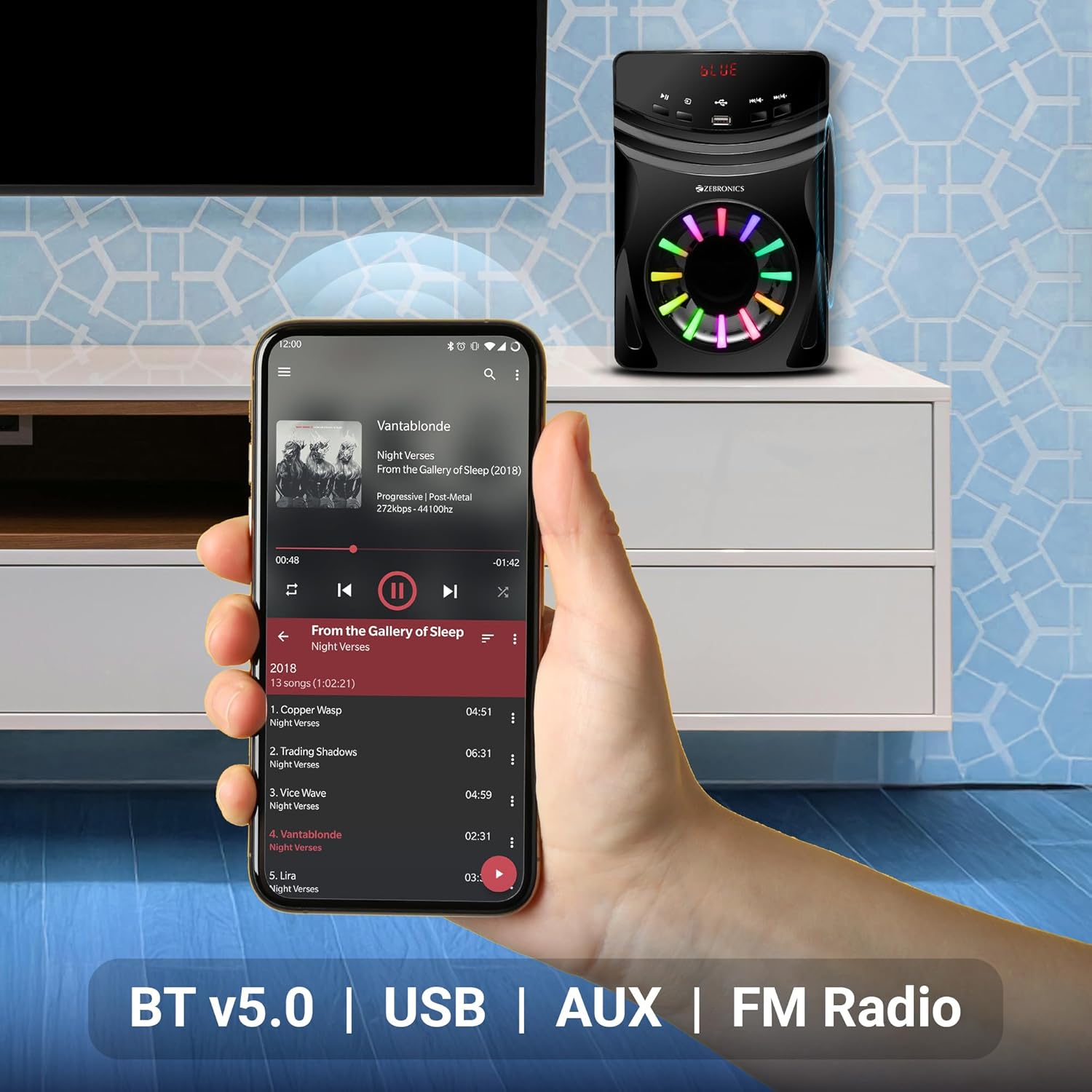
Press the "MODE" button on the subwoofer's front panel or the remote control to cycle through available input modes: Bluetooth (BT), USB, AUX, and FM Radio. The selected mode will be shown on the LED display.

Image: The ZEB-Spark 207 subwoofer displaying "BLUE" on its LED screen, indicating Bluetooth mode, with icons for USB and AUX inputs visible.
5.3 Bluetooth Pairing (BT v5.0)
- Switch the speaker system to Bluetooth mode. The LED display will show "BLUE" and flash, indicating it's ready for pairing.
- Aktive Bluetooth sou aparèy mobil ou oswa òdinatè w la.
- Chèche pou "ZEB-Spark 207" in the list of available devices and select it to pair.
- Once paired, the LED display will stop flashing, and you can begin playing audio wirelessly.
5.4 Lekti USB
Mete yon kondwi flash USB ki gen odyo files into the USB port on the subwoofer. The system will automatically switch to USB mode and begin playback. Use the remote control or front panel buttons to control playback (play/pause, next/previous track).
5.5 AUX Koneksyon
Connect your audio source to the AUX input port using the provided input cable. Switch the system to AUX mode to play audio from your connected device.
5.6 FM Radyo
Switch the system to FM mode. Use the remote control to scan for available radio stations. Ensure the FM antenna is properly connected for optimal reception.
5.7 Mòd Ekleraj RGB
The ZEB-Spark 207 features multiple RGB LED lighting modes. Use the dedicated button on the remote control or front panel (if available) to cycle through different lighting effects or turn them off.

Image: The ZEB-Spark 207 subwoofer showcasing three different RGB LED lighting patterns, demonstrating the customizable ambiance feature.
6. Antretyen
- Netwayaj: Use a soft, dry cloth to clean the surfaces of the subwoofer and satellite speakers. Do not use liquid cleaners or abrasive materials.
- Vantilasyon: Asire w ke gen ase vantilasyon toutotou subwoofer la pou anpeche li chofe twòp. Pa bloke okenn ouvèti vantilasyon.
- Depo: Lè w pa itilize sistèm nan pou yon bon bout tan, sere l nan yon kote ki fre epi sèk, lwen limyè solèy dirèk ak tanperati ekstrèm.
- Pouvwa: Dekonekte kòd kouran an nan priz miray la pandan tanpèt zèklè oswa lè ou pa itilize li pou yon bon bout tan.
NAN. Depanaj
| Pwoblèm | Kòz posib | Solisyon |
|---|---|---|
| Pa gen pouvwa | Kòd kouran an pa konekte; Entèriptè kouran an etenn; Priz kouran an gen pwoblèm | Asire w kòd kouran an byen konekte; Mete switch kouran an sou ON; Teste priz kouran an ak yon lòt aparèy. |
| Pa gen son | Incorrect input mode; Volume too low; Audio cables loose/disconnected; Source device not playing | Select correct input mode; Increase volume; Check all audio cable connections; Ensure audio is playing from source |
| Bluetooth pa asosye | Oratè a pa nan mòd koneksyon; Bluetooth aparèy la etenn; Twò lwen oratè a; Entèferans | Ensure speaker is in BT pairing mode (flashing "BLUE"); Enable Bluetooth on device; Move device closer; Reduce interference |
| Remote kontwòl pa travay | Batteries depleted; Obstruction between remote and speaker; Remote sensor blocked | Replace remote batteries; Remove any obstructions; Ensure remote sensor on subwoofer is clear |
8. Espesifikasyon
| Non modèl | ZEB-Spark 207 |
| Kalite Oratè | Miltimedya |
| Konfigirasyon chanèl son antoure | 7.1 |
| Oratè maksimòm pwodiksyon pouvwa | 140 Watt RMS |
| Gwosè Chofè Subwoofer la | 13.33 cm (5.25 pous) |
| Satellite Driver Size | 7.62 cm (3 inches) x 7 units |
| Koneksyon Teknoloji | Bluetooth v5.0, USB, AUX |
| Karakteristik espesyal | RGB LED with Multiple Modes, LED Display, Remote Control, Wall-Mountable Satellites |
| Aparèy konpatib | Home Theater, Laptop, Smartphone, Tablet, Television |
| Dimansyon pwodwi (Subwoofer) | 30.1P x 16.8W x 26.2H santimèt |
| Pwa atik | 6.1 kg |
| Manifakti | Zebronics peyi Zend Prive Limite |
| Peyi orijin | peyi Zend |
9. Garanti ak sipò
Your Zebronics ZEB-Spark 207 speaker system is covered by a limited warranty from the date of purchase. Please refer to the warranty card included in your package for specific terms and conditions. For technical support, service, or warranty claims, please contact Zebronics customer service through their official websit la oswa enfòmasyon kontak yo bay nan dokimantasyon pwodwi ou a.
For the latest information and support, visit the official Zebronics websit: www.zebronics.com