
1. Entwodiksyon
This manual provides essential information for the setup, operation, maintenance, and troubleshooting of your NIMO N159 15.6-inch IPS FHD Gaming Laptop. This device is equipped with an AMD Ryzen 7 7735HS processor, 32GB DDR5 RAM, and a 1TB PCIe SSD, designed for balanced performance in productivity and light gaming tasks. Please read this manual thoroughly to ensure proper usage and to maximize the lifespan of your laptop.
2. Ki sa ki nan bwat la
Verifye ke tout atik yo prezan nan anbalaj la:
- 1 x NIMO N159 Laptop
- 1 x Chargeur rapid Kalite-C 100W PD
- 1 x Manyèl Itilizatè (dokiman sa a)
- Windows 11 Home (pre-enstale)
3. Pwodwi souview
Familiarize yourself with the components and features of your NIMO N159 laptop.

Figi 3.1: Devan view of the NIMO N159 laptop, showcasing its 15.6-inch display and overall design.
3.1 Karakteristik kle
- Processeur: AMD Ryzen 7 7735HS with 8 Cores and 16 Threads, up to 4.75GHz.
- Grafik: Integrated AMD Radeon 680M GPU.
- memwa: 32GB DDR5 RAM pou fè plizyè bagay an menm tan avèk efikasite.
- Depo: 1TB PCIe 4.0 SSD for fast boot times and data access.
- Ekspozisyon: 15.6-inch Full HD (1920x1080) IPS Anti-Glare Display.
- Chaje: 100W Type-C PD Fast Charger.
- Sekirite: Fingerprint Unlock integrated into the touchpad.
- Antre: Backlit Keyboard with Numeric Keypad.

Figi 3.2: Plis paseview of the AMD Ryzen 7 7735HS processor and its integrated Radeon 680M graphics.
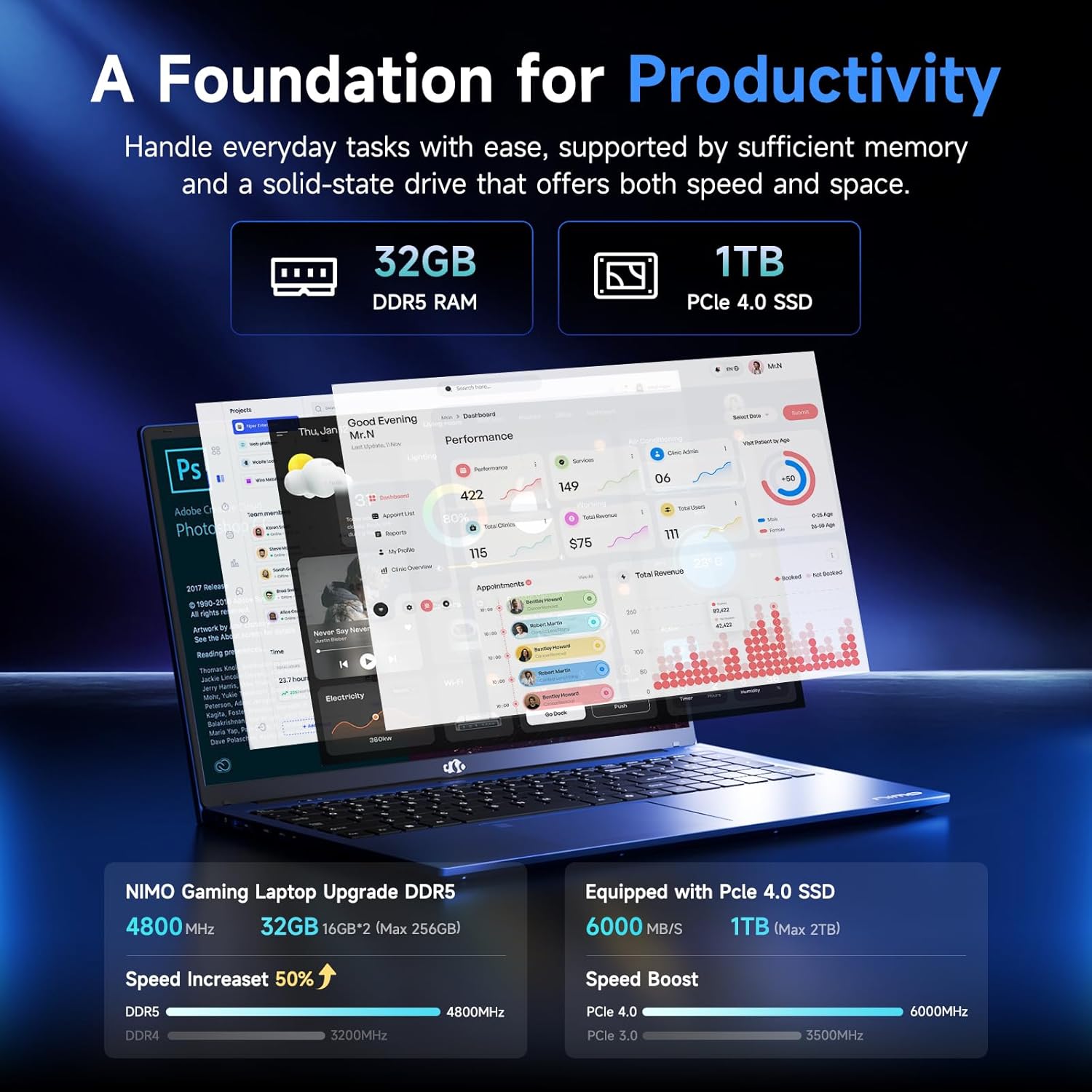
Figure 3.3: Illustration of the 32GB DDR5 RAM and 1TB PCIe 4.0 SSD, highlighting their speed and capacity.
3.2 Pò ak Konektè
The NIMO N159 laptop provides a variety of ports for connectivity:

Figi 3.4: Detaye view of the laptop's ports and their functions.
- Bò Goch: Kensington Lock, Audio Jack, USB 3.2 Gen 1, USB 2.0, Micro SD Reader.
- Bò Dwa: Type-C Gen2 (Multifunction), USB 3.2 Gen 1, HDMI 2.0, Type-C Gen2 (Multifunction).
3.3 Pouvwa ak Batri

Figure 3.5: Battery and charging capabilities of the NIMO N159 laptop.
The laptop is equipped with a 54Wh smart battery. It supports fast charging via the included 100W Type-C PD charger, providing approximately 5 hours of usage from a 1-hour charge.
3.4 Keyboard and Fingerprint Unlock
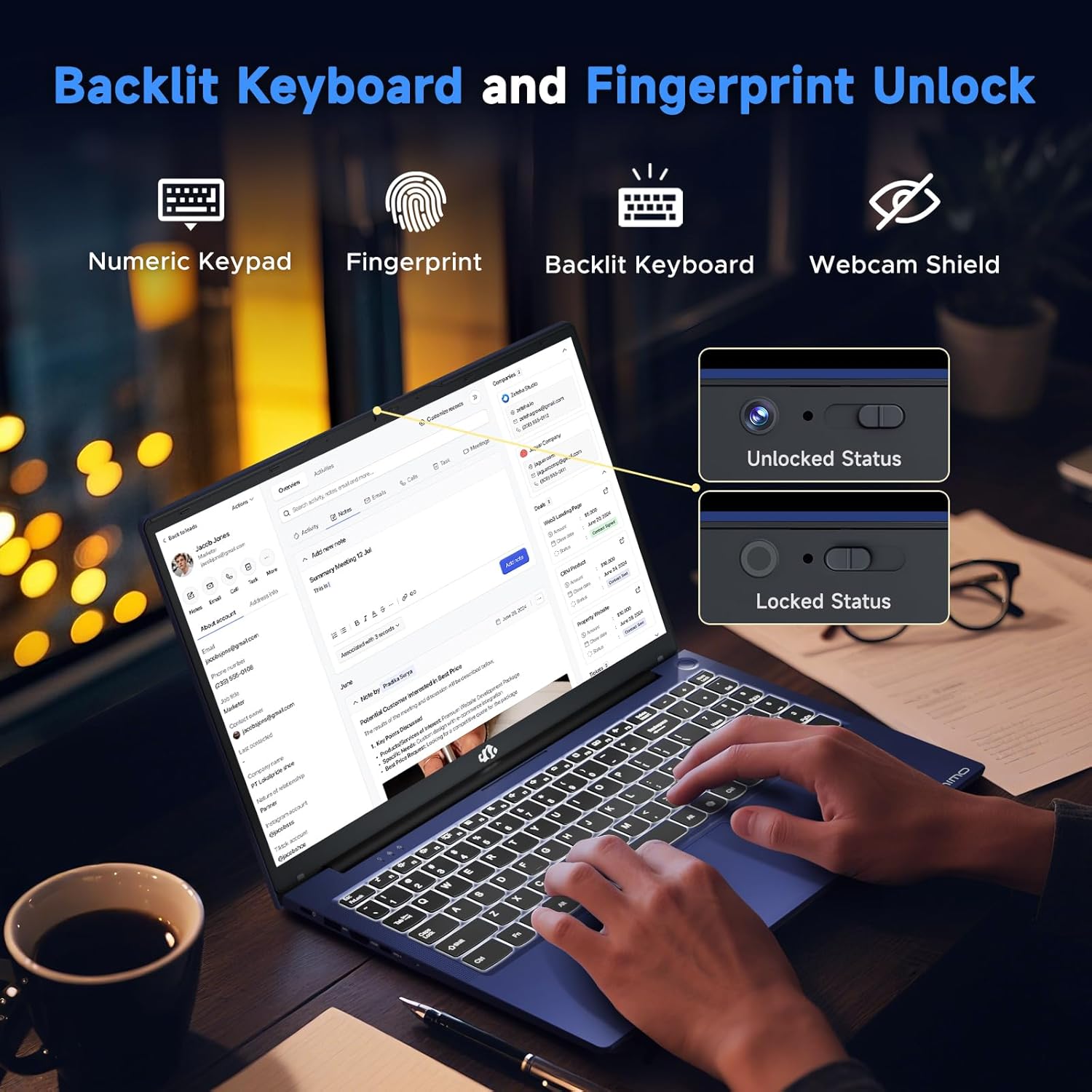
Figure 3.6: Features of the backlit keyboard, numeric keypad, fingerprint unlock, and webcam shield.
The keyboard features backlighting for use in low-light conditions and includes a numeric keypad. The fingerprint reader is integrated into the touchpad for secure and quick access.
3.5 Montre
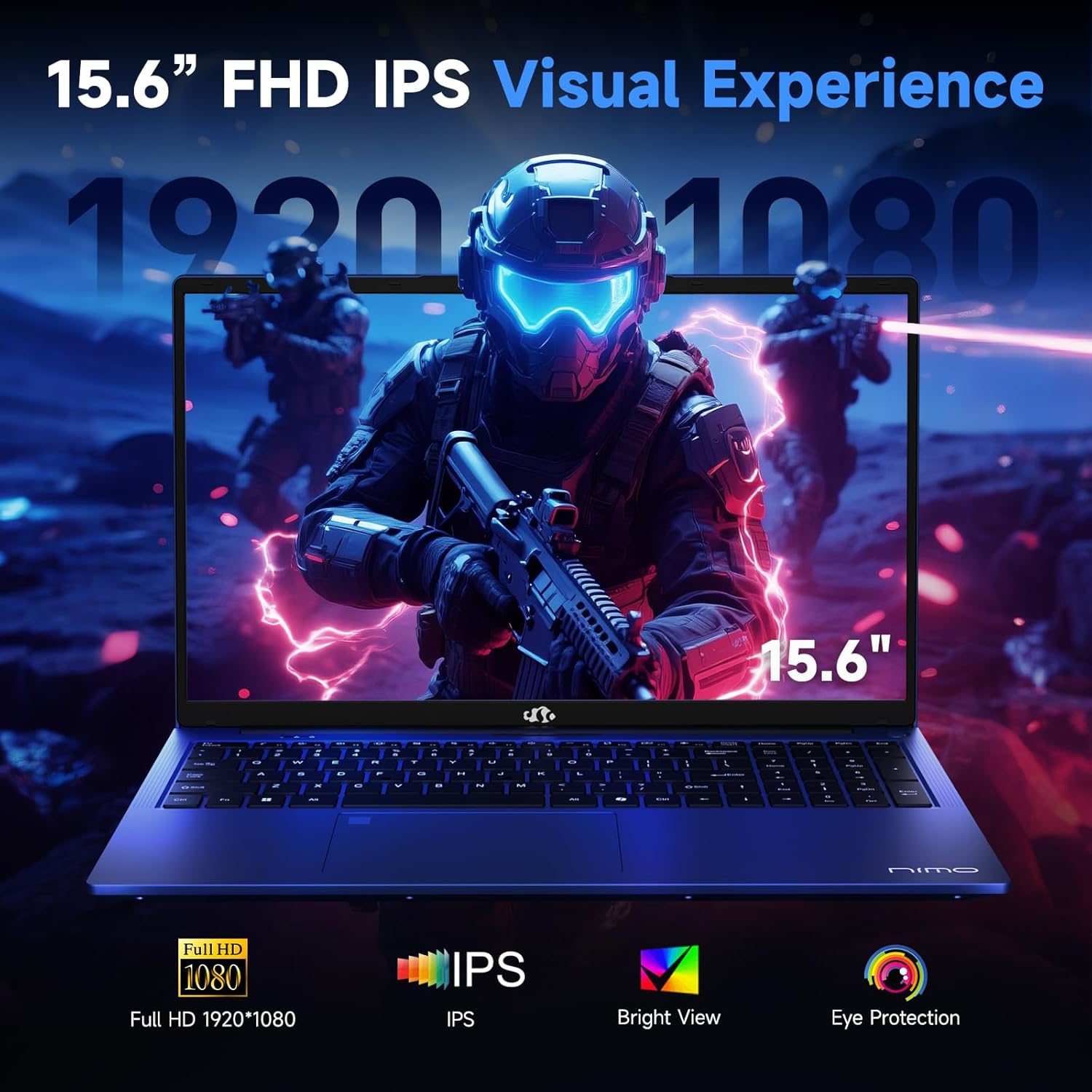
Figure 3.7: Visual representation of the 15.6-inch FHD IPS display quality.
The 15.6-inch Full HD (1920x1080) IPS Anti-Glare Display offers vibrant visuals and a wide viewing angle, suitable for various tasks from work to entertainment.
4. Enstalasyon
4.1 Premye pouvwa-sou
- Dekonpoze: Retire laptop la ak tout akseswa yo nan anbalaj la avèk anpil atansyon.
- Konekte pouvwa: Plug the Type-C 100W PD Fast Charger into a power outlet and connect the Type-C connector to one of the multifunction Type-C ports on the laptop.
- Premye bòt: Open the laptop lid and press the power button, typically located on the top-right of the keyboard or side.
- Enstalasyon Windows: Swiv enstriksyon ki sou ekran an pou konplete konfigirasyon Windows 11 Home la, ki gen ladan lang, rejyon, koneksyon rezo, ak kreyasyon kont itilizatè.
4.2 Konekte nan yon rezo
- Wi-Fi: During Windows setup or later, select your Wi-Fi network from the available list and enter the password.
- Wired (Optional): If an Ethernet adapter (not included) is used with a USB port, connect an Ethernet cable to the adapter and then to your router/modem.
5. Operasyon Enstriksyon
5.1 Power On/Off
- Pouvwa sou: Peze bouton pouvwa a.
- Fèmen: Klike sou bouton Start la nan Windows, answit sou Power > Shut down.
- Dòmi: Fèmen kouvèti a oubyen klike sou bouton Start la, answit sou Power > Dòmi.
5.2 Sèvi ak klavye a
- Kontwòl ekleraj: Press the designated function key (e.g., F9) to cycle through backlight brightness levels (off, low, medium, high).
- Kle Fonksyon: Use the Fn key in combination with F1-F12 for various shortcuts (e.g., volume, brightness, Wi-Fi toggle).
5.3 Using the Touchpad and Fingerprint Sensor
- Touchpad: Sipòte jès milti-touch pou navigasyon. Gade paramèt Windows yo pou pèsonalizasyon.
- Degaje anprent: Enroll your fingerprint through Windows Hello settings for secure login. Place your registered finger on the sensor located on the touchpad to unlock the device.
5.4 Konekte Aparèy Ekstèn yo
Use the available USB-A, USB-C, and HDMI ports to connect peripherals such as external monitors, USB drives, mice, and keyboards. The Type-C Gen2 ports support multifunctionality, including data transfer and video output.
6. Antretyen
6.1 Netwayaj
- Ekran: Sèvi ak yon moso twal mou, ki san pèl dampLave avèk dlo oswa yon pwodui netwayaj ekran. Pa flite likid dirèkteman sou ekran an.
- Klavye ak chasi: Sèvi ak yon twal mou epi sèk. Pou pousyè tè ki difisil pou retire, yon ti kras mouye.amp Ou ka itilize twal, pou asire pa gen likid ki antre nan ouvèti yo.
- Pò: Sèvi ak lè konprese pou retire pousyè ki nan pò yo dousman.
6.2 Swen Batri
- Evite dechaje batri a nèt souvan.
- Store the laptop in a cool, dry place if not used for extended periods, with the battery charged to around 50-60%.
- Use only the provided NIMO charger or a compatible 100W Type-C PD charger.
6.3 Mizajou lojisyèl
Regularly check for and install Windows updates and driver updates to ensure optimal performance and security. These can typically be found in Windows Settings > Windows Update.
NAN. Depanaj
This section addresses common issues you might encounter with your NIMO N159 laptop.
| Pwoblèm | Kòz posib | Solisyon |
|---|---|---|
| Laptop la pa limen. | Low battery, power adapter issue, or hardware fault. | Ensure the charger is properly connected and the outlet is working. Try charging for at least 30 minutes. If the issue persists, contact support. |
| Ekran an vid oswa nwa. | Display settings, external monitor conflict, or driver issue. | Press Fn + F7 (or relevant display toggle key) to cycle display modes. Disconnect any external monitors. Restart the laptop. |
| Pwoblèm koneksyon Wi-Fi. | Incorrect password, router issue, or Wi-Fi adapter disabled. | Verify Wi-Fi password. Restart your router. Check Windows settings to ensure Wi-Fi is enabled. |
| Laptop la ap mache dousman. | Too many applications open, low storage, or outdated drivers. | Close unnecessary applications. Check available storage. Update Windows and drivers. Run a malware scan. |
| Capteur anprent dwèt la pa fonksyone. | Finger not clean, sensor dirty, or software issue. | Ensure your finger and the sensor are clean and dry. Re-enroll your fingerprint in Windows Hello settings. |
8. Espesifikasyon
Detailed technical specifications for the NIMO N159 laptop:
| Karakteristik | Detay |
|---|---|
| Mak | NIMO |
| Non modèl | NIMO N159B |
| Gwosè ekran | 15.6 pous |
| Rezolisyon ekran | 1920 x 1080 piksèl (FHD IPS) |
| Processeur | AMD Ryzen 7 7735HS (8 Cores, up to 4.75 GHz) |
| RAM | 32 GB DDR5 (4800 MHz) |
| Disk Drive | SSD 1024 GB (PCIe 4.0) |
| Koprosesè grafik | AMD Radeon 680M (Entegre) |
| Sistèm operasyon | Windows 11 Kay |
| Kalite san fil | 802.11a/b/g/n/ac |
| Pò USB 2.0 | 1 |
| Pò USB 3.0 | 4 |
| Kalite-C pò | 2 (Gen2, Multifunction) |
| HDMI Port | 1 (HDMI 2.0) |
| Mwayèn lavi batri | 5 Hours (54Wh) |
| Pwa atik | 3.8 liv |
| Dimansyon pwodwi | 14.07 x 8.98 x 0.76 pous |
| Koulè | Ble |
| Karakteristik espesyal | Klavye retroeklere, lektè anprent, odyo HD, klavye nimerik |
9. Garanti ak sipò
NIMO is committed to providing quality products and customer satisfaction.
- Garanti manifakti a: Your NIMO N159 laptop is covered by a 2-Year Manufacturer's Warranty from Nimo Direct Inc. This warranty covers defects in materials and workmanship under normal use.
- Règleman retounen: A 90-Day Hassle-Free Return Policy is offered by Nimo Direct Inc. from the date of purchase.
9.1 Kontakte Sipò
For technical assistance, warranty claims, or product-related inquiries, please contact NIMO customer support:
- Imèl: service@nimopc.com
- Sou entènèt: Vizite NIMO ofisyèl la website for further support options and FAQs.
Our dedicated support team is available to assist you with any issues or replacements.