
1. Entwodiksyon
This manual provides essential information for the safe and efficient operation of your Zebronics PixaPlay 75 Smart LED Projector. Please read this manual thoroughly before using the product and retain it for future reference.
The Zebronics PixaPlay 75 is a versatile smart LED projector designed for home cinema use, offering 4K support, 4600 lumens brightness, and a large projection size of up to 200 inches. It features Android 13, auto focus, auto keystone adaptation, and various connectivity options for a seamless entertainment experience.
2. Ki sa ki nan bwat la
Lè w ap debale, tanpri asire w ke tout bagay sa yo la:
- Projector - 1 Unit
- Kontwòl Remote
- Kòd pouvwa
- HDMI kab
- Cotton Swab Pack - 1 Unit (for cleaning)
- Gid Kòd QR - 1 Inite
3. Pwodwi souview
The PixaPlay 75 projector combines advanced features for an immersive vieweksperyans nan.

Figi 3.1: Devan view of the Zebronics PixaPlay 75 projector, showing the lens and main body.

Figi 3.2: Retounen view of the Zebronics PixaPlay 75 projector, highlighting ventilation and rear design.

Figure 3.3: Remote control and connectivity ports including BT v5.0, HDMI, AUX OUT, and USB.

Figure 3.4: Integrated carry loop for easy portability of the projector.
Karakteristik kle:
- Android 13 OS: Access to various OTT applications like Netflix, Prime Video, and Hotstar.
- 4K Support & 4600 Lumens: Delivers clear, detailed content with impressive brightness.
- 200" Screen Size: Projects a large display up to 508 cm for an immersive home theater experience.
- 90° Tilt & Telescopic Height Adjustment: Offers flexible positioning and projection angles.
- Otofokus ak Keystone: Ensures optimal image alignment without manual adjustments.
- Miracast & iOS Screen Casting: Seamlessly mirror content from your mobile devices.
- Dual Band WiFi & Bluetooth v5.0: Stable wireless connectivity for streaming and audio.
- Quad-Core Processor: Smooth operation and quick processing of media.
- 50,000-hour LED Lamp Lavi: Pèfòmans ki dire lontan.
- Oratè entegre: Integrated audio solution.
- Mi montabl: Option for fixed installation.
4. Enstalasyon
4.1 Plasman
Position the projector on a stable, flat surface or mount it on a wall. Ensure there are no obstructions in front of the lens.
- Distans pwojeksyon: The projector supports a minimum throw distance of 1.5 meters and a maximum of 5 meters.
- Gwosè ekran: Achieve screen sizes from 127 cm (50 inches) up to 508 cm (200 inches) depending on the projection distance.

Figure 4.1: Illustration of flexible screen sizes (50", 85", 200") at various projection distances (1.5m, 2.5m, 5m).

Figure 4.2: Demonstrates the telescopic height adjustment and 90° tilt mechanism for flexible positioning.

Figure 4.3: The projector can be wall-mounted for a permanent setup.
4.2 Koneksyon pouvwa
Connect the provided power cord to the projector's power input and then to a suitable electrical outlet (100 Volts).
4.3 Initial Image Adjustment
The PixaPlay 75 features automatic image correction:
- Konsantre Auto: Pwojektè a ap ajiste klète imaj la otomatikman.
- Auto Keystone Adaptation: The projector will automatically correct trapezoidal distortion to ensure a rectangular image.
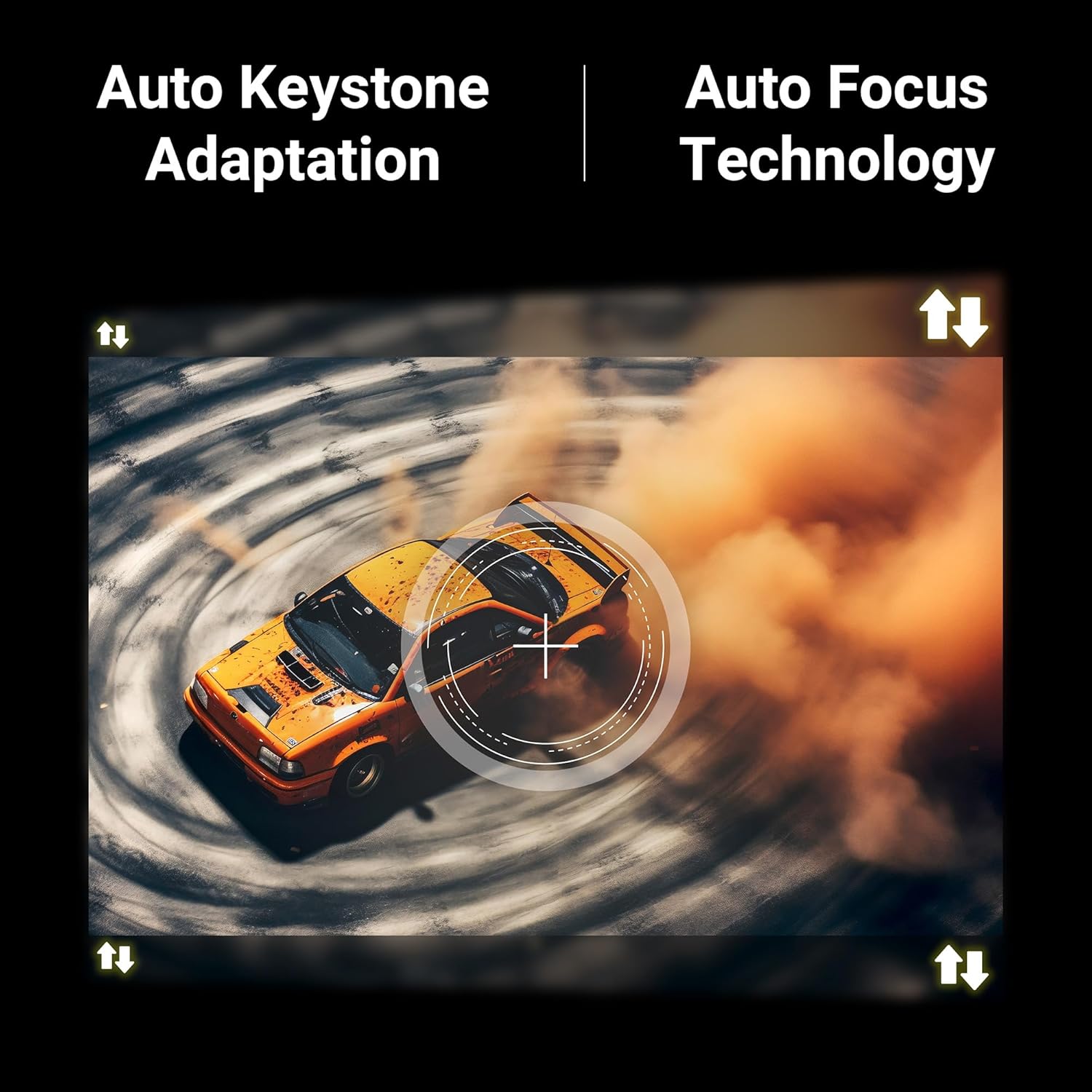
Figure 4.4: Visual representation of Auto Keystone Adaptation and Auto Focus Technology.
5. Operasyon Enstriksyon
5.1 Kontwòl debaz yo
Use the provided remote control to navigate the projector's interface. The remote allows you to power on/off, adjust volume, select input sources, and access smart features.
5.2 Koneksyon
Pwojektè a ofri plizyè fason pou konekte aparèy ou yo:
- HDMI: Connect Blu-ray players, gaming consoles, laptops, or other HDMI-enabled devices using the HDMI cable.
- USB: Branche kle USB yo pou jwe medya files dirèkteman.
- AUX SOTI: Connect external audio systems or headphones.
- Bluetooth v5.0: Konekte ak oratè Bluetooth oswa kas ekoutè pou odyo san fil.
- Dual Band WiFi (2.4GHz & 5GHz): Konekte ak rezo lakay ou pou jwenn aksè entènèt ak difizyon.
5.3 Smart Features (Android 13)
With Android 13 built-in, you can directly access and stream content from pre-installed OTT applications such as Netflix, Prime Video, and Hotstar. Ensure the projector is connected to a stable Wi-Fi network for optimal performance.
5.4 Screen Casting (Miracast & iOS)
Mirror the screen of your compatible Android or iOS smartphone/tablet directly to the projector:
- Asire w ke aparèy ou an ak pwojektè a konekte ak menm rezo Wi-Fi a.
- On the projector, select the Miracast/Screen Casting option.
- On your mobile device, activate the screen mirroring feature (e.g., Smart View, Cast, Screen Mirroring for Android; Screen Mirroring for iOS).
- Select the PixaPlay 75 from the list of available devices.
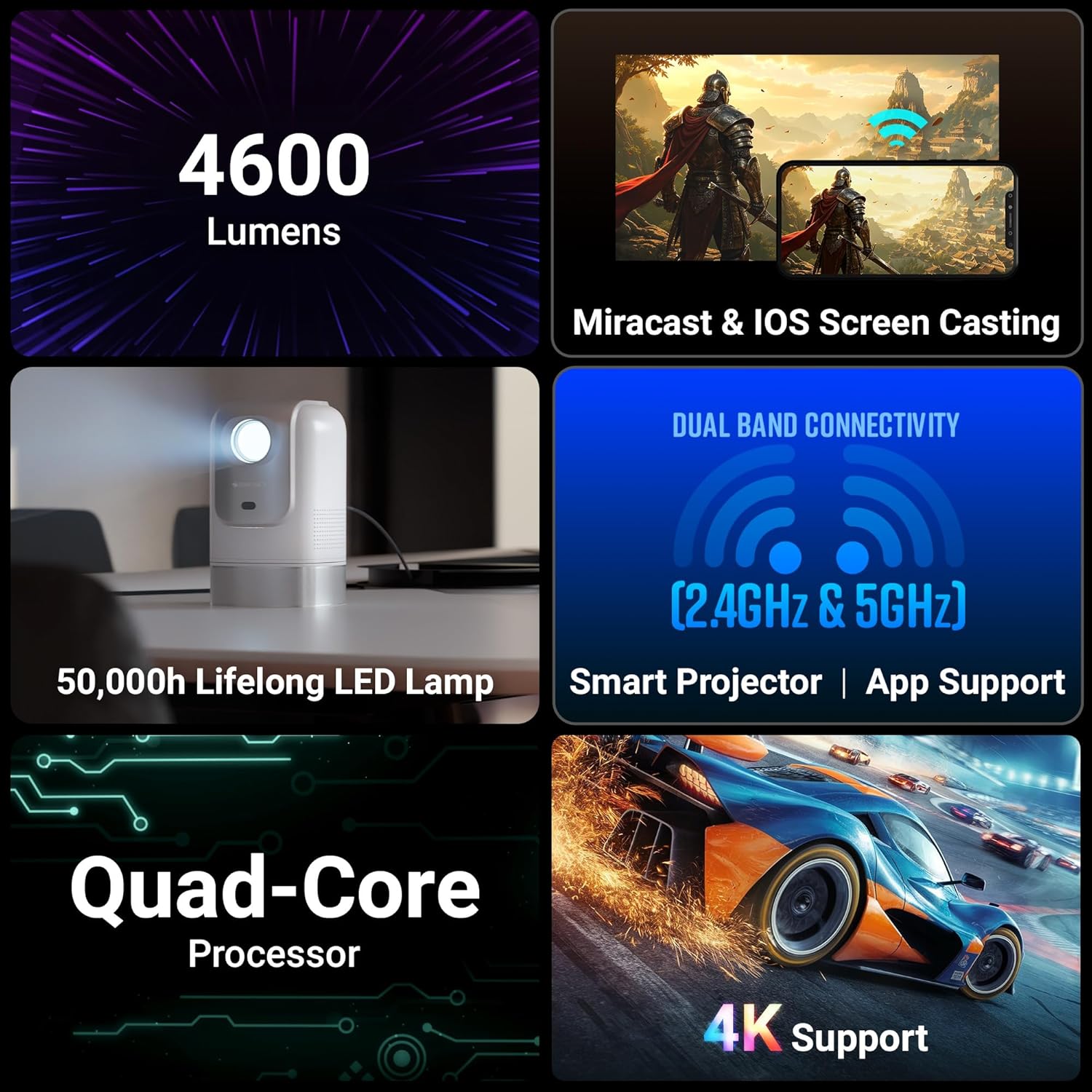
Figure 5.1: Illustrates Miracast and iOS Screen Casting functionality, showing a phone screen mirrored to the projector.
6. Antretyen
6.1 Netwayaj
Netwayaj regilye ede kenbe pèfòmans ak kalite imaj optimal.
- Lantiy: Use the provided cotton swab pack or a soft, lint-free cloth specifically designed for optical lenses. Gently wipe the lens to remove dust or smudges. Do not use abrasive cleaners.
- Eksteryè: Siye deyò pwojektè a avèk yon twal mou epi sèk. Evite sèvi ak pwodui netwayaj likid dirèkteman sou aparèy la.
6.2 Lamp Lavi
Dirije lamp in your PixaPlay 75 projector has an estimated operating life of 50,000 hours. This ensures long-term usage without frequent lamp ranplasman.
NAN. Depanaj
Si ou rankontre pwoblèm ak pwojektè ou a, gade pwoblèm ak solisyon komen sa yo:
| Pwoblèm | Kòz posib | Solisyon |
|---|---|---|
| Pa gen imaj oswa mesaj "Pa gen siyal" | Sous antre ki pa kòrèk la chwazi; koneksyon kab la lach; aparèy la pa limen. |
|
| Imaj la twoub oswa li pa byen konsantre | Auto focus not activated or obstructed; projector moved. |
|
| Imaj la defòme (fòm trapèz) | Projector not perpendicular to the screen; auto keystone not activated. |
|
| Pa gen son oswa volim ki ba | Volume too low; incorrect audio output selected; external audio device issues. |
|
| Miroir ekran pa travay | Devices not on same Wi-Fi; feature not activated on device/projector. |
|
8. Espesifikasyon
Below are the detailed technical specifications for the Zebronics PixaPlay 75 Smart LED Projector:
| Karakteristik | Detay |
|---|---|
| Mak | ZEBRONIK |
| Non modèl | ZEB-PIXA PLAY |
| Itilizasyon Rekòmande | Home Cinema |
| Karakteristik espesyal | Auto Focus, Auto Keystone Adaptation, Built-In Streaming Features |
| Koneksyon Teknoloji | AUX OUT, Bluetooth, HDMI, USB |
| Rezolisyon ekspozisyon natif natal | 1280 x 720 |
| Maksimòm Rezolisyon Antre | 4K sipò |
| Kalite ekspozisyon | dirije |
| Faktè fòm | Pòtab |
| Kalite aliye | Mi mòn |
| Lumens | 4600 Lumen |
| Koulè | Blan |
| Aparèy konpatib | Laptops, Smartphones, Tablets, Gaming Consoles, Blu-ray Players, Media Streaming Devices |
| Pwopòsyon kontras | 3000:1 |
| Distans maksimòm jete | 5 mèt |
| Sous limyè opere lavi | 50000 èdtan |
| Gwosè Imaj maksimòm | 508 santimèt (200 pous) |
| Voltage | 100 Volts |
| Distans Minimòm Jete | 1.5 mèt |
| Minimòm Gwosè Imaj | 127 santimèt (50 pous) |
| Dimansyon atik L x W x H | 11.7L x 12W x 19.8H santimèt |
| Pwa atik | 1220 gram |
| Peyi orijin | Lachin |
9. Garanti ak sipò
Your Zebronics PixaPlay 75 Smart LED Projector comes with a standard brand warranty.
- Peryòd garanti: 1 Year Carry Into Service Center.
- Pou sèvis: Please contact Zebronics customer support or visit an authorized service center for any warranty claims or technical assistance.
- Plis enfòmasyon: For detailed warranty terms, service center locations, and additional support, please refer to the QR Code Guide included in the box or visit the official Zebronics websit.