
Pwodwi souview
The BNCF NewBook 11 is a versatile 2-in-1 laptop designed for productivity and entertainment. It features an 11-inch Full HD IPS touchscreen, powered by an Intel N150 processor, 12GB DDR5 RAM, and a 512GB SSD. This device runs on Windows 11 Pro and includes a magnetic keyboard and kickstand for flexible use.
Karakteristik kle
- Intel N150 CPU with UHD Graphics
- Windows 11 Pro Operating System
- 12GB DDR5 RAM and 512GB NVMe SSD
- 11-inch FHD IPS In-Cell Touchscreen (1920x1200)
- Dual Cameras (5MP front, 8MP rear)
- 34.2Wh Battery with Type-C Fast Charging
- Durable 635g Metal Body
- Included Magnetic Keyboard and Protective Case
- Connectivity: 2x Type-C, USB 3.0, Micro HDMI, 3.5mm Jack, Wi-Fi 6, Bluetooth 5.0
Ki sa ki nan bwat la
Your BNCF NewBook 11 package includes the following items:
- BNCF NewBook 11 2-in-1 Laptop (Tablet Unit)
- Magnetic Pogo Pin Keyboard
- Kickstand / Protective Case
- Adaptè pouvwa (12V/3A)
- Manyèl itilizatè

Image: Contents of the BNCF NewBook 11 package.
Premye konfigirasyon
Unboxing and First Inspection
Carefully remove all components from the packaging. Inspect the tablet and accessories for any signs of damage.
Video: BNCF NewBook 11 2-in-1 Laptop Unboxing. This video demonstrates the unboxing process and initial handling of the device and its accessories.
Limen ak Inisyal Konfigirasyon
Press and hold the power button located on the side of the tablet to turn it on. Follow the on-screen prompts to complete the initial Windows 11 setup. This includes selecting your language, region, and setting up user accounts and passwords.
Video: BNCF NewBook 11 Initial Setup. This video guides you through the first power-on, language selection, and user account setup.
Attaching the Magnetic Keyboard
Align the magnetic pogo pins on the tablet with the corresponding connectors on the keyboard. The keyboard will snap into place magnetically. This allows for instant transition to laptop mode.

Image: The BNCF NewBook 11 in laptop mode with the magnetic keyboard attached.
Operating Your BNCF NewBook 11
Understanding Device Modes
The BNCF NewBook 11 offers three primary modes for versatile usage:
- Mòd Laptop: Attach the magnetic keyboard and use the device like a traditional laptop for typing and productivity tasks.
- Mòd tablèt: Detach the keyboard for a lightweight tablet experience, ideal for browsing, reading, or touch-based applications.
- Mòd Kanpe: Utilize the integrated kickstand (or protective case) to prop up the tablet for media consumption, presentations, or video calls without the keyboard.

Image: The BNCF NewBook 11 demonstrating its three flexible usage modes: Laptop, Tablet, and Stand.
Karakteristik Windows 11 Pro yo
Your device comes pre-installed with Windows 11 Pro, offering enhanced security, productivity, and management features.
- Chip-level Security: Benefit from advanced hardware-based security.
- BitLocker Encryption: Protect your data with full disk encryption.
- Bonjou Windows: Secure and fast login using facial recognition or fingerprint (if applicable).
- Miltitach efikas: Utilize Snap Layouts and Desktops for organized workflows.
Koneksyon
The NewBook 11 provides comprehensive connectivity options:
- Wi-Fi 6 (2.4/5GHz): Pou aksè entènèt san fil gwo vitès.
- Bluetooth 5.0: Connect wireless peripherals like headphones, mice, and keyboards.
- Pò USB: Includes 2x Type-C (charging/data) and 1x USB 3.0 for connecting various devices.
- Mikwo HDMI: Connect to external displays, monitors, or projectors for extended screen space.
- 3.5mm Audio Jack: For wired headphones or external speakers.
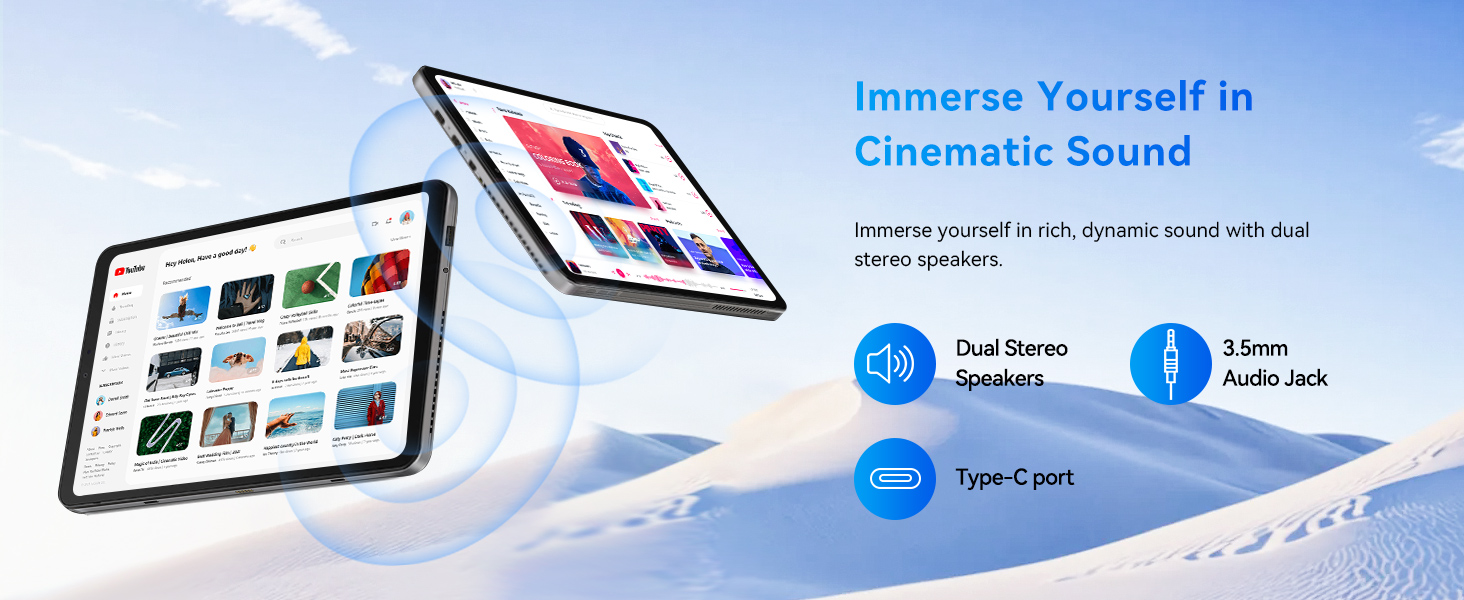
Imaj: Detaye view of the BNCF NewBook 11's ports and buttons.
Antretyen
Netwayaj aparèy ou an
- Sèvi ak yon twal mou ki pa gen pousyè pou netwaye ekran an ak kò a.
- Pou tach ki difisil pou retire, yon ti kras dampSiye twal la avèk dlo oswa yon pwodui netwayaj ki san danje pou ekran.
- Evite pwodui chimik ki agresif, materyèl abrazif, oswa imidite twòp.
- Kenbe pò yo pwòp san pousyè ak debri.
Mizajou lojisyèl
Tcheke epi enstale mizajou Windows regilyèman pou asire pèfòmans, sekirite ak aksè optimal a dènye fonksyonalite yo. Ale nan Anviwònman > Mizajou Windows pou jere mizajou yo.
Swen batri
- Pou yon batri ki dire pi lontan, evite dechaje batri a nèt souvan.
- Sere aparèy la nan yon kote ki fre epi sèk lè w pa itilize li pou yon bon bout tan.
- Use only the provided power adapter or a compatible Type-C PD charger.
Depanaj
Pwoblèm komen ak solisyon yo
- Aparèy pa limen: Asire w batri a chaje. Konekte adaptè kouran an epi eseye ankò.
- Ekran an pa reponn: Restart the device. If the issue persists, check for system updates or contact support.
- Klavye pa travay: Ensure the magnetic connection is secure. Restart the device.
- Pwoblèm koneksyon Wi-Fi/Bluetooth: Check if Wi-Fi/Bluetooth is enabled in settings. Restart your router or device.
- Pèfòmans ralanti: Close unnecessary applications. Check for system updates. Ensure sufficient free storage space.
If you encounter persistent issues, refer to the official BNCF support resources or contact customer service.
Espesifikasyon teknik
| Karakteristik | Spesifikasyon |
|---|---|
| Mak | BNCF |
| Non modèl | NewBook 11 |
| Gwosè ekran | 11 pous |
| Rezolisyon | 1920x1200 (FHD IPS) |
| Modèl CPU | Intel Twin Lake N150 |
| Vitès processeur | Jiska 3.6 GHz |
| RAM | 12 GB DDR5 |
| Depo | SSD 512 GB (NVMe) |
| Sistèm operasyon | Windows 11 Pro |
| Grafik | Grafik Intel UHD (Entegre) |
| Kamera devan | 5 MP |
| Kamera dèyè | 8 MP |
| Batri | 34.2 Wh |
| Koneksyon | Wi-Fi 6, Bluetooth 5.0, 2x Type-C, USB 3.0, Micro HDMI, 3.5mm Audio |
| Dimensions (Tablet) | 25.7"L x 16.8"Lajè x 0.96"Epesè |
| Weight (Tablet) | 635g |
| Weight (with Keyboard/Case) | 1106g |
Garanti ak sipò
Enfòmasyon sou Garanti
The BNCF NewBook 11 comes with a 1-ane garanti limite. This warranty covers manufacturing defects and hardware malfunctions under normal use. Please retain your proof of purchase for warranty claims.
Sipò pou Kliyan
For any questions, software glitches, or hardware concerns, please contact BNCF customer support.
- Sipò Imèl: service01@bncfai.com
- Resous sou entènèt: Visit the official BNCF website for drivers, firmware downloads, and FAQs.
- Tan repons: Our team aims to respond within 24/7 a week.
When contacting support, please provide your product model number (N150) and order number for faster assistance.