
Entwodiksyon
The SmailWolf RS8 is an ultra-light gaming mouse designed for high performance and versatility. It features a 1000Hz polling rate, multiple connectivity options (Bluetooth, 2.4GHz wireless, and wired USB), and customizable RGB lighting. This manual provides instructions for setup, operation, maintenance, and troubleshooting.
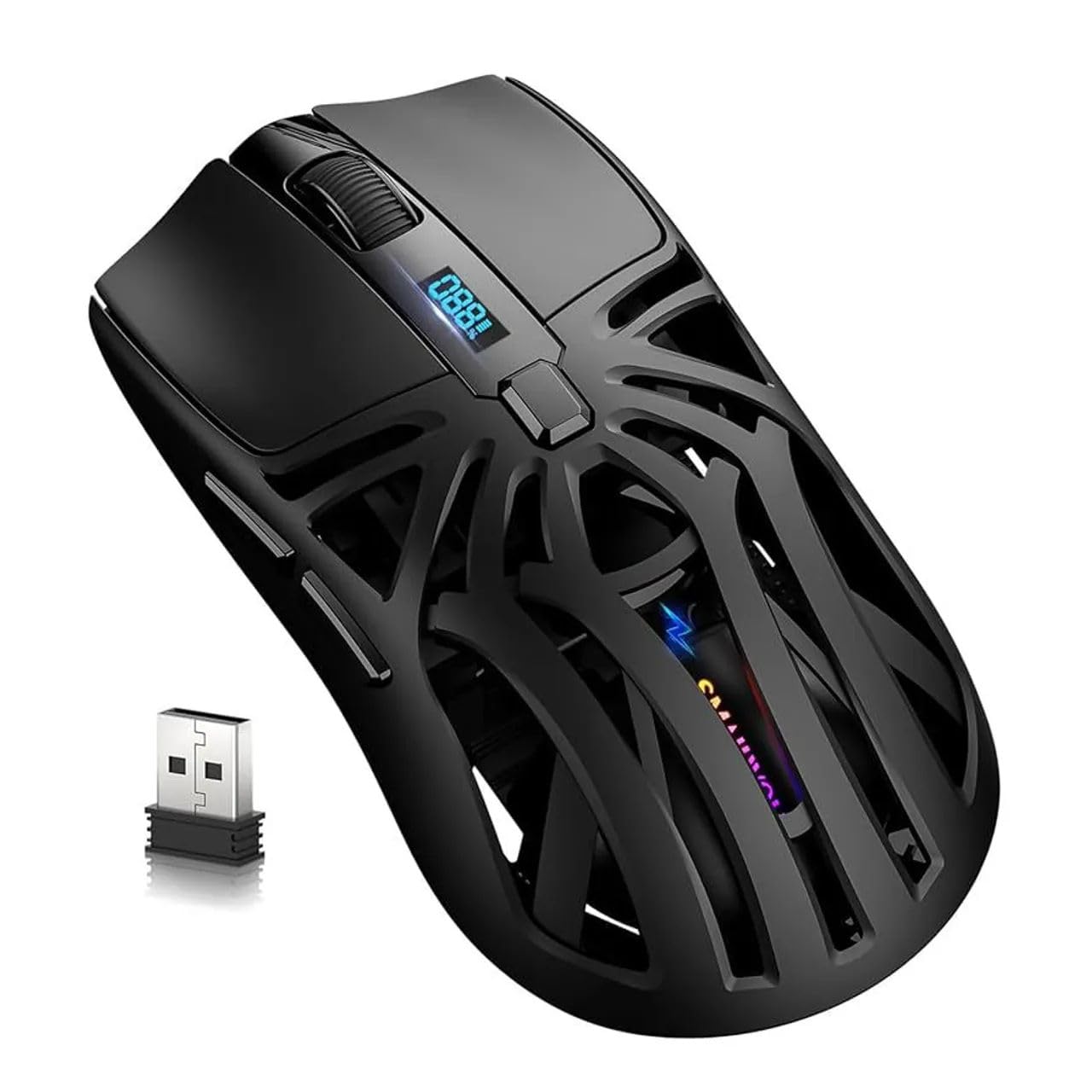
Imaj: Anlè view of the SmailWolf RS8 gaming mouse, highlighting its ergonomic design and central digital display.
Enstalasyon
Kontni pake
Ensure the following items are included in your package: SmailWolf RS8 Gaming Mouse, USB Receiver, USB Charging Cable.
Chaje sourit la
Connect the USB charging cable to the mouse's charging port and to a USB power source. The digital display will indicate the battery level.
Opsyon Koneksyon
The SmailWolf RS8 supports three connection modes: 2.4GHz wireless, Bluetooth, and wired USB.

Image: Underside of the SmailWolf RS8 mouse, showing the mode switches and the compartment for the USB receiver.
2.4GHz Wireless Koneksyon
- Jwenn reseptè USB a ki estoke nan konpatiman ki anba sourit la.
- Ploge reseptè USB a nan yon pò USB ki disponib sou òdinatè w lan.
- Switch the mode selector on the bottom of the mouse to the 2.4G position.
- Sourit la ta dwe konekte otomatikman ak òdinatè w la.
Bluetooth Koneksyon
- Switch the mode selector on the bottom of the mouse to the Bluetooth position.
- Sou òdinatè w la, ale nan paramèt Bluetooth yo epi chèche nouvo aparèy.
- Select "SmailWolf RS8" from the list of available devices to pair.
- The mouse should connect and be ready for use.
Fil USB Koneksyon
- Connect the USB charging cable to the mouse and to a USB port on your computer.
- Sourit la ap fonksyone tankou yon sourit filaire epi l ap chaje an menm tan.
Enstriksyon Operasyon
DPI Ajisteman
The SmailWolf RS8 features six-speed DPI adjustment, with a maximum sensitivity of 12000 DPI. Use the dedicated DPI button (usually located behind the scroll wheel) to cycle through the preset DPI levels (e.g., 1200, 1600, 3200, 6400, 10000, 12000). The digital display may show the current DPI setting.
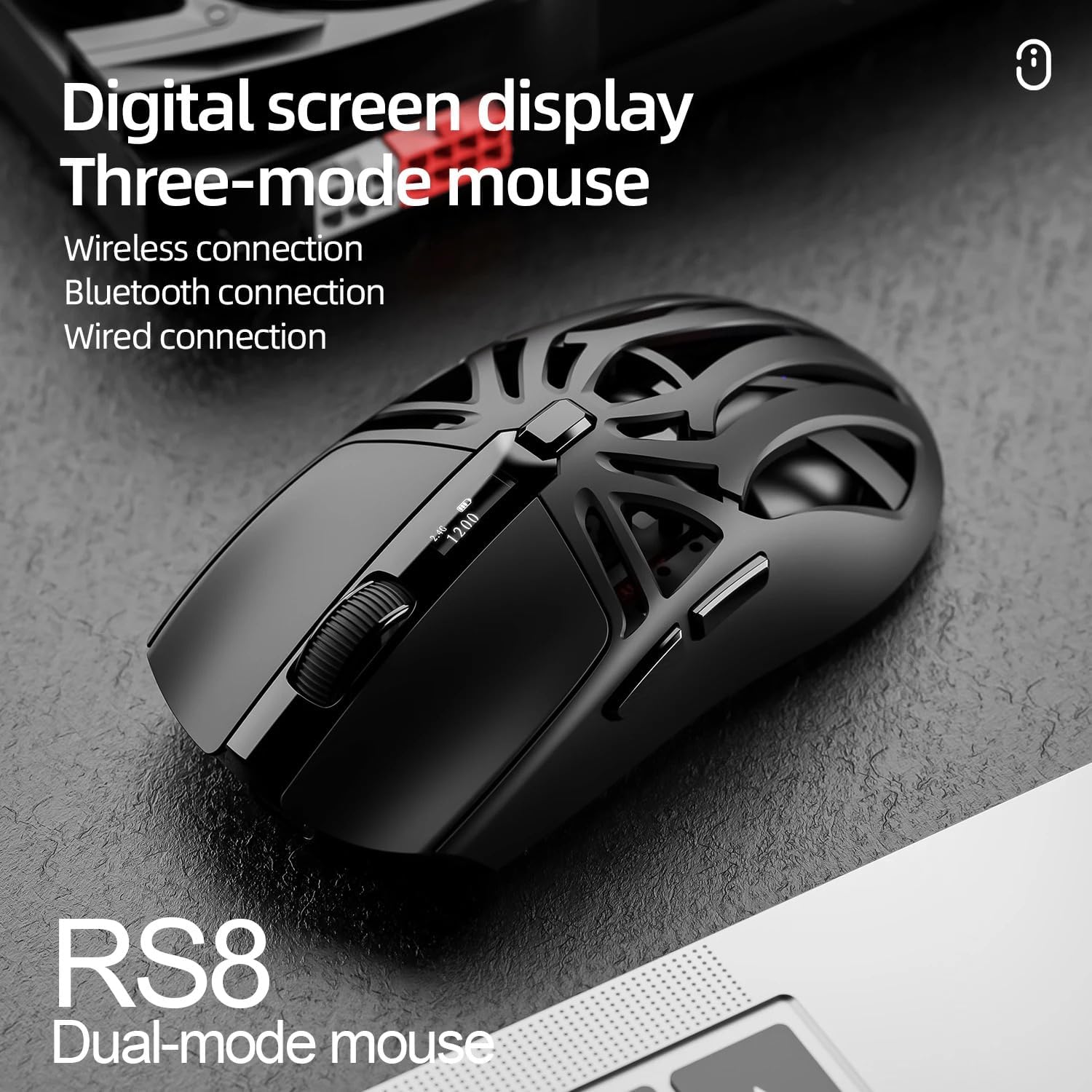
Image: SmailWolf RS8 mouse displaying DPI settings on its digital screen.
RGB Lighting Configuration
The mouse features customizable RGB lighting with 16.8 million colors. Specific buttons or software (if available) can be used to change lighting modes and colors. Refer to the manufacturer's website for any available software.

Image: Detail of the SmailWolf RS8 mouse showcasing its RGB lighting effect.
Fonksyon bouton
The mouse has 6 programmable buttons. Default functions include:
- Klike sou bò gòch
- Dwa Klike
- Scroll Wheel (Click and Scroll)
- Bouton DPI sik
- Bouton Avanse (sou kote)
- Back Button (Side)
For advanced customization, check if dedicated software is available from the manufacturer.
Antretyen
Netwayaj
To clean the mouse, use a soft, dry cloth. For stubborn dirt, slightly dampRense twal la avèk dlo oswa yon solisyon netwayaj dou. Evite itilize pwodui chimik ki agresif oswa materyèl abrazif.
Swen batri
To prolong battery life, avoid fully discharging the mouse frequently. Charge the mouse when the battery indicator is low. If storing the mouse for an extended period, charge it to approximately 50% and store in a cool, dry place.
Depanaj
Sourit la pa reponn
- Asire w ke sourit la chaje.
- Check the connection mode (2.4GHz, Bluetooth, or wired).
- For 2.4GHz, ensure the USB receiver is securely plugged in. Try a different USB port.
- For Bluetooth, ensure Bluetooth is enabled on your computer and the mouse is paired correctly. Try re-pairing.
- For wired, ensure the USB cable is securely connected.
- Rekòmanse òdinatè w lan.
Koneksyon tanzantan
- Deplase sourit la pi pre reseptè USB a oswa aparèy Bluetooth la.
- Evite entèferans ki soti nan lòt aparèy san fil.
- Ensure the mouse battery is not low.
DPI pa chanje
- Peze bouton DPI a byen fèm.
- Asire w ke sourit la limen epi li konekte.
Espesifikasyon
- Modèl: SmailWolf RS8
- Koneksyon: Bluetooth, 2.4GHz Wireless, USB Wired (Tri-mode)
- DPI Sensitivity: Jiska 12000 DPI (6 nivo reglabl)
- Pousantaj biwo vòt: 1000 Hz
- Bouton: 6
- Pwa: 49 Grams (Ultra-light)
- Dimansyon (L x W): 12 cm x 6.5 cm
- Ekleraj: RGB (16.8 milyon koulè)
- Sistèm operasyon konpatibilite: Windows (Windows 10 minimum)
- Itilizasyon Rekòmande: Gaming
- Materyèl: Plastik
- Koulè: Nwa
- Sous pouvwa: Built-in rechargeable battery (charged via USB)
- Optical sensor: Wi
- Oryantasyon: Men dwat
- Peyi orijin: Brezil
Garanti ak sipò
This product is manufactured by HYPEDFLOW. For warranty information or technical support, please refer to the retailer or manufacturer's official website. The product description indicates that specific warranty details may be provided by the seller or local regulations.
Manifakti: HYPEDFLOW