
1. Entwodiksyon
This manual provides detailed instructions for the VOPLLS Q5 Smart Mini Projector. Please read this manual thoroughly before using the product to ensure proper operation and to maximize your vieweksperyans nan. Kenbe manyèl sa a pou referans nan lavni.
2. Ki sa ki nan bwat la
- VOPLLS Q5 Mini Pwojektè Entelijan
- 360 ° wotasyon kanpe
- Kontwòl Remote (pil pa enkli)
- HDMI Cable (1.5m/4.92ft)
- Power Cord (2m/6.56ft)
- Manyèl Itilizatè (dokiman sa a)
3. Karakteristik kle
- Officially-Licensed Apps: Pre-installed streaming services like Netflix, YouTube, and Prime Video, with support for 4K HDR content within the app.
- Design elegant ak pòtab: Ultra-thin at 1.81 inches and lightweight (0.79 kg / 1.74 lbs) for easy transport.
- Automatic Focus & Keystone Correction: Features automatic fast focus and 6D all-around keystone correction for instant clarity and precise image alignment.
- Rezolisyon natif natal 1080P: Delivers vivid, color-accurate, and sharp visuals with native Full HD 1080P resolution and 4K playback compatibility.
- 360° Adjustable Stand: Integrated rotatable stand allows for flexible projection angles, including ceiling projection.
- Koneksyon avanse: Equipped with WiFi 6 for stable, rapid signal transmission and Bluetooth 5.2 for seamless audio sync with external speakers.
- Authentic Brightness: Certified 320 ANSI lumens for clear visuals in various environments.
4. Pwodwi souview

Figi 4.1: VOPLLS Q5 Smart Mini Projector on its adjustable stand.

Figi 4.2: Plis paseview of key features and design elements.
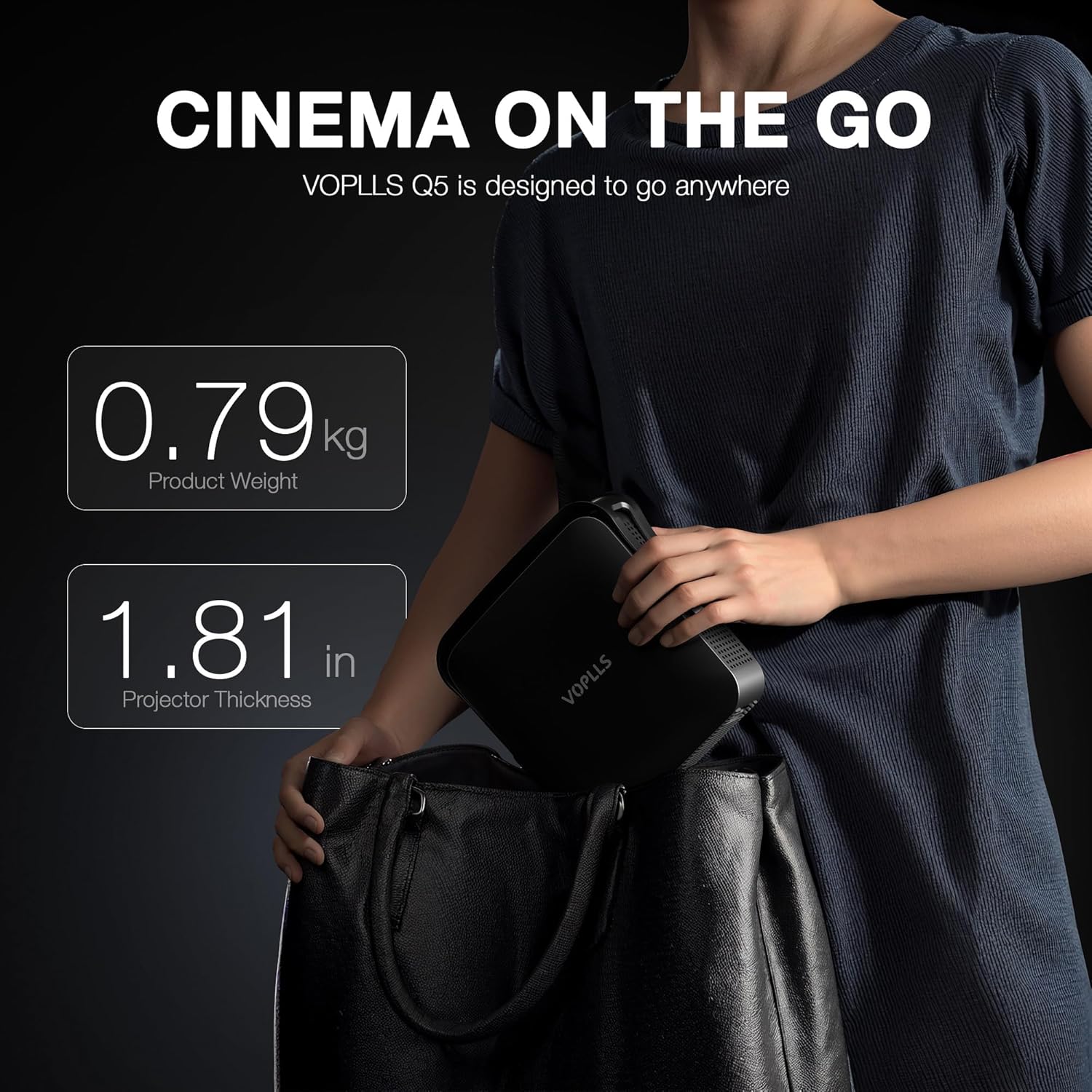
Figi 4.3: The compact size of the VOPLLS Q5, ideal for portability.
Videyo 4.1: Yon detaye souview of the VOPLLS Q5 projector's features, app interface, and video quality demonstrations.
4.1. Eleman yo
- Devan: Projection Lens, Auto-Focus Sensor.
- Dèyè: USB Port, 3.5mm Audio Jack, HDMI Input, Power Button, Power Input.
- Kote yo: Speaker Grilles, Ventilation.
- Anba: Tripod Mounting Point (compatible with standard camera tripods).
5. Enstriksyon Enstalasyon
- Dekonpoze: Ak anpil atansyon retire tout eleman nan anbalaj la.
- Plasman: Place the projector on a stable, flat surface. Utilize the 360° rotating stand to adjust the projection angle as desired. For ceiling projection, ensure the projector is securely mounted.
- Koneksyon pouvwa: Konekte kòd kouran an nan antre kouran pwojektè a epi answit nan yon priz elektrik.
- Pouvwa sou: Press the power button on the projector or the remote control to turn on the device. The projector will perform an initial auto-focus and keystone correction.
- Rezo Koneksyon: Navigate to the 'Network' settings to connect to your Wi-Fi network. This is essential for accessing streaming apps and online features.
Videyo 5.1: A short demonstration of the projector's portability and ease of setup.
6. Operasyon Enstriksyon
6.1. Navigasyon ak Entèfas Itilizatè
The VOPLLS Q5 features a user-friendly operating system. Use the provided remote control to navigate through menus and select options. The home screen displays trending content and quick access to pre-installed applications.

Figi 6.1: The user-friendly operating system interface.
6.2. Streaming Applications
Access a wide range of entertainment through pre-installed and downloadable apps:
- Pre-enstale: Netflix, YouTube, Prime Video.
- Downloadable: Visit the 'Play Store' to download additional apps like Hulu, HBO Max, Peacock, Paramount+, Tubi, and more.

Figi 6.2: Access to a wide selection of streaming applications.

Figi 6.3: Official Netflix compatibility for seamless streaming.
6.3. Koneksyon
- HDMI: Connect external devices such as laptops, gaming consoles, or Blu-ray players using the HDMI cable. Select 'HDMI' as the input source.
- USB: Mete yon kle USB nan pò USB a pou view local media files (videos, pictures, documents). Access these files via the 'Files' application on the home screen.
- Bluetooth 5.2: Pair with external Bluetooth speakers or headphones for enhanced audio. Go to 'Settings' > 'Network' > 'Bluetooth' to manage devices. (Note: Bluetooth supports audio transmission only, not video).
- WiFi 6: Ensures stable and fast internet connection for streaming and online features. Configured during initial setup.
- TV Casting: Mirror content from your smartphone or tablet to the projector screen. Select 'TV Casting' from the home screen and follow the on-screen instructions.
6.4. Ajisteman Imaj
- Konsantre Auto: The projector automatically adjusts focus upon power-on or when moved. This feature can be toggled in 'Settings' > 'Lens' > 'Autofocus settings'.
- Koreksyon Keystone: Automatic 6D keystone correction adjusts the image shape. For manual adjustments, go to 'Settings' > 'Lens' > 'Keystone correction' and use the 4-corner correction option.
- Zoom dijital: Adjust the screen size without moving the projector. Found in 'Settings' > 'Lens' > 'Digital zoom'.
- Direksyon pwojeksyon: Adjust the image orientation if the projector is mounted in different positions (e.g., ceiling, rear projection). Navigate to 'Settings' > 'Lens' > 'Projection direction'.
6.5. Anviwònman Imaj ak Son
- Anviwònman Foto: Customize brightness, contrast, saturation, sharpness, color tone, and color temperature. Access these in 'Settings' > 'Picture'. An 'Eye Protection Mode' is available to reduce blue light.
- Anviwònman son: Adjust audio balance and select sound modes (Standard, Music, Movie, News, Game, User). Manage audio output devices in 'Settings' > 'Sound'.
7. Antretyen
- Netwayaj lantiy: Sèvi ak yon twal mou ki pa gen pousyè, espesyalman fèt pou lantiy optik, pou netwaye lantiy pwojektè a dousman. Evite materyèl abrazif oswa pwodui chimik ki agresif.
- Netwayaj jeneral: Siye deyò pwojektè a avèk yon twal mou epi sèk. Pa sèvi ak pwodui netwayaj likid dirèkteman sou aparèy la.
- Vantilasyon: Ensure the ventilation grilles on the sides of the projector are clear of obstructions to prevent overheating.
- Depo: When not in use, store the projector in a cool, dry place, away from direct sunlight and extreme temperatures. The integrated stand helps protect the lens during storage.
NAN. Depanaj
- Pa gen pouvwa: Asire w kòd kouran an byen konekte ak pwojektè a ak priz kouran an. Eseye yon lòt priz.
- Pa gen foto: Check the input source selection (HDMI, USB, etc.) to ensure it matches your connected device. Verify that the connected device is powered on and outputting a signal.
- Imaj flou: The projector features auto-focus. If the image remains blurry, manually trigger auto-focus via the remote or check 'Settings' > 'Lens' > 'Autofocus settings'. Ensure the projection surface is flat.
- Imaj defòme (fòm trapèz): The projector has auto keystone correction. If needed, go to 'Settings' > 'Lens' > 'Keystone correction' for manual 4-corner adjustment.
- Pa gen son: Check the volume level on both the projector and the connected source device. If using Bluetooth, ensure the external audio device is properly paired and selected as the output.
- Pwoblèm Koneksyon Rezo: Verify your Wi-Fi password. Try restarting your router and the projector. Ensure the projector is within range of your Wi-Fi signal.
- Aplikasyon ki pa fonksyone: Ensure the projector is connected to the internet. Check for app updates in the Play Store or system software updates in 'Settings' > 'Software Update'.
9. Espesifikasyon
| Karakteristik | Deskripsyon |
|---|---|
| Mak | VOPLLS |
| Nimewo Modèl | Q5 |
| Rezolisyon ekspozisyon | Natif natal 1920 x 1080 (1080P) |
| 4K sipò | Supported for playback within the APP only. Not via USB drives or HDMI input. |
| Klète | 320 ANSI lumèn |
| Koneksyon Teknoloji | 3.5mm Jack, Bluetooth 5.2, HDMI, USB, Wi-Fi 6 |
| Dimansyon pwodwi | 6.93 x 1.81 x 6.93 pous (17.7 x 4.59 x 17.7 cm) |
| Pwa atik | 3.3 liv (0.79 kg) |
| Karakteristik espesyal | Smart TV Operating System, 360° rotating stand, Auto Focus, 4P/6D Keystone Correction, Officially-Licensed APPS |
| Itilizasyon Rekòmande | Biznis, Edikasyon, Jwèt Videyo, Sinema Lakay |
10. Garanti ak sipò
For warranty information, please refer to the documentation provided at the time of purchase or contact VOPLLS customer support directly. For technical assistance or further inquiries, please visit the official VOPLLS websit oswa kontakte ekip sèvis kliyan yo.