
1. Enfòmasyon sou Sekirite
- pa fè sa use the borescope in environments with flammable or explosive gases.
- pa fè sa expose the device to extreme temperatures. Operating temperature range is 0°C to 45°C (32°F to 113°F).
- The probe is IP67 waterproof, but the main unit is not. pa fè sa plonje inite prensipal la nan dlo.
- Kenbe aparèy la pa rive nan men timoun yo.
- Asire w ke aparèy la byen chaje anvan w itilize li pou evite entèripsyon pandan enspeksyon an.
- If the camera temperature reaches 85°C (185°F) or higher, it will automatically stop working to prevent damage. It will restart when the temperature drops below 60°C (140°F).
- Clean the camera lens and probe after each use, especially after inspecting oily or dirty environments.
2. Pake kontni
Verifye ke tout atik yo prezan nan pakè a:
- Anykit Two-Way Articulating Borescope (Main Unit with Probe)
- USB-C pou USB-C done kab
- USB-C to Lightning Adapter Cable
- Manyèl itilizatè
3. Pwodwi souview
Karakteristik kle:
- Two-Way 210° Articulation: Easily control the probe direction through tight spaces for comprehensive inspection.
- 1080P HD Resolution Camera: Capture high-definition photos and smooth videos directly on your connected smartphone.
- Flexible Semi-Rigid Cable: The 3.9FT cable is designed for accessing narrow and hard-to-reach areas.
- Limyè ki ap dirije reglabl: Features 8 adjustable LED brightness levels for clear visibility in dark environments.
- Inivèsèl konpatibilite: Plug-and-play design with USB-C for Android 8.0+ (with OTG support) and iPhone 15 series. Includes a Lightning adapter for older iPhone/iPad models.
- Sond ki enpèmeyab IP67: The camera probe is water and oil resistant, suitable for wet or oily inspection areas.
- Smart Overheat Protection: Automatically stops operation if the camera temperature exceeds 85°C (185°F) and restarts below 60°C (140°F).
Eleman:
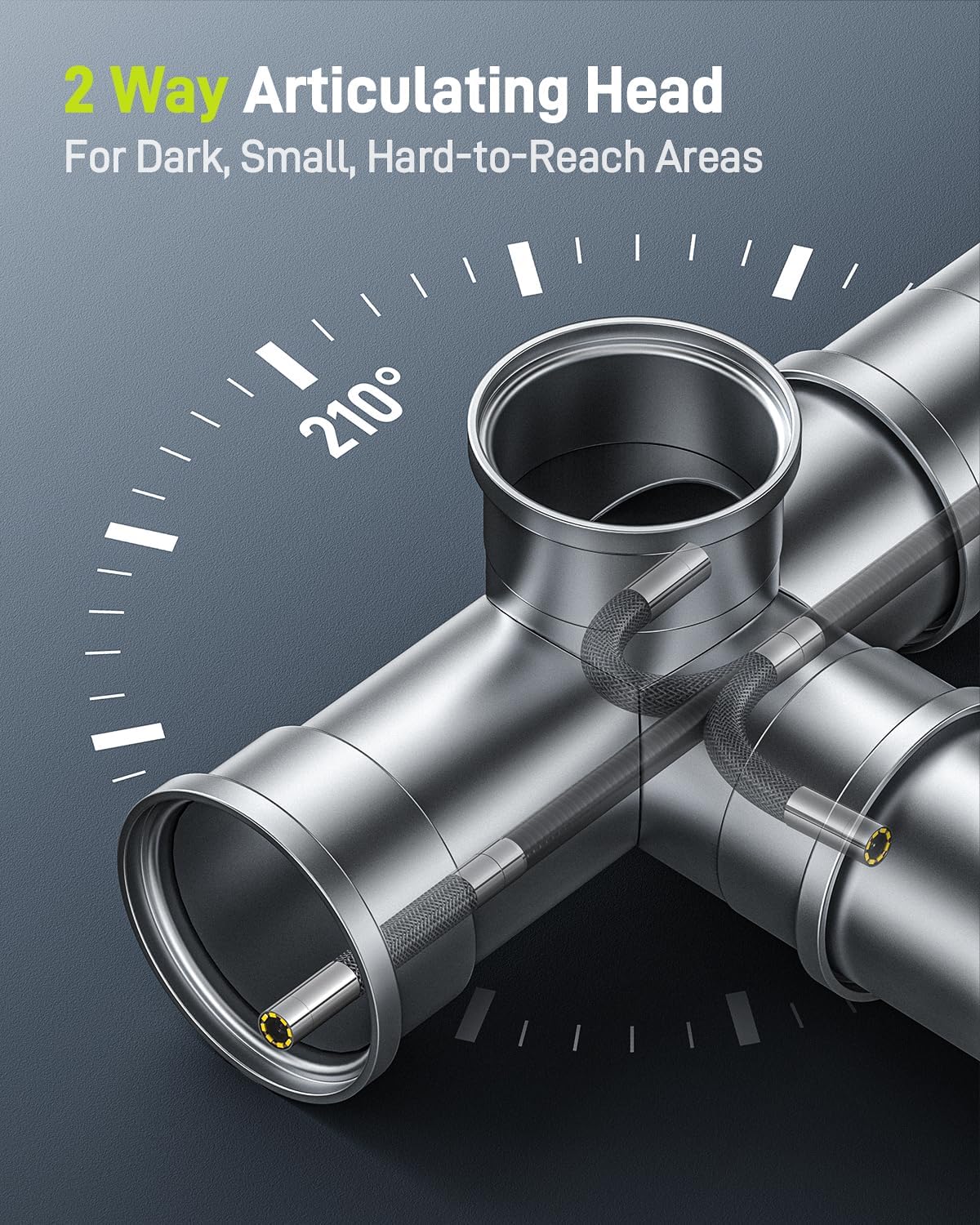
Image: The borescope probe demonstrating its 2-way articulating head, bending to inspect a pipe interior.

Image: Close-up of the borescope probe, highlighting its 5.5mm diameter and the 8 adjustable LED lights at the tip, with water droplets on the cable indicating IP67 water resistance.
4. Enstalasyon
- Telechaje App a: Chèche pou "Xscope" in your device's app store (App Store for iOS, Google Play for Android) and install it.
- Monte Smartphone ou a: Securely place your smartphone into the adjustable holder on the borescope's handle.
- Connect the Borescope:
- For USB-C devices (Android 8.0+ with OTG support, iPhone 15 series): Use the provided USB-C to USB-C data cable to connect the borescope handle to your smartphone.
- For older iPhone/iPad models: Use the provided USB-C to Lightning adapter cable to connect the borescope handle to your smartphone.
- Lanse App a: Once connected, the "Xscope" app should automatically launch or prompt you to open it. If not, open it manually.
- Verifye Koneksyon: The app interface will display a live feed from the borescope camera, indicating a successful connection.
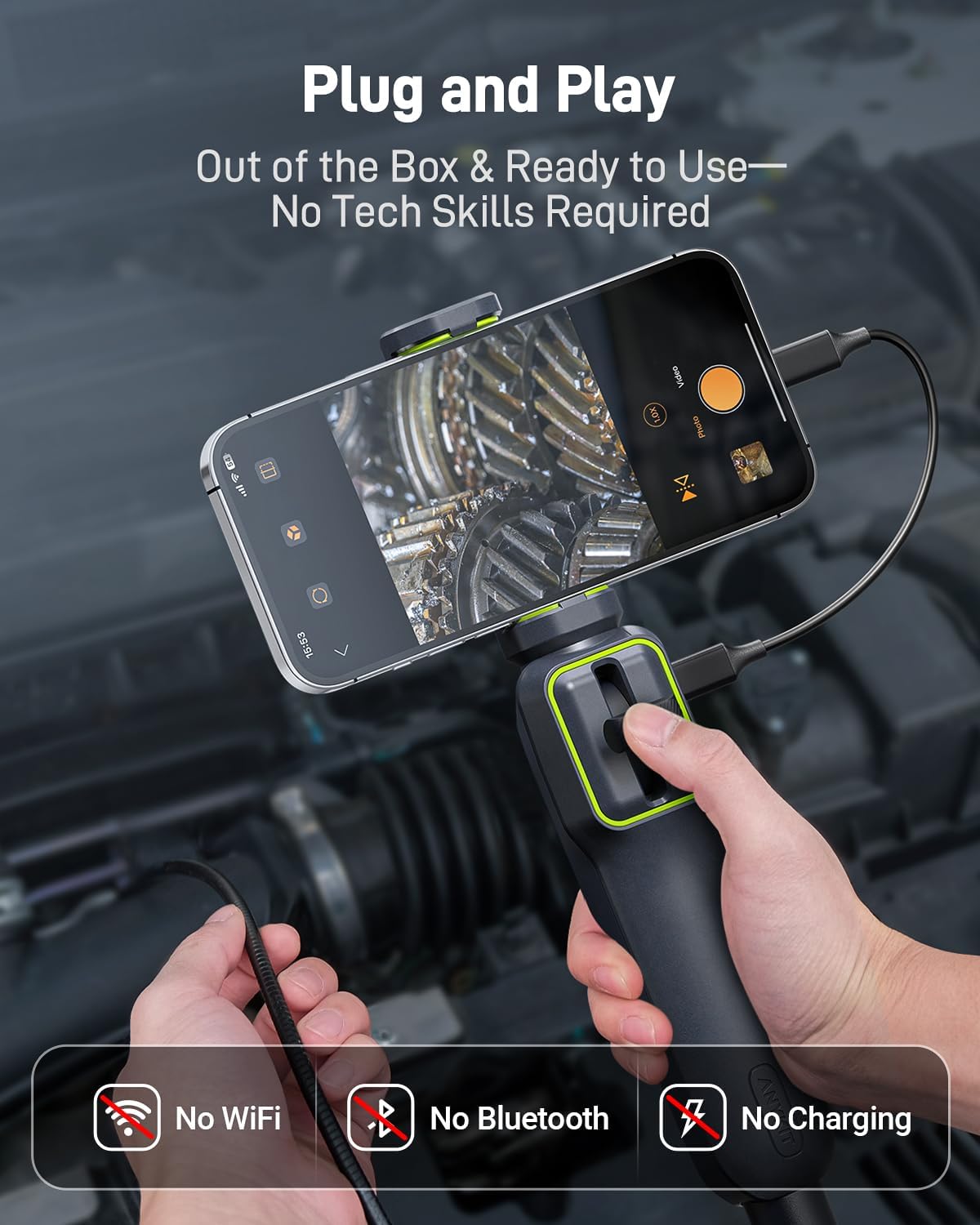
Image: A smartphone mounted on the borescope handle, connected via a USB-C cable, displaying the live camera feed. Text indicates "No WiFi, No Bluetooth, No Charging" for plug-and-play use.

Image: The borescope handle with a smartphone, illustrating the USB-C and Lightning cable options for universal compatibility with various mobile devices.
Video: An official Anykit video demonstrating the borescope's setup and ease of use, highlighting its plug-and-play functionality with a smartphone.
5. Operasyon Enstriksyon
- Ajiste klète LED la: Long-press the photo button on the borescope handle to cycle through bright, medium, dim, and off modes for the LED lights.
- Control Probe Articulation: Use the wheel on the borescope handle to precisely control the 210° two-way articulation of the camera probe, allowing you to navigate and view different angles within confined spaces.
- Navigate the Probe: Gently guide the semi-rigid cable into the inspection area. The flexible nature of the cable allows it to retain its shape for easier maneuvering.
- Pran foto: Press the photo button on the handle to take still images of the live feed. These images will be saved directly to your connected smartphone.
- Dosye videyo: Use the video recording function within the "Xscope" app to capture video footage of your inspection. Videos are also saved to your smartphone.
- Fonksyon Zoom: Utilize the digital zoom feature within the app (e.g., 1.0x, 1.5x, 2.0x) to get a closer look at details.
- Review Medya: Access captured photos and videos directly from the "Xscope" app's album section or your smartphone's gallery.
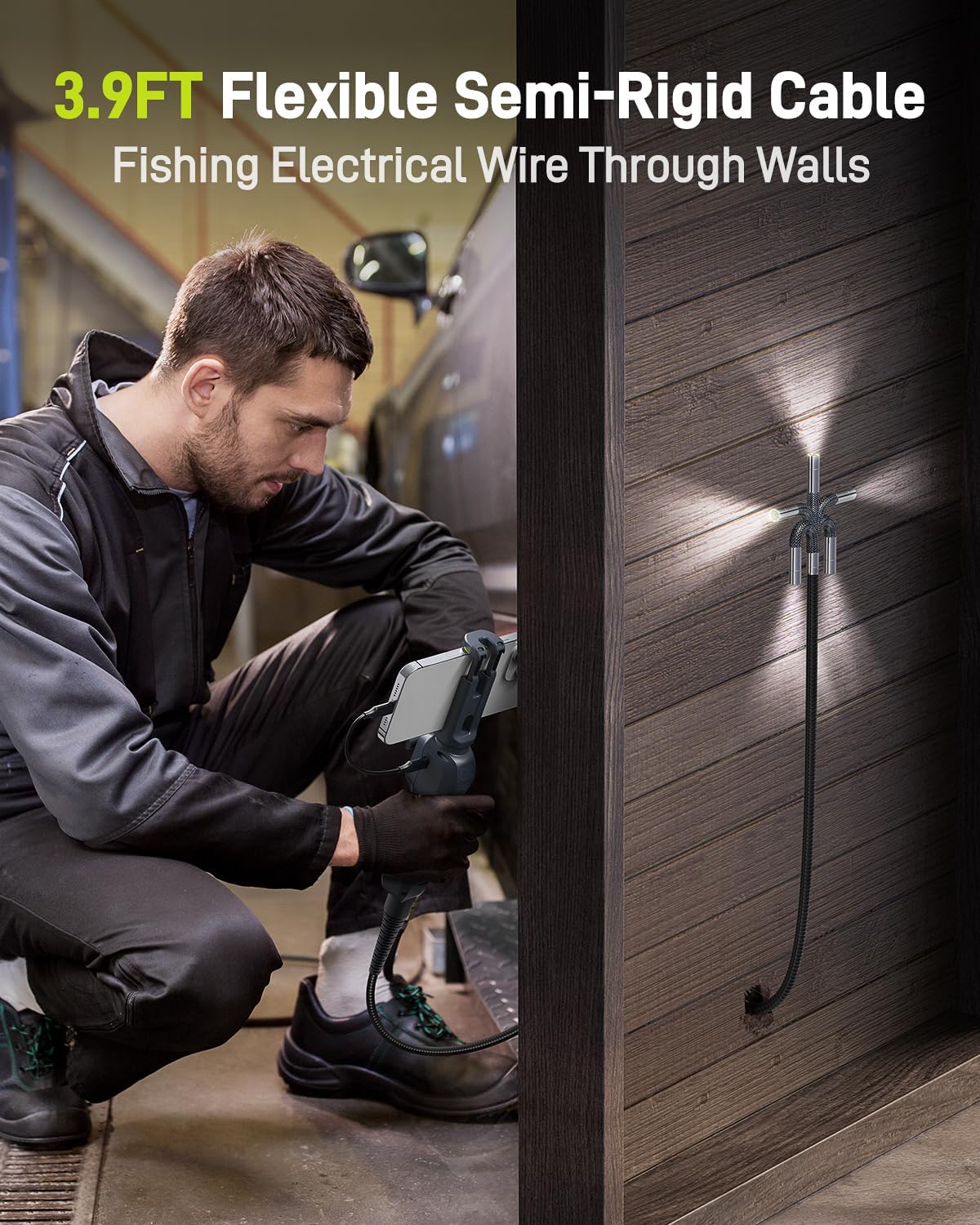
Image: A person using the Anykit borescope with its 3.9FT flexible semi-rigid cable to guide an electrical wire through a wall, demonstrating its utility in tight spaces.
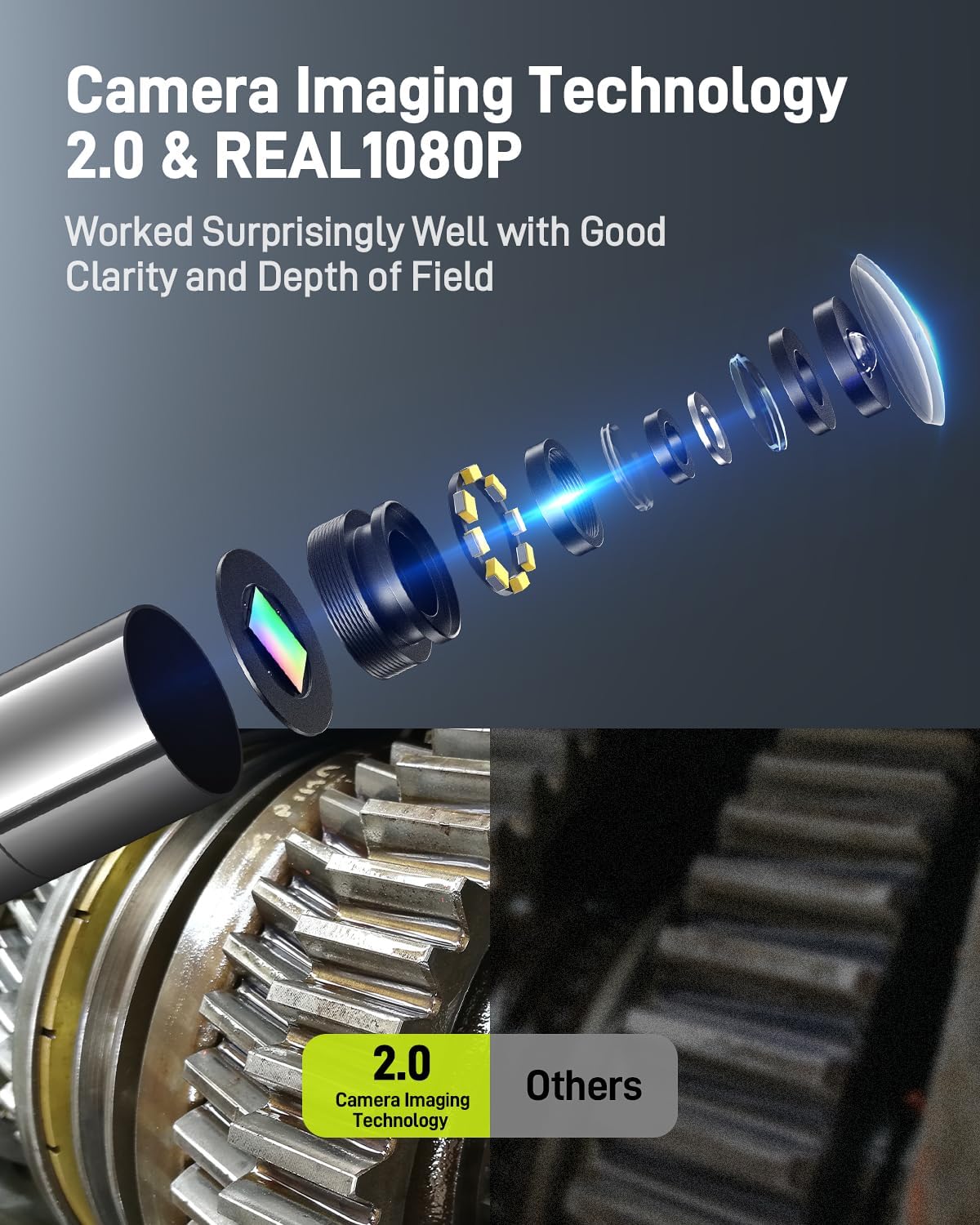
Imaj: Yon eksplozyon view of the borescope camera lens assembly, illustrating its 2.0MP sensor and 1080P HD resolution, with a comparison showing clearer image quality from the Anykit device versus others.
Video: An official Anykit video showcasing the 5.5mm two-way articulating endoscope camera in action, demonstrating its maneuverability and image capture capabilities.
6. Antretyen
- Netwaye lantiy la: After each use, especially in dirty or oily environments, gently wipe the camera lens with a soft, lint-free cloth. For stubborn grime, use a small amount of lens cleaning solution.
- Netwaye sond la: The IP67 waterproof probe can be rinsed with water. For oily residue, use a mild detergent and water, then wipe dry. Ensure no liquid enters the main unit.
- Depo: Store the borescope in a cool, dry place, away from direct sunlight and extreme temperatures. Coil the cable loosely to prevent damage.
- Swen batri: While the device is powered by your smartphone, ensure your smartphone's battery is adequately charged for prolonged use.
- Enspeksyon kab: Regularly inspect the semi-rigid cable for any signs of wear, kinks, or damage. Avoid sharp bends that could compromise internal wiring.
NAN. Depanaj
| Pwoblèm | Kòz posib | Solisyon |
|---|---|---|
| Pa gen imaj sou ekran an. | 1. Device not properly connected. 2. App not open or not recognizing device. 3. Smartphone OTG function disabled (Android). | 1. Ensure cables are securely connected. 2. Restart the "Xscope" app. Check app permissions. 3. Enable OTG in your Android phone's settings. |
| Poor image quality / blurry image. | 1. Dirty camera lens. 2. Insufficient lighting. 3. Object too close or too far from the lens. | 1. Clean the camera lens as per maintenance instructions. 2. Adjust LED brightness using the button on the handle. 3. Position the camera within the optimal focal range (2cm-10cm / 0.78in-3.94in). |
| Probe articulation not working. | Mechanism jammed or damaged. | Ensure no debris is obstructing the articulation mechanism. Avoid forcing the probe. If issue persists, contact support. |
| Aparèy la sispann fonksyone pandan l ap itilize li. | Pwoteksyon surchof aktive. | Allow the device to cool down. It will automatically restart when the temperature drops below 60°C (140°F). |
8. Espesifikasyon
- Modèl: AD100
- Rezolisyon kamera: 1080P HD (2.0 Megapixels)
- Dyamèt sond: 5.5mm
- Longè kab: 3.9FT (approximately 1.2 meters)
- Atikilasyon: Two-Way 210°
- Limyè ki ap dirije: 8 LED reglabl
- Rezistans dlo: IP67 (sond sèlman)
- Distans Fokal Optimal: 2cm-10cm (0.78inch-3.94inch)
- Tanperati operasyon: 0°C a 45°C (32°F a 113°F)
- Konpatibilite: Android 8.0+ (with OTG support), iPhone 15 series, older iPhone/iPad models (via Lightning adapter)
- Pwoteksyon Surchof: Automatic shutdown at 85°C (185°F), automatic restart below 60°C (140°F).
- Koneksyon: USB-C (direct connection), Lightning (via adapter)
9. Garanti ak sipò
Anykit products are designed for reliability and performance. For specific warranty details, please refer to the warranty card included in your package or visit the official Anykit websit.
If you encounter any issues or have questions regarding your Anykit Two-Way Articulating Borescope, please contact our customer support team:
- Imèl: support@anykit.com
- Telefòn: +1 (888) 989-0077
- Websit: www.anykit.com
Please have your model number (AD100) and purchase information ready when contacting support.