
1. Entwodiksyon
This manual provides detailed instructions for the Luoran M4Pro MP3 Player, a smart audio and media device designed for children and teenagers. It features a 4.0" IPS touchscreen, parental controls, and access to various streaming applications. Please read this manual thoroughly to ensure proper use and maintenance of your device.
2. Ki sa ki nan bwat la
- Luoran M4Pro MP3 Player
- 64GB memory card (pre-installed)
- USB-C kab
- Ekoutè filaire
- Ka silikone
- Instruction of use (this manual)
3. Pwodwi souview
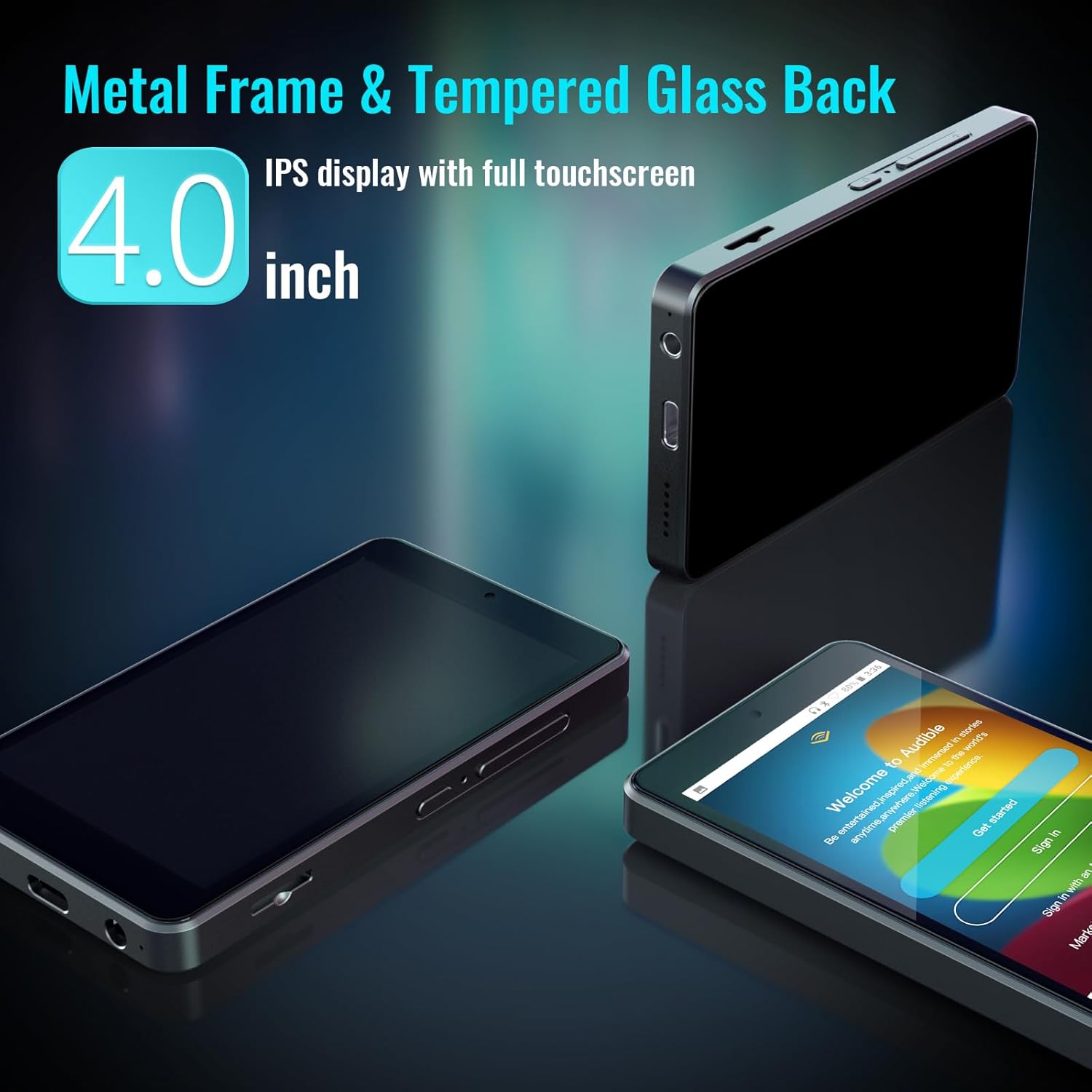
The Luoran M4Pro is a compact and durable MP3 player with a 4.0-inch IPS full-touchscreen display. It runs on Android 10, offering a smooth user experience.

The device features a metal frame and a tempered glass back for enhanced durability. It includes physical buttons for power and volume control, along with a USB-C charging port and a 3.5mm headphone jack.
4. Enstalasyon
- Premye pouvwa sou: Peze epi kenbe bouton pouvwa a ki sitiye sou kote aparèy la jiskaske ekran an limen.
- Parental Management PIN: For first-time use, navigate to "Parental Management" in the settings. Set a PIN code and ensure you write it down and remember it. This PIN is crucial for accessing parental control functions and preventing unauthorized changes.
- Konekte ak Wi-Fi: Go to Settings > Network & Internet > Wi-Fi and connect to your preferred wireless network to enable streaming and app downloads.
- Mete kat memwa: The 64GB memory card is pre-installed. If you wish to expand storage further, insert a compatible micro SD card (up to 1TB) into the designated slot on the side of the device.
5. Operasyon Enstriksyon
The Luoran M4Pro operates on an Android-based system, providing a familiar and intuitive interface. Navigate through applications by swiping the touchscreen and tapping on icons.
- Bouton pouvwa: Press and hold to power on/off. Short press to wake/sleep the screen.
- Bouton Volim: Adjust audio volume using the dedicated buttons on the side.
- Navigasyon: Use the on-screen navigation buttons (Home, Back, Recent Apps) to move between screens and applications.
6. Kontwòl Paran yo
The M4Pro includes a robust parental control system to manage your child's usage. Access these settings via the "Parental Management" app on the device's home screen.
- App Blocking: Block or unblock any application, including the Google Play Store, to control access to content.
- Limit tan: Set automatic ON/OFF times to control daily playing duration.
- Mòd limyè lannwit: Supported for eye care, adjustable in settings.


7. Entegrasyon Medya
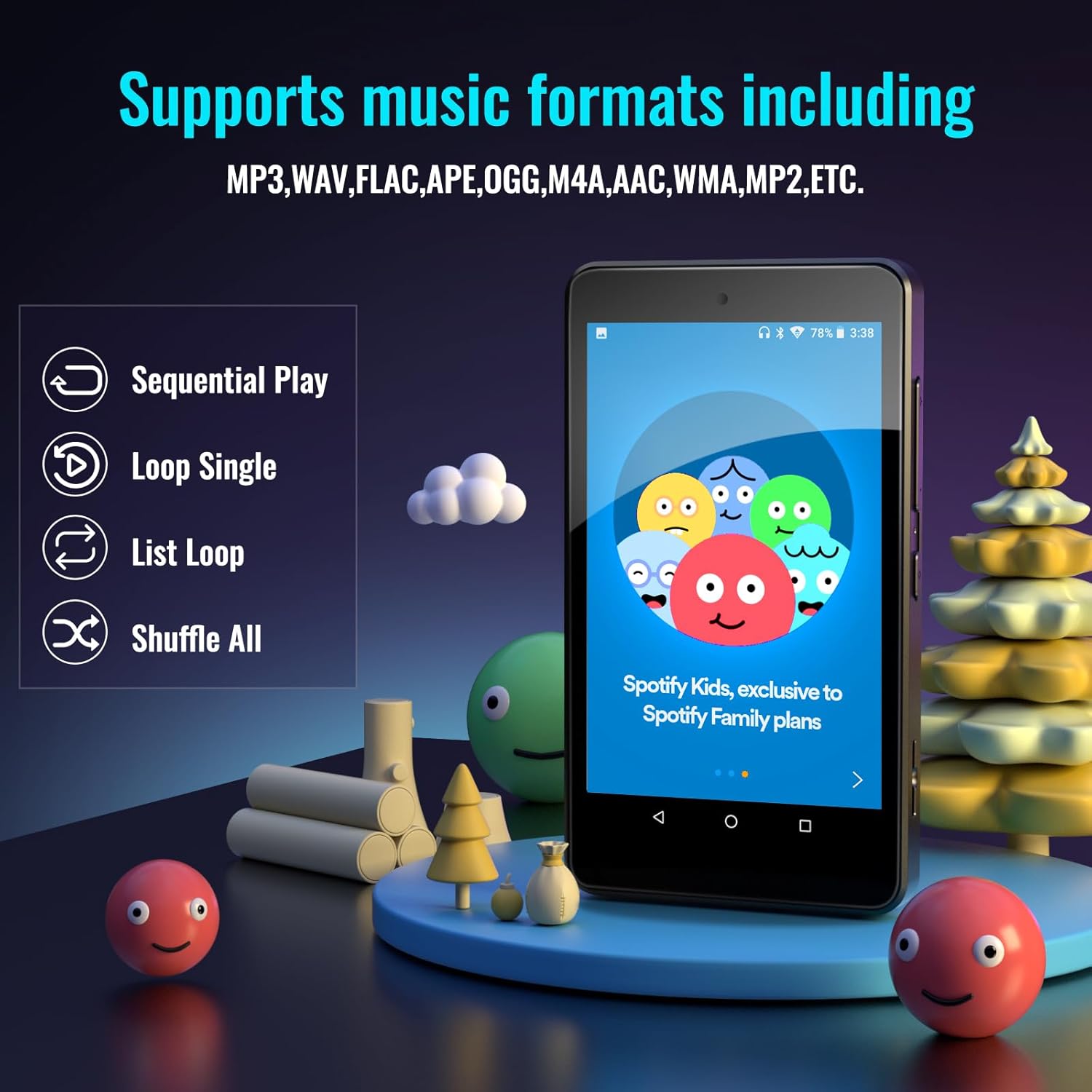
The M4Pro comes pre-installed with popular apps and supports various media formats.
- Aplikasyon pre-enstale: Spotify Kids, Spotify, Amazon Music, Audible, Pandora, YouTube, Libby, and HiBy Music.
- Google Play Store: Download any additional music, audiobook, or entertainment apps.
- Fòma odyo sipòte: MP3, WAV, FLAC, APE, OGG, M4A, AAC, WMA, MP2, etc.

8. Storage and Connectivity
- Depo Entèn: 32GB ROM with 3GB RAM.
- Depo dilatabl: Comes with a 64GB memory card pre-installed (total 96GB). Supports external memory expansion up to 1TB via SDXC/SDHC cards.
- Doub Band WiFi: Enjoy stable and fast wireless connections with 2.4GHz & 5GHz Wi-Fi.
- Bluetooth 5.0: Ensures seamless connectivity with headphones, speakers, and car stereos for a smooth audio experience.

9. Battery Life and Portability
- Batri: Built-in 2000mAh LCO battery.
- Lektur Mizik: Jiska 70 èdtan lekti mizik kontinyèl sou yon chaj 2 èdtan.
- Chaje: USB-C chaje pò.
- Konsepsyon: Lightweight and portable, ideal for travel, exercise, and on-the-go use.
10. Antretyen
- Netwayaj: Use a soft, dry cloth to clean the screen and device body. Avoid abrasive cleaners or solvents.
- Pwoteksyon: Always use the provided silicone case to protect the device from drops and impacts.
- Depo: Sere aparèy la nan yon kote ki fre epi sèk, lwen limyè solèy dirèk ak tanperati ekstrèm.
- Swen batri: To prolong battery life, avoid fully discharging the device frequently. Charge regularly.
NAN. Depanaj
- Aparèy pa Limen: Ensure the device is charged. Connect to the USB-C charger and wait a few minutes before attempting to power on again.
- Forgotten Parental PIN: If you forget your parental management PIN, you may lose access to certain functions. Refer to the device's support documentation or contact Luoran customer service for assistance.
- App Issues (e.g., frequent updates, not opening): Ensure the device is connected to Wi-Fi. Check for system updates in Settings > System > System update. For specific app issues, try clearing the app's cache or reinstalling it via the Google Play Store.
- Pwoblèm son: Check headphone connection. Ensure volume is not muted or too low. Test with different headphones or Bluetooth speakers.
12. Espesifikasyon
| Karakteristik | Detay |
|---|---|
| Dimansyon pwodwi | 4.25 x 2.4 x 0.39 pous |
| Pwa atik | 4.9 ons |
| Manifakti | Luoran |
| Nimewo Modèl Atik | M4Pro-6750 |
| Batri | Built-in 2000mAh LCO battery |
| Mak | Luoran |
| Non modèl | M4Pro-6750 |
| Karakteristik espesyal | Bluetooth and WiFi, Google Play Store, Parental Controls |
| Koneksyon Teknoloji | Bluetooth, fil |
| Kapasite Depo memwa | 96 GB (32GB ROM + 64GB SD card) |
| Koulè | Nwa |
| Gwosè ekran | 4 pous |
| Aparèy konpatib | Earphone, Headphone |
| Kalite Medya | Memory Card, SDHC, SDXC |
13. Garanti ak sipò
Luoran stands behind its products. If you encounter any unexpected issues or have questions, the Luoran support team is available 24/7 to assist you.
For support, please refer to the contact information provided in the "Instruction of use" booklet included in your product packaging or visit the official Luoran websit.