
1. Entwodiksyon
The PEICHENG Q2SPRO is a 7-inch tablet designed for a smooth and responsive user experience, powered by the Android 15.0 operating system. It features an IPS display, ample memory and storage, and dual cameras, making it suitable for various daily tasks from browsing to media consumption. This manual provides essential information for setting up, operating, maintaining, and troubleshooting your device.
2. Pake kontni
Tanpri verifye sa ki nan pake a lè w ap debale l. Si gen nenpòt atik ki manke oswa ki domaje, kontakte sèvis kliyan.
- PEICHENG Q2SPRO 7-inch Android 15.0 Tablet
- Protective Case with Foldable Stand
- USB-C Chaje Kab
- Adaptè kouran (ka varye selon rejyon an)
- Manyèl Itilizatè (dokiman sa a)
3. Layout aparèy
Familiarize yourself with the physical components of your PEICHENG Q2SPRO tablet.
This image shows the PEICHENG Q2SPRO tablet from both the front, displaying its screen, and the rear, highlighting the camera and overall design.

Yon bò view of the PEICHENG Q2SPRO tablet, illustrating the placement of its various ports and buttons, such as the USB-C port, power button, and volume controls.
- Kamera devan: Located above the screen.
- Kamera dèyè: Located on the back panel.
- Bouton pouvwa: Typically on the side, used to turn the device on/off or wake/sleep.
- Bouton Volim: Ajiste nivo odyo yo.
- USB-C pò: Pou chaje ak transfè done.
- Oratè: Pou pwodiksyon odyo.
- MicroSD Kat plas: Pou depo ki ka elaji.
4. Enstalasyon
4.1 Premye chaj
Before first use, fully charge your tablet. Connect the USB-C cable to the tablet's charging port and the other end to the power adapter. Plug the adapter into a wall outlet. The charging indicator will show the charging status.
4.2 Power On/Off
- Pou limen: Press and hold the Power button until the PEICHENG logo appears on the screen.
- Pou etenn: Press and hold the Power button until the power options appear, then select "Power Off."
- Pou dòmi/reveye: Yon ti tan peze bouton pouvwa a.
4.3 Asistan Enstalasyon Inisyal
Upon first power-on, the Android 15.0 setup wizard will guide you through essential configurations:
- Seleksyon Lang: Chwazi lang ou prefere.
- Koneksyon Wi-Fi: Connect to a wireless network to access the internet. The tablet supports WiFi6 (2.4G+5G).
- Kont Google: Konekte avèk kont Google ou a oubyen kreye yon nouvo pou jwenn aksè nan sèvis Google yo tankou Play Store, Gmail, ak Google Drive.
- Dat ak Lè: Mete dat ak lè ki kòrèk la.
- Sekirite: Mete yon kòd bloke ekran (Kòd PIN, modèl, oswa modpas) pou sekirite aparèy la.

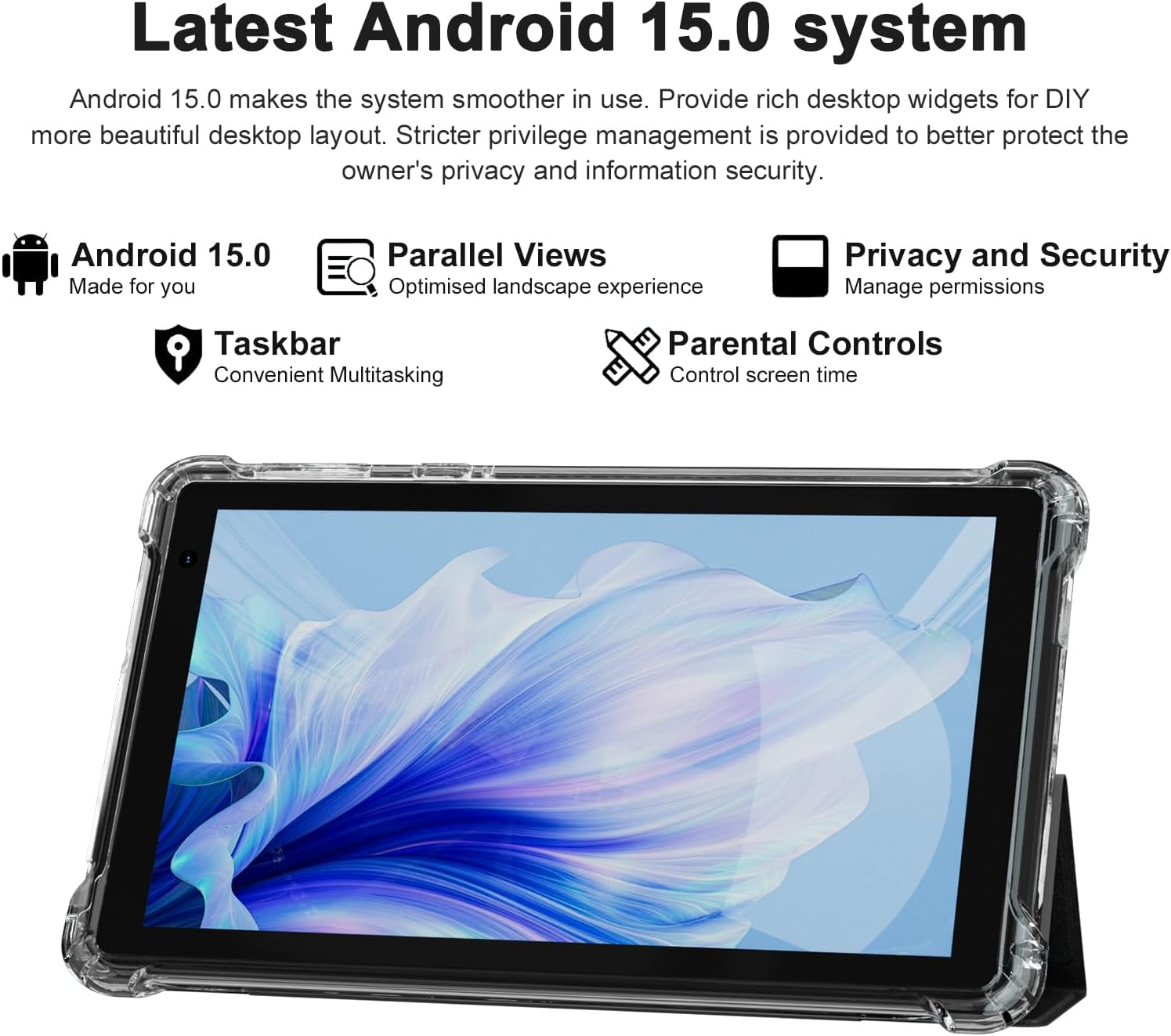
The PEICHENG Q2SPRO tablet screen displaying the Android 15.0 operating system interface, highlighting features like desktop widgets and privacy controls.
5. Operasyon Enstriksyon
5.1 Navigasyon debaz
- Ekran tactile: Tap, swipe, pinch-to-zoom for interaction.
- Ekran Kay: Access apps, widgets, and notifications. Android 15.0 offers rich desktop widgets for customization.
- Panèl Notifikasyon yo: Glise desann soti nan tèt ekran an pou view notifikasyon ak paramèt rapid.
- Ba travay: Android 15.0 includes a taskbar for convenient multitasking and optimized landscape mode.
5.2 Koneksyon Wi-Fi
- Ale nan Anviwònman > Rezo ak entènèt > Entènèt.
- Limen Wi-Fi.
- Chwazi rezo Wi-Fi ou vle a nan lis la.
- Antre modpas la si yo mande w, epi tape Konekte.
5.3 Bluetooth Pairing
- Ale nan Anviwònman > Aparèy ki konekte > Preferans koneksyon > Bluetooth.
- Limen Bluetooth.
- Ensure the device you want to pair is in pairing mode.
- Select the device from the list of available devices and follow on-screen instructions to complete pairing.
5.4 Itilizasyon Kamera
The tablet features a 2.0MP front camera and a 5.0MP rear camera.
- Louvri a Kamera aplikasyon.
- Tape ikòn kamera a pou chanje ant kamera devan ak dèyè.
- Tape bouton deklanchè a pou pran yon foto oswa pou kòmanse/sispann anrejistreman videyo.

This image illustrates the 5MP rear camera and 2MP front camera specifications of the PEICHENG Q2SPRO tablet, alongside example photos taken with the device.
5.5 Enstalasyon App
Access millions of applications through the Google Play Store.
- Louvri a Jwe magazen app.
- Chèche pou the desired app.
- Tape Enstale epi swiv envit ki sou ekran yo.
5.6 Protective Case and Stand
The included transparent, shock-absorbing protective case helps protect your tablet. It features a built-in foldable stand, allowing you to prop the tablet at a comfortable viewing angle for hands-free use.

The PEICHENG Q2SPRO tablet enclosed in its transparent protective case, demonstrating the integrated foldable stand propping the device at a comfortable viewang ang.
6. Antretyen
6.1 Netwaye Tablèt la
- Sèvi ak yon twal mou ki pa gen pousyè pou netwaye ekran an ak kò a.
- Do not use liquid cleaners or aerosols directly on the tablet.
- Pou mak ki difisil pou retire, yon ti kras dampSiye twal la avèk dlo oswa yon pwodui netwayaj ki san danje pou ekran.
6.2 Mizajou lojisyèl
Tcheke epi enstale mizajou lojisyèl regilyèman pou asire pèfòmans, sekirite ak aksè a nouvo fonksyonalite yo optimal. Ale nan Anviwònman > Sistèm > Aktyalizasyon sistèm lan.
6.3 Swen Batri
- Evite tanperati ekstrèm, ki ka diminye lavi batri a.
- Pa kite batri a dechaje nèt souvan.
- Sèvi ak plato ki vini ak li a pou yon chajman optimal.
- The tablet emphasizes low power consumption for better battery efficiency.
NAN. Depanaj
Seksyon sa a adrese pwoblèm komen ou ka rankontre ak tablèt ou a.
| Pwoblèm | Kòz posib / Solisyon |
|---|---|
| Tablèt la pa limen | Asire w batri a chaje. Konekte l nan plato a epi tann kèk minit anvan ou eseye limen l ankò. |
| Tablet freezes or is unresponsive | Press and hold the Power button for about 10-15 seconds to force a restart. Close unnecessary background applications. |
| Pwoblèm koneksyon Wi-Fi | Ensure Wi-Fi is enabled. Restart your router and the tablet. Check if the Wi-Fi password is correct. Try connecting to a different network if available. |
| Batri vide byen vit | Reduce screen brightness. Close unused apps. Disable Wi-Fi/Bluetooth when not in use. Check for power-intensive apps in battery settings. |
| Tablèt surchof | Avoid using the tablet in direct sunlight or hot environments. Close demanding applications. Allow the tablet to cool down before continued use. |
| Pèfòmans dousman | Clear cache and data of frequently used apps. Uninstall unused apps. Ensure sufficient free storage space. Restart the tablet regularly. |
8. Espesifikasyon
Technical specifications for the PEICHENG Q2SPRO tablet.
| Karakteristik | Detay |
|---|---|
| Mak | PEICHENG |
| Non modèl | Q2SPRO |
| Sistèm operasyon | Android 15.0 |
| Gwosè ekran | 7 pous |
| Kalite ekspozisyon | IPS LED Touchscreen |
| Rezolisyon ekspozisyon | 1024 x 600 piksèl |
| Memwa RAM | 8GB (3GB installed + 5GB expandable) |
| Kapasite Depo memwa | 32 GB (ou ka ogmante l jiska 1TB atravè yon kat MicroSD) |
| Mak processeur | Rockchip |
| Kamera dèyè | 5.0MP |
| Kamera devan | 2.0MP |
| Rezolisyon Capture Videyo | HD 720p |
| Teknoloji san fil | Wi-Fi (802.11ax, 802.11g, 2.4G+5G) |
| Bluetooth | Bluetooth 5.0 |
| Koneksyon Teknoloji | USB 3.0 Kalite C |
| Kalite selil batri | Lityòm Polymère |
| Kontni enèji batri a | 3000 MiliampOrè (mAh) |
| Pwa atik | 0.49 Kilogram |
| Dimansyon atik (L x W x epesè) | 8"L x 5"Lajè x 0.4"Epesè |
9. Enfòmasyon sou Garanti
The PEICHENG Q2SPRO tablet comes with a 1-ane garanti limite from the date of purchase. This warranty covers manufacturing defects and malfunctions under normal use. It does not cover damage caused by misuse, accidents, unauthorized repairs, or normal wear and tear. Please retain your proof of purchase for warranty claims.
10. Sipò pou Kliyan
For further assistance, technical support, or warranty inquiries, please refer to the contact information provided with your product packaging or visit the official PEICHENG website. When contacting support, please have your model number (Q2SPRO) and proof of purchase readily available.