
1. Pwodwi souview
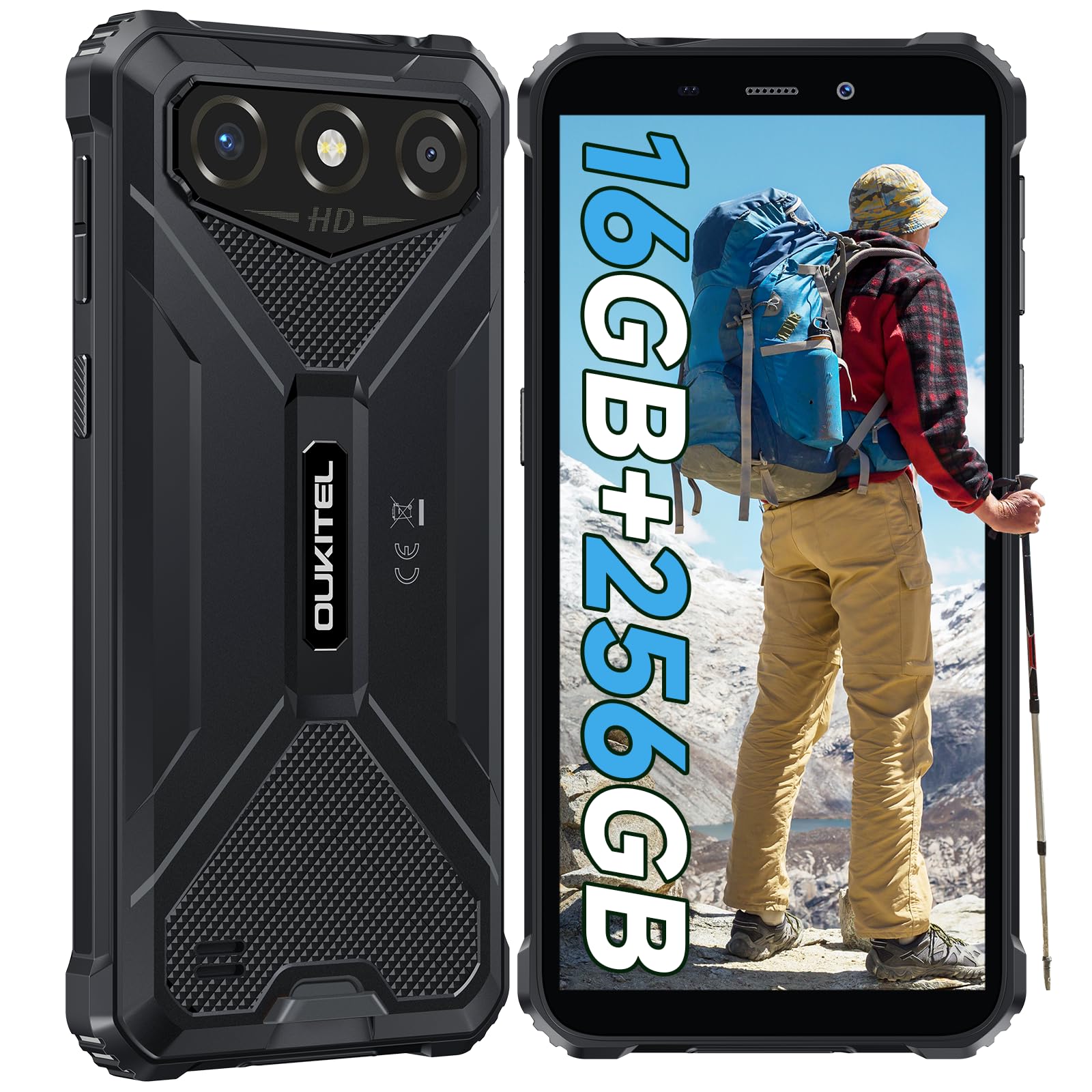
The OUKITEL G3 is a rugged smartphone designed for durability and performance in challenging environments. It features a 6.0-inch HD display, a 6300mAh battery, 16GB RAM (expandable), 256GB ROM (expandable to 1TB), and a 13MP main camera. The device is certified with IP68, IP69K, and MIL-STD-810H ratings, ensuring resistance to water, dust, and drops. It operates on Android 14 and supports 4G Dual SIM, GPS, Face ID, and OTG functionality.
2. Pake kontni
Verifye ke tout atik yo prezan nan pakè ou a:
- 1x OUKITEL G3 Smartphone
- 1x Chargeur
- 1x Kalite-C Kab
- 1x SIM Card Ejector Pin
- 1x manyèl itilizatè

3. Inisyal Enstalasyon
3.1. Mete Kat SIM ak Kat TF
- Jwenn plato kat SIM lan sou bò aparèy la.
- Use the provided SIM ejector pin to open the tray.
- Carefully place your Nano SIM cards (up to two) and/or a TF card (for memory expansion up to 1TB) into the designated slots.
- Ensure the cards are correctly oriented as indicated on the tray.
- Dousman pouse plato a tounen nan telefòn nan jiskaske li fè yon klik.

3.2. Chaje batri a
Before first use, fully charge the device. Connect the Type-C cable to the phone's charging port and the other end to the provided charger. Plug the charger into a power outlet. The battery indicator on the screen will show charging status. The OUKITEL G3 features a 6300mAh battery for extended use.
3.3. Powering On / Off
- To power on: Press and hold the Power button until the OUKITEL logo appears.
- To power off: Press and hold the Power button, then select "Power off" from the options on the screen.
- Pou rekòmanse: Peze epi kenbe bouton Pouvwa a, answit chwazi "Rekòmanse" nan opsyon yo.
4. Operasyon Enstriksyon
4.1. Ekspozisyon ak Navigasyon
The OUKITEL G3 features a 6.0-inch HD display with 450 nits brightness and Corning Glass 5 protection. Navigate the Android 14 interface using touch gestures: tap, swipe, pinch-to-zoom. Access quick settings by swiping down from the top of the screen.

4.2. Fonksyon Kamera
The device is equipped with a 13MP rear camera and a 5MP front camera. Open the Camera app to capture photos and videos. Features include:
- Mòd Foto Estanda: Pou fotografi chak jou.
- Mòd Bote IA: Amelyore karakteristik vizaj yo nan pòtrè.
- Mòd Kamera Anba Dlo: Allows capturing photos and videos while submerged up to 1.5m for 30 minutes. Ensure all ports are securely sealed before underwater use.
- Mòd Panorama: For wide-angle landscape shots.

4.3. Battery Management and OTG
The 6300mAh battery provides extended usage. To optimize battery life, manage screen brightness, close unused applications, and enable power-saving modes when needed. The device supports OTG (On-The-Go) reverse charging, allowing you to use your OUKITEL G3 to charge other compatible devices via a Type-C OTG cable (sold separately).

4.4. Kle pèsonalize ak karakteristik sekirite
- Kle Custom: A programmable button on the side of the device for quick access to specific applications or functions. Configure its actions (single click, double click, long press) in the phone settings.
- ID figi: Use facial recognition for secure unlocking of your device. Set up Face ID in the Security settings.
- Navigasyon GPS: The OUKITEL G3 supports GPS, GLONASS, Beidou, and Galileo navigation systems for accurate positioning.

5. Antretyen ak Durabilite
The OUKITEL G3 is built to withstand harsh conditions, certified with IP68, IP69K, and MIL-STD-810H standards.
- Rezistans dlo IP68: Protected against continuous immersion in water up to 1.5 meters for 30 minutes. Ensure all port covers are tightly sealed before exposure to water.
- IP69K Dust Resistance: Totalman pwoteje kont pousyè k ap antre ak jè dlo anba gwo presyon ak gwo tanperati.
- Rezistans kont gout MIL-STD-810H: Designed to withstand drops from up to 1.5 meters. The aluminum frame and rubberized corners provide enhanced shock absorption.
Pou netwaye aparèy la, sèvi ak yon mou, damp cloth. Avoid harsh chemicals or abrasive materials. Regularly check port covers for proper sealing to maintain water and dust resistance.

NAN. Depanaj
If you encounter issues with your OUKITEL G3, refer to the following common solutions:
| Pwoblèm | Solisyon posib |
|---|---|
| Aparèy pa limen | Asire w batri a chaje. Konekte chajè a epi tann kèk minit anvan ou eseye limen l ankò. |
| Siyal rezo pòv | Check if SIM cards are correctly inserted. Move to an area with better network coverage. Contact your service provider if the issue persists. |
| Aplikasyon yo ap plante oswa bloke | Close background applications. Clear the cache of the problematic app. Restart the device. Ensure sufficient storage space is available. |
| Batri vide byen vit | Reduce screen brightness. Disable unused features like Wi-Fi, Bluetooth, GPS. Close power-intensive apps. Check battery usage in settings to identify culprits. |
| Touchscreen pa reponn | Rekòmanse aparèy la. Si pwoblèm nan pèsiste, fè yon reset faktori (fè yon backup done an premye). |
7. Espesifikasyon teknik
| Karakteristik | Detay |
|---|---|
| Mak | OUKITEL |
| Modèl | G3 |
| Sistèm operasyon | Android 14 |
| RAM | 4GB (ou ka ogmante l jiska 16GB RAM vityèl) |
| Depo Entèn (ROM) | 256GB |
| Depo dilatabl | Jiska 1TB (kat TF) |
| Gwosè ekspozisyon | 6.0 pous |
| Rezolisyon ekspozisyon | HD (450 nits brightness, Corning Glass 5) |
| Rafrechisman pousantaj | 60Hz |
| Kamera dèyè | 13 megapiksèl |
| Kamera devan | 5 megapiksèl |
| Kapasite batri | 6300 mAh |
| Port chaje | USB Kalite-C |
| Evalyasyon Durabilite | IP68, IP69K, MIL-STD-810H |
| Sipò pou kat SIM | Dual 4G Nano SIM |
| Navigasyon | GPS, GLONASS, Beidou, Galileo |
| Sekirite byometrik | figi ID |
| Audio Jack | 3.5mm |
For detailed energy efficiency information, please refer to the EU EPREL database: https://eprel.ec.europa.eu/qr/2400970

8. Garanti ak sipò
OUKITEL provides the following support for the G3 smartphone:
- Règleman retounen: 30-day no-reason return.
- Garanti: TWO-YEAR warranty.
- Sipò teknik: Long-term technical assistance.
- Sèvis Kliyan: 24-hour online customer service.
For any inquiries or support, please contact OUKITEL official customer service.