
1. Entwodiksyon
The BLUETTI SolarX 4K MPPT Solar Charge Controller is designed to efficiently convert solar energy for charging compatible BLUETTI solar generators and batteries. It features a wide voltage input range, high efficiency, and smart monitoring capabilities via Bluetooth and Wi-Fi, making it suitable for various applications including RVs, off-grid homes, and outdoor use.

Image 1.1: The BLUETTI SolarX 4K MPPT Solar Charge Controller integrated into a home solar setup.
2. Enfòmasyon sou Sekirite
Please read and understand all safety instructions before installing or operating the SolarX 4K MPPT Solar Charge Controller. Failure to follow these instructions may result in electric shock, fire, or serious injury.
- Segondè Voltage Avètisman: Panno solè ka pwodwi gwo voltages. Always disconnect solar panels from the controller before performing any wiring or maintenance.
- Bon baz: Ensure the controller is properly grounded according to local electrical codes.
- Pwoteksyon polarite ranvèse: The device includes reverse polarity protection, but always double-check wiring connections to prevent damage.
- Pwoteksyon Surkouran: The controller is equipped with overcurrent protection. Do not exceed the specified input or output current limits.
- Deteksyon izolasyon: The unit features insulation detection for enhanced safety.
- Pèsonèl ki kalifye: Enstalasyon ak antretyen yo ta dwe fèt pa pèsonèl kalifye.
- Kondisyon anviwònman: Do not expose the controller to rain, moisture, or extreme temperatures outside its specified operating range.
3. Pake kontni
Verifye ke tout atik yo prezan nan pakè a:
- BLUETTI SolarX 4K Solar Charge Controller
- DC output cable (XT60-F connectors)
- 8 vis fixation
- 3 vis baz
- 9 tèminal OT
- 8 lankr
- Knockout connector
- Hex socket wrench
- User Manual (Document)
4. Pwodwi souview
The SolarX 4K MPPT Solar Charge Controller offers advanced features for efficient solar power management:
- High Solar Input: Supports up to 4200W solar power input (150V–500V), compatible with various solar panels.
- Efikasite Eksepsyonèl: Achieves up to 99% MPPT efficiency, maximizing energy harvest even in low light conditions.
- Sòti ki estab: Delivers 4000W DC power (58V/80A) to BLUETTI solar batteries such as the Apex 300 and B300K.
- Siveyans entelijan: Remote monitoring and control via the BLUETTI app using Bluetooth and Wi-Fi.
- Konsepsyon solid: Operates reliably in temperatures from -20°C to 55°C (-4°F to 131°F).
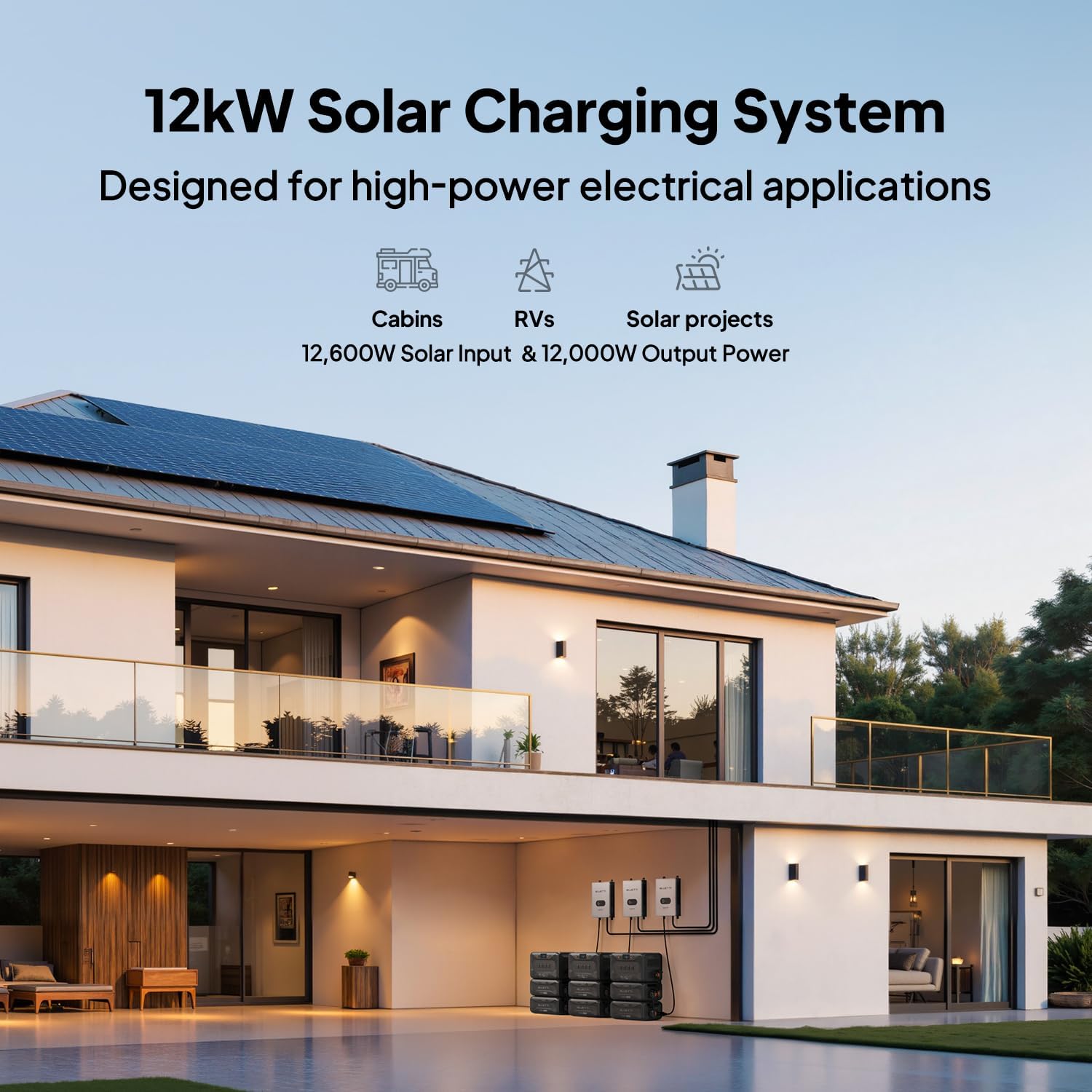
Image 4.1: Performance comparison highlighting the SolarX 4K's superior efficiency, input voltage, safety, and scalability.
5. Enstriksyon Enstalasyon
Follow these steps for proper installation of your SolarX 4K MPPT Solar Charge Controller:
- Debake: Retire tout konpozan yo nan anbalaj la avèk prekosyon epi enspekte pou wè si gen nenpòt domaj.
- Montaj: Choose a suitable location for mounting the controller. Ensure it is in a well-ventilated area, protected from direct sunlight and moisture. Use the provided fixing screws and anchors to securely mount the unit.
- Atè: Connect the grounding screw to a reliable earth ground using appropriate wiring.
- Koneksyon Panèl Solè: Connect your solar panels to the input terminals of the SolarX 4K. Ensure correct polarity (+ to + and - to -) and that the total open-circuit voltage of your solar array is within the controller's specified input range (150V-500V).
- Battery/Generator Connection: Connect the DC output cable (XT60-F connectors) from the SolarX 4K to your compatible BLUETTI solar generator or battery (e.g., Apex 300, B300K). Ensure a secure connection. For optimal 4kW output performance, use with BLUETTI Apex 300 & B300K systems and a P090A cable.
- Premye pouvwa-up: Once all connections are secure, power on your BLUETTI solar generator or battery. The SolarX 4K will automatically detect the solar input and begin charging.

Image 5.1: Connection diagram for the SolarX 4K with BLUETTI Apex 300 and B300K units.

Imaj 5.2: Egzanpample of a 12kW solar charging system using multiple SolarX 4K controllers for high-power applications.
6. Operasyon Enstriksyon
The SolarX 4K is designed for automatic operation once properly installed. Monitoring and advanced settings are managed through the BLUETTI app.
- Chaj otomatik: The controller will automatically begin charging your connected BLUETTI power station when sufficient solar input is available.
- BLUETTI App Monitoring: Download the official BLUETTI app from your device's app store. Connect to the SolarX 4K via Bluetooth or Wi-Fi to monitor real-time charging status, energy production, and system performance.
- Mizajou mikrolojisyèl: The BLUETTI app allows for convenient over-the-air firmware updates to ensure your controller always has the latest features and optimizations.

Image 6.1: The BLUETTI app provides smart control and monitoring of your solar power system, including firmware updates and fault alerts.
7. Antretyen
To ensure optimal performance and longevity of your SolarX 4K MPPT Solar Charge Controller, perform the following maintenance:
- Enspeksyon regilye: Tcheke tout koneksyon fil elektrik yo detanzantan pou asire yo sere epi yo pa gen korozyon.
- Netwayaj: Keep the controller's exterior clean and free from dust and debris. Use a dry, soft cloth for cleaning. Do not use liquid cleaners.
- Vantilasyon: Asire w ke ouvèti vantilasyon yo pa bouche pou anpeche surchof.
- Tcheke anviwònman an: Confirm the operating environment remains within the specified temperature range (-20°C to 55°C).
NAN. Depanaj
If you encounter issues with your SolarX 4K, refer to the following common troubleshooting steps:
- Pa gen chaj:
- Check all solar panel connections for proper polarity and secure fit.
- Verifye ke volan panèl solè atage is within the controller's input range (150V-500V).
- Ensure the DC output cable is securely connected to the BLUETTI power station.
- Confirm that the BLUETTI power station is powered on and ready to receive charge.
- Low Charging Power:
- Tcheke pou wè si panno solè yo pa gen lonbray.
- Clean solar panels if dirty.
- Ensure solar panels are optimally angled towards the sun.
- Communication Issues (Bluetooth/Wi-Fi):
- Asire w ke kontwolè a limen.
- Check your mobile device's Bluetooth/Wi-Fi settings.
- Move closer to the controller to improve signal strength.
- Restart the BLUETTI app and/or your mobile device.
- Kòd erè: The BLUETTI app provides detailed fault alerts and error codes (15+ error codes). Consult the app for specific error messages and recommended actions.
If problems persist, contact BLUETTI customer support for assistance.
9. Espesifikasyon
| Mak | BLUETTI |
| Non modèl | SolarX 4K+XT60 |
| Solè Antre pouvwa | Jiska 4200W |
| Solè Antre Voltage Range | 150V-500V |
| Sortie pouvwa | 4000W DC |
| Sòti aktyèl | 80A |
| Efikasite MPPT | 99% |
| Tanperati Fonksyònman | -20 ° C a 55 ° C (-4 ° F a 131 ° F) |
| Koneksyon | Bluetooth, fil |
| Itilizasyon Rekòmande | Residential, Outdoor, RV, Off-Grid Living |
10. Garanti ak sipò
Garanti: The BLUETTI SolarX 4K MPPT Solar Charge Controller comes with a 1-year warranty from the date of purchase. This warranty covers defects in materials and workmanship under normal use.
Sipò Kliyan: For technical assistance, warranty claims, or any questions regarding your product, please contact BLUETTI customer service. Refer to the official BLUETTI websit pou enfòmasyon kontak ak resous sipò.