
1. Entwodiksyon
This manual provides essential information for using your Redmi 15 5G smartphone. Please read it carefully to ensure proper operation and to maximize the device's features. Keep this manual for future reference.

Imaj: Devan ak dèyè view of the Redmi 15 5G smartphone.
2. Ki sa ki nan bwat la
Verifye ke tout atik yo prezan nan pake pwodwi ou a:
- Redmi 15 5G Smartphone
- Charger
- USB kab
- SIM Eject Zouti
- Kat Garanti
- Gid itilizatè (dokiman sa a)
- Ka Pwoteksyon
3. Aparèy souview
Familiarize yourself with the physical components of your Redmi 15 5G.
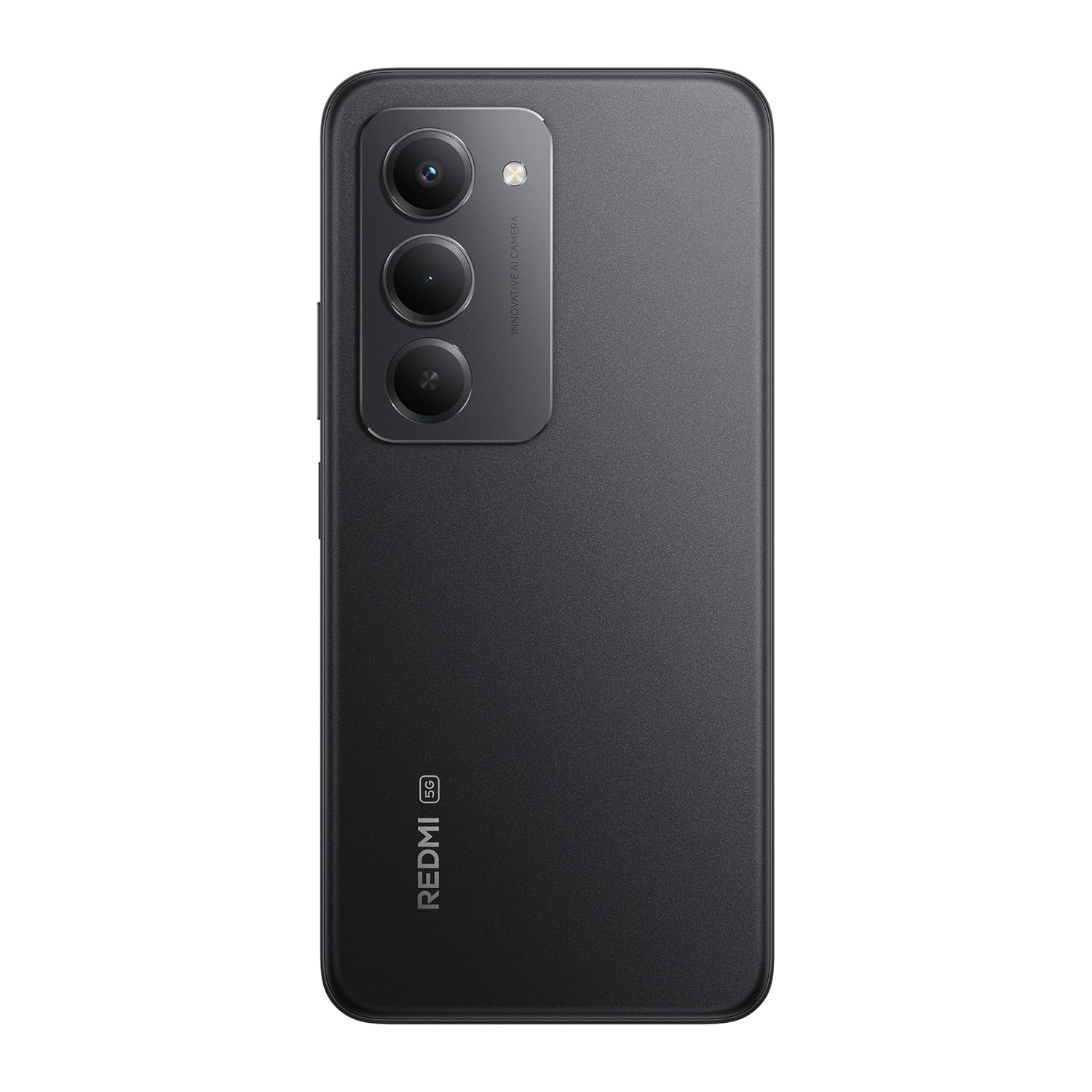
Imaj: Dèyè view of the Redmi 15 5G, highlighting the camera array.

Imaj: Bò kote view of the Redmi 15 5G, illustrating button placement.
Karakteristik kle:
- Ekspozisyon: 17.53cm (6.9") FHD+ display with up to 144Hz refresh rate.
- Processeur: Qualcomm Snapdragon 6s Gen 3.
- Kamera: 50MP AI Dual Camera system.
- Batri: Massive 7000mAh battery with 33W charging and 18W reverse charging.
- Dirab: IP64 pousyè ak rezistans dlo.
- Sistèm operasyon: Android 15 with Xiaomi HyperOS.
4. Enstalasyon
4.1. Inserting SIM/SD Card
- Jwenn plato kat SIM lan sou bò aparèy ou an.
- Mete zouti pou ejecte kat SIM lan nan ti twou ki akote plato a epi peze byen fèm jiskaske plato a soti.
- Mete kat Nano-SIM ou yo ak/oswa kat microSD ou yo nan fant ki fèt pou sa sou plato a. Asire w ke kontak lò yo fè fas anba.
- Ak anpil atansyon pouse plato a tounen nan aparèy la jiskaske li klike an plas.
4.2. Premye Limen ak Konfigirasyon
- Press and hold the Power button (located on the side) until the Redmi logo appears.
- Swiv enstriksyon ki sou ekran an pou chwazi lang ou, rejyon ou, konekte sou Wi-Fi a, epi konfigire kont Google ou.
- You will be guided through setting up security features like fingerprint unlock or facial recognition.
4.3. Chaje Aparèy la
Anvan premye itilizasyon an, li rekòmande pou chaje aparèy ou an nèt.
- Konekte kab USB a ak plato a.
- Ploge plato a nan yon priz kouran.
- Connect the USB cable to the Type-C port at the bottom of your phone.
- Endikatè chaj la ap parèt sou ekran an.

Image: Illustration of 18W reverse charging capability.
5. Opere aparèy ou an
5.1. Navigasyon debaz
- Manyen: Tape yon ikòn pou ouvri yon aplikasyon oubyen chwazi yon atik.
- Glise: Slide your finger across the screen to scroll or navigate between screens.
- Zongle: Sèvi ak de dwèt pou agrandi oswa diminye foto yo epi web paj.
- Jès: Configure navigation gestures in Settings for a full-screen experience.
5.2. Fè apèl epi voye mesaj
- Louvri a Telefòn aplikasyon pou konpoze nimewo oswa chwazi kontak.
- Louvri a Mesaj aplikasyon pou konpoze epi voye mesaj tèks.
5.3. Itilizasyon kamera
The Redmi 15 5G features a 50MP AI Dual Camera.
- Louvri a Kamera app.
- Chwazi mòd ou vle a (Foto, Pòtrè, Videyo, elatriye).
- Tape bouton deklanchè a pou pran foto oswa pou kòmanse/sispann anrejistreman videyo.
- Utilize AI features like AI Sky and AI Erase for enhanced photography.

Image: Close-up of the 50MP AI Dual Camera module.

Image: Demonstrating AI Sky and AI Erase camera capabilities.
5.4. Jesyon batri
Your device is equipped with a 7000mAh battery.
- To check battery status, go to Anviwònman> Batri.
- Enable Battery Saver mode to extend battery life.
- The device supports 33W fast charging and 18W reverse charging.

Image: Battery performance metrics for the 7000mAh battery.
5.5. Koneksyon
- Wi-Fi: Konekte ak rezo san fil atravè Anviwònman> Wi-Fi.
- Bluetooth: Konekte ak lòt aparèy Bluetooth atravè Anviwònman> Bluetooth.
- Done mobil: Manage your cellular data connection via Anviwònman > Rezo mobil.
5.6. Software (Android 15 with Xiaomi HyperOS)
Your Redmi 15 5G runs on Android 15 with Xiaomi HyperOS, offering a customized user experience and regular security updates.

Image: Software update policy for Xiaomi HyperOS.
6. Antretyen
6.1. Netwaye Aparèy Ou a
- Sèvi ak yon twal mou ki pa gen pousyè pou netwaye ekran an ak kò a.
- Evite itilize pwodwi chimik piman bouk oswa materyèl abrazif.
- Dekonekte aparèy la nan kouran anvan w netwaye.
6.2. Mizajou lojisyèl
Tcheke regilyèman pou wè si gen mizajou lojisyèl pou asire pèfòmans ak sekirite optimal.
- Ale nan Anviwònman > Konsènan telefòn > Vèsyon MIUI.
- Tape Tcheke pou mizajou.
- Swiv enstriksyon yo sou ekran an pou telechaje epi enstale nenpòt mizajou ki disponib.
6.3. Swen batri
- Evite ekspoze aparèy la nan tanperati ekstrèm.
- Pa kite batri a dechaje nèt souvan.
- Use only the official charger and cable provided.
6.4. Dust and Water Resistance (IP64)
The Redmi 15 5G is rated IP64 for dust and water resistance. This means it is protected against dust ingress and splashing water from any direction. However, it is not designed for submersion in water. Avoid exposing the device to high-pressure water or prolonged submersion.

Image: Durability features including IP64 dust and water resistance.
NAN. Depanaj
Si ou rankontre pwoblèm ak aparèy ou an, eseye solisyon sa yo:
- Aparèy pa limen: Asire w batri a chaje. Konekte chajè a epi tann kèk minit anvan ou eseye limen l ankò.
- Pwoblèm chaj: Check if the charger and cable are properly connected. Try a different power outlet.
- Pwoblèm rezo: Ensure your SIM card is correctly inserted. Check network settings in Anviwònman > Rezo mobil. Restart the device.
- Aplikasyon an pa reponn: Force close the app from the recent apps screen or go to Settings > Apps > [App Name] > Force stop.
- Pèfòmans ralanti: Clear cache, uninstall unused apps, or restart the device.
- Reset faktori: As a last resort, you can perform a factory reset (Anviwònman > Konsènan telefòn > Reset faktori). Avètisman: Sa ap efase tout done ki sou aparèy ou an. Fè yon kopi done enpòtan yo anvan ou kontinye.
8. Espesifikasyon
| Karakteristik | Spesifikasyon |
|---|---|
| Sistèm operasyon | Android 15, Xiaomi HyperOS |
| RAM | 6 GB |
| Dimansyon pwodwi | 16.8 x 0.8 x 8 cm |
| Nimewo Modèl Atik | 25057RN09I |
| Koneksyon teknoloji | Bluetooth, USB, Wi-Fi |
| Karakteristik espesyal | Dust resistance, Water resistance (IP64) |
| Rezolisyon ekspozisyon | 1080 x 2340 piksèl |
| Audio Jack | Kalite C |
| Koulè | Minwi Nwa |
| Evalyasyon pouvwa batri | 7000 mAh |
| Pwa atik | 217 g |
| CPU vitès | Jiska 2.3 GHz |
9. Garanti ak sipò
9.1. Enfòmasyon sou Garanti
Your Redmi 15 5G comes with a limited manufacturer's warranty. Please refer to the Kat Garanti enkli nan pake pwodwi ou a pou tèm ak kondisyon detaye, ki gen ladan peryòd pwoteksyon ak pwosedi sèvis yo.
9.2. Sipò pou Kliyan
For further assistance, technical support, or service inquiries, please visit the official Redmi support website or contact their customer service. Contact details can typically be found on the warranty card or the official Redmi websit.