
Entwodiksyon
Thank you for choosing the VANSING D2 MP3 Player. This device is designed to provide a portable and versatile music experience, featuring Bluetooth 5.2 connectivity, a 1.8-inch display, and multiple functions including FM radio and voice recording. This manual will guide you through the setup, operation, and maintenance of your new MP3 player.
Ki sa ki nan bwat la
Carefully unpack your VANSING D2 MP3 Player and ensure all items are present. If any items are missing or damaged, please contact customer support.
- VANSING D2 MP3 Player (1)
- Screen Protector Case (1)
- Manyèl itilizatè (1)
- Screen Protector Film (2, one pre-applied)
- MP3 Lanyard (1)
- Wired Headphones (1)
- Chaje kab (1)
- 32GB Storage Card (1)

Pwodwi souview
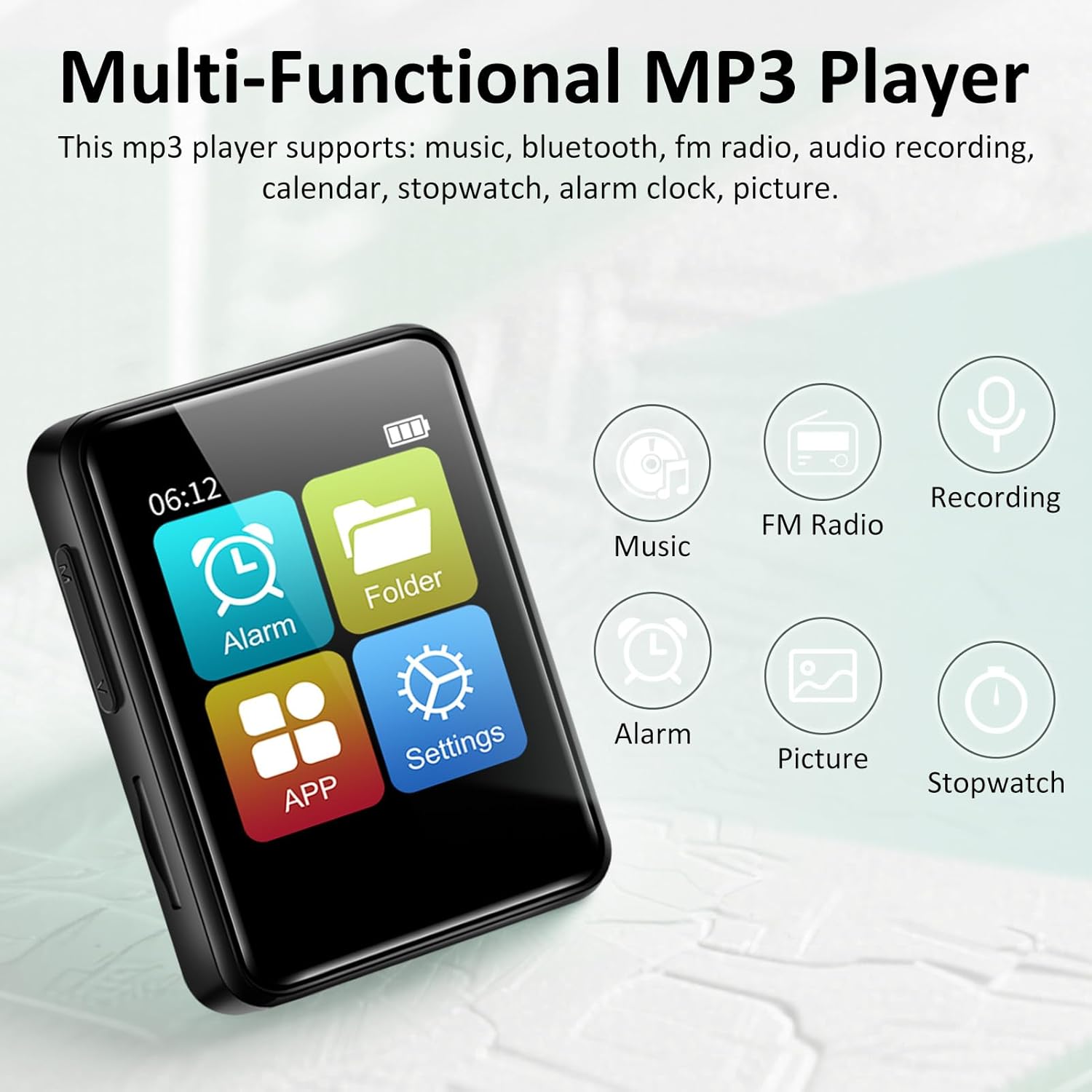
The VANSING D2 MP3 Player is a compact and feature-rich device designed for audio playback and more. It features a clear 1.8-inch display for easy navigation and supports various audio formats.
Karakteristik kle:
- Bluetooth 5.2: For stable and efficient wireless connection to headphones or speakers.
- Batri ki dire lontan: Up to 20 hours with headphones, 4 hours with speaker on a 1.5-hour charge.
- Depo dilatabl: Supports up to 512GB TF card (32GB card included).
- Multi-fonksyonèl: Includes music playback, FM radio, voice recorder, alarm clock, stopwatch, and calendar.
- Lossless Sound: Compatible with MP3/OGG/FLAC/AAC/WMA/WAV/APE formats.


Enstalasyon
1. Chaje Aparèy la
Before first use, fully charge your MP3 player. Connect the provided USB charging cable to the device's Mini USB port and the other end to a USB power adapter (not included) or a computer's USB port. The battery indicator on the screen will show charging status. A full charge typically takes about 1.5 hours.
2. Mete yon kat TF
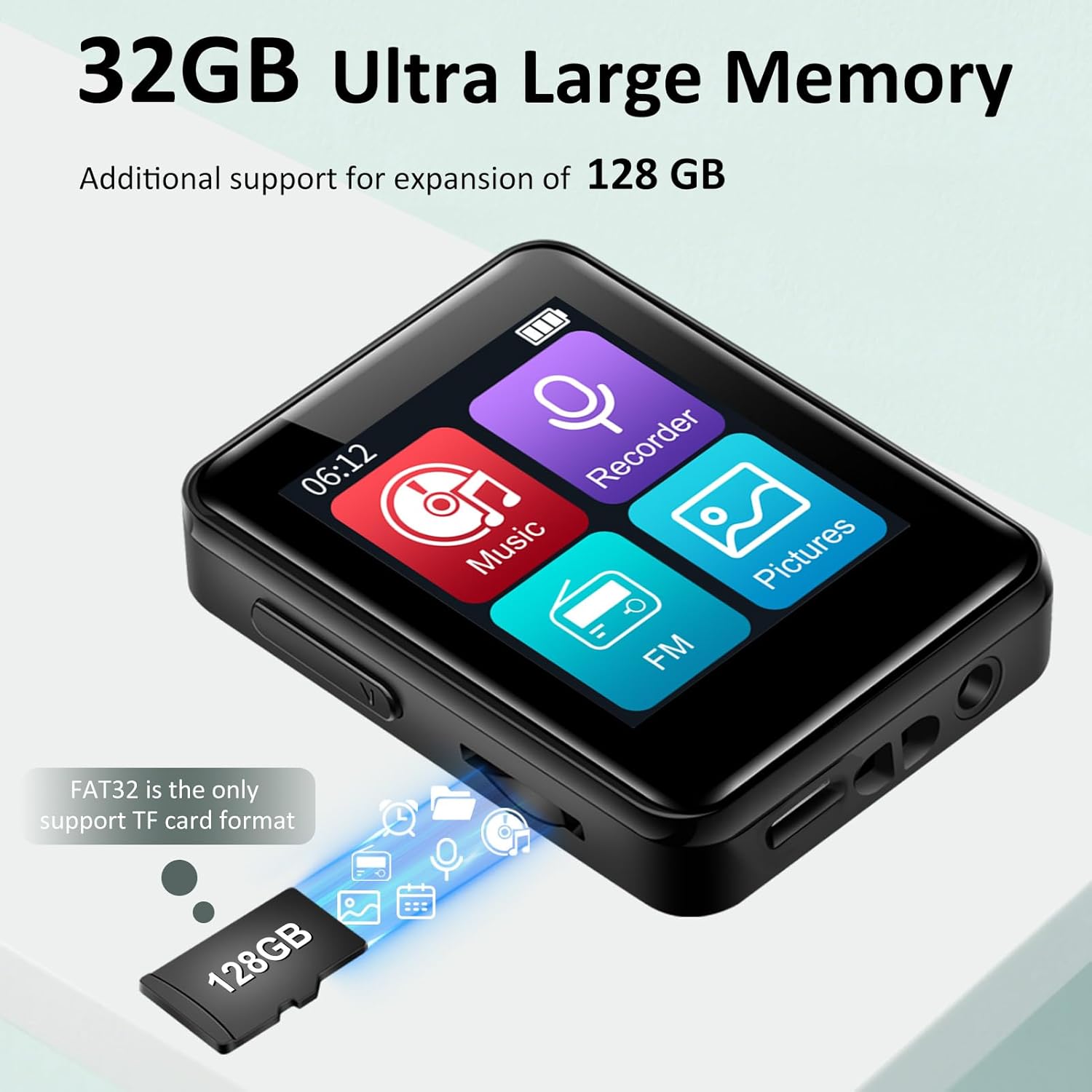
The VANSING D2 MP3 Player requires a TF (Micro SD) card for storage. A 32GB card is included. The device supports cards up to 512GB. Ensure the card is formatted to FAT32 for optimal compatibility.
- Jwenn fant kat TF la sou bò lektè MP3 la.
- Mete kat TF la dousman nan fant lan jiskaske li fè yon klik.
- Pou retire kat la, pouse kat la yon ti kras jouktan li soti.
3. Power On/Off
To power on the device, press and hold the power button located on the side until the screen illuminates. To power off, press and hold the power button again until the device shuts down.
Operasyon debaz
1. Navigasyon Entèfas la
The VANSING D2 features a touch-sensitive screen for navigation. Swipe left or right to browse through menu options and tap to select. Use the physical buttons on the side for volume control and power.
2. Mizik lèktur
Pou jwe mizik:
- From the main menu, tap the "Music" icon.
- Browse bibliyotèk mizik ou a pa atis, albòm, jan mizik, oswa dosye.
- Tap on a song to begin playback.
- Use the on-screen controls for play/pause, skip tracks, and volume adjustment.
The player supports MP3, OGG, FLAC, AAC, WMA, WAV, and APE audio formats.

3. Bluetooth Koneksyon
To connect to Bluetooth headphones or speakers:
- From the main menu, tap the "Settings" icon.
- Select "Bluetooth".
- Turn Bluetooth ON. The player will scan for nearby devices.
- Chwazi aparèy ou vle a nan lis la pou asosye l.
4. FM Radyo
To use the FM radio function, wired headphones must be connected as they act as the antenna.
- Connect the wired headphones to the 3.5mm audio port.
- From the main menu, tap the "FM" icon.
- Use the on-screen controls to scan for stations or manually tune.
5. Anrejistrè vwa
Pou anrejistre odyo:
- From the main menu, tap the "Recorder" icon.
- Tape bouton anrejistreman an pou kòmanse anrejistreman an.
- Tap the stop button to end and save the recording.
6. Lòt Fonksyon
The VANSING D2 also includes:
- Revèy Alam: Mete alam pou rapèl.
- Kronomètr: Pou aktivite ki gen rapò ak tan.
- Kalandriye: View dates and manage schedules.
Paramèt Lang ak Lè
You can easily adjust the device's language, time, and date settings through the menu.
Chanje lang lan:
- Go to "Settings" (the gear icon).
- Select "Language Set".
- Choose "English" from the list.

Chanje tan an:
- Go to "Settings".
- Select "Time & Date".
- Choose "Set the time".
- Adjust the hour, minute, and second selections.

Changing the Date:
- Go to "Settings".
- Select "Time & Date".
- Choose "Set the date".
- Adjust the year, month, and day selections.

File Transfè
You can transfer music and other files to your MP3 player using a computer or an OTG connection.
1. Konekte ak yon òdinatè
Connect the MP3 player to your computer using the provided USB data cable. The device should appear as a removable disk. You can then drag and drop files directly to the TF card. Ensure the TF card is inserted for file transfer functionality.
2. OTG (On-The-Go) Transfer
The device supports OTG for direct file transfer from compatible smartphones or other devices. An OTG adapter (not included) may be required. Ensure the TF card is inserted for this function.

Depanaj
- Aparèy pa limen: Ensure the battery is charged. Connect to a power source and try again. If unresponsive, perform a hard reset by pressing and holding the power button for 10-15 seconds.
- Pa ka konekte ak Bluetooth: Ensure Bluetooth is enabled on both the MP3 player and the target device. Make sure both devices are within range and not paired with other devices. Try restarting both devices.
- Files not appearing on the player: Verify that the TF card is properly inserted and formatted to FAT32. Ensure the audio files are in a supported format (MP3/OGG/FLAC/AAC/WMA/WAV/APE). Try re-transferring the files.
- Ralanti file vitès transfè: Transfer speeds can vary depending on the computer's USB port and the TF card's speed. Ensure you are using the provided USB cable.
- FM Radio not working: Ensure wired headphones are securely plugged into the 3.5mm audio jack, as they function as the antenna.
- Ekran an pa reponn: If the screen is unresponsive, try restarting the device. If the issue persists, ensure the screen protector is applied correctly and not interfering with touch sensitivity.
Espesifikasyon
| Dimansyon pwodwi | 2.13 x 1.65 x 0.5 pous |
| Pwa atik | 1.23 ons |
| Mak | VANSING |
| Non modèl | D2 |
| Koneksyon Teknoloji | USB, Bluetooth 5.2 |
| Kapasite Depo memwa | 32 GB (ou ka ogmante l jiska 512 GB atravè yon kat Micro SD) |
| Gwosè ekran | 1.8 pous |
| Aparèy konpatib | Headphones, Bluetooth Speakers |
| Kalite Medya | Mikwo SD |
| Karakteristik espesyal | FM Radio, Voice Recorder, Built-in Speaker |
| Batri | 1 Yon batri obligatwa (enkli) |
Antretyen
To ensure the longevity and optimal performance of your VANSING D2 MP3 Player, follow these maintenance guidelines:
- Netwayaj: Sèvi ak yon twal mou epi sèk pou netwaye aparèy la. Evite itilize pwodui netwayaj likid oswa materyèl abrazif.
- Depo: Sere jwè a nan yon kote ki fre epi sèk, lwen limyè solèy dirèk ak tanperati ekstrèm.
- Pwoteksyon: Use the provided protective case and screen protector film to prevent scratches and minor damage.
- Swen batri: Avoid fully discharging the battery frequently. Charge the device regularly, even if not in use for extended periods, to maintain battery health.
- Ekspozisyon dlo: Aparèy sa a pa enpèmeyab. Evite ekspoze li nan dlo oswa imidite ki wo.
Garanti ak sipò
For warranty information or technical support, please refer to the documentation included with your purchase or contact VANSING customer service directly. Keep your purchase receipt as proof of purchase.