
Xbox EP2-29563
Xbox Wireless Controller Storm Breaker Special Edition
Modèl: EP2-29563
Mak: Xbox
Entwodiksyon
The Xbox Wireless Controller Storm Breaker Special Edition is designed to provide an enhanced gaming experience across multiple platforms. This controller features a unique aesthetic with classic grays and blacks, offset with whites, along with textured grips for improved handling. It offers seamless connectivity and customizable controls to optimize your gameplay.
Karakteristik kle
- Storm Breaker Special Edition Design: Features a distinctive gray, black, and white pattern.
- Textured Triggers: Provides enhanced grip and control during gameplay.
- Rubberized Grips: Located on the back cases for secure handling.
- Wireless & Bluetooth Connectivity: Easily pairs with Xbox consoles, PCs, and mobile devices.
- Bouton pataje: Seamlessly capture and share screenshots and game recordings.
- Katograf bouton personnalisable: Personalize controls using the Xbox Accessories app.
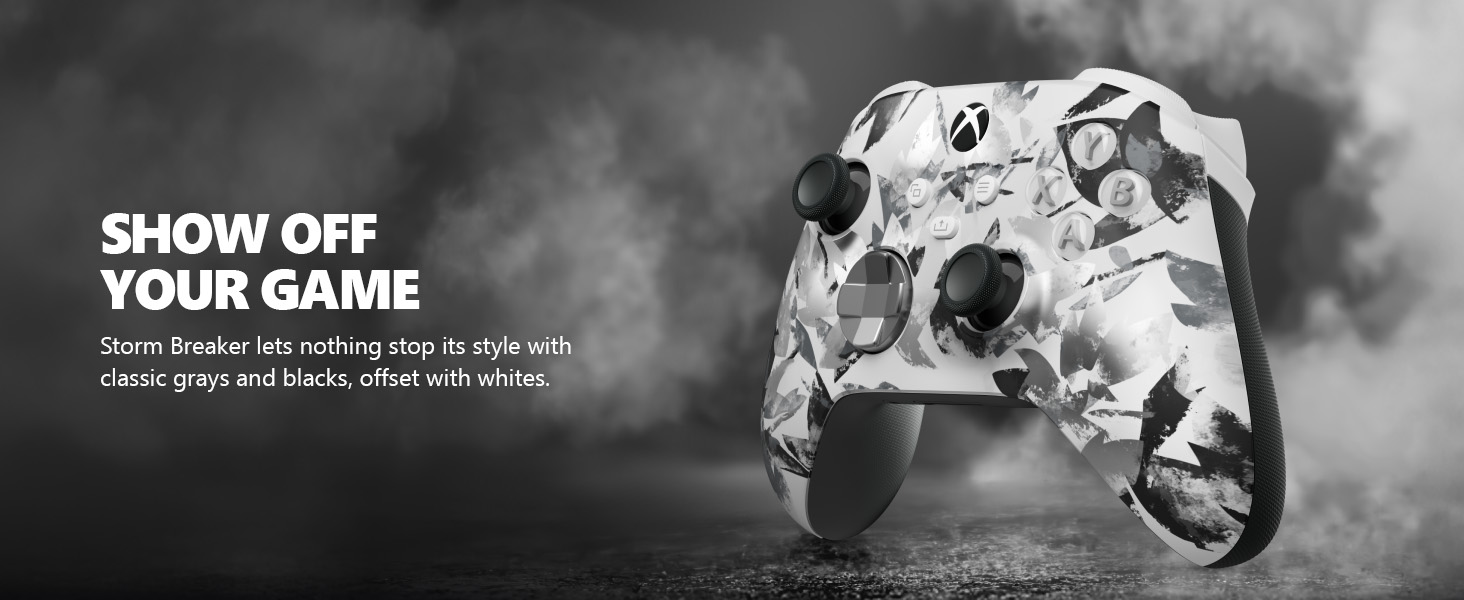
Image: The Xbox Wireless Controller Storm Breaker Special Edition showcasing its distinctive color scheme.
Enstalasyon
1. Enstalasyon batri
The controller requires two AA batteries (included). To install:
- Jwenn konpatiman batri a sou dèyè kontwolè a.
- Press the small tab and lift the battery cover.
- Mete de pil AA yo nan plas yo, asire w polarite a kòrèk (+ ak -).
- Ranplase kouvèti batri a jiskaske li klike an plas.
2. Pairing ak Aparèy
The controller supports both Xbox Wireless and Bluetooth for versatile connectivity.
- Pou konsole Xbox la:
- Limen konsole Xbox ou a.
- Press the Xbox button on your controller to turn it on.
- Peze epi kenbe bouton Pè a (⏚) on the top of the controller until the Xbox button flashes rapidly.
- Press the Pair button on your Xbox console (usually near the USB port or on the front).
- The Xbox button on the controller will become solid when connected.
- For PC (Windows 10/11) via Bluetooth:
- Asire w ke òdinatè w lan gen Bluetooth aktive.
- Press the Xbox button on your controller to turn it on.
- Peze epi kenbe bouton Pè a (⏚) on the top of the controller until the Xbox button flashes rapidly.
- Sou òdinatè w la, ale nan Anviwònman > Aparèy > Bluetooth ak lòt aparèy.
- Select "Add Bluetooth or other device" and then "Bluetooth".
- Choose "Xbox Wireless Controller" from the list and follow on-screen prompts.
- For Mobile Devices (Android/iOS):
- Pèmèt Bluetooth sou aparèy mobil ou.
- Press the Xbox button on your controller to turn it on.
- Peze epi kenbe bouton Pè a (⏚) on the top of the controller until the Xbox button flashes rapidly.
- On your mobile device, search for Bluetooth devices and select "Xbox Wireless Controller" to pair.
Videyo: Yon finiview of the Xbox Wireless Controller, demonstrating its physical features and ports, useful for understanding setup.
Opere kontwolè a
1. Kontwòl debaz yo
- Thumbsticks: Sèvi ak li pou mouvman ak kontwòl kamera.
- D-Pad: Ideal for precise directional input in games and menu navigation.
- Bouton A, B, X, Y: Primary action buttons for in-game commands.
- Triggers (LT/RT) & Bumpers (LB/RB): Used for various actions like shooting, accelerating, or menu selection.
2. Bouton Pataje
The dedicated Share button (⤓) allows you to quickly capture and share your gaming moments:
- Press once to take a screenshot.
- Press and hold to record the last 30 seconds of gameplay.
3. Headset Jack
A 3.5mm audio jack is located at the bottom of the controller, allowing you to connect compatible headsets for in-game audio and chat.
4. Customization with Xbox Accessories App
Download the Xbox Accessories app on your Xbox console or Windows PC to customize button mapping and create personalized controller profiles.
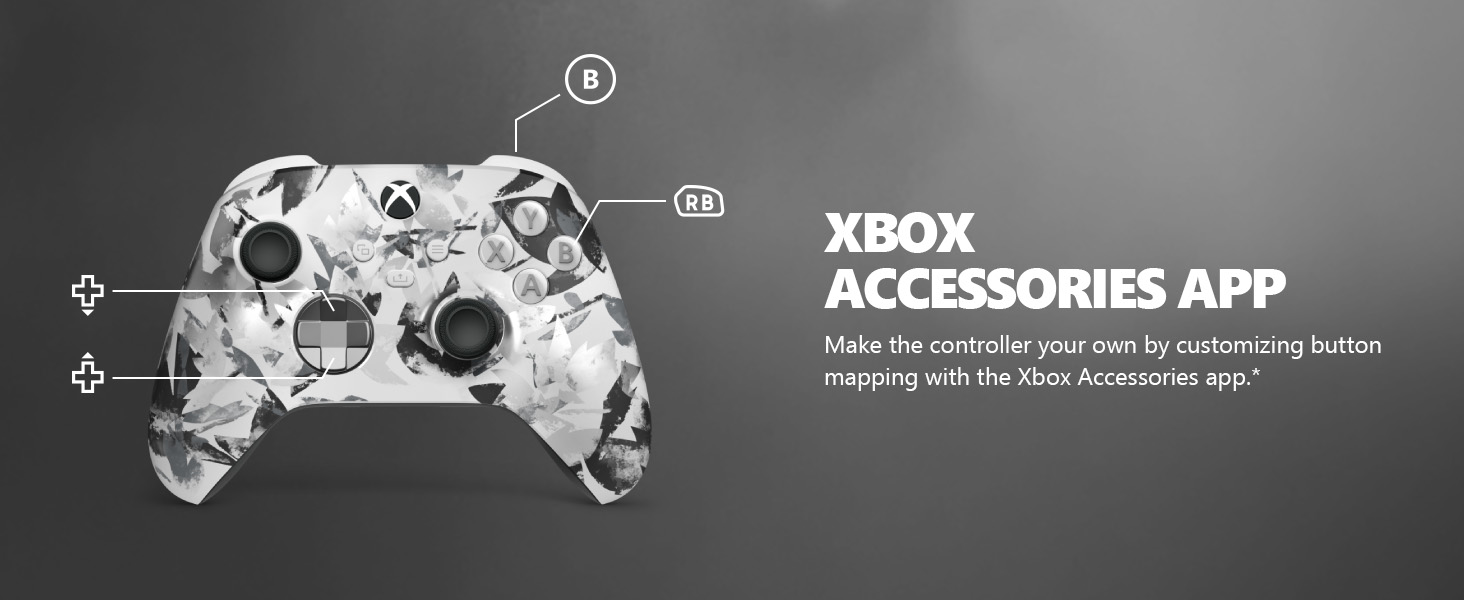
Image: The Share button and an illustration of button mapping customization via the Xbox Accessories app.
Antretyen
- Netwayaj: Sèvi ak yon twal mou epi sèk pou netwaye kontwolè a. Evite pwodui netwayaj abrazif oswa solvan.
- Swen batri: Retire pil yo si ou pa pral itilize kontwolè a pou yon peryòd tan pwolonje pou anpeche flit.
- Depo: Sere kontwolè a nan yon kote ki fre epi sèk, lwen limyè solèy dirèk ak tanperati ekstrèm.
Depanaj
- Kontwolè a pa konekte:
- Asire w ke pil yo kòrèkteman enstale ak chaje.
- Eseye pwosesis koneksyon an ankò jan sa dekri nan seksyon Enstalasyon an.
- Tcheke pou wè si gen nenpòt entèferans ki soti nan lòt aparèy san fil.
- Mete ajou firmwèr kontwolè a atravè aplikasyon Xbox Accessories la.
- Bouton ki pa reponn:
- Netwaye alantou bouton yo pou retire nenpòt debri.
- Teste kontwolè a avèk yon lòt aparèy oswa jwèt pou izole pwoblèm nan.
- Kout lavi batri:
- Sèvi ak batri AA fre ak kalite siperyè.
- Consider using a rechargeable battery pack (sold separately) for extended play.
Espesifikasyon
| Karakteristik | Detay |
|---|---|
| Nimewo Modèl | EP2-29563 |
| Koneksyon | Xbox Wireless, Bluetooth |
| Konpatibilite | Xbox Series X|S, Xbox One, Windows 10/11, Android, iOS |
| Sous pouvwa | 2 pil AA (enkli) |
| Audio Port | 3.5mm headset Jack |
| Dimansyon | 6.91 x 5.61 x 2.76 pous |
| Pwa | 14.1 ons |
| Manifakti | Microsoft |
Garanti ak sipò
For warranty information and technical support, please refer to the documentation included with your product or visit the official Xbox support websit la. Kenbe prèv acha ou pou reklamasyon garanti.
Sipò sou entènèt: support.xbox.com
Ask a question about this manual
Ask about setup, troubleshooting, compatibility, parts, safety, or missing instructions. Manuals+ will review the question and use this page’s manual context to help answer it.