
1. Entwodiksyon
This manual provides essential information for the safe and effective operation of your ZENTALITY Mini Projector A10 PLUS. Please read this manual thoroughly before using the product and retain it for future reference.
Pwodwi souview
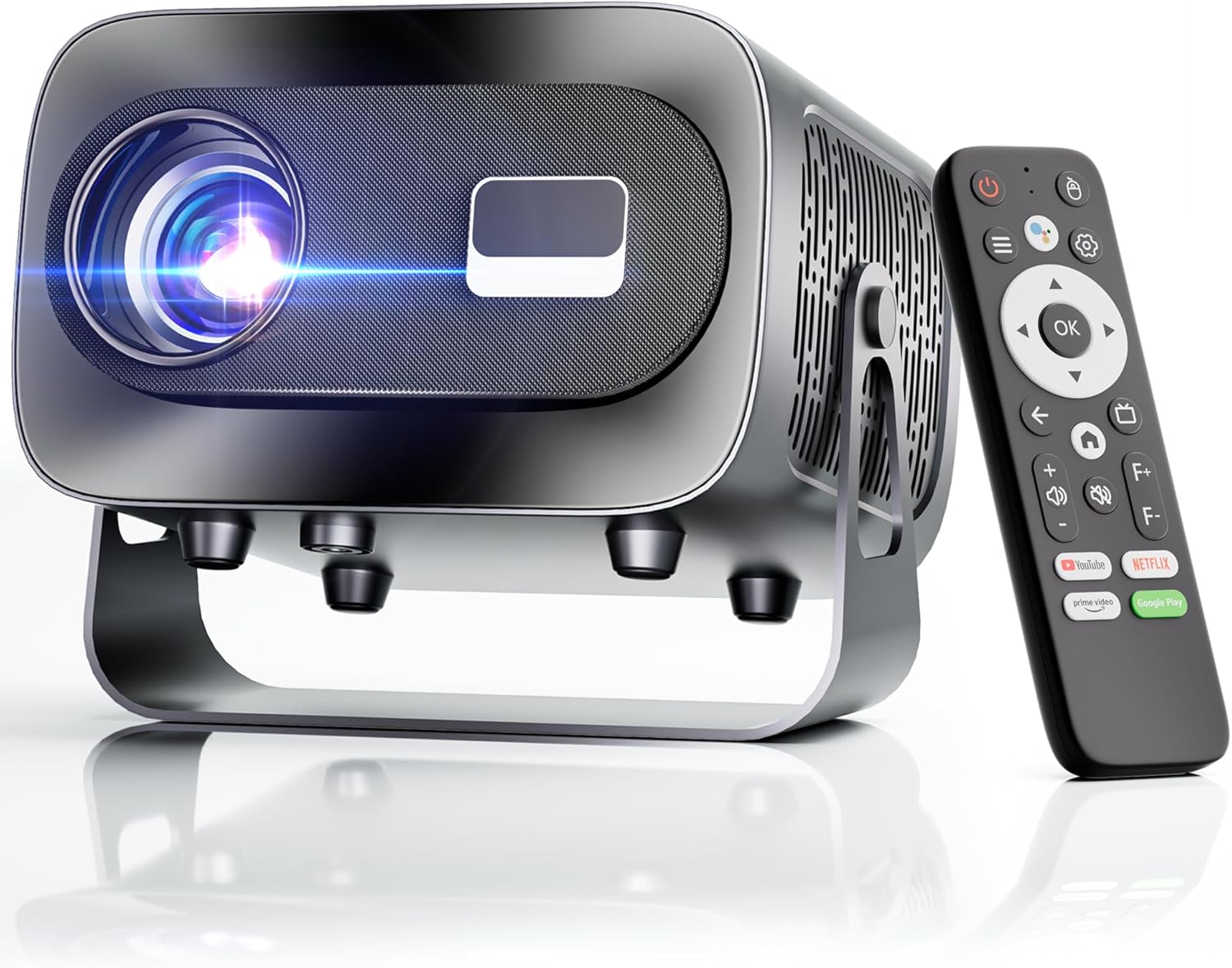
The ZENTALITY Mini Projector A10 PLUS is a smart projector featuring Android 13, designed for versatile home and outdoor entertainment. It supports 4K and 1080P HD content, offers electric focus, auto vertical keystone correction, and includes dual-band WiFi 6 and Bluetooth 5.1 connectivity. Its compact design and multiple input options make it suitable for various applications.
Ki sa ki nan bwat la
- ZENTALITY Mini Projector A10 PLUS
- HDMI kab
- Adaptè pouvwa
- Kontwòl Remote
- Manyèl Itilizatè (dokiman sa a)
2. Enfòmasyon sou Sekirite
Please observe the following safety precautions to prevent damage to the projector and ensure user safety:
- Pa bloke ouvèti vantilasyon yo. Asire w ke gen ase lè k ap sikile toutotou pwojektè a pou anpeche l chofe twòp.
- Avoid direct exposure to the projector lens light. The bright light can cause eye strain or damage.
- Use only the provided power adapter. Using an incompatible adapter may cause fire, electric shock, or damage.
- Keep the projector away from water or other liquids. Do not operate in damp anviwònman.
- Pa eseye demonte oswa repare pwojektè a tèt ou. Konfye tout antretyen bay pèsonèl kalifye.
- Mete pwojektè a sou yon sifas ki estab e plat pou anpeche l tonbe.
- Kenbe soti nan atenn timoun yo.
3. Konpozan pwodwi ak pò
Familiarize yourself with the projector's physical features and connectivity options.

Pò ki disponib:
- USB (x2): For connecting USB drives, external storage, or other USB-compatible devices.
- HDMI: For connecting devices such as laptops, gaming consoles, or TV sticks.
- Sòti Odyo (Jack 3.5mm): Pou konekte oratè ekstèn oswa kas ekoutè.
- Antre pouvwa: Pou konekte adaptè pouvwa a.
4. Inisyal Enstalasyon
4.1 Koneksyon pouvwa
- Konekte adaptè kouran an nan pò antre kouran pwojektè a.
- Ploge adaptè pouvwa a nan yon priz miray.
- Peze bouton pouvwa a sou pwojektè a oswa sou kontwòl remote la pou limen li.
4.2 Pè kontwòl remote
Important: The remote control must be paired via Bluetooth before it can operate smoothly within 1-3 meters.
- Asire w ke pwojektè a limen.
- Navigate to the projector's Bluetooth settings (usually found in the 'Settings' menu).
- Select 'Pair new device' or similar option.
- On the remote control, press and hold the designated pairing button (refer to the remote's specific instructions if available, often a combination of 'OK' and 'Volume Down' or a dedicated Bluetooth button).
- Once the remote appears in the projector's Bluetooth device list, select it to complete pairing.

4.3 Placement and Screen Adjustment
The projector offers automatic and electric adjustments for optimal image clarity and alignment.
- Konsantre elektrik: The projector features electric focus for instant clarity. Use the 'F+' and 'F-' buttons on the remote control to fine-tune the image sharpness.
- Koreksyon Auto Vertical Keystone: The projector automatically corrects vertical image distortion up to ±15°. This ensures a rectangular image even if the projector is not perfectly perpendicular to the screen.
- Fonksyon Zoom: Adjust the image size from 50% to 100% without moving the projector. This is useful for fitting the projection to your screen size.


5. Operasyon Enstriksyon
5.1 Android 13 Interface and App Access
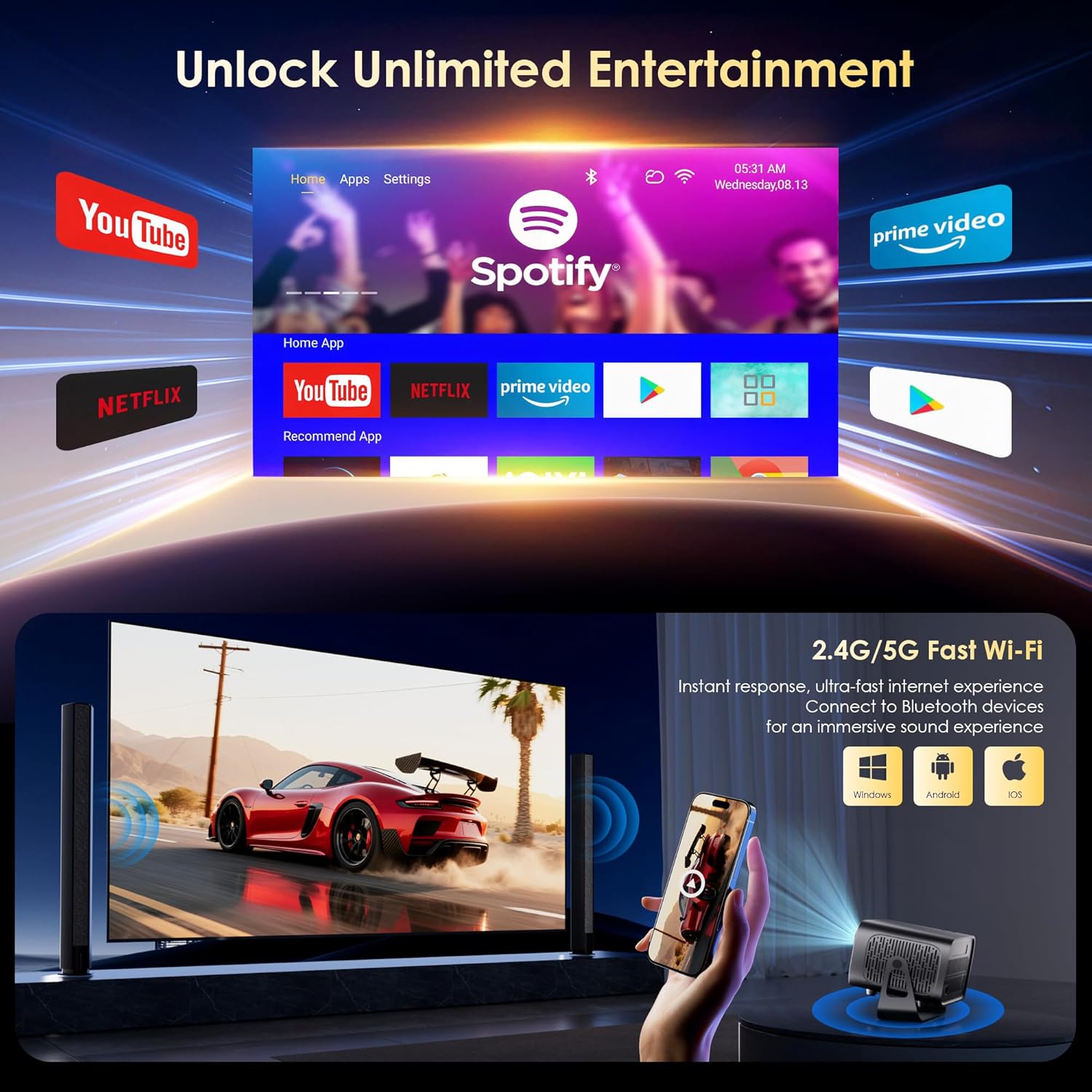
The projector runs on Android 13, providing access to a wide range of streaming applications.
- Upon startup, the home screen will display pre-installed applications like Netflix, Prime Video, and YouTube.
- Navigate using the remote control's directional pad and 'OK' button.
- Access the built-in app store (e.g., Google Play Store) to download additional applications.
- Use the voice assistant feature on the remote control for quick app launching or content search.

5.2 Koneksyon WiFi
The projector supports dual-band 5G/2.4G WiFi 6 for stable internet access and screen mirroring.
- Go to 'Settings' on the home screen.
- Chwazi 'Rezo ak Entènèt'.
- Aktive Wi-Fi a epi chwazi rezo ou vle a nan lis la.
- Antre modpas la si yo mande w epi konekte.
Note: WiFi is required for the first setup or online apps. If you prefer not to connect to WiFi, you can use the projector offline by connecting external devices via the included HDMI cable or the USB port.

5.3 Koneksyon Bluetooth
The projector features Bluetooth 5.1 for audio streaming.
- Go to 'Settings' on the home screen.
- Select 'Connected Devices' or 'Bluetooth'.
- Aktive Bluetooth la epi chèche aparèy ki disponib yo.
- Select your Bluetooth speaker, headphones, or soundbar from the list to pair.
Note: Bluetooth supports audio output only, not video transmission.
5.4 Konekte Aparèy Ekstèn yo
The projector supports various external devices via its HDMI and USB ports.
- HDMI: Connect your laptop, gaming console, or TV stick using an HDMI cable. The projector will automatically detect the input or you may need to select the HDMI source from the input menu.
- USB: Mete yon kle USB pou li medya yo files directly. The projector's media player will typically launch automatically or can be accessed from the home screen.
5.5 Mòd Pwojeksyon
The projector can be used in various orientations:
- Pwojeksyon sou biwo: Place the projector on a flat surface in front of the screen.
- Pwojeksyon plafon: Mount the projector upside down on the ceiling. Adjust the projection settings in the menu to flip the image.
- Montaj tripod: Use the 1/4'' screw hole at the bottom to mount the projector on a tripod for flexible positioning.

6. Antretyen
6.1 Netwayaj
- Lantiy: Sèvi ak yon twal mou ki pa gen pousyè, espesyalman fèt pou lantiy optik. Pa sèvi ak pwodui netwayaj oswa twal abrazif.
- Eksteryè: Siye deyò pwojektè a avèk yon twal mou epi sèk. Pou pousyè tè ki difisil pou retire, yon ti krasamp Ou ka itilize yon twal, epi apre sa, siye l sèk.
- Ouvèti vantilasyon: Periodically check and gently clean the ventilation openings to ensure they are free from dust and debris. Use a soft brush or compressed air.
6.2 Sistèm refwadisman
The projector features an advanced dual-fan cooling system designed for low noise and efficient heat dissipation. To ensure its longevity and stable performance:
- Always ensure the projector has adequate space around its ventilation openings.
- Avoid placing the projector on soft surfaces (e.g., blankets, carpets) that might block airflow.
- Operating the projector in extremely hot or humid environments may affect its performance and lifespan.
NAN. Depanaj
Si ou rankontre pwoblèm ak pwojektè ou a, gade pwoblèm ak solisyon komen sa yo:
| Pwoblèm | Kòz posib | Solisyon |
|---|---|---|
| No power/Projector won't turn on | Kab kouran an pa konekte; Priz kouran an gen pwoblèm | Tcheke koneksyon kab kouran an; Eseye yon lòt priz kouran |
| No image/Blank screen | Sous opinyon ki pa kòrèk; Aparèy la pa byen konekte | Select correct input source (HDMI, USB); Reconnect external device |
| Image blurry/Out of focus | Konsantrasyon an pa ajiste | Use the 'F+' and 'F-' buttons on the remote for electric focus adjustment |
| Image distorted/Trapezoid shape | Keystone not corrected | The projector has auto vertical keystone correction. Ensure it's on or manually adjust if needed. |
| Remote kontwòl pa travay | Not paired via Bluetooth; Low battery | Pair the remote control via Bluetooth (Section 4.2); Replace remote batteries |
| Pa gen son | Volume too low; Incorrect audio output; Bluetooth not connected | Increase volume; Check audio output settings; Ensure Bluetooth speaker is paired |
| Pwoblèm koneksyon WiFi | Incorrect password; Router issues; Out of range | Verify WiFi password; Restart router; Move projector closer to router |
8. Espesifikasyon
Detailed technical specifications for the ZENTALITY Mini Projector A10 PLUS:
- Mak: ZENTALITE
- Nimewo Modèl: A10 PLUS
- Pwa atik: 3.1 liv
- Dimansyon pwodwi: 7.4 x 6.22 x 4.8 pous
- Sistèm operasyon: Android 13
- Rezolisyon ekspozisyon: 1920 x 1080 (Native 1080P Full HD)
- Sipò 4K: Wi
- Klate: 350 ANSI lumèn
- Pwopòsyon kontras: 10,000:1
- Koneksyon Teknoloji: 3.5mm Jack, Bluetooth 5.1, HDMI, USB (x2), Wi-Fi 6 (2.4G/5G)
- Karakteristik espesyal: Built-In Media Player, Built-In Speaker, Electric Focus, Portable, Wi-Fi Ready, Auto Vertical Keystone Correction
- Itilizasyon Rekòmande: Biznis, Edikasyon, Jwèt Videyo, Sinema Lakay
- Lamp Viv lavi: Jiska 100,000 èdtan

9. Garanti ak sipò
ZENTALITY is committed to providing quality products and customer satisfaction.
- Garanti Kalite: Garanti Kalite 360 Jou.
- Retounen: Retounen gratis nan 180 jou.
- Sipò teknik: Sipò teknik pou tout lavi.
- Sèvis Kliyan: 24/7 Fast Customer Service.
For support inquiries, please refer to the contact information provided on the ZENTALITY official websit entènèt la oswa platfòm acha ou a.


