
Entwodiksyon
This manual provides detailed instructions for the setup, operation, maintenance, and troubleshooting of your VLH 32 Inch Portable Smart TV. This device features a 1080P touchscreen, Android 15 operating system, 8GB RAM + 128GB storage, a movable base with wheels, a 5MP camera, and a 38,400 mAh battery. It offers versatile control options including touch, voice, remote, and airmouse functionality, along with a rotatable display for various viewang ing.
Karakteristik kle:
- 32-inch FHD Touchscreen: Enjoy 1080P visuals with 100% sRGB color accuracy.
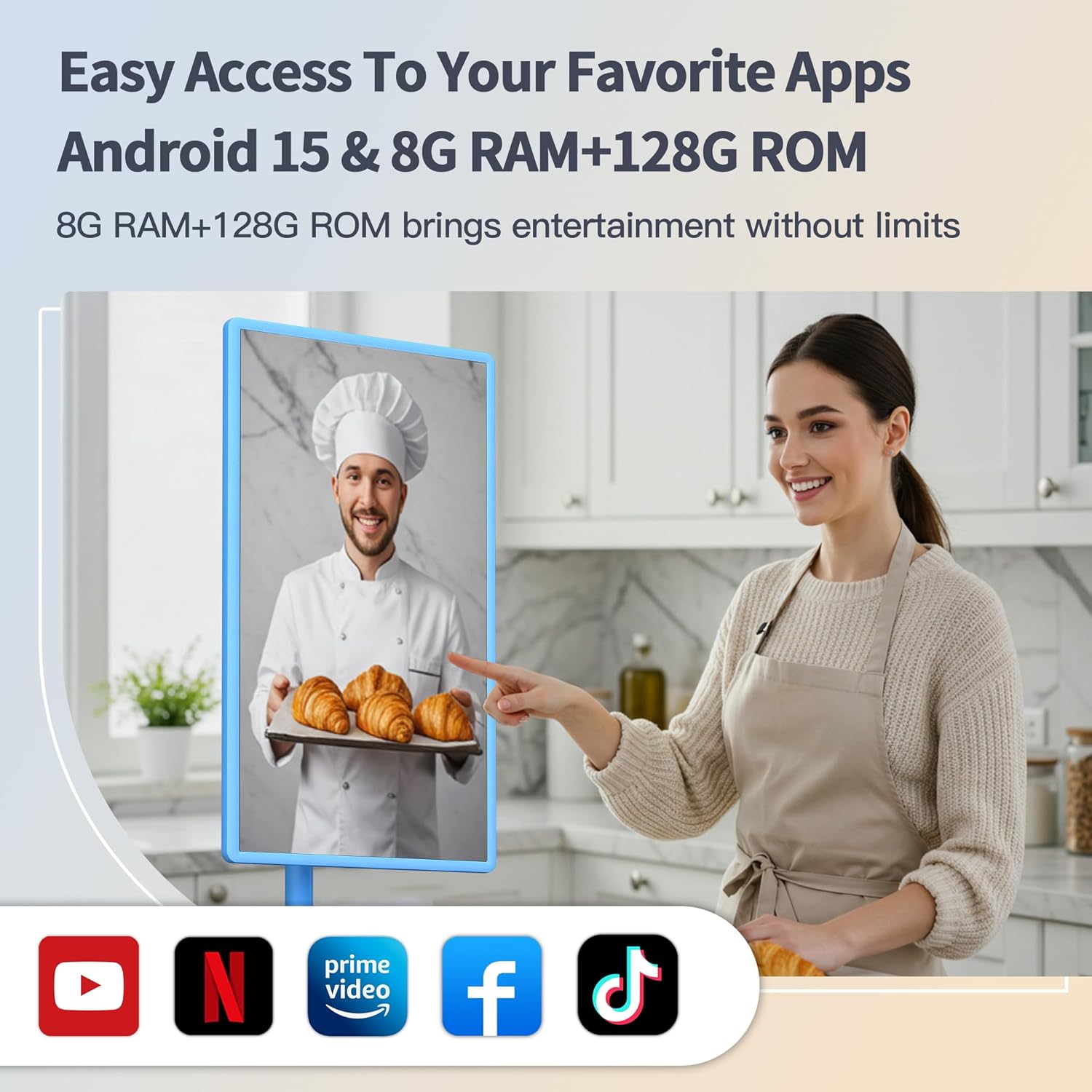
- Android 15 OS: Smooth navigation and access to Google Play Store applications.
- Kamera 5MP: Integrated camera for video calls and streaming (compatibility with some apps may vary due to Android 15).
- 8GB RAM + 128GB ROM: Ample storage and memory for multitasking and app performance.
- 360° Mobile Base with Wheels: Easily move the TV between locations.
- Ekspozisyon reglabl: 90° pivot, ±20° tilt, and 20cm height adjustment for optimal viewing.
- Opsyon kontwòl miltip: Touch, voice commands ("Hey Google"), traditional remote, and airmouse gestures.
- 38,400mAh batri: Extended battery life for portable use.
Kontni pake
- VLH 32 inch Portable Smart TV
- Kontwòl Remote
- 5MP Camera (detachable)
- Adaptè pouvwa
- Manyèl itilizatè
Enstriksyon Enstalasyon
- Debake: Retire tout konpozan yo nan anbalaj la avèk prekosyon. Asire w ke tout sa ki nan lis anbalaj la prezan.
- Kanpe Asanble: Attach the display panel to the mobile stand. Ensure all connections are secure. The stand is designed for stability and portability.

Image: The VLH Portable Smart TV is shown on its mobile stand, highlighting the screen and the stable base with universal wheels. The screen is in landscape orientation.
- Koneksyon Kamera: The 5MP camera is detachable. Plug it into the designated USB port at the top of the display if you intend to use it for video calls or streaming.
Imaj: Yon gwo plan view of the VLH Portable Smart TV screen, with the small, detachable camera clearly visible and plugged into the top edge of the display.
- Premye chaj: Connect the power adapter to the TV and a power outlet. Allow the device to fully charge before its first use to optimize battery life.
- Remote Control Pairing: Insert two AAA batteries into the remote control. The remote should automatically pair with the TV when the USB switch is plugged into the TV's USB port. If not, follow the pairing instructions on the back of the remote or on the TV screen.
- Rezo Koneksyon: Power on the TV. Navigate to the settings menu to connect to your Wi-Fi network.
Enstriksyon Operasyon
1. Power On/Off
- Press the power button on the TV or the remote control to turn the device on or off.
2. Navigation and Control
- Ekran tactile: Interact directly with the display like a tablet.
- Kontwòl Remote: Use the provided remote for traditional navigation. The remote also functions as an airmouse; point and click to control the cursor on screen.
Video: A user demonstrates the airmouse functionality of the remote control, moving a cursor on the screen by pointing the remote. The video also shows the touchscreen being used for navigation, as well as the screen rotating and adjusting height.
- Kòmandman vwa: Activate "Hey Google" for hands-free control and app launching.
3. Adjusting the Display
- Wotasyon: The screen can pivot 90° between landscape and portrait orientations.

Image: The smart TV screen is shown rotating from a horizontal (landscape) orientation to a vertical (portrait) orientation, demonstrating its flexible display.
- Enklinezon: Adjust the screen tilt by ±20° for comfortable viewing.
- Ajisteman wotè: The screen height can be adjusted by up to 20cm.
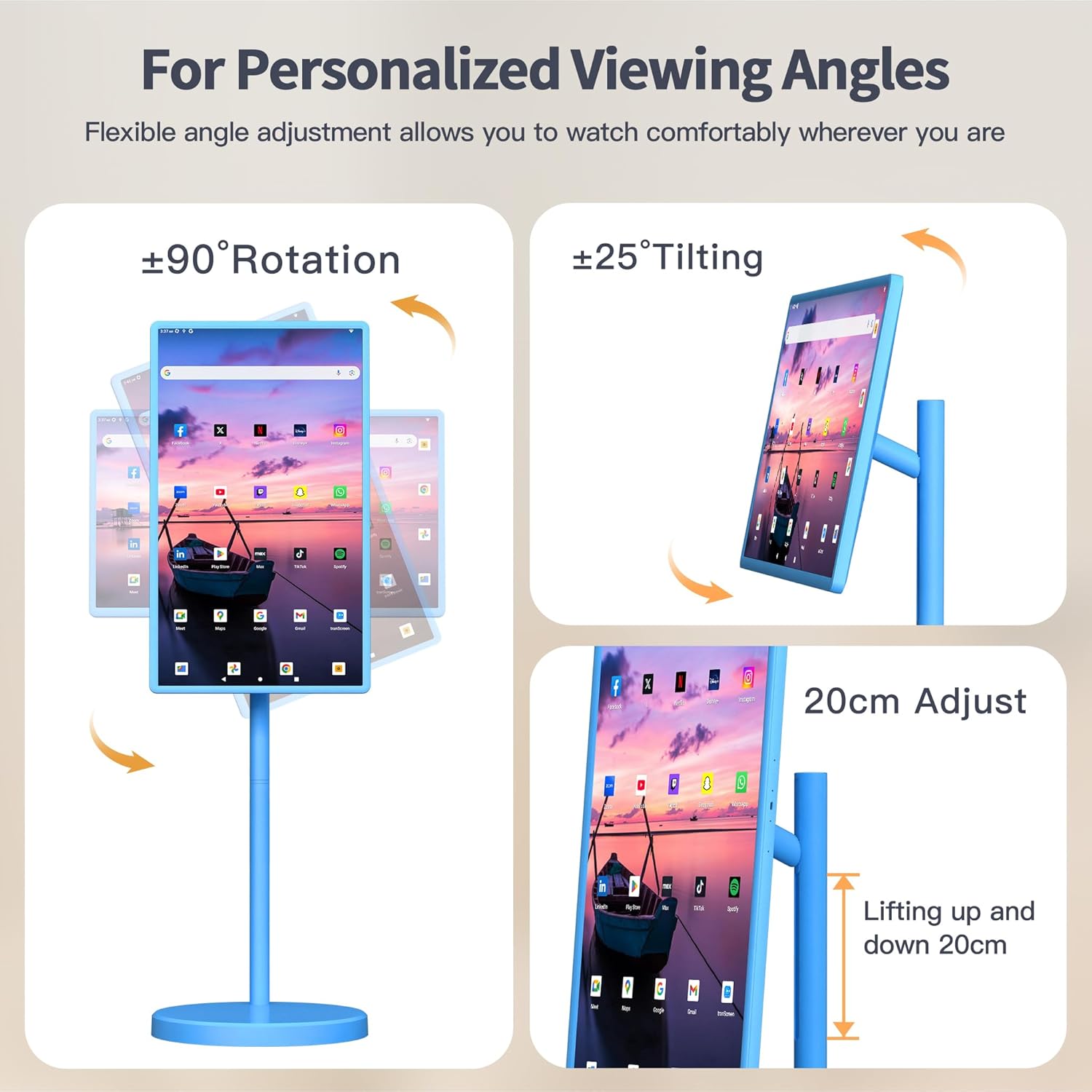
Image: This image illustrates the various adjustable features of the VLH Portable Smart TV, including 90-degree rotation, 25-degree tilting, and a 20cm height adjustment range.
4. Itilizasyon App
- Access the Google Play Store to download and install your favorite streaming, social media, and productivity applications.
- Pre-installed Google apps are available for immediate use.
- Screen mirroring from your phone is supported via the Android Switch app.
5. Portabilite
The VLH Smart TV is designed for easy movement around your home or even outdoors, thanks to its built-in battery and universal wheels. Simply unplug it from the charger and roll it to your desired location.
Video: This video demonstrates the portability of the VLH Smart TV, showing it being easily rolled between different rooms and used in various indoor and outdoor settings.
Antretyen
- Netwayaj: Sèvi ak yon twal mou epi sèk pou netwaye ekran an ak deyò a. Evite pwodui netwayaj abrazif oswa solvan.
- Swen batri: For optimal battery longevity, avoid fully discharging the battery frequently. Charge the device when the battery level is low.
- Mizajou lojisyèl: Periodically check for and install system updates to ensure optimal performance and security.
Depanaj
- Kontwòl Remote pa reponn:
- Ensure the USB dongle for the remote is securely plugged into a USB port on the TV.
- Tcheke epi ranplase pil AAA yo nan kontwòl remote la.
- Refer to the pairing instructions on the back of the remote or in the TV's settings menu.
- Sistèm Lag/Bloke:
- Rekòmanse televizyon an.
- Fèmen aplikasyon background ki pa nesesè yo.
- Asire w ke gen ase espas depo lib.
- Tcheke epi enstale nenpòt mizajou sistèm ki disponib.
- Camera Incompatibility with Apps:
- Due to the latest Android 15 OS, some older applications may not be fully compatible with the camera. Check the app's requirements or look for updates.
- Pa gen pouvwa:
- Ensure the power adapter is correctly connected to both the TV and a working power outlet.
- Verifye batri a chaje.
Espesifikasyon
| Karakteristik | Detay |
|---|---|
| Gwosè ekran | 32 pous |
| Rezolisyon | 1920 x 1080 piksèl (FHD 1080p) |
| Sistèm operasyon | Android 15 |
| RAM | 8GB |
| ROM (Depo) | 128GB |
| Kamera | 5MP (detachable) |
| Kapasite batri | 38,400 mAh |
| Dimansyon pwodwi | 16.54 x 28.74 x 45.28 pous |
| Pwa atik | 45.2 liv |
| Total pò USB | 2 |
| Aspè rapò | 16:9 |
| Imaj klète | 300-350 nits |
Garanti ak sipò
Your VLH 32 Inch Portable Smart TV comes with a one-year product warranty. For any missing parts, installation assistance, or operational queries, please contact customer service. We are committed to providing a satisfactory solution for any issues you may encounter.
Gen lòt plan pwoteksyon ki disponib pou achte:
- Plan Pwoteksyon 4 Zan
- Pwoteksyon Konplè (abònman mansyèl ki kouvri acha ki kalifye yo)