
Entwodiksyon
The FMOUSE M109 is a compact and versatile 2-in-1 device, functioning as both a wireless Bluetooth mouse and a TF (MicroSD) card reader. Designed for portability, it includes an 8GB TF card and a Type-C to USB adapter, making it suitable for various computing environments and on-the-go use. This manual provides detailed instructions for its setup, operation, maintenance, and troubleshooting.
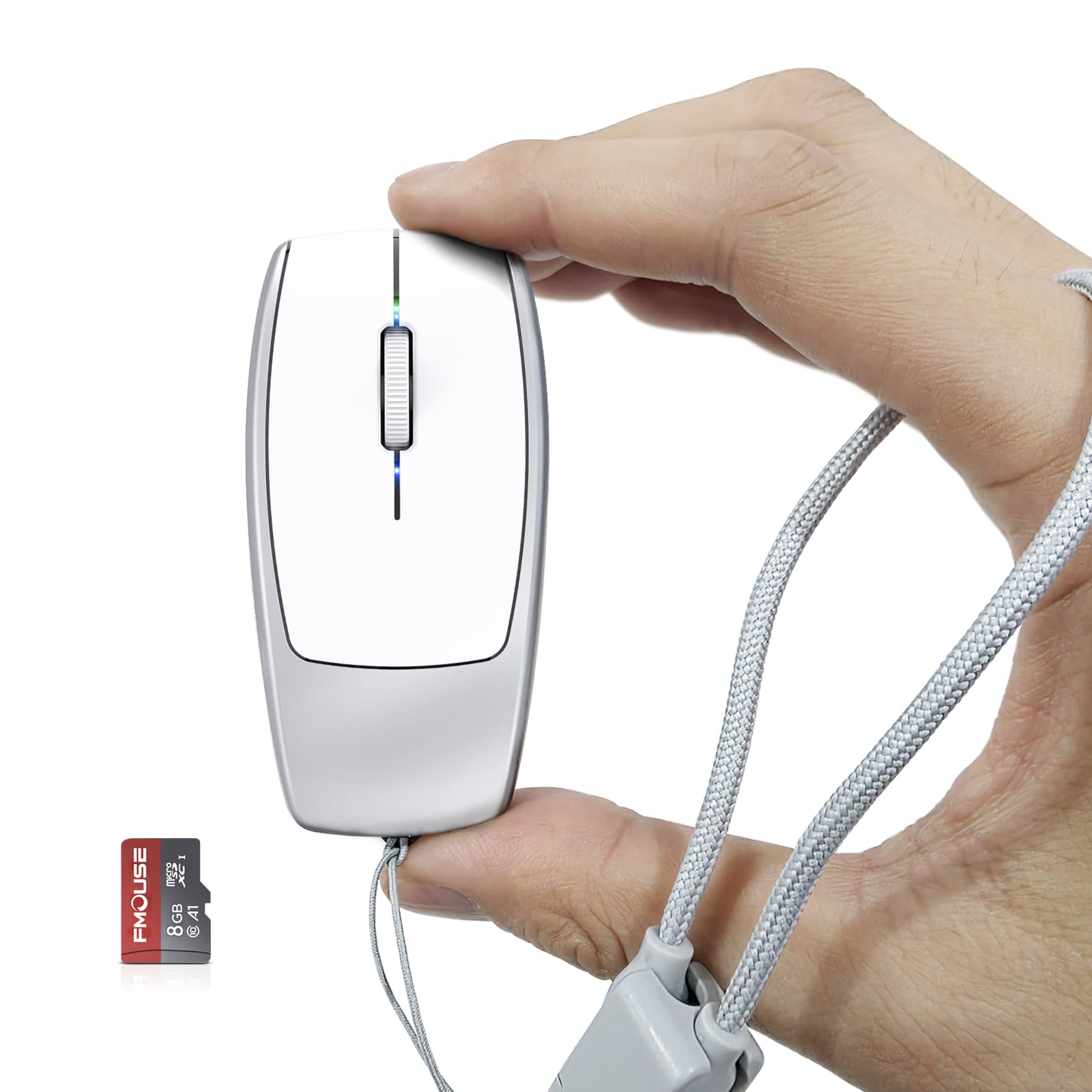
Image: The FMOUSE M109 Mini Portable 2-in-1 Wireless Bluetooth Mouse and TF Card Reader.
Ki sa ki nan bwat la
Tanpri verifye sa ki nan pake a pou asire w tout atik yo la:
- 1 x 2-in-1 Bluetooth Mouse & TF Card Reader (FMOUSE M109)
- 1 x 8GB TF Kat
- 1 x tip-C pou USB adaptè
- 1 x Type-C Charging Cable (doubles as a lanyard)
- 1 x manyèl enstriksyon

Image: The FMOUSE M109 mouse, 8GB TF card, Type-C to USB adapter, and Type-C charging cable/lanyard.
Enstalasyon
1. Chaje Sourit la
Before first use, fully charge the mouse. Connect the included Type-C charging cable to the mouse's Type-C port and the other end to a USB power source (e.g., computer USB port, wall adapter). The charging indicator light will show charging status. A full charge typically takes 2-3 hours.

Image: The FMOUSE M109 connected to a charging cable via its Type-C port, with the Type-C to USB adapter shown.
2. Mete kat TF la
Locate the TF card slot on the underside of the mouse. Gently insert the provided 8GB TF card (or another compatible TF card up to 2TB) into the slot until it clicks into place. Ensure the card is inserted in the correct orientation.

Image: The FMOUSE M109 showing the TF card slot and an inserted 8GB TF card.
3. Limen epi konekte Bluetooth
- Jwenn bouton ON/OFF ki anba sourit la epi glise l nan pozisyon 'ON'.
- On your device (laptop, phone, tablet), navigate to the Bluetooth settings.
- The mouse should appear as 'BTS 5.1 Mouse' or similar in the list of available devices. Select it to pair.
- If prompted, confirm the pairing. The mouse's indicator light may change to confirm a successful connection.

Image: The underside of the FMOUSE M109, highlighting the ON/OFF switch, DPI switch key, and Bluetooth reset button.
Enstriksyon Operasyon
1. Mouse Functionality
Once paired, the FMOUSE M109 operates as a standard wireless mouse. It features left-click, right-click, and a scroll wheel for navigation.
2. Ajiste DPI (Sansiblite)
The mouse has an adjustable DPI switch key located on its underside. A single click of this button cycles through three DPI levels: 800, 1200, and 1600. Select the sensitivity that best suits your preference and task.
3. Bluetooth Reyajiste
If you experience connectivity issues or wish to pair the mouse with a new device, you can reset the Bluetooth connection. Long press the DPI switch key on the bottom of the mouse until the indicator light flashes, signaling that the mouse is ready for a new pairing.
4. TF Card Reader Function
When the TF card is inserted into the mouse and the mouse is connected to a computer, it functions as a portable storage device. You can access the contents of the TF card directly through your computer's file explorer. The mouse supports TF cards up to 2TB capacity.
Image: The DPI switch key and Bluetooth reset function on the underside of the FMOUSE M109.
5. Using the Type-C to USB Adapter
The included Type-C to USB adapter allows for broader compatibility, enabling you to connect the mouse's Type-C charging cable (which doubles as a lanyard) to standard USB-A ports for charging or data transfer if needed.
6. Demonstrasyon Videyo
Video: Official FMOUSE demonstration of the Mini 2-in-1 Bluetooth Mouse & TF Card Reader features and usage.
Antretyen
To ensure the longevity and optimal performance of your FMOUSE M109, follow these maintenance guidelines:
- Netwayaj: Use a soft, dry cloth to wipe the exterior of the mouse. For stubborn dirt, a slightly damp Ou ka itilize twal, men asire w pa gen imidite ki antre nan aparèy la. Evite pwodui chimik ki agresif oswa pwodui netwayaj abrazif.
- Depo: Sere sourit la nan yon kote ki fre epi sèk, lwen limyè solèy dirèk ak tanperati ekstrèm.
- Swen batri: To prolong battery life, avoid fully discharging the mouse frequently. Charge it when the battery is low. If storing for an extended period, charge it to about 50% every few months.
- TF Card Handling: Always eject the TF card safely from your computer before removing it from the mouse to prevent data corruption.
Depanaj
If you encounter issues with your FMOUSE M109, refer to the following common solutions:
| Pwoblèm | Solisyon posib |
|---|---|
| Sourit la pa limen. | Ensure the ON/OFF switch is in the 'ON' position. Charge the mouse fully. |
| Sourit la pa konekte via Bluetooth. | Ensure Bluetooth is enabled on your device. Perform a Bluetooth reset on the mouse (long press DPI button). Remove previous pairings from your device and try pairing again. Ensure the mouse is charged. |
| TF card is not recognized. | Ensure the TF card is inserted correctly and fully into the slot. Try re-inserting the card. Test the TF card in another device if possible to rule out card issues. Ensure the mouse is connected to your computer. |
| Mouse movement is erratic or unresponsive. | Check the battery level and charge if necessary. Ensure the optical sensor on the bottom is clean and free of obstructions. Try adjusting the DPI setting. Ensure you are using the mouse on a suitable surface. |
Espesifikasyon
Key technical specifications for the FMOUSE M109:
- Mak: FMOUSE
- Modèl: M109
- Koneksyon Teknoloji: Bluetooth
- Teknoloji deteksyon mouvman: Optik
- Nivo DPI: 800, 1200, 1600 (adjustable)
- Bouton: 3 (Agoch, Adwat, Woulèt/Mitan)
- Batri: 120mAh Built-in Lithium-ion battery
- Pò chaje: Kalite-C
- Lektè kat TF: Supports up to 2TB (8GB TF card included)
- Dimansyon: 78 × 38 × 22 mm (3.07 × 1.49 × 0.87 pous)
- Pwa: Apeprè 30g (1.06 ons)
- Ranje san fil: Jiska 10 mèt
- Aparèy konpatib: Laptops, phones, computers
- Sistèm operasyon: Windows 7/8/10 or later, macOS 10.08 or later, Chrome OS, Android 5.0 or later
- Materyèl patiraj: Plastik
Image: The compact dimensions of the FMOUSE M109 mouse, measuring 3.07 x 1.49 x 0.87 inches.
Garanti ak sipò
Enfòmasyon sou Garanti
The FMOUSE M109 comes with a Garanti manifakti 2 zan apati dat acha a. Garanti sa a kouvri domaj nan materyèl ak nan fabrikasyon anba itilizasyon nòmal. Li pa kouvri domaj ki koze pa move itilizasyon, aksidan, modifikasyon san otorizasyon, oswa mete ak chire nòmal.
Sipò pou Kliyan
For technical assistance, warranty claims, or any questions regarding your FMOUSE M109, please contact FMOUSE Brand customer support. Refer to the contact information provided on the product packaging or the official FMOUSE websit la pou jwenn chanèl sipò ki pi ajou yo.