
Entwodiksyon
The TOPPING A900 is an ultra-flagship headphone amplifier designed for superior audio performance. It features a fully differential balanced architecture, high power output, and versatile connectivity options, making it suitable for demanding audiophiles and professional studio environments. This manual provides essential information for setting up, operating, and maintaining your A900 amplifier.

Image: The TOPPING A900 Ultra-Flagship Headphone Amplaviyè, montreasing its sleek design and premium build quality.
Karakteristik kle
- Ultra-Flagship Power Output: Delivers up to 22,000mW at 16Ω with patented T'ang-ku-la amplifier modules, achieving 0.00003% THD and exceptional dynamic range.
- True Fully Balanced Signal Path: Three T'ang-ku-la modules form a 6-channel fully differential architecture, maintaining a balanced signal throughout for clean, distortion-free audio.
- Versatile Pro-Grade Output Selection: Offers six headphone outputs including 6.35mm SE, 4.4mm balanced, 4-pin XLR, and dual 3-pin XLR, utilizing high-quality Neutrik and Pentaconn connectors.
- Precision Relay-Based Volume Control: Features a fully balanced relay volume design with -153dB channel crosstalk and precise 0.5dB steps for accurate level adjustment.
- Pure Preamp Mòd: High-pèfòmans preamp mode with THD+N < 0.000055%, ideal for integration with power amplifiers and active speakers.
- Customizable Display and Controls: 2-inch full-color screen displays playback info, FFT spectrum, and VU meters. Intuitive touch buttons and volume knob with selectable themes.
- Isolated Power Supply Architecture: Separate power paths for analog and digital circuits ensure stable voltage and reduce mutual interference.
Enstalasyon
Follow these steps to set up your TOPPING A900 amplifier:
- Debake: Carefully remove all components from the packaging. Ensure all accessories, including the CNC remote, are present.
- Plasman: Place the A900 on a stable, flat surface away from direct sunlight, heat sources, and excessive moisture. Ensure adequate ventilation around the unit.
- Koneksyon pouvwa: Connect the provided power cable to the AC input on the rear panel of the A900 and then to a suitable power outlet.
- Koneksyon Antre: Connect your audio source(s) to the desired input ports on the rear panel (e.g., XLR, RCA).
- Koneksyon Sòti: Connect your headphones to one of the six headphone output jacks on the front panel, or connect to a power amplifier/active speakers using the balanced XLR or single-ended RCA preamp outputs on the rear.
- Pouvwa sou: Press the power button on the front panel or use the remote control to turn on the device.

Image: Diagram illustrating the product dimensions and the layout of interfaces and buttons on the front and rear panels of the TOPPING A900.
Opere
The TOPPING A900 offers intuitive controls for a seamless audio experience.
Kontwòl panèl devan
- Volim bouton: Rotate to adjust the output volume. The precision relay-based volume control ensures smooth and accurate adjustments.
- Bouton manyen: Navigate through menus, select inputs, and customize display settings using the touch-sensitive buttons.
- Ekspozisyon ekran: The 2-inch full-color screen provides real-time information such as playback status, FFT spectrum, and VU meters.

Image: Close-up of the TOPPING A900's front panel, highlighting the display screen and control knob.
Pèsonalizasyon ekspozisyon
The A900 allows for extensive display customization:
- Montre mòd: Switch between playback information, FFT spectrum, and VU meters to monitor audio performance.
- Koulè background: Choose from 9 background colors to match your aesthetic preferences.
- Tèm: Select different display themes for a personalized user interface.
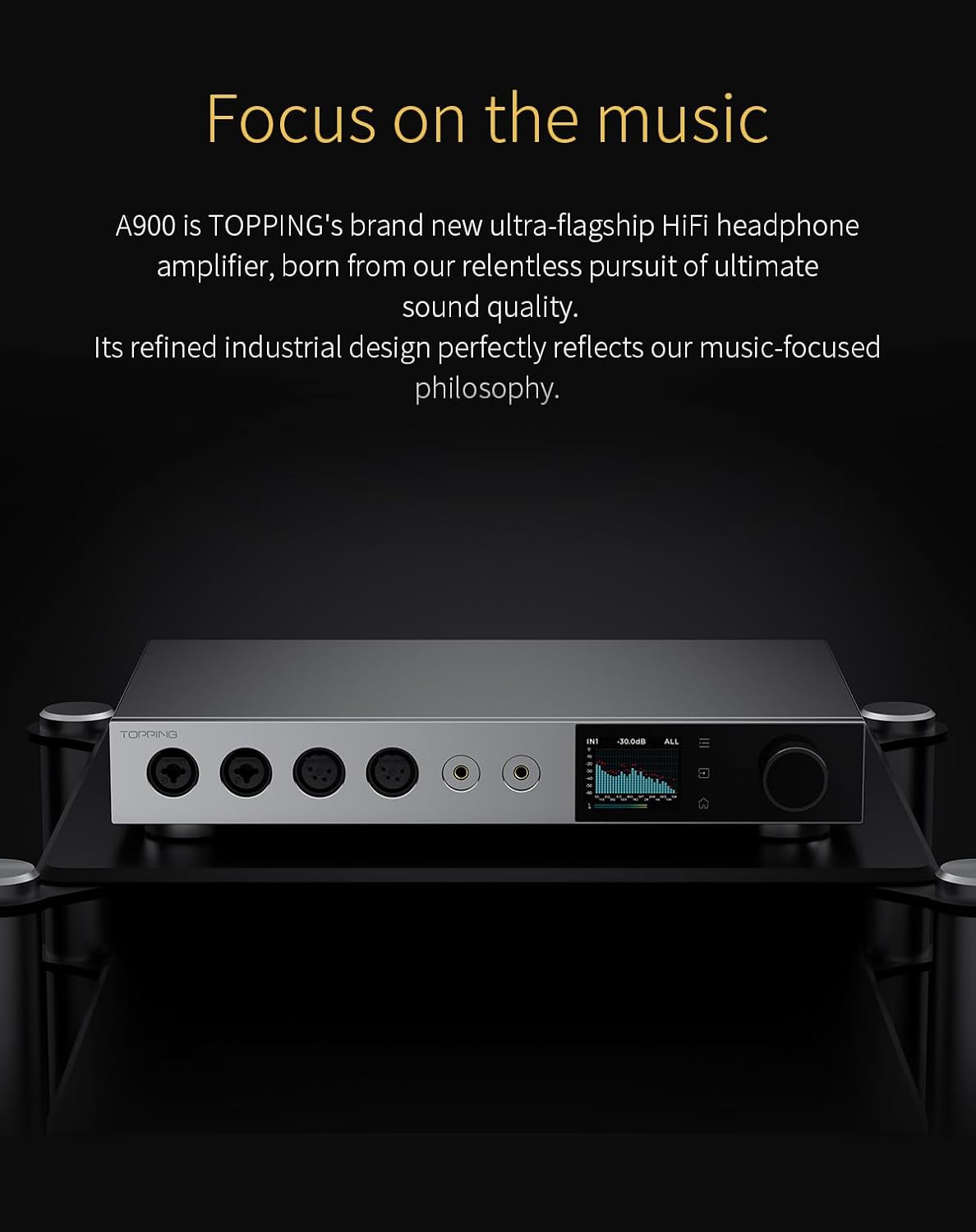
Image: Various display customization options shown on the TOPPING A900's screen, including different themes and information displays.
Pure Preamp Mode
The A900 can function as a high-performance preamplifier. To activate this mode, select the appropriate output setting. This mode is ideal for driving power amplifiers or active speakers in a high-fidelity audio chain, offering ultra-low distortion and a clean signal.
Koneksyon
The A900 provides a comprehensive array of input and output options for diverse audio setups.
Headphone Outputs (Front Panel)
- 6.35mm Yon sèl bout: Standard headphone connection.
- 4.4mm Balanse: For balanced headphones, offering improved signal integrity.
- 4-pin XLR: Professional balanced headphone connection.
- Dual 3-pin XLR: Additional balanced headphone output options.

Image: The front panel of the TOPPING A900, showing the various headphone output jacks.
Rear Panel Inputs & Outputs
The rear panel features high-quality Neutrik and Pentaconn connectors for stable and reliable connections.
- Stereo Combo Balanced Inputs: Three sets of balanced inputs for connecting various audio sources.
- Balanse XLR Preamp Sòti: For connecting to power amplifiers oswa moun ki pale aktif.
- Deklanche 12V: Allows for synchronized power control with other compatible devices.
- Firmware Upgrade Port: USB port for future firmware updates.

Image: The rear panel of the TOPPING A900, displaying the balanced inputs, preamp outputs, and other utility ports.
Kontwòl Remote
The A900 includes a premium CNC-machined aluminum remote control for convenient operation.
- Full-Function Control: Adjust volume, switch inputs, navigate menus, and control display settings from a distance.
- Konsepsyon dirab: Crafted from solid aluminum with a sandblasted finish for durability and an elegant feel.

Image: The sleek, CNC-machined aluminum remote control for the TOPPING A900.
Architecture and Performance
The A900's internal design is engineered for reference-level sound clarity and headroom.
- T'ang-ku-la Amplifier Modules: Patented three-stage feedback circuit effectively reduces circuit noise and high-frequency distortion, enhancing dynamic range and achieving ultra-low THD.
- 6-Channel Fully Differential Architecture: Ensures a balanced signal path from source to output, delivering clean and distortion-free audio with superior channel separation.
- Alimantasyon izole: Dedicated power paths for analog and digital circuits minimize mutual interference, improving sound purity and dynamic performance.

Imaj: Gwo plan view of the T'ang-ku-la amplifier modules inside the TOPPING A900.

Imaj: Detaye view of the precision relay-based volume control mechanism within the TOPPING A900.

Imaj: Entèn view showing the isolated power supply architecture of the TOPPING A900.
Espesifikasyon
| Karakteristik | Detay |
|---|---|
| Dimansyon pwodwi | 12.99 x 7.87 x 2.24 pous |
| Pwa atik | 10.6 liv |
| Nimewo Modèl Atik | TP-A900 |
| Manifakti | TOPING |
| Sorti pouvwa | Up to 22,000mW @ 16Ω |
| THD+N | 0.00003% (Kas ekoutè Amp mòd) |
| Chanèl Crosstalk | -153dB (Relay Volume Control) |
| Preamp THD+N | <0.000055% |
Antretyen
To ensure the longevity and optimal performance of your TOPPING A900, follow these maintenance guidelines:
- Netwayaj: Use a soft, dry cloth to clean the exterior of the unit. Avoid using liquid cleaners or abrasive materials, as they may damage the finish.
- Vantilasyon: Ensure that the ventilation slots on the unit are not obstructed to prevent overheating.
- Depo: When not in use for extended periods, store the A900 in a cool, dry place, preferably in its original packaging.
- Jesyon kab: Kenbe kab yo òganize epi san pli oswa tansyon twòp pou anpeche domaj nan konektè yo ak fil elektrik entèn yo.
Depanaj
If you encounter any issues with your TOPPING A900, refer to the following common troubleshooting steps:
- Pa gen pouvwa:
- Check if the power cable is securely connected to both the A900 and the power outlet.
- Asire w ke switch pouvwa a sou panèl dèyè a nan pozisyon 'ON'.
- Verifye si priz kouran an fonksyone byen lè w branche yon lòt aparèy.
- Pa gen son:
- Confirm that the correct input source is selected on the A900.
- Check all audio cable connections between your source, the A900, and your headphones/speakers.
- Asire w ke volim nan pa sou minimòm lan oswa sou mute.
- Test with different headphones or speakers to rule out faulty output devices.
- Son defòme:
- Reduce the input volume from your audio source to prevent clipping.
- Tcheke pou kab odyo yo ki domaje epi ranplase yo si sa nesesè.
- Ensure headphones/speakers are properly connected and not faulty.
- Kontwòl Remote pa travay:
- Tcheke epi ranplase pil yo nan kontwòl remote la.
- Ensure there are no obstructions between the remote and the A900's IR receiver.
If the issue persists after trying these steps, please contact TOPPING customer support for further assistance.
Garanti ak sipò
The TOPPING A900 comes with a manufacturer's warranty. Please refer to the warranty card included in your product packaging for specific terms and conditions. For technical support, service, or warranty claims, please contact TOPPING customer service through their official websit oswa distribitè otorize.
For additional resources, including updated firmware and FAQs, visit the official TOPPING websit.
Videyo pwodwi ofisyèl la
Videyo: Yon prezantasyon videyo pwodwi ofisyèlasing the TOPPING A900 headphone amplifier, its features, and design.